



February 10, 2021
This is a instruction show you guide on how to use Volvo Tech Tool diagnostic software do to fuel pressure monitor for Volvo FM4 truck.
Procedures:
Run Volvo Tech Tool software on your PC,then input user ID to login (offline)
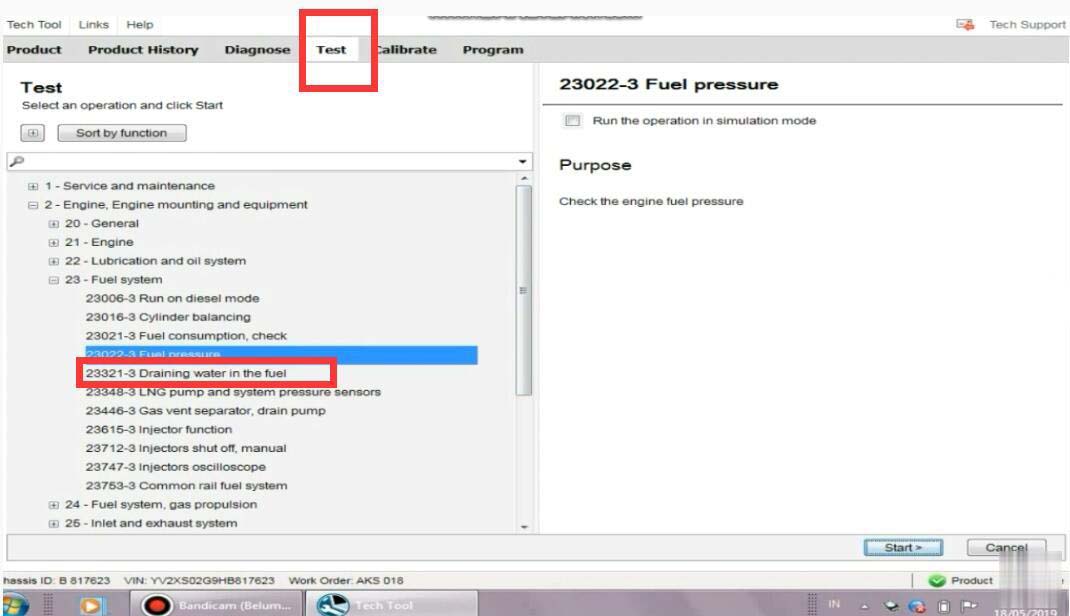
Select "Testâ€â€“>â€23-Fuel systemâ€â€“>â€Fuel pressureâ€
Then click "Start†button
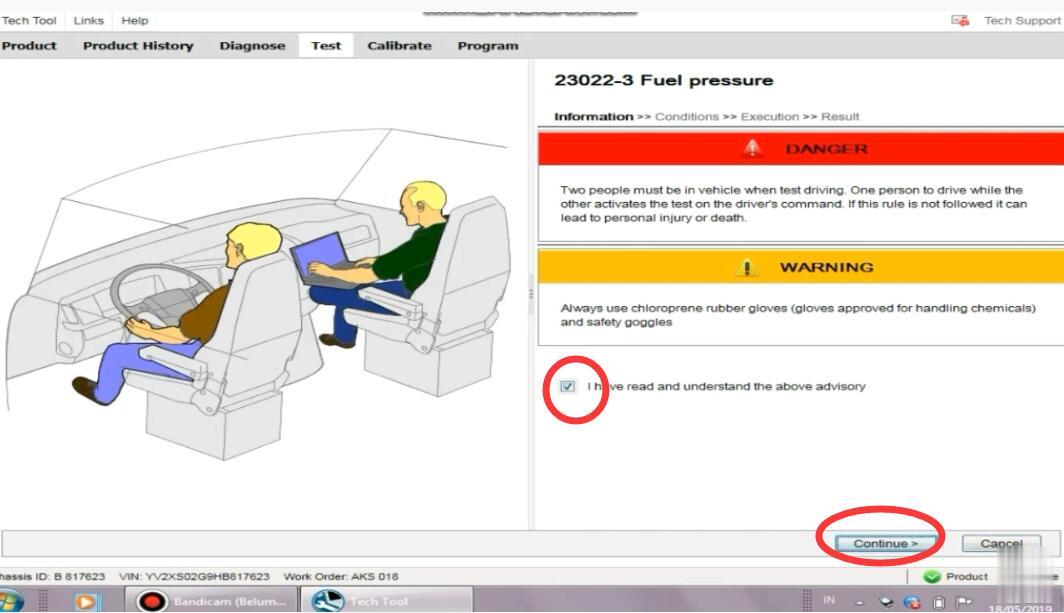
It show you warning message,select "I have read and understand the above advisoryâ€
And click "Continueâ€
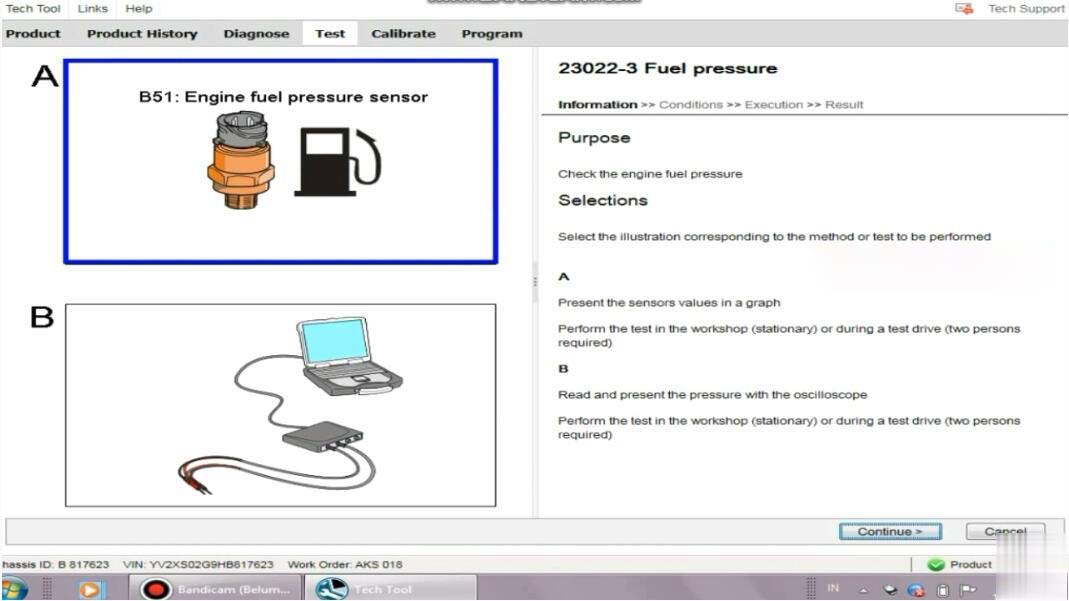
There are two options:
A resent the sensors values in a graph
Perform the test in the workshop(stationary) or during a test drive(two persons required)
B:Read and present the pressure with the oscilloscope
Perform the Heavy Duty Scanner in the workshop (stationary) or during a test drive(two persons required)
Select "A†and click â€Continueâ€
To monitor the fuel pressure in various conditions for example during a test drive;either the oscilloscope test in this operation or a manual pressure gauge must be used.Manual fuel pressure test instructions can be found by selecting the symptom Low power in the diagnose tab.
Action:
Read out the status of the operating conditions:
1.Engine not running
2.Run the engine at 600rpm
3.Check the engine fuel pressure
4.Run the engine at 1200rpm
5.Check the engine fuel pressure
6.Engine running
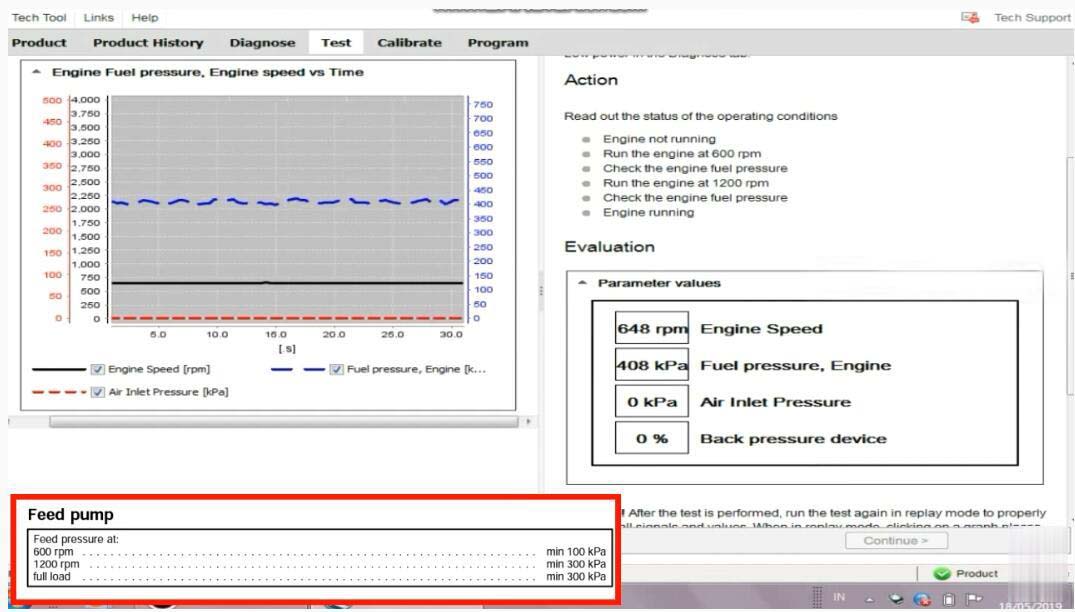
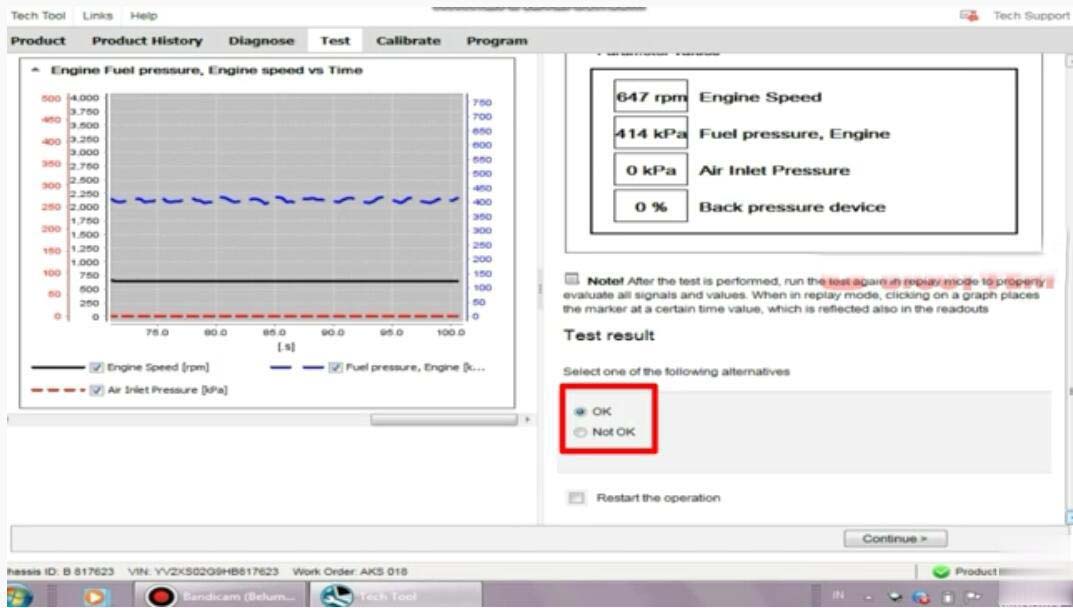
Now here you can record the fuel pressure
After then select "OKâ€,and click "Continue†exit Volvo fuel pressure monitor.
Posted by: Emily white at
09:59 AM
| Comments (1)
| Add Comment
Post contains 228 words, total size 4 kb.
Posted by: peter John at July 06, 2021 11:15 AM (uvOvW)
37 queries taking 0.0521 seconds, 164 records returned.
Powered by Minx 1.1.6c-pink.

