



February 25, 2021
Many clients get confused when choose a Mercedes diagnostic tool. Here OBD2TOOL share comparison of MB Star C3 C4 C5 and C6.
Mercedes Benz Star Diagnosis MB Star C3
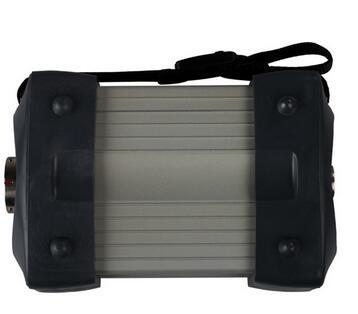
SD Connect MB Star C3 is much better for the old Mercedes Benz and support truck speed limited function (other tools cannot do it).
Star C3 xentry software data latest version is V2016.12 and now stop update anymore so that it cannot support online SCN Coding.
Mercedes Benz Star Diagnosis MB Star C4
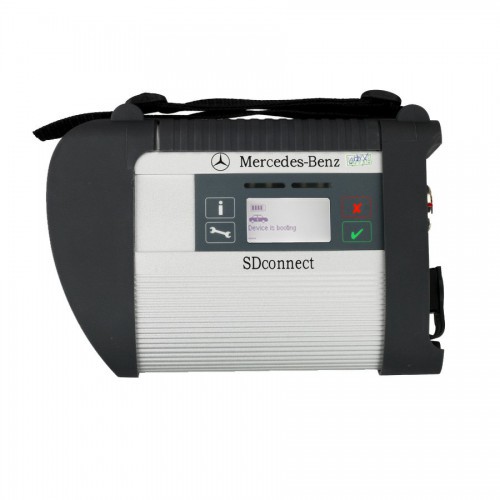
MB Star C4 is the hot sell baby Mercedes diagnostic tool with low price and strong functions work stable.MB Star C4 with vediamo and DTS Monaco software support offline programming and can support online SCN coding with online dealer account.MB Star C4 software is keep in update but it cannot support DOIP prototol.
Mercedes Benz Star Diagnosis MB Star C5
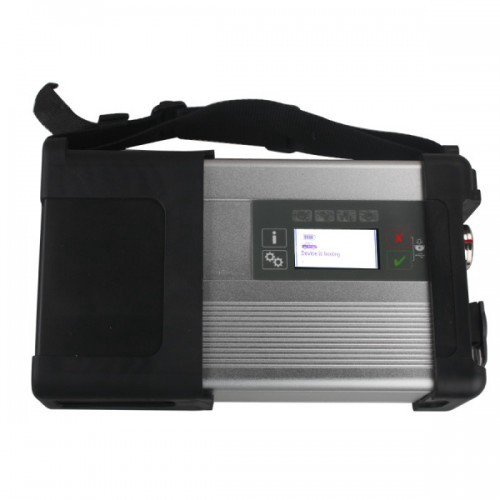
Original MB STAR C5 Mercedes C5 Support wifi connection and latest Xentry SSD Software installed well in Mercedes C5.SD Connect C5 including DOIP protocol and work with new W222 Mercedes.MB Star C5 support online SCN coding with dealer account.
It is much better to get a low cost MB Star C4
Star Diagnosis C6 MB Star C6 with DOIP&AUDIO Function
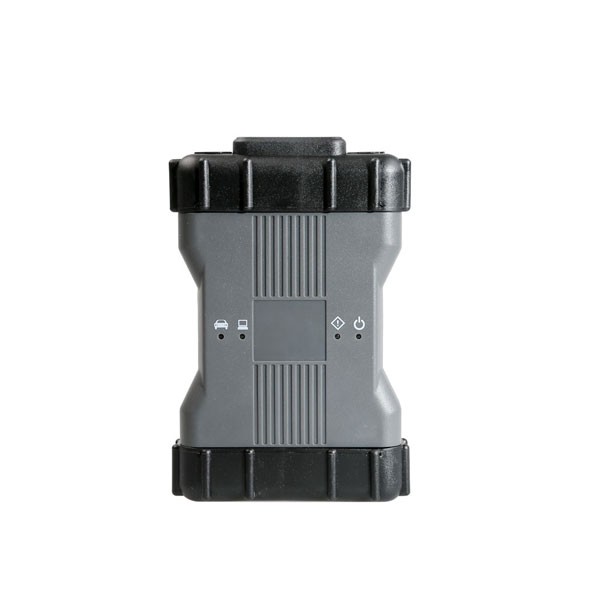
Star Diagnosis MB STAR C6 VCI is the latest interface for For Mercedes & SMART vehicles can replace MB Star C4/C5 .SD Connect MB Star C6 Pass-through Interface support DOIP&AUDIO function and Support SCN Coding.Multi-language Star Diagnosis MB Star C6 work for Mercedes Benz & Smart vehicles up to 2018 year.
But MB Star C6 software cannot support Vediamo and DTS Monaco for offline programming.
Summary:
Star Diagnosis MB Star C3 is old and Star C5 is very expensive, MB Star C6 quality is not good as Star C4,we recommend you to use the MB Star C4. MB Star C4 cover all the functions of MB Star C3 C5 C6 except the DOIP protocol. It is a value to own one.
OBD2TOOL offer hot sell good quality MB Star C4 with full chips and SN 100925 support hardware update.
Posted by: Emily white at
07:16 AM
| Comments (1)
| Add Comment
Post contains 352 words, total size 4 kb.
February 21, 2021
Today I’m going to use the Autel MaxiIM IM608 diagnostic tool to do a parameter reset for a 2008 Ford E350. I just reprogrammed a used PCM for this vehicle, so the red light keeps blinking on the dashboard. That is the anti-theft system functions, which is not letting the vehicle start.
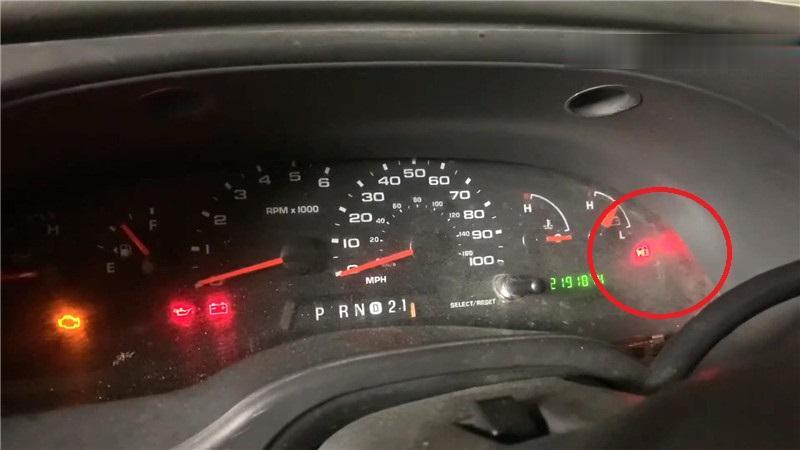
All I have to do is to reset the parameter, here we go to the Autel IM608 scanner.
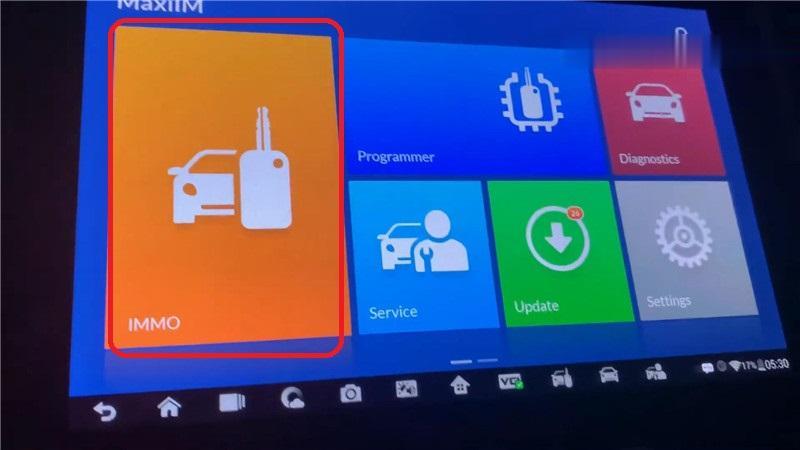
IMMO >> Accept >> VIN >> Auto detect >> Ford(USA)
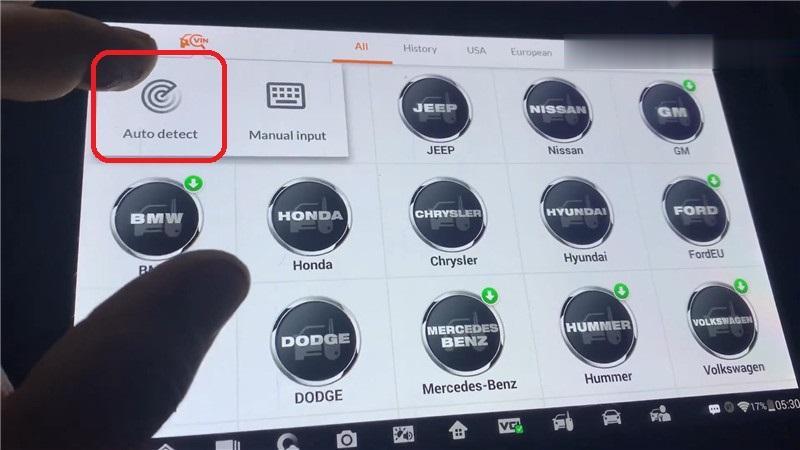
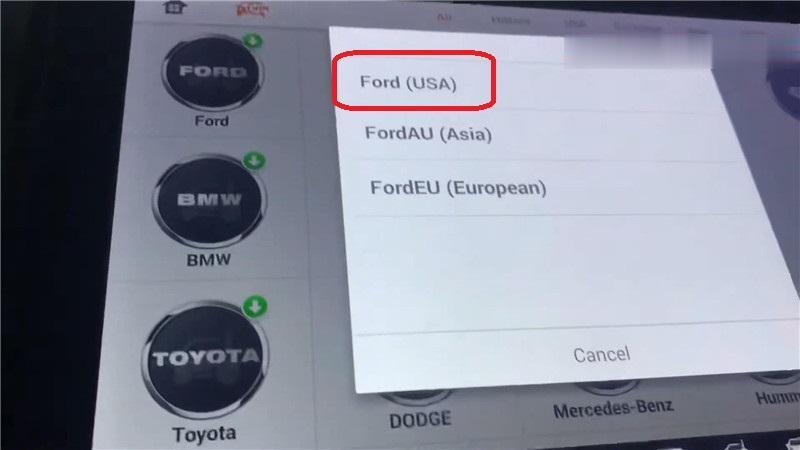
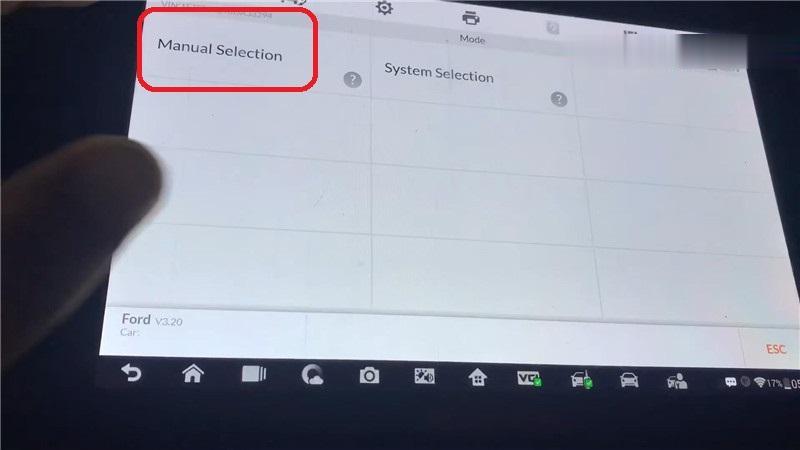
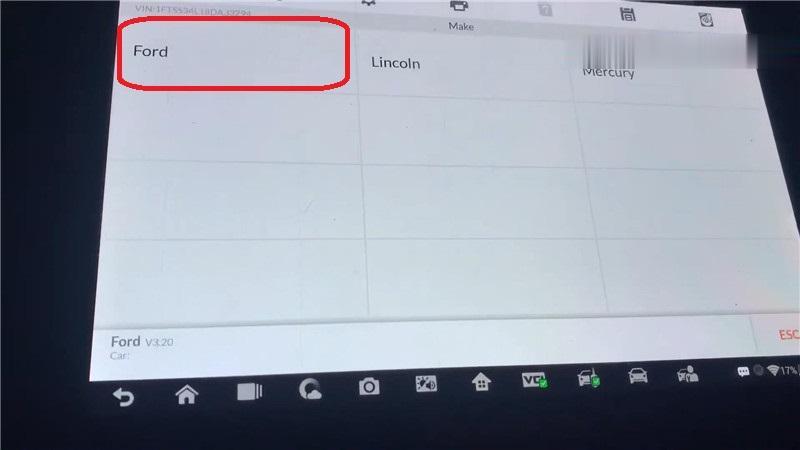
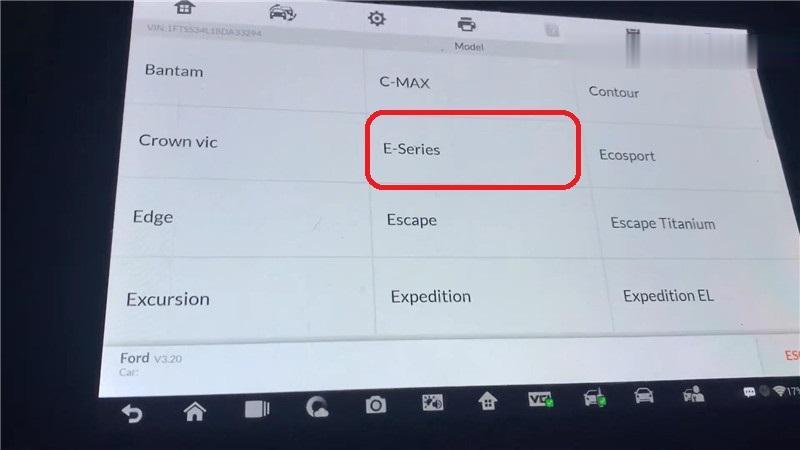
Manual selection >> Ford >> USA >> E-series >> 2008-2009 Blade Key
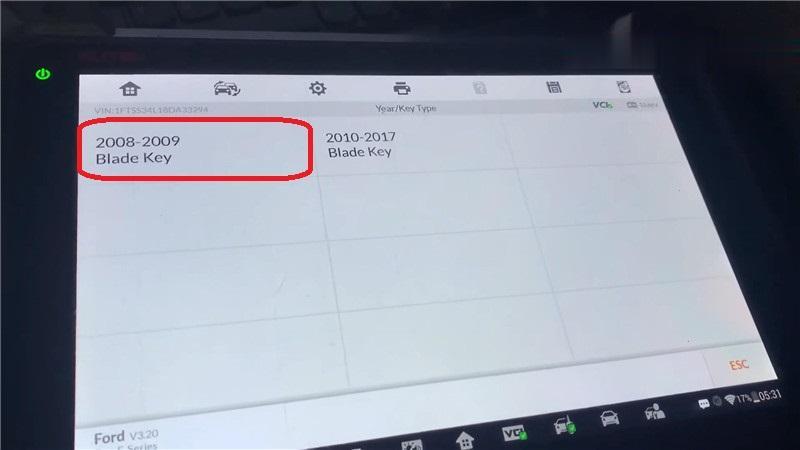
Immobilizer(CAN) >> Immobilizer remote control learning >> Parameter reset
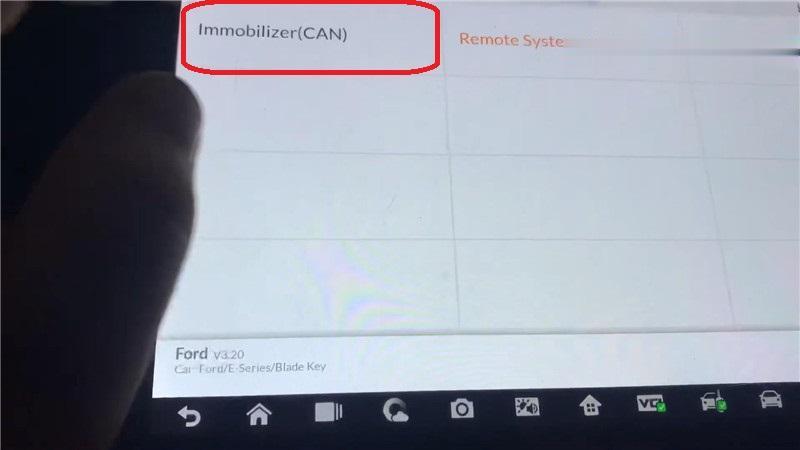
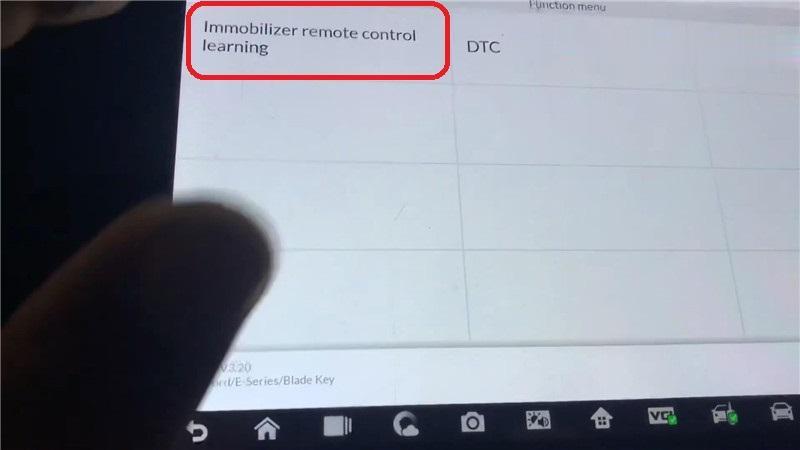
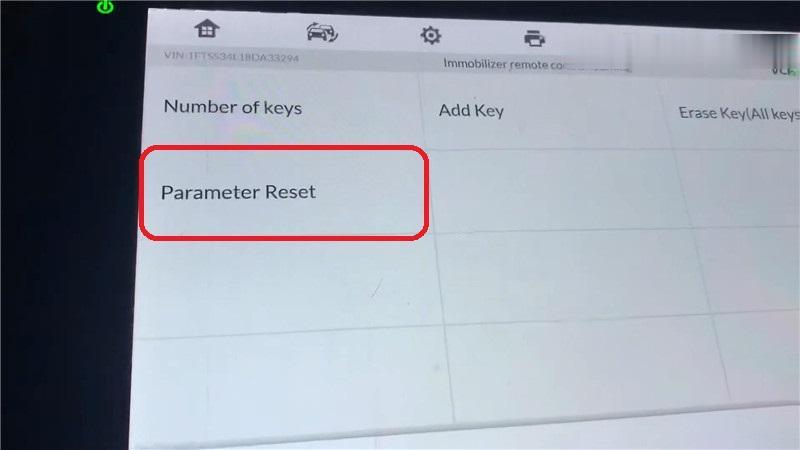
Turn the ignition on, press "OKâ€.
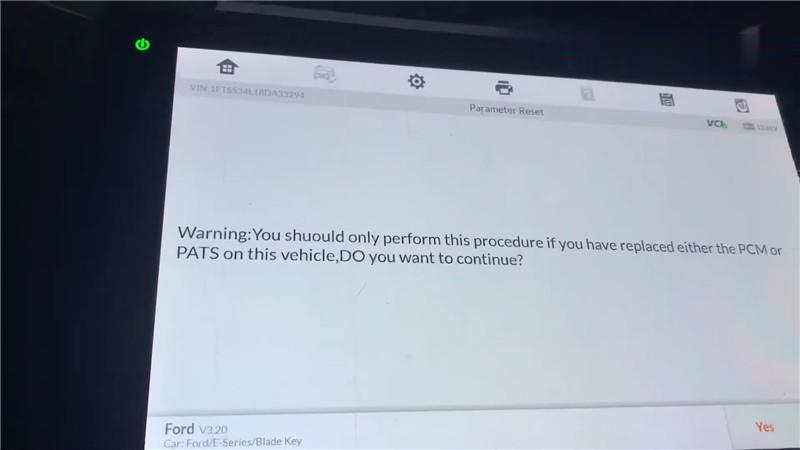
Warning: You should only perform this procedure if you have replaced either the PCM or PATS on this vehicle. Press "Yes†to continue.
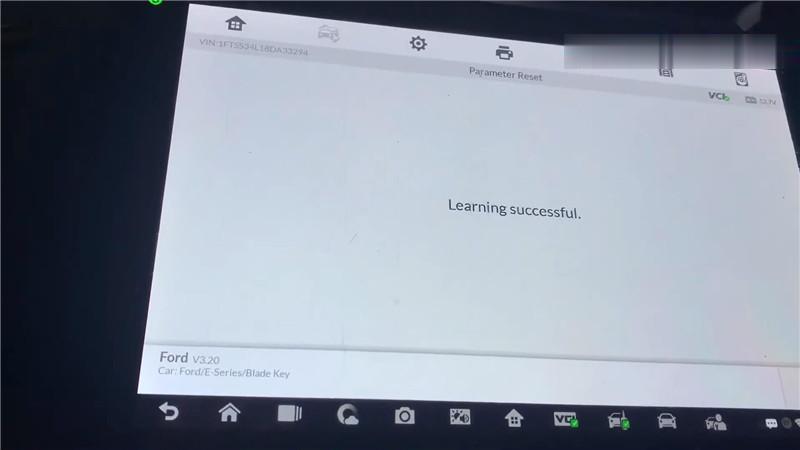
Learning successful, press "OK†to complete.
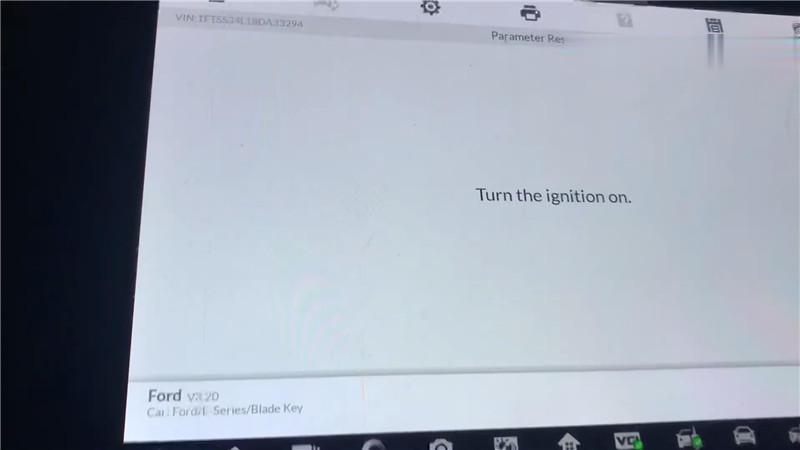
It is surprisingly quick, now the red light is off.
I’m gonna turn off the ignition to see if the light has gone. All right, it is completely off.
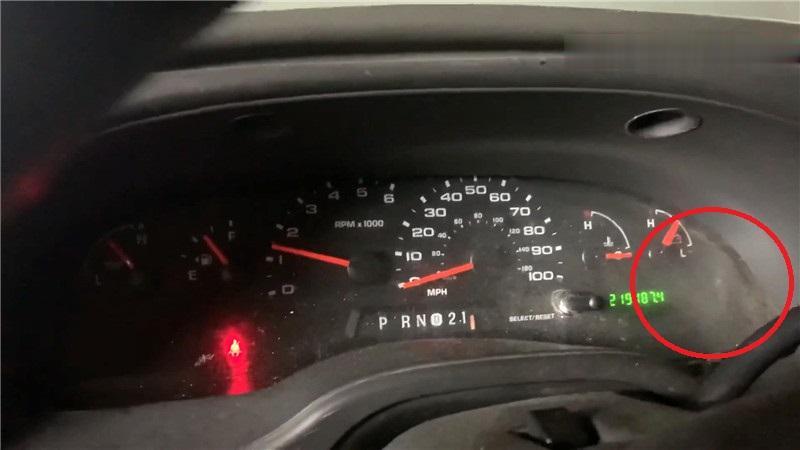
As you can see, Autel IM608 Scan Tool does do a parameter reset in 3 minutes.
Posted by: Emily white at
04:46 AM
| Comments (1)
| Add Comment
Post contains 193 words, total size 4 kb.
How to upgrade the firmware of SVCI 2020? In this post, you will find the answer.
Here are the steps:
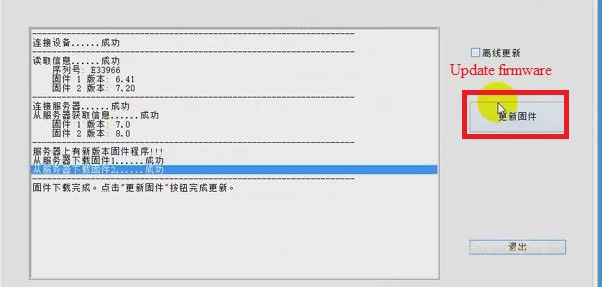
1.Click "SVCI 2020†button>> "Update firmwareâ€.
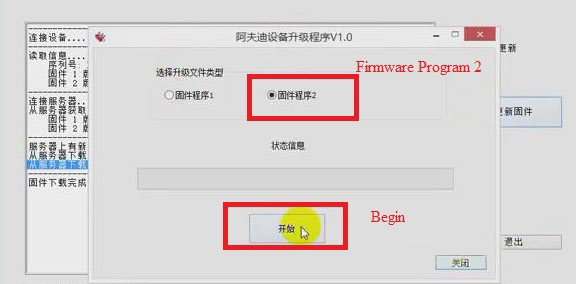
2.Choose "Firmware Program 2†and click "Beginâ€. Then Firmware Program 2 will be downloaded.
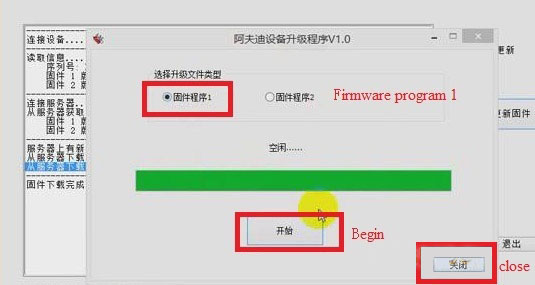
3.When the downloading of firmware program 2 is successful, click "Confirmâ€, and choose "Firmware program 1†and click "Beginâ€.Then firmware program 1 will be downloaded.
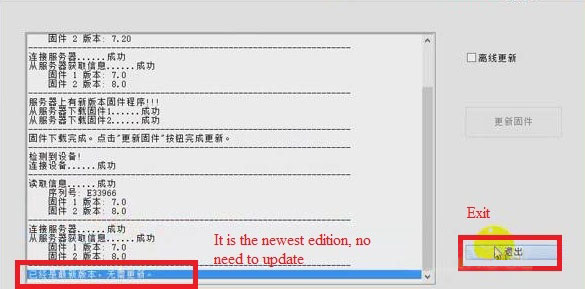
4.When the downloading of firmware program 1 is successful, click "Confirmâ€.
5.Click "Closeâ€, now we can see that the firmware has been updated to the newest. Then click "Exitâ€.
Job is done!
Posted by: Emily white at
04:39 AM
| Comments (1)
| Add Comment
Post contains 105 words, total size 2 kb.
February 19, 2021
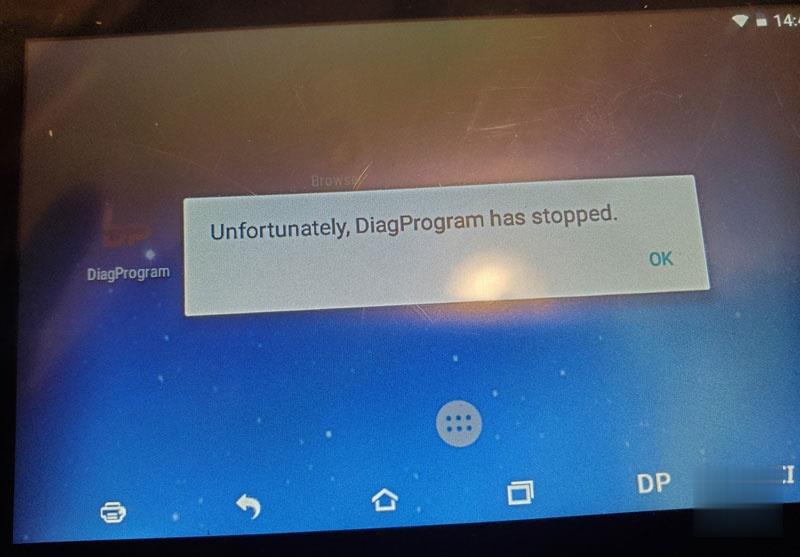
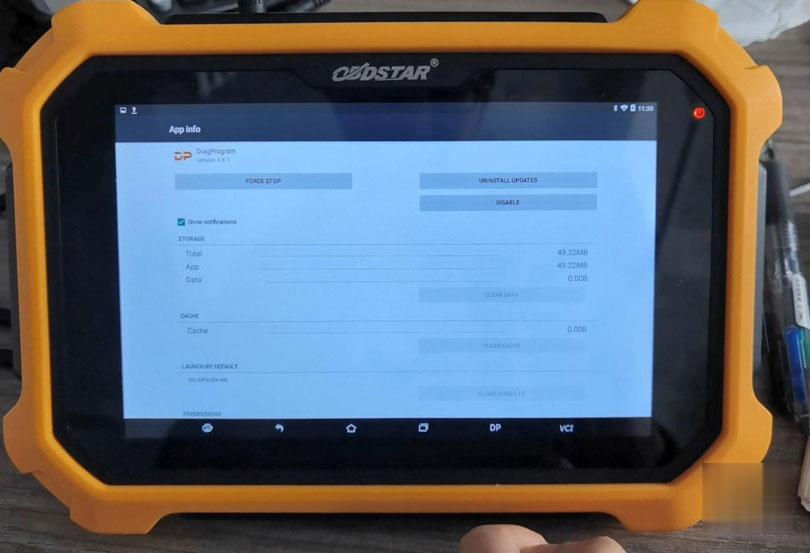
To obdstar users: regarding the problem "Unfortunately, DiagProgam has stopped.†that frequently appears recently, it is caused by compatibility issues.
A new apk version v3.8.1 has been released this week to solve this problem. (Note: The solution is applied to any of x300dp, x300 dp plus, odomaster, x300pro4.)
For the obdstar machine which update service is valid, you can directly upgrade the apk to solve this problem.
For the obdstar machine which update service expired, please clear the cache to solve the problem, the drawback is that this problem may occur repeatedly, because there is no way to upgrade the new apk v3.8.1 after the expiration, you have to clear the cache repeatedly.
Please look at the last paragraph on how to clear the cache.
Attention Please:
Never restore factory settings, otherwise the software will be lost and there is no way to restore it.
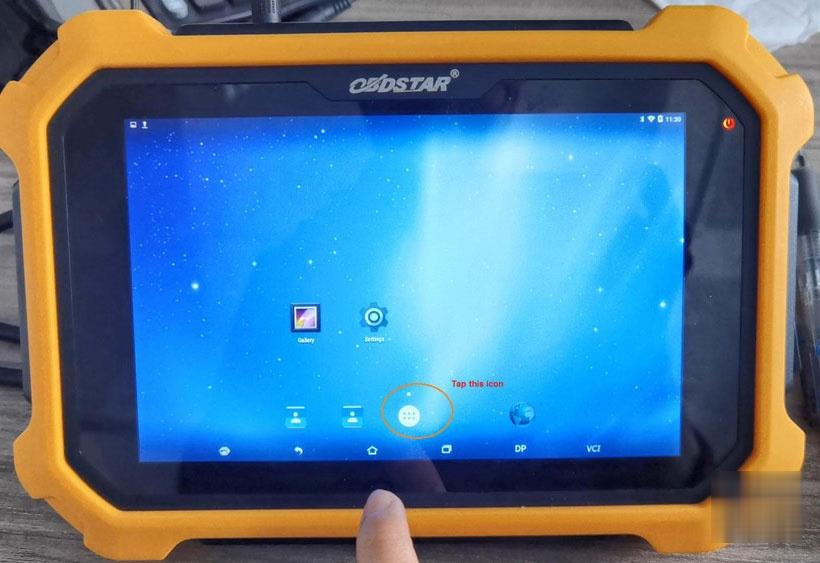
Guide on how to clear the cache:
Enter †DiagProgamâ€, long press it and drag it into "App Infoâ€
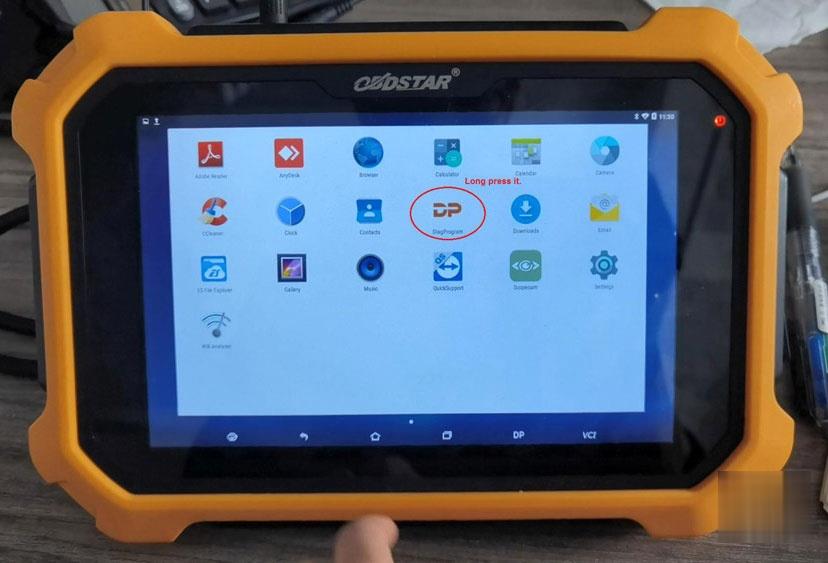
In the APP info, tap "Clear data†and "Yes†to confirm.

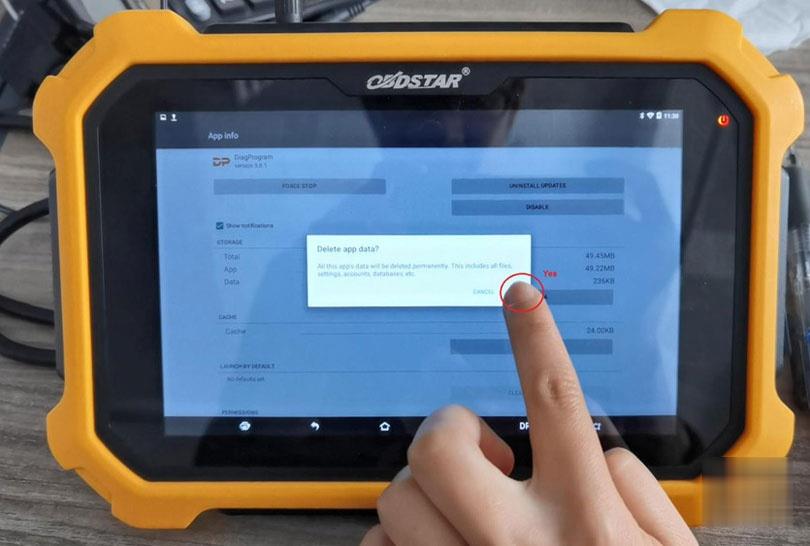
Okay, the catche is cleared, and the problem is solved. However, please keep in mind, better continue subscribing the update service and update the newest APK.
Posted by: Emily white at
09:42 AM
| Comments (2)
| Add Comment
Post contains 209 words, total size 4 kb.
To obdstar users: regarding the problem "Unfortunately, DiagProgam has stopped.†that frequently appears recently, it is caused by compatibility issues.
A new apk version v3.8.1 has been released this week to solve this problem. (Note: The solution is applied to any of x300dp, x300 dp plus, odomaster, x300pro4.)
For the obdstar machine which update service is valid, you can directly upgrade the apk to solve this problem.
For the obdstar machine which update service expired, please clear the cache to solve the problem, the drawback is that this problem may occur repeatedly, because there is no way to upgrade the new apk v3.8.1 after the expiration, you have to clear the cache repeatedly.
Please look at the last paragraph on how to clear the cache.
Attention Please:
Never restore factory settings, otherwise the software will be lost and there is no way to restore it.
Guide on how to clear the cache:
Enter †DiagProgamâ€, long press it and drag it into "App Infoâ€
In the APP info, tap "Clear data†and "Yes†to confirm.
Okay, the catche is cleared, and the problem is solved. However, please keep in mind, better continue subscribing the update service and update the newest APK.
Posted by: Emily white at
08:11 AM
| No Comments
| Add Comment
Post contains 209 words, total size 4 kb.
February 10, 2021
This is a instruction show you guide on how to use Volvo Tech Tool diagnostic software do to fuel pressure monitor for Volvo FM4 truck.
Procedures:
Run Volvo Tech Tool software on your PC,then input user ID to login (offline)
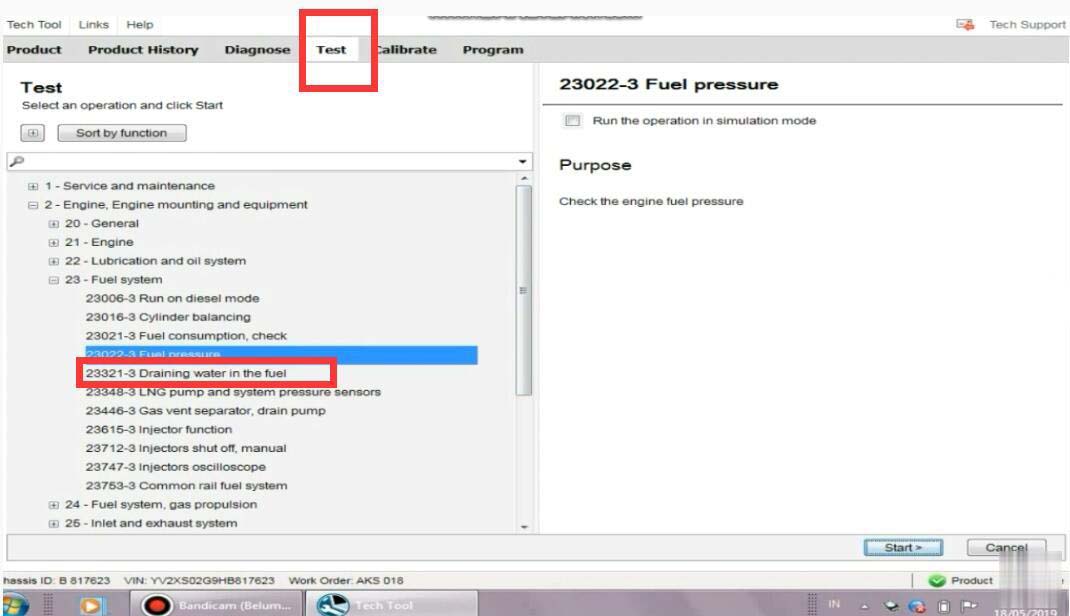
Select "Testâ€â€“>â€23-Fuel systemâ€â€“>â€Fuel pressureâ€
Then click "Start†button
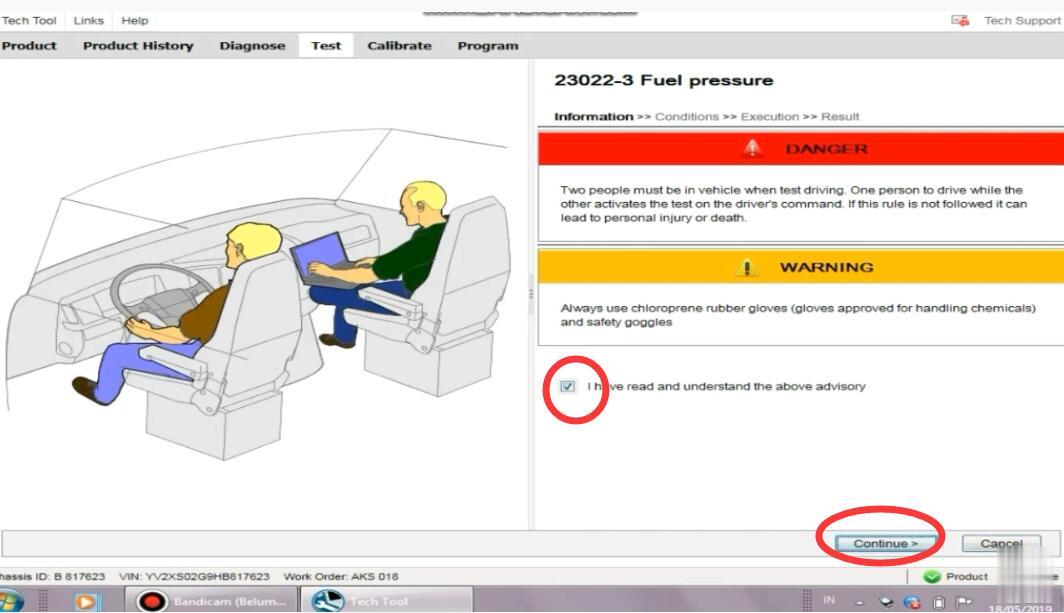
It show you warning message,select "I have read and understand the above advisoryâ€
And click "Continueâ€
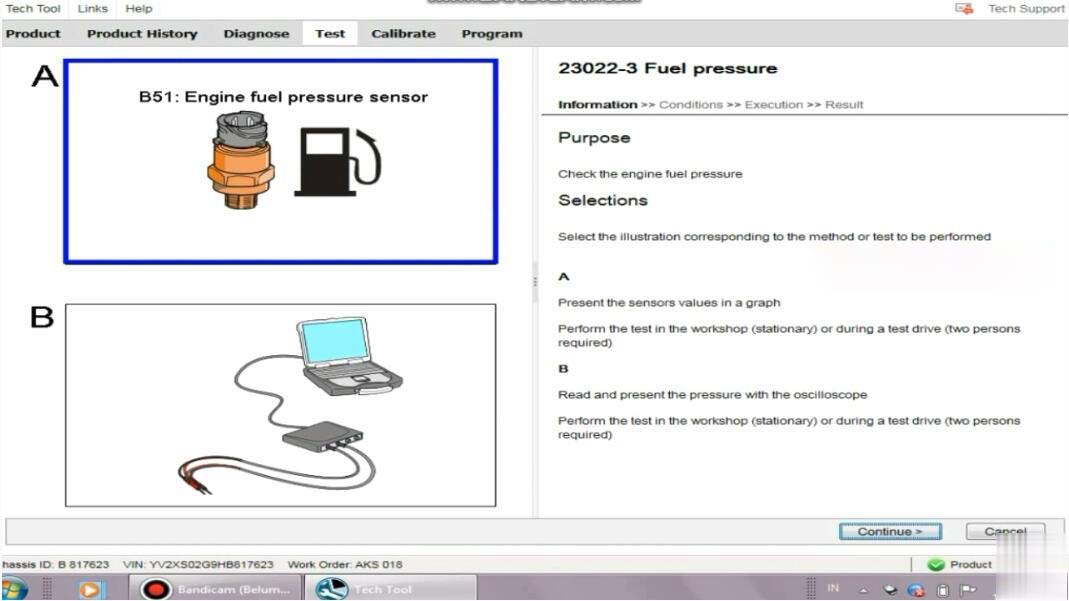
There are two options:
A resent the sensors values in a graph
Perform the test in the workshop(stationary) or during a test drive(two persons required)
B:Read and present the pressure with the oscilloscope
Perform the Heavy Duty Scanner in the workshop (stationary) or during a test drive(two persons required)
Select "A†and click â€Continueâ€
To monitor the fuel pressure in various conditions for example during a test drive;either the oscilloscope test in this operation or a manual pressure gauge must be used.Manual fuel pressure test instructions can be found by selecting the symptom Low power in the diagnose tab.
Action:
Read out the status of the operating conditions:
1.Engine not running
2.Run the engine at 600rpm
3.Check the engine fuel pressure
4.Run the engine at 1200rpm
5.Check the engine fuel pressure
6.Engine running
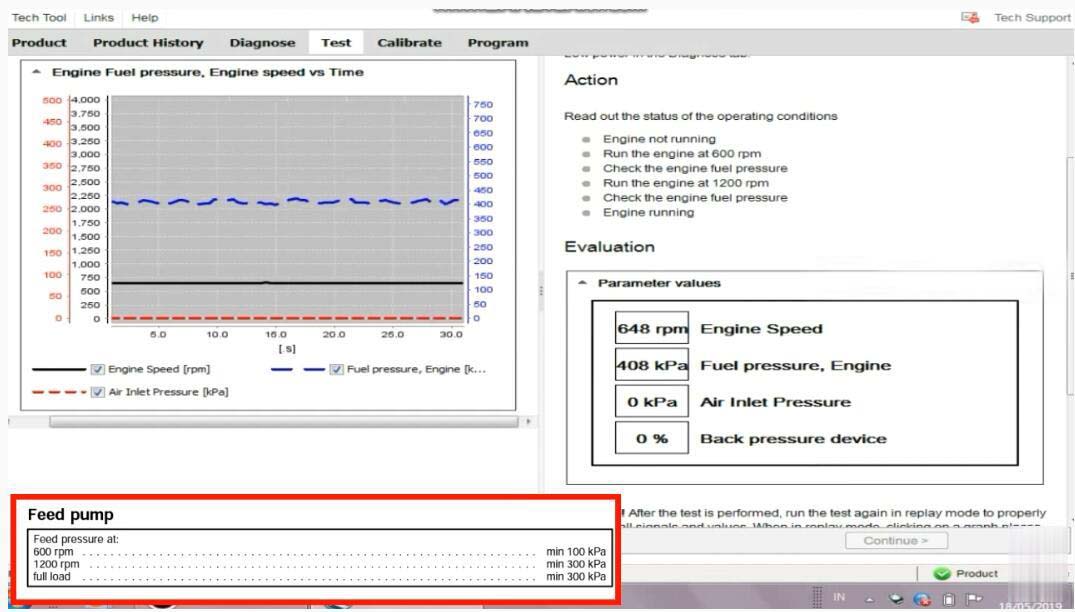
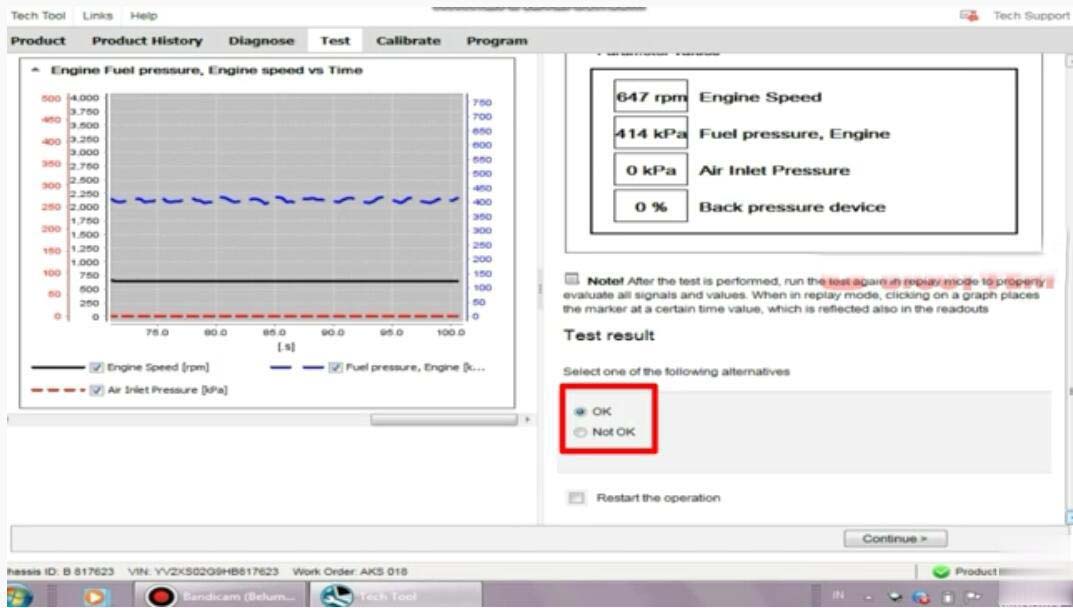
Now here you can record the fuel pressure
After then select "OKâ€,and click "Continue†exit Volvo fuel pressure monitor.
Posted by: Emily white at
09:59 AM
| Comments (1)
| Add Comment
Post contains 228 words, total size 4 kb.
X-431 PRO Test: 2012 Ford Mondeo Steering Angle Sensor Calibration Instructions
Tested Model: Ford Mondeo, 2012, VIN=WFOGXXGBBGCB*****
NOTES:
1. This function is used to configure the steering angle sensor and calibrate the steering wheel position. Perform this function when corresponding sensors are replaced or the steering wheel position is not accurate.
2. Keep the vehicle on a flat surface, and the steering wheel is set at straight ahead position.
Operation Procedure:
1. Select Ford version above V45.20.
2. Select automatic search.
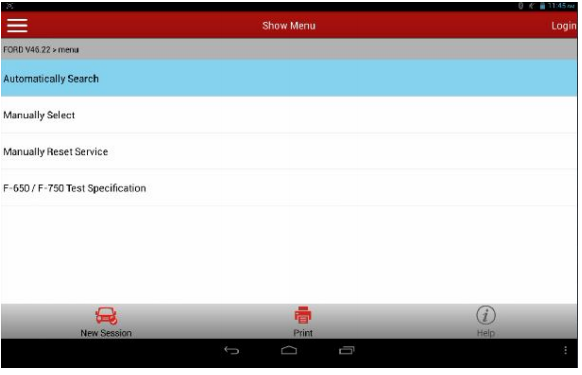
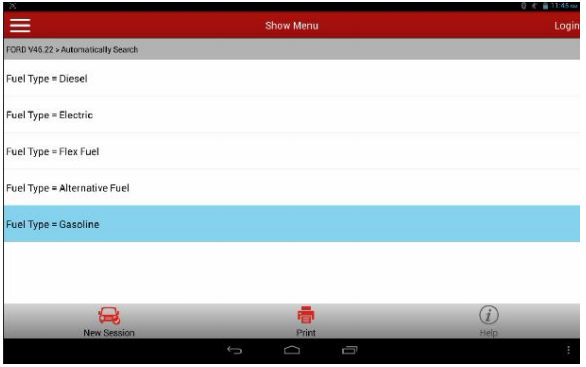
3. Select Fuel Type=Gasoline.
4. Select "System Selectionâ€
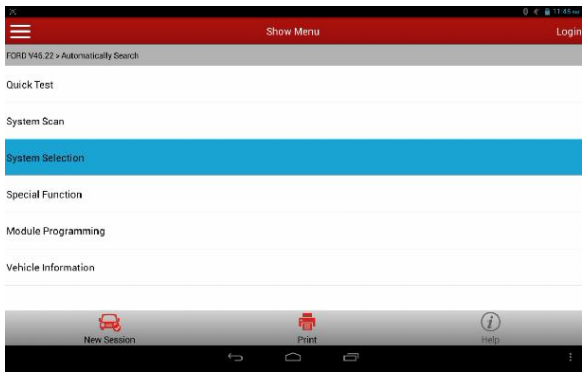
5. Select ABS (Anti-lock Brake System)/ESP (Electronic Stability Program) exhaust.
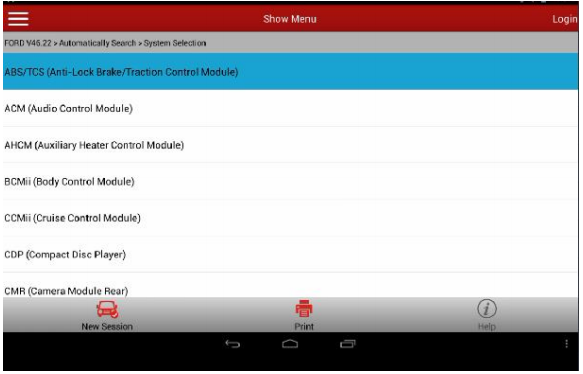
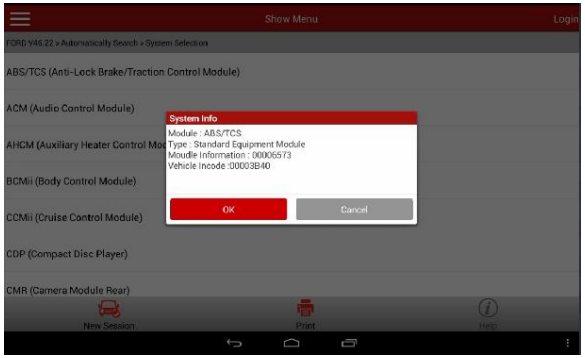
6. Check vehicle status and ensure that the vehicle is in required status: Vehicle on a flat surface, and the steering wheel is set at straight ahead position.
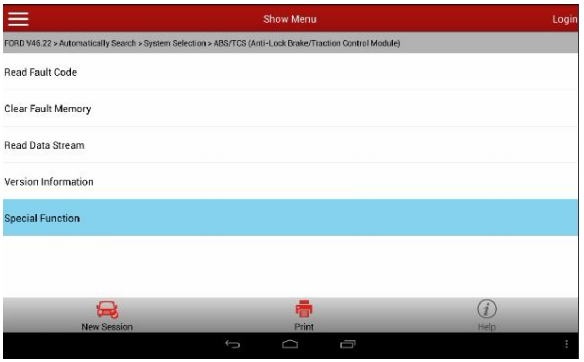
7. Select Special Function
8. Place the key to ON position in order to turn the steering wheel. Because of the great force of friction between tires and the ground, in order to turn the steering wheel more easily, it is advised to start the engine at this moment
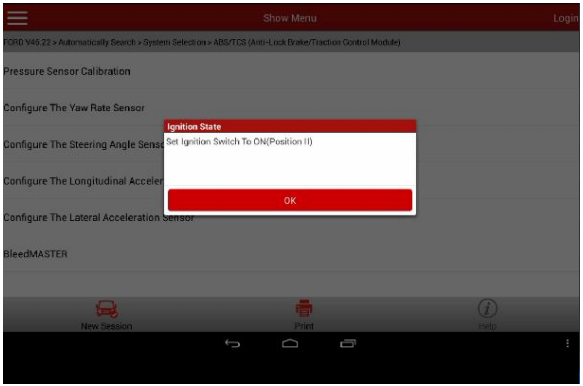
9. Turn the steering wheel to the left and right respectively about 10 degree, then back to the straight ahead position.
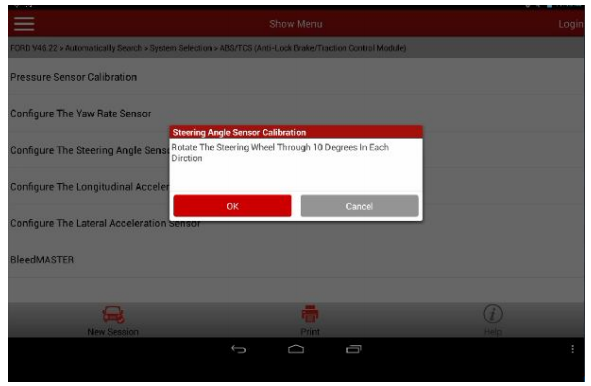
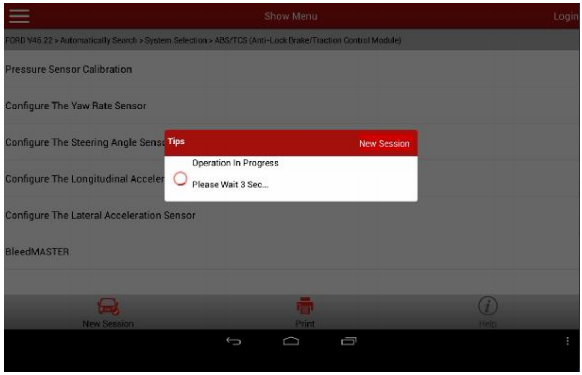
10. After clicking OK, it counts down from 4 seconds configuring the module.
11. It prompts the procedure succeeded once the ECU configuration completed.
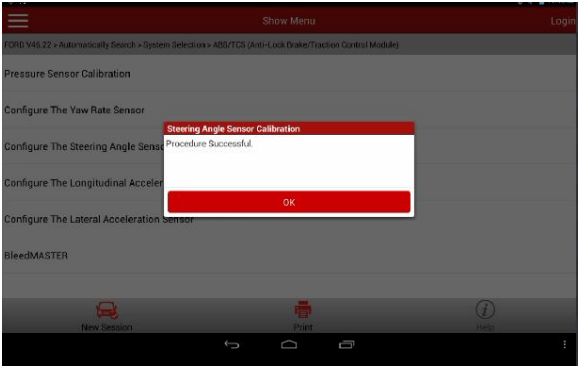
12. After this procedure succeeded, some vehicles may produce fault code due to this function execution, thus it is required to do self-test and clear the DTC, but most of the vehicles will not set fault codes.
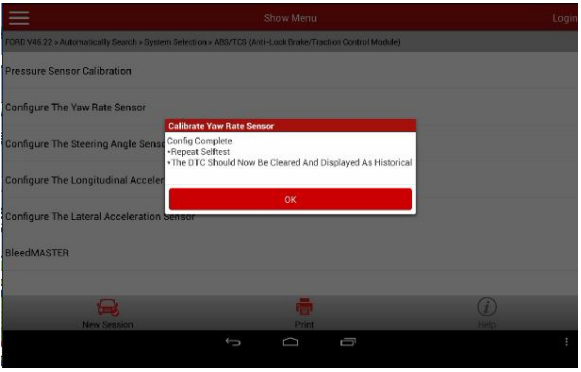
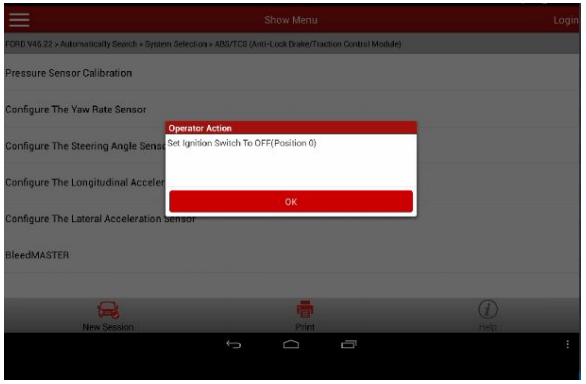
13. After confirmation, it prompts to turn the ignition key to OFF to end the test.
Posted by: Emily white at
06:10 AM
| Comments (1)
| Add Comment
Post contains 284 words, total size 7 kb.
39 queries taking 0.0275 seconds, 178 records returned.
Powered by Minx 1.1.6c-pink.

