



February 21, 2021
How to upgrade the firmware of SVCI 2020? In this post, you will find the answer.
Here are the steps:
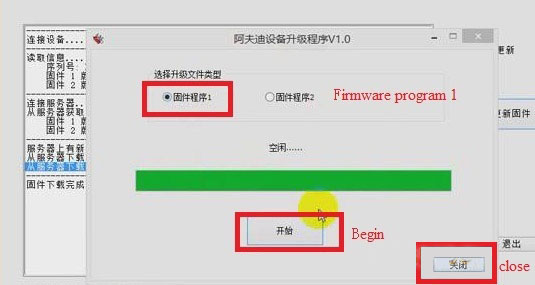
1.Click "SVCI 2020†button>> "Update firmwareâ€.
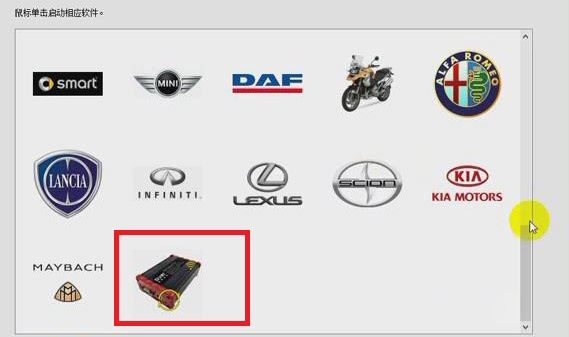
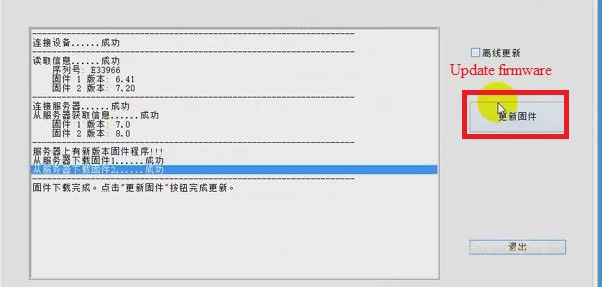
2.Choose "Firmware Program 2†and click "Beginâ€. Then Firmware Program 2 will be downloaded.
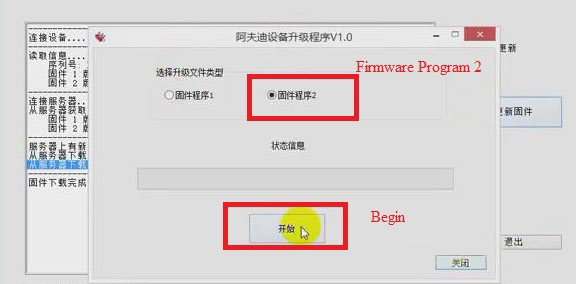
3.When the downloading of firmware program 2 is successful, click "Confirmâ€, and choose "Firmware program 1†and click "Beginâ€.Then firmware program 1 will be downloaded.
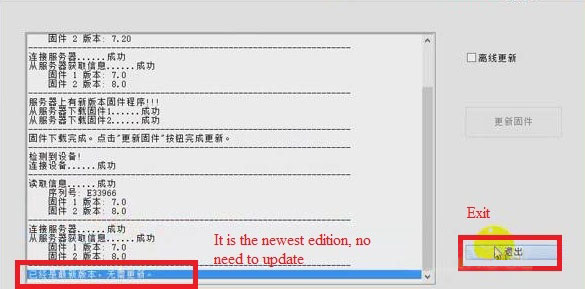
4.When the downloading of firmware program 1 is successful, click "Confirmâ€.
5.Click "Closeâ€, now we can see that the firmware has been updated to the newest. Then click "Exitâ€.
Job is done!
Posted by: Emily white at
04:39 AM
| Comments (1)
| Add Comment
Post contains 105 words, total size 2 kb.
Posted by: peter John at July 06, 2021 11:14 AM (uvOvW)
37 queries taking 0.017 seconds, 164 records returned.
Powered by Minx 1.1.6c-pink.

