



October 28, 2021
Today OBD2TOOL is going to show you an interesting case. That’s how to use Launch X431 V+ Bi-Directional Diagnostic Tool to increase speed limit on a Mercedes E55 2005.
Let’s start it.
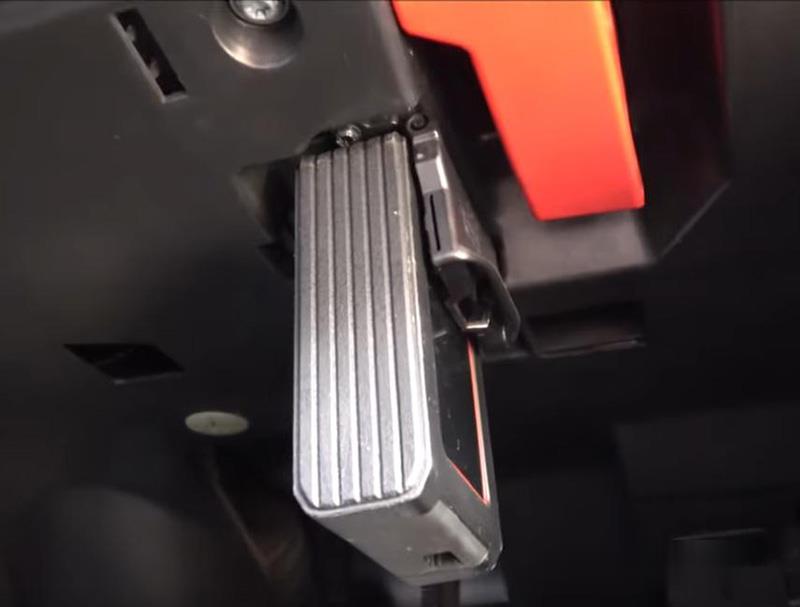
Connect DBScarII to OBD port.
Enter diagnosis menu and select "Automatic identificationâ€.
Select "211-E Class(Up To 05/2005)†to get VIN number.
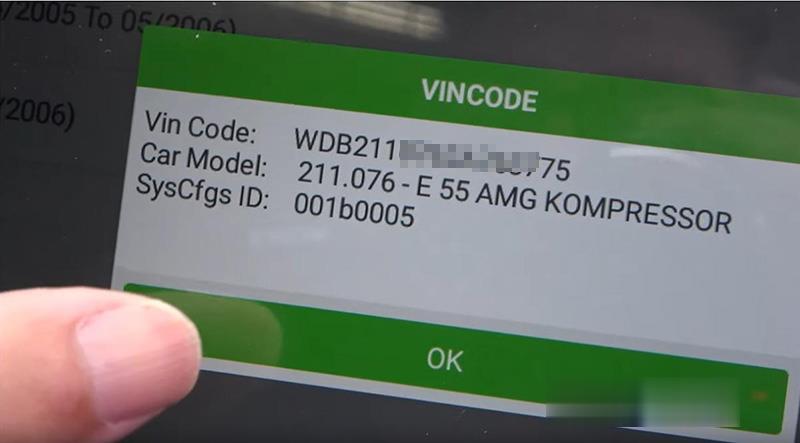
Select
System Selection>>ECM – Engine Control Module(ME)>>Variant Coding
Scroll down to view Speed limit – 230kph
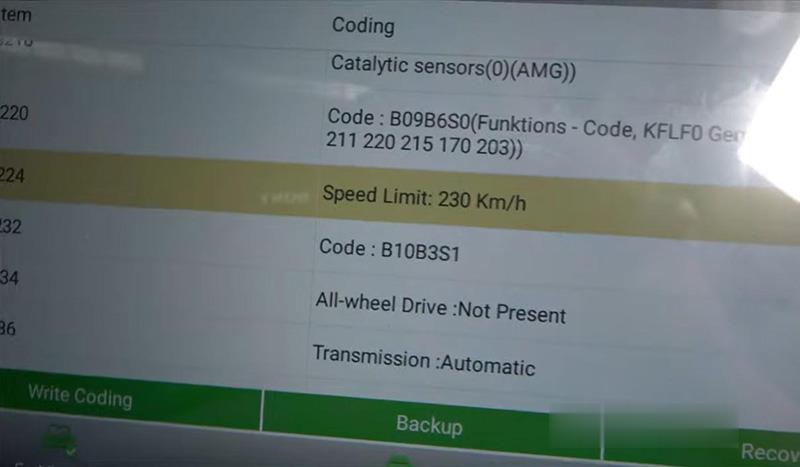
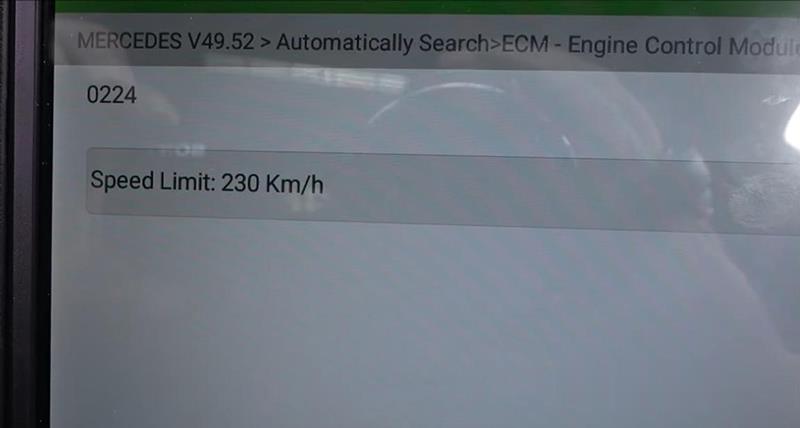
Enter the menu, unfold options we’ll get 250, 280, 300…
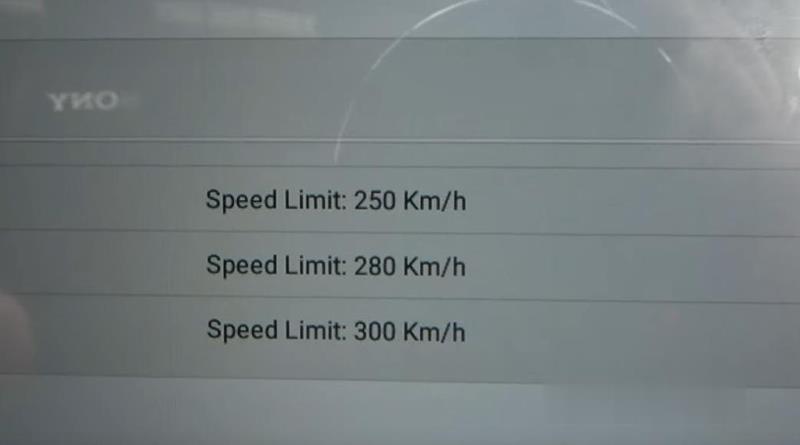
We set it at 300kph.
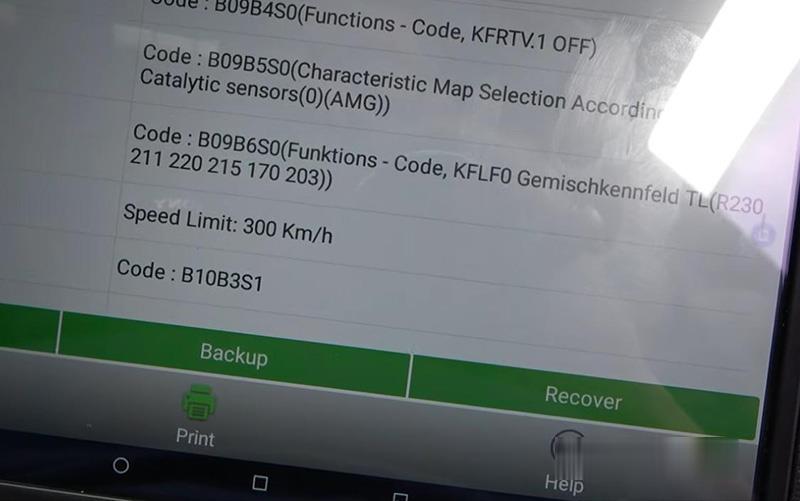
Re-enter to confirm the setting.
Note: I can increase speed limit of my car because my tires are capable of 300.
Then we go back to do "System Scanâ€.
Here we can view what modules our car is equipped with.

Then we enter "System Selection†again.
Select
Transmission Control Module>>Read Fault Code, no fault.
Suspension>>Read Fault Code, no fault.
Done! Simple and nice!
That’s how we increase Mercedes E55 2005’s speed limit to 300kph by Launch X431 V+.
Posted by: Emily white at
01:55 PM
| No Comments
| Add Comment
Post contains 173 words, total size 4 kb.
Customers feedback recently from European areas have told OBD2 tools e-shop that they have detected the MB SD C4 Plus professional diagnostic tool has connection problem with Mercedes-Benz. What’s the problem gonna be like? And what solution our engineer would provide? Let’s check together.
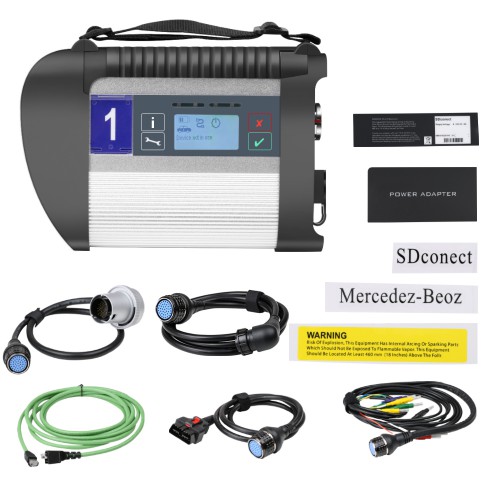
MB SD C4 Plus SD Connect Compact 4 Star Diagnosis Support Doip for Mercedes Benz Cars and Trucks Without Software
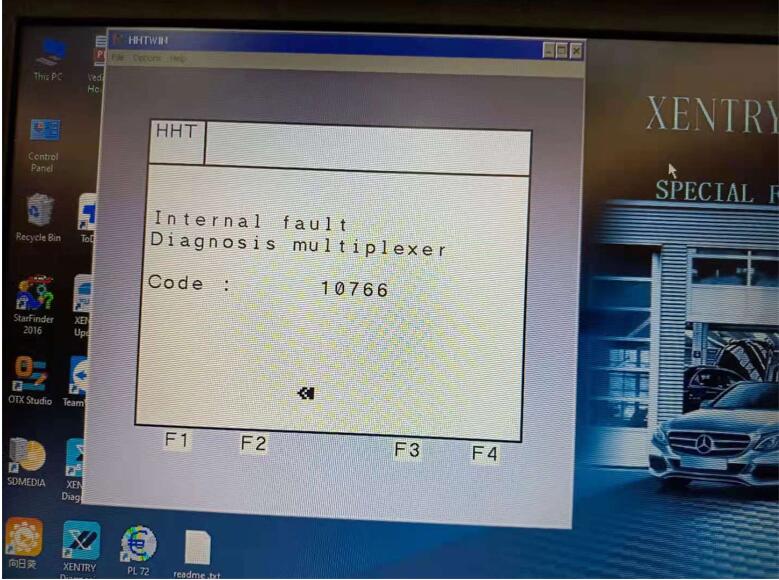
The Connection Problem is shown like below:
Feasible Solution Provided for Customers:
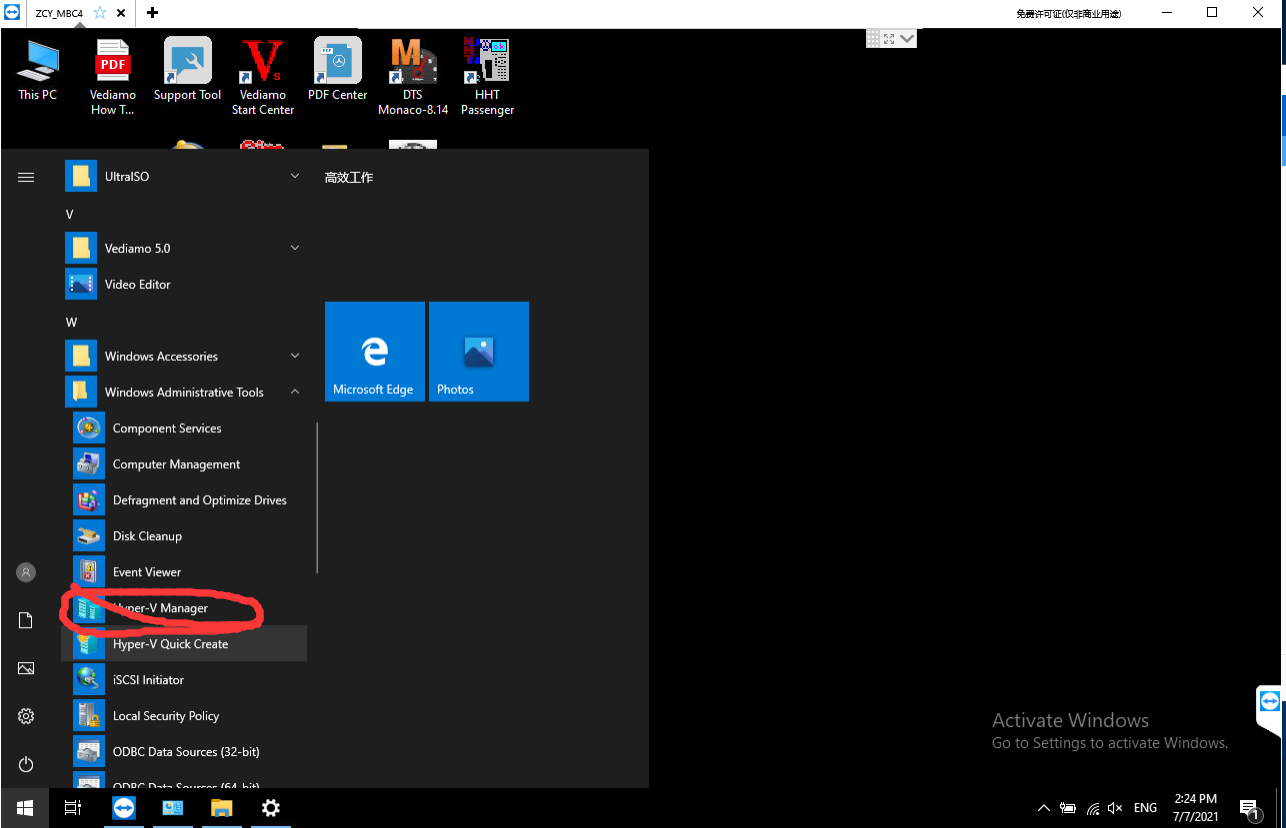
First step: In the system file, find Hyper-V manger in windows administrative tools ,then click it.
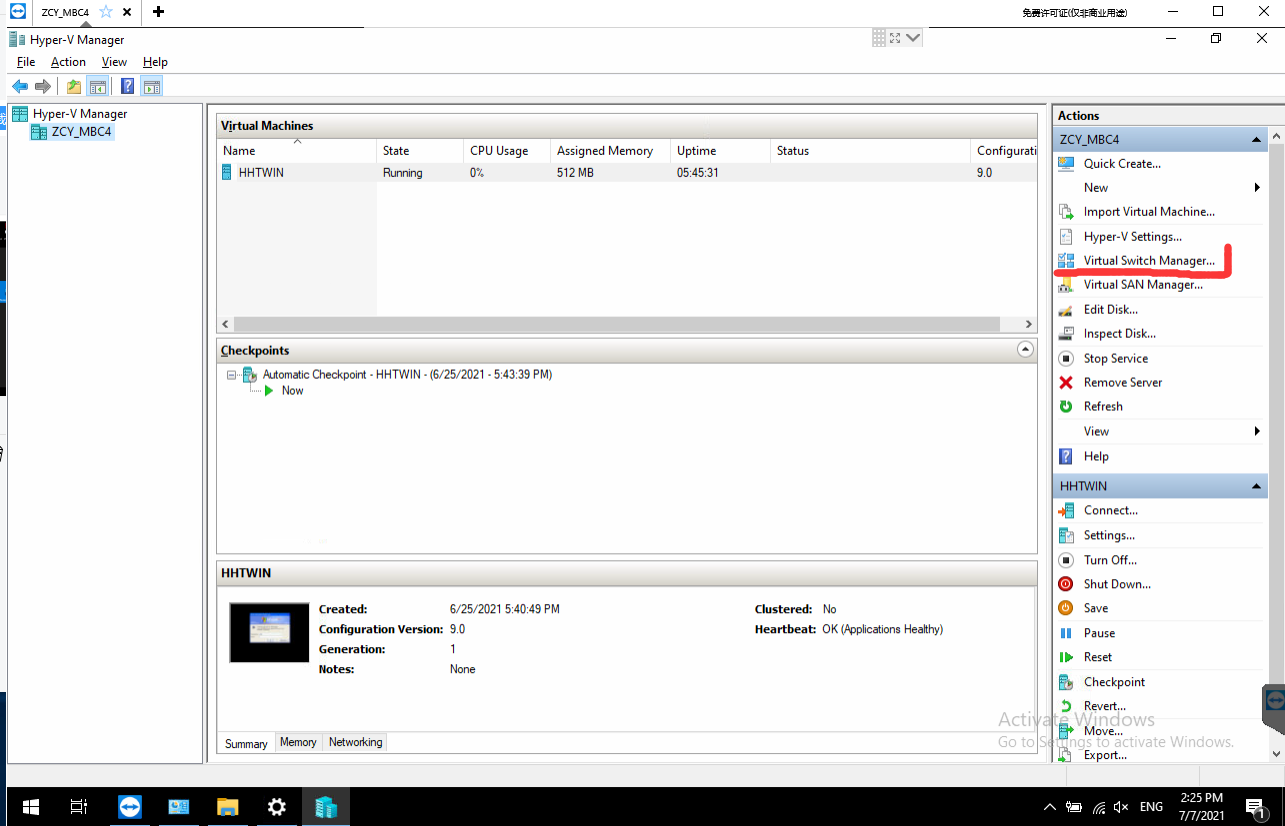
Second step:Click the Virtual Switch Manger
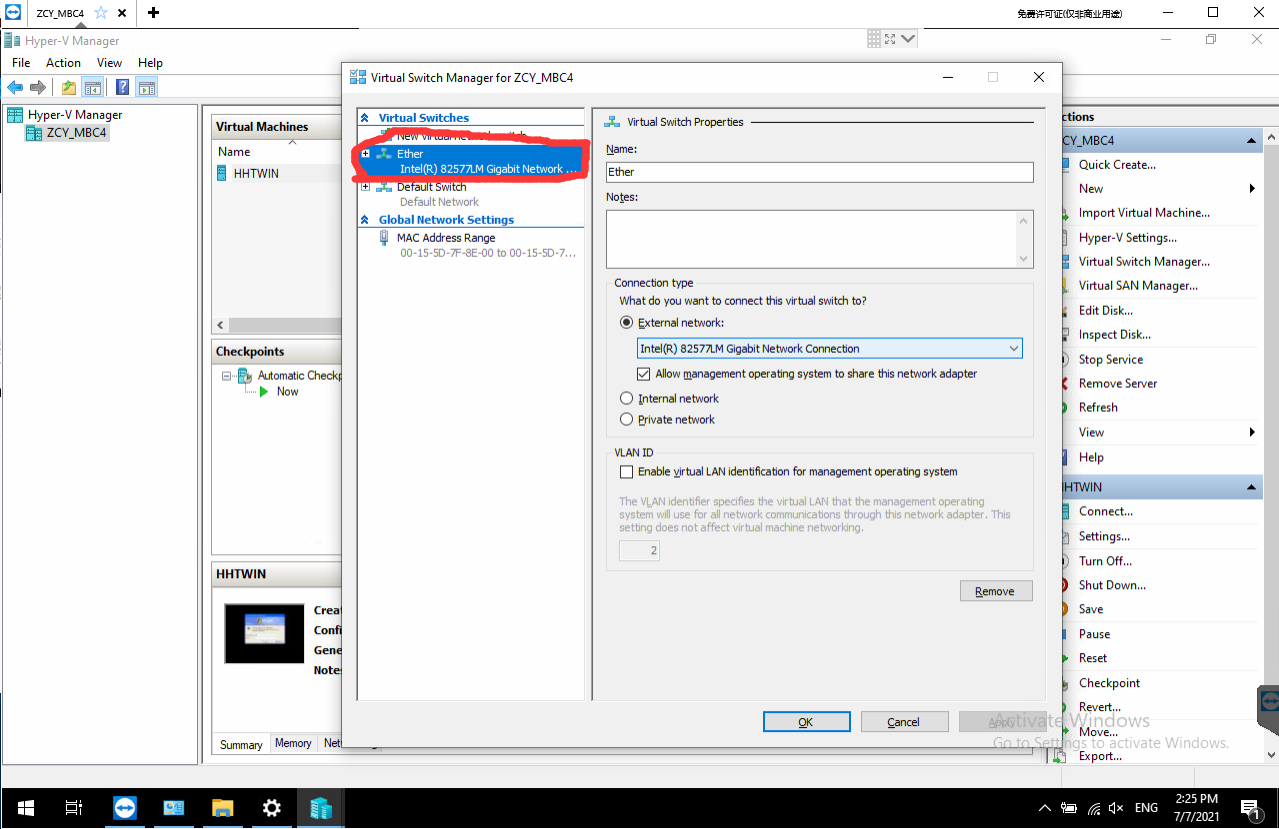
Third step:click the Ether
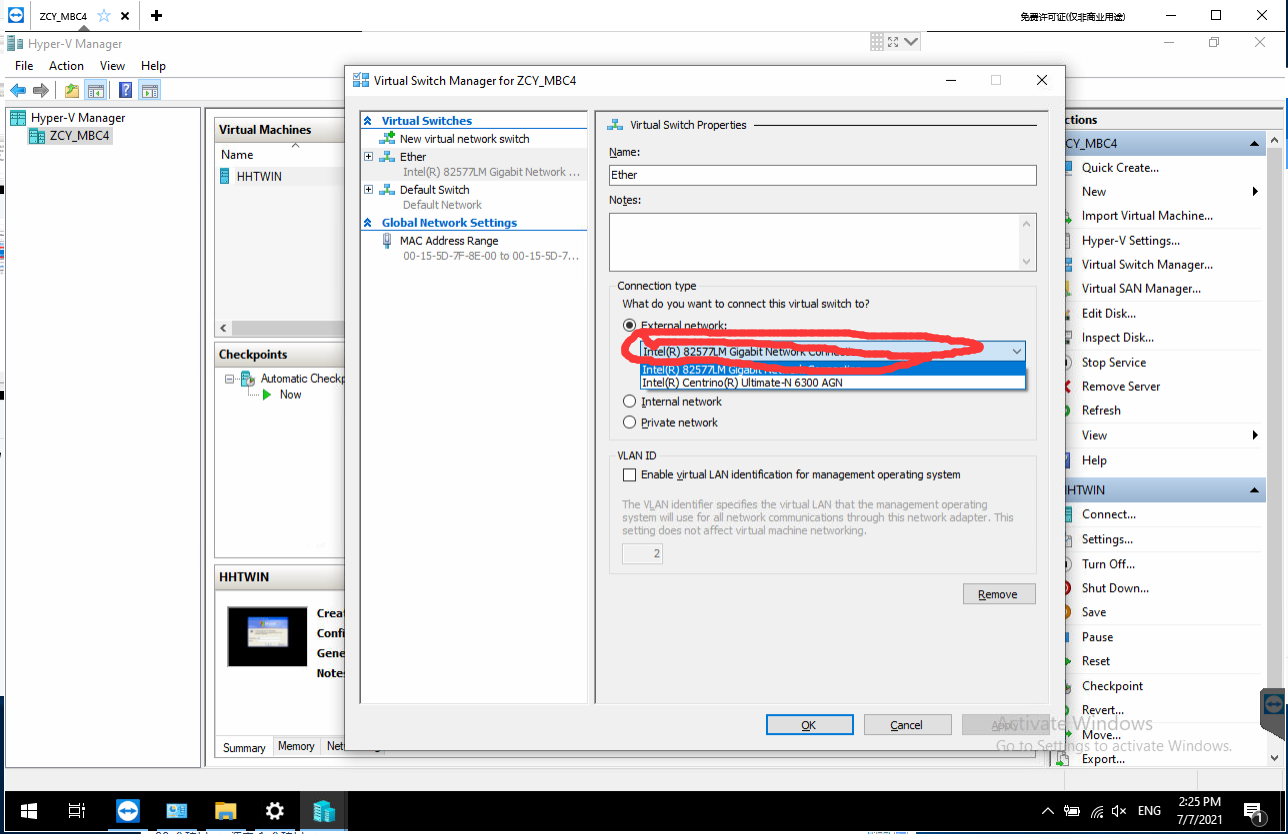
Fourth step: Choose your computer network card in here
Fifth step: Right click on the network,Open network&internet settings
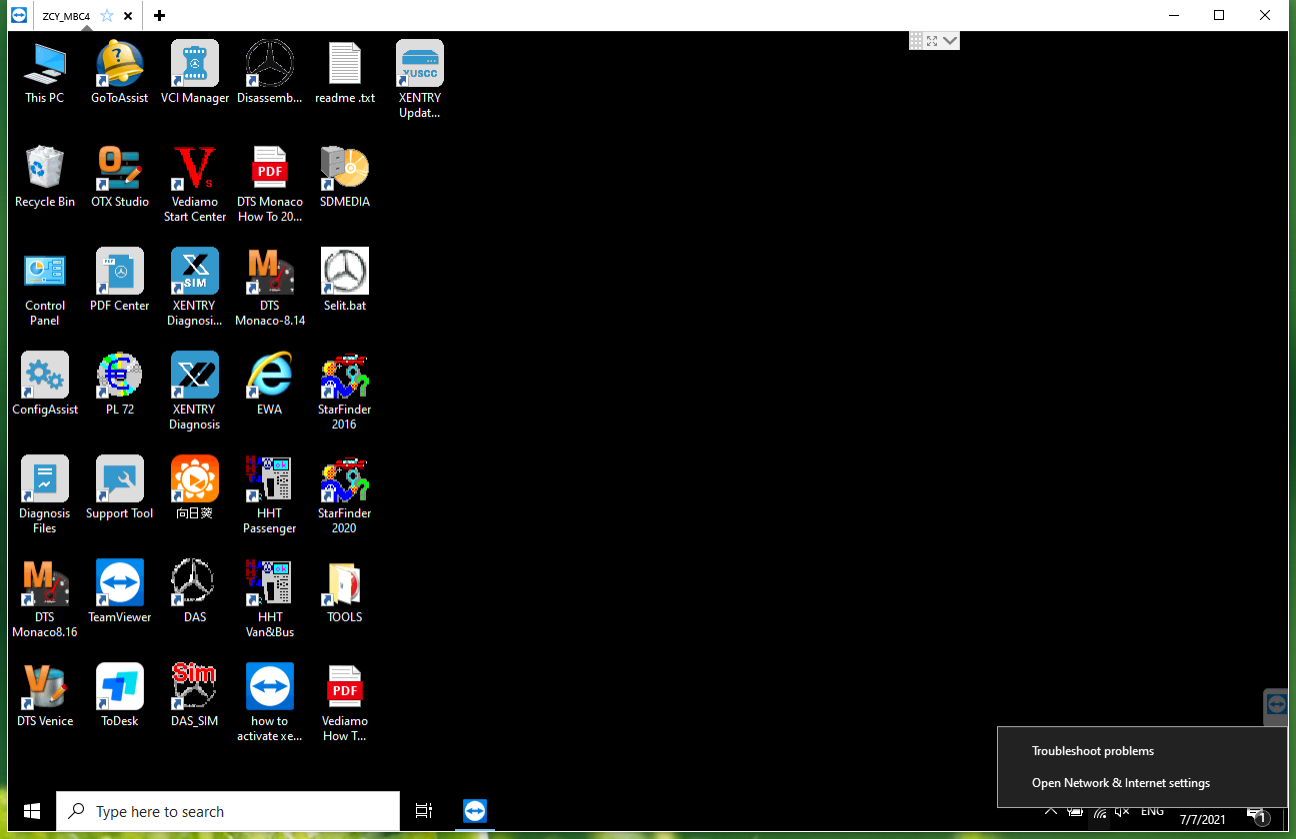
After entering this interface, select Ethernet, Then select the place marked by the arrow
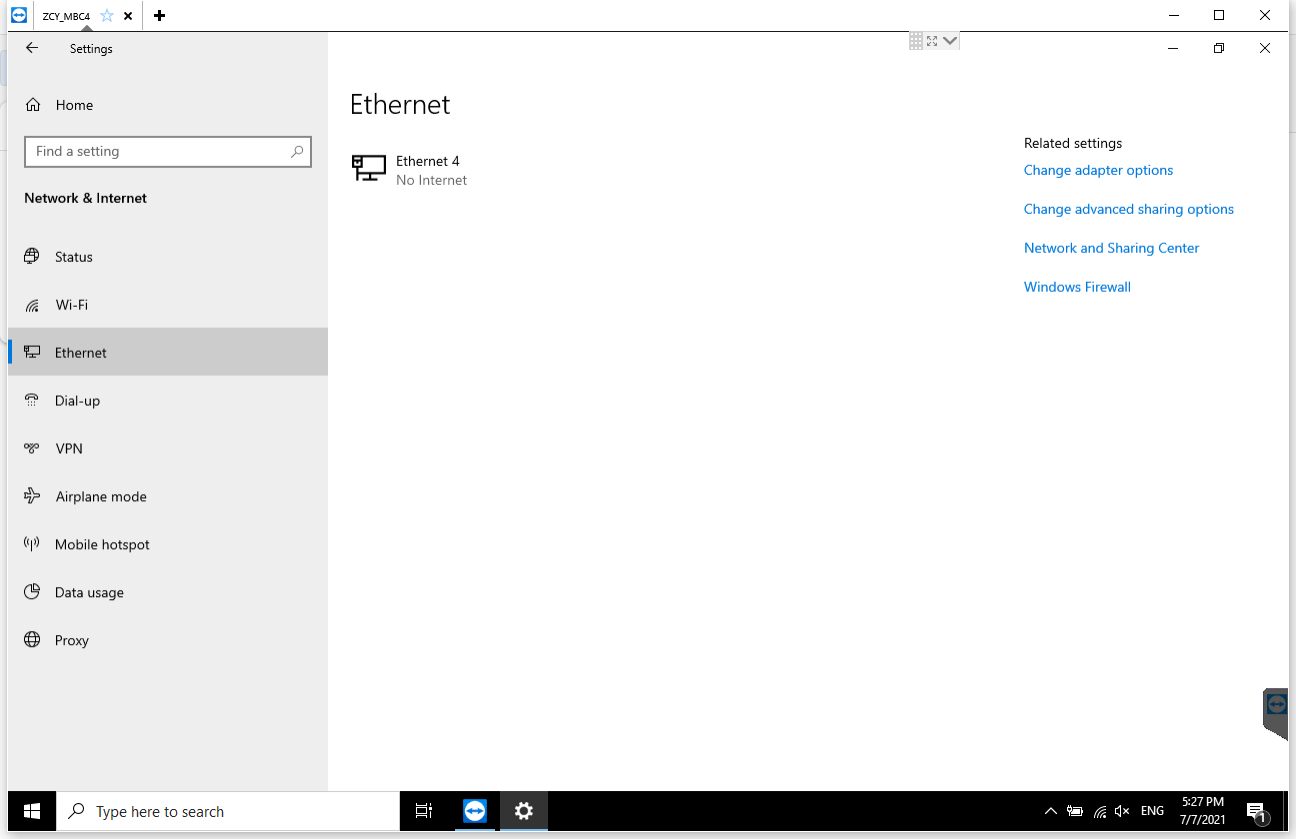
Right click vEtherent Then select the place marked by the arrow
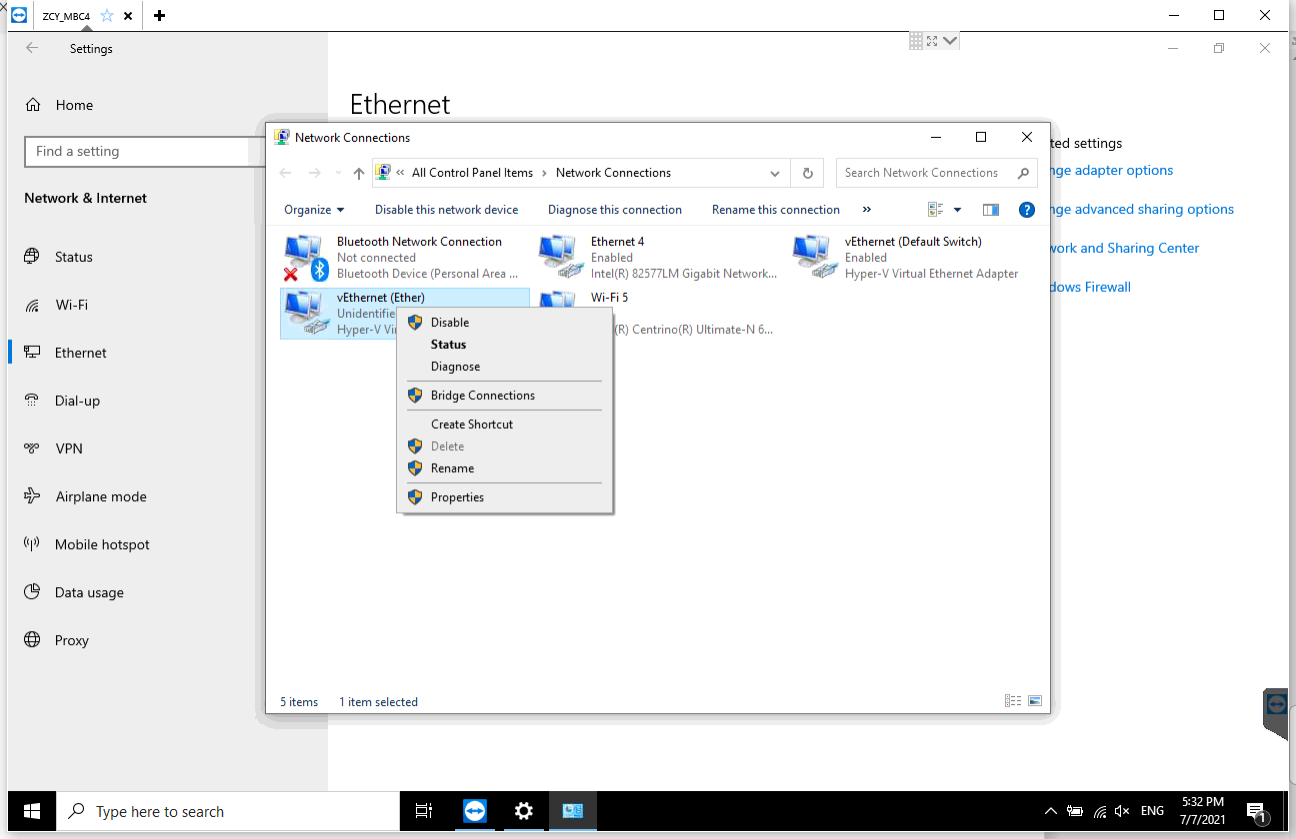
Double click here
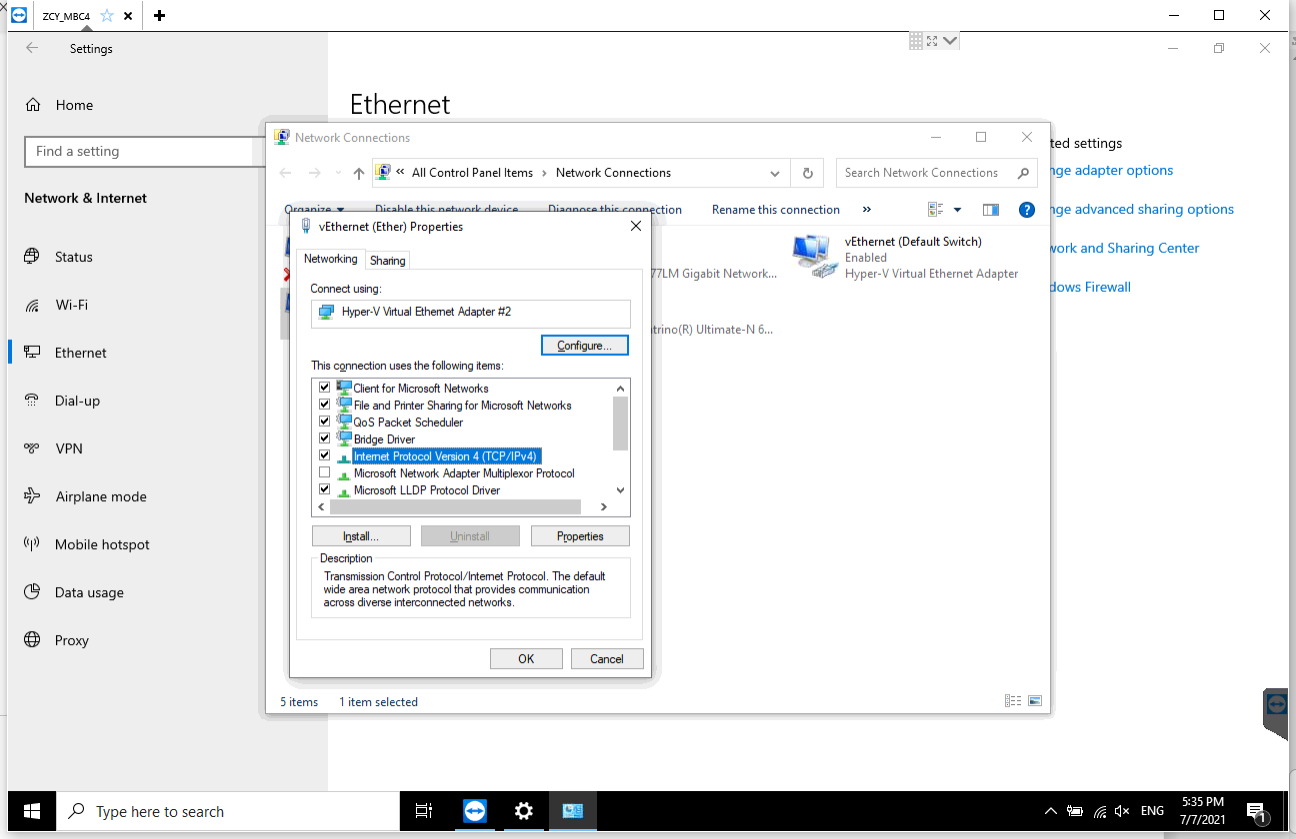
Choose the place marked by the arrow,Enter the following IP address.
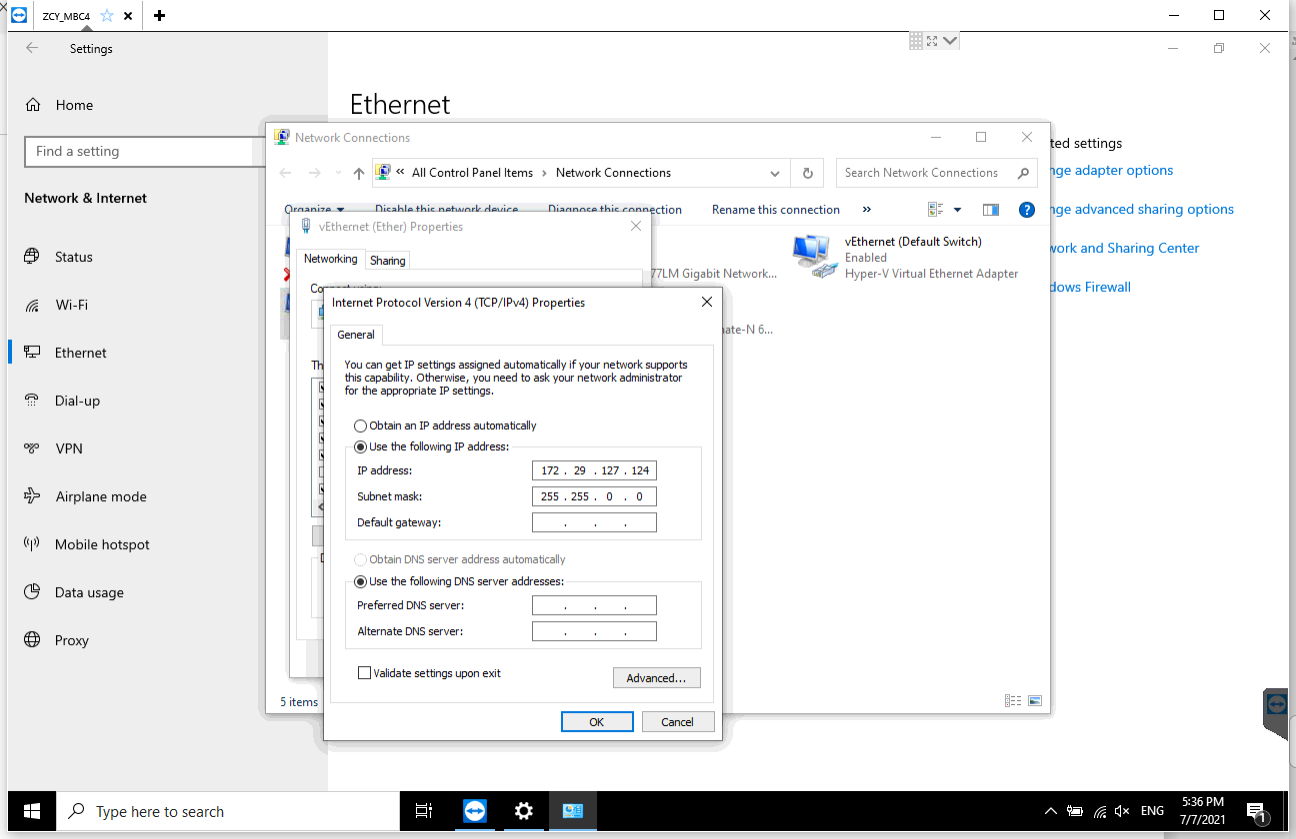
Amazing job! This is the solution for MB SD C4 PLUS professional diagnostic tool Mercedes-Benz connection problem.
That’s all. Thank you for sharing your time with us!
Posted by: Emily white at
01:46 PM
| No Comments
| Add Comment
Post contains 196 words, total size 6 kb.
October 06, 2021
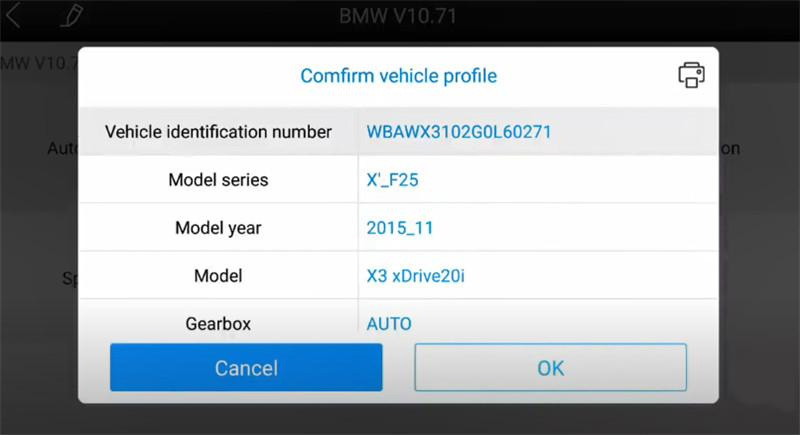
It is a 2015 BMW X3 F25 X3 xDrive20i (Europe). The seat memory, driver programming and coding were completed byXTOOL A80 Pro (H6 Pro).
Note: the device used is Xtool H6 Pro, but A80 Pro covers the same function.
Operation guide:
Turn on Xtool tablet
Select Xool Diagnosis>> Diagnosis>> Europe>> BMW>> Automatic selection
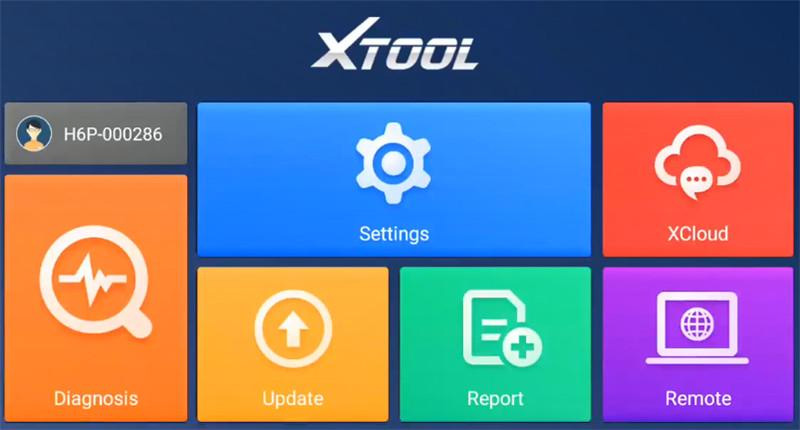
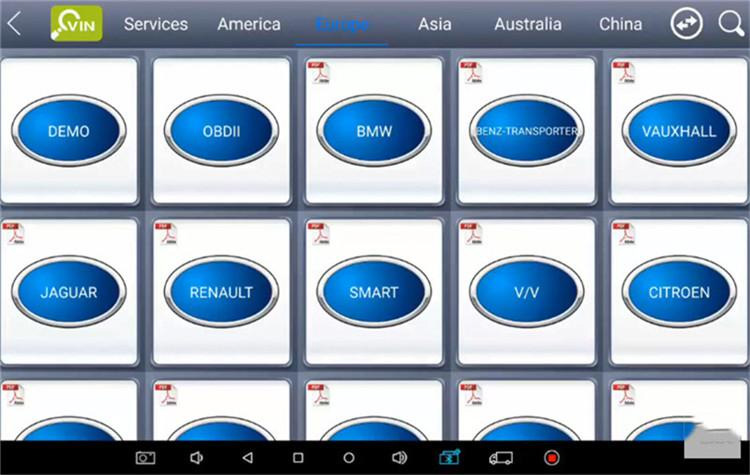
Confirm the vehicle profile
Select Programming/Coding, the corresponding programming connection diagram will appear on the screen
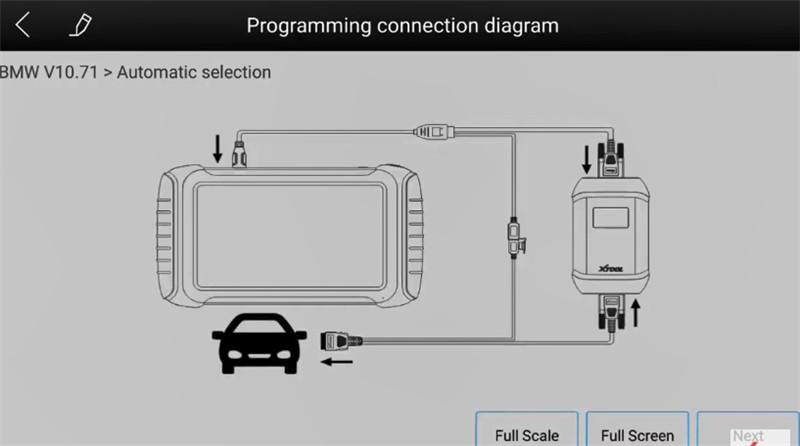
Connect VCI box to the vehicle via OBDII+ USB cable, and connect to A80 Pro via BMW cable
Read the disclaimer carefully and go to next step
It will show the vehicle details.
All systems are calculating configuration file of programming and coding. It will take about 3 minutes, just keep patient.
Then follow the prompt to select the system to be programmed in the list
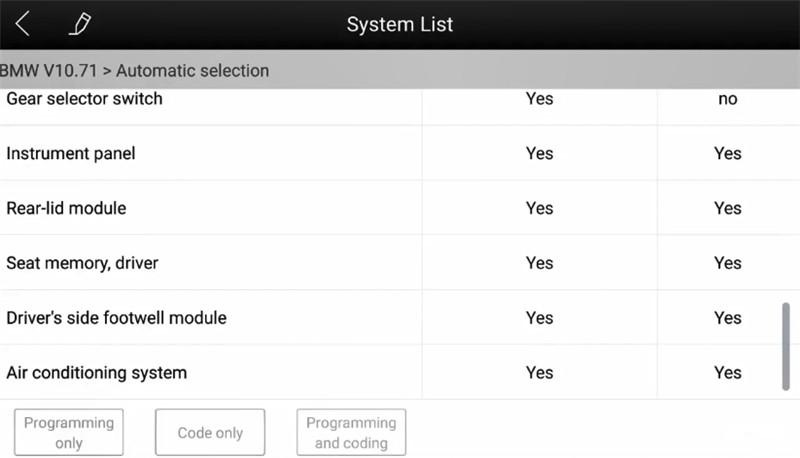
Note: Before programming/coding for the dashboard, make sure that the device is not modified, otherwise the operation may fail, and users shall bear the consequences it may result in.
Important! Make sure A80 Pro has connected with an available WIFI before operation.
Path: Go to settings>> Wi-Fi>> Select one available WiFi to connect
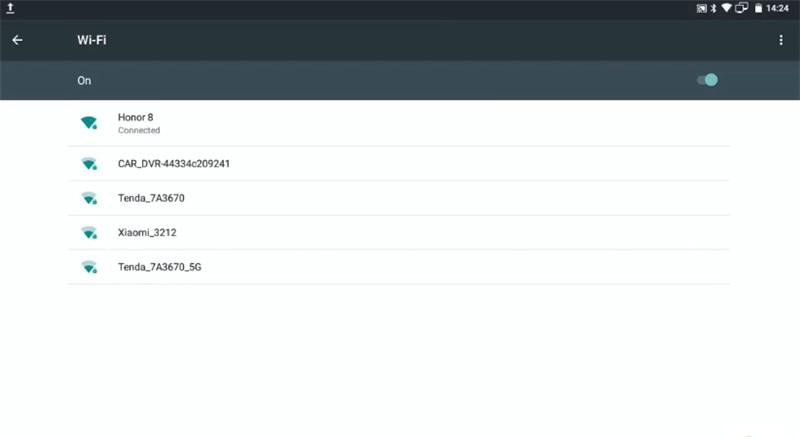
Then it will switch WLAN communication and download programming data from the server
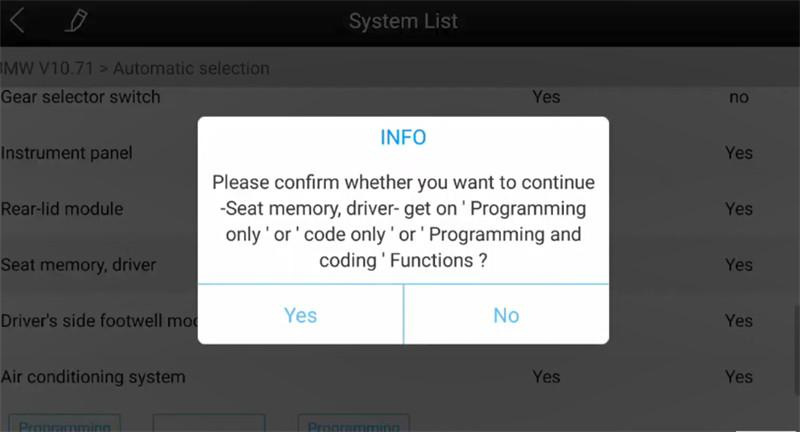
Confirm whether you want to continue- Seat memory, driver- get on ‘Programming only’ or ‘code only’ or ‘Programming and coding’ functions
Make sure the ignition switch is on
Ensure that the current-voltage must be 13V above
By diagnosis, eliminate no faults in the vehicle electrical system
Confirm the current system programmed times and go to perform seat memory and driver system programming
It will take approximately 5 minutes to finish the whole programming operation.
Seat memory, driver programming and coding are successful.
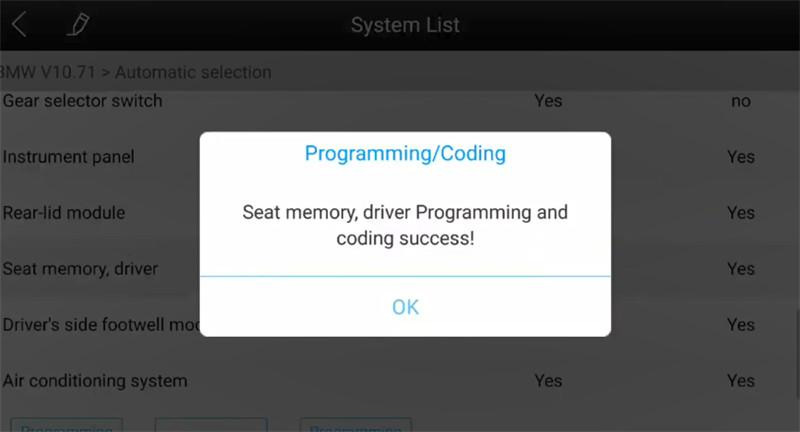
Awesome! BMW 2015 X3 F25 Driver Seat memory online programming and coding are done successfully by XTOOL A80 Pro full system diagnostic tool.
Posted by: Emily white at
05:00 AM
| No Comments
| Add Comment
Post contains 317 words, total size 4 kb.
Wifi Benz C6 OEM DOIP Xentry Das EPC WIS Activation
Steps:
Follow the pdf file on the desktop †Open your STAR SDC4 Guideâ€.
Note: the activation method is independent of version.
EPC WIS
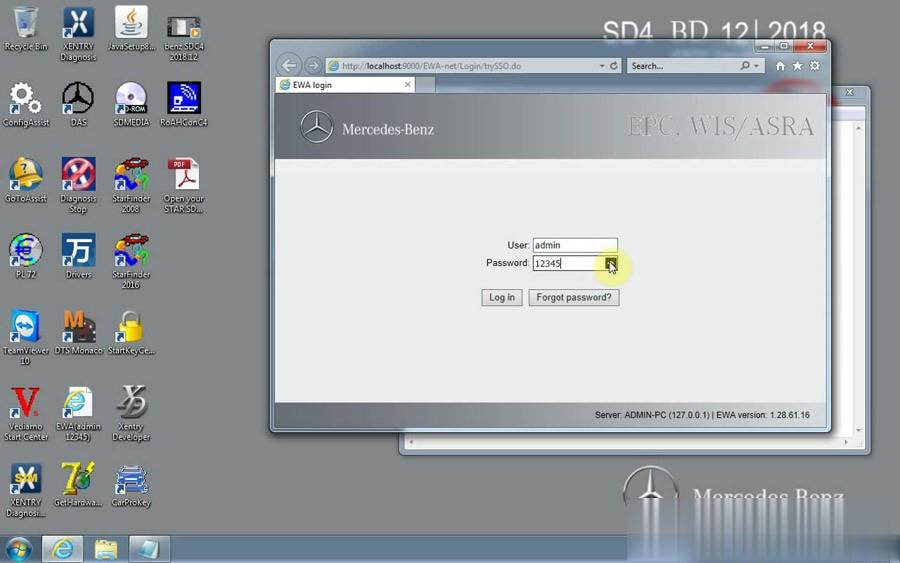
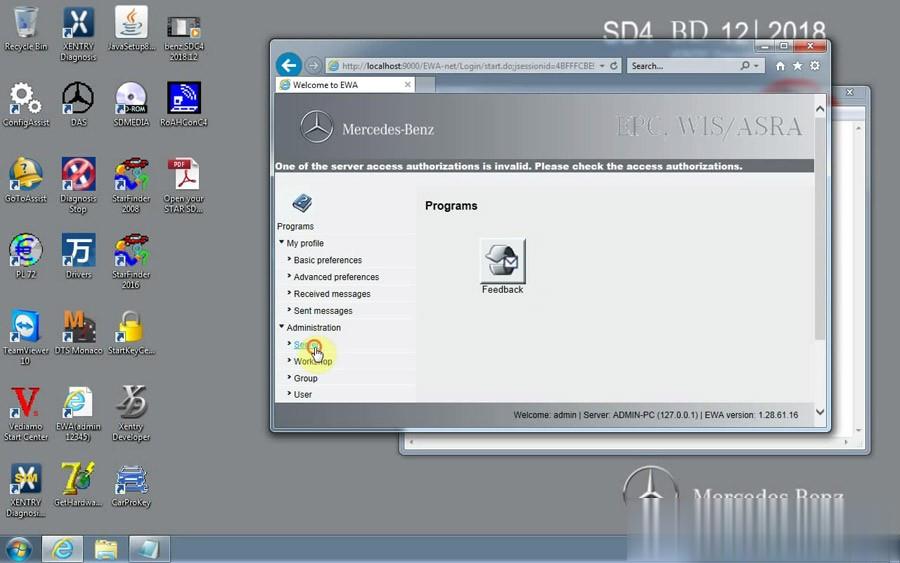
Openâ€EWA netâ€
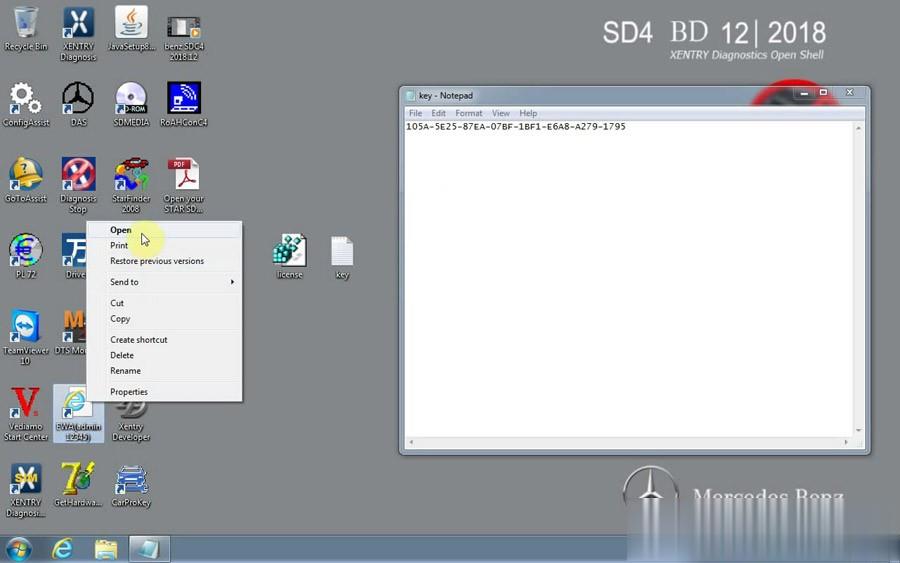
Name admin
Password 12345
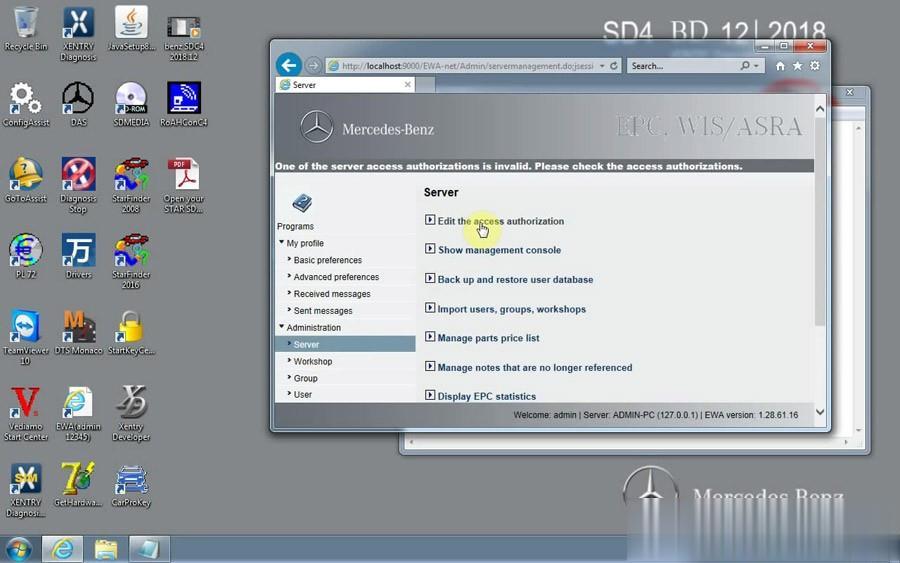
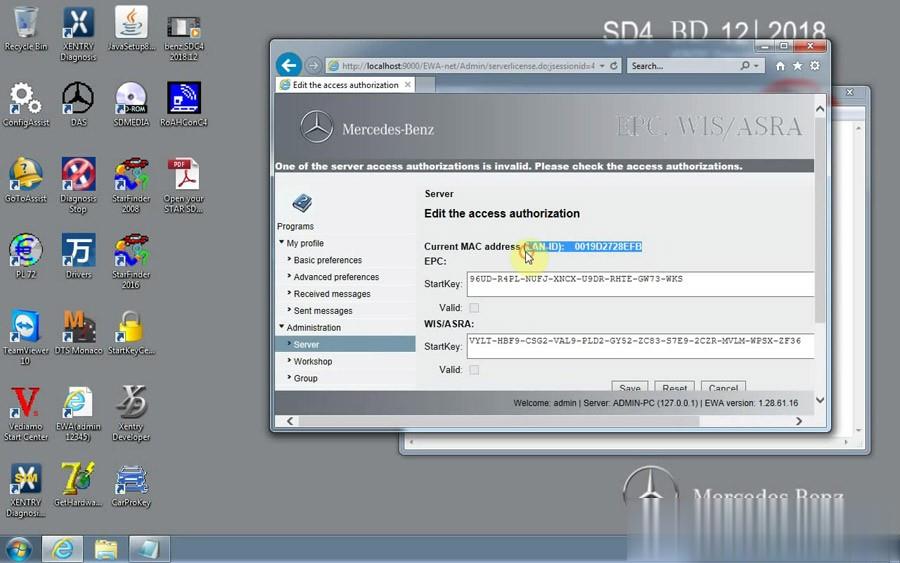
Openâ€CarProKeyâ€
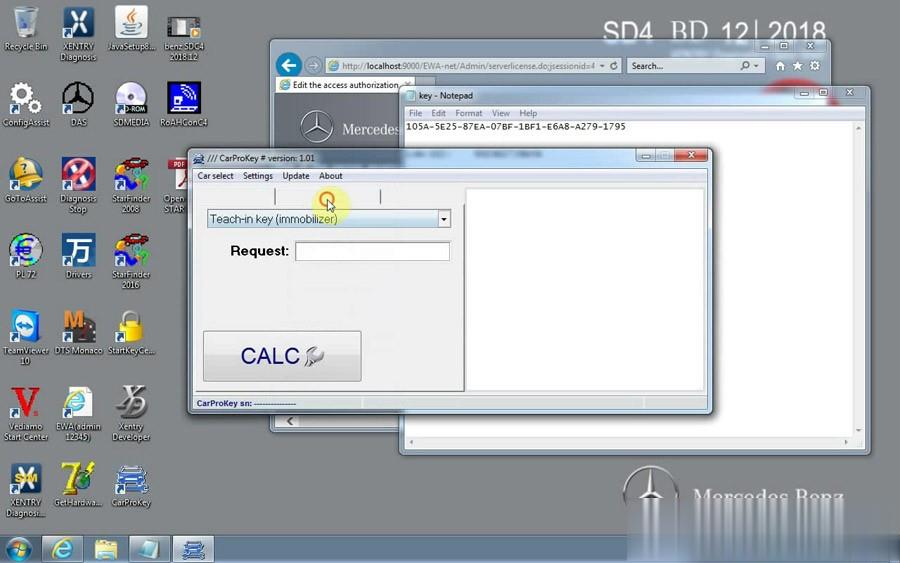
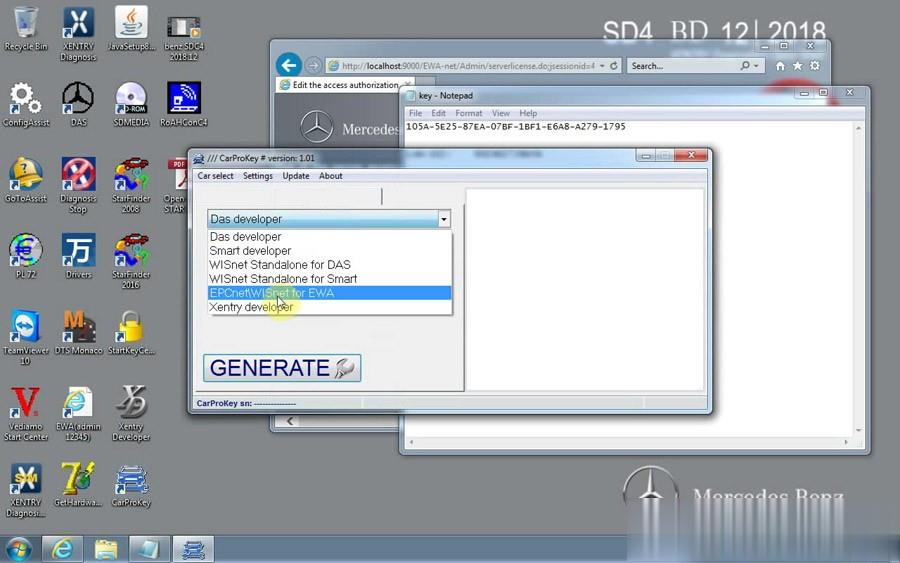
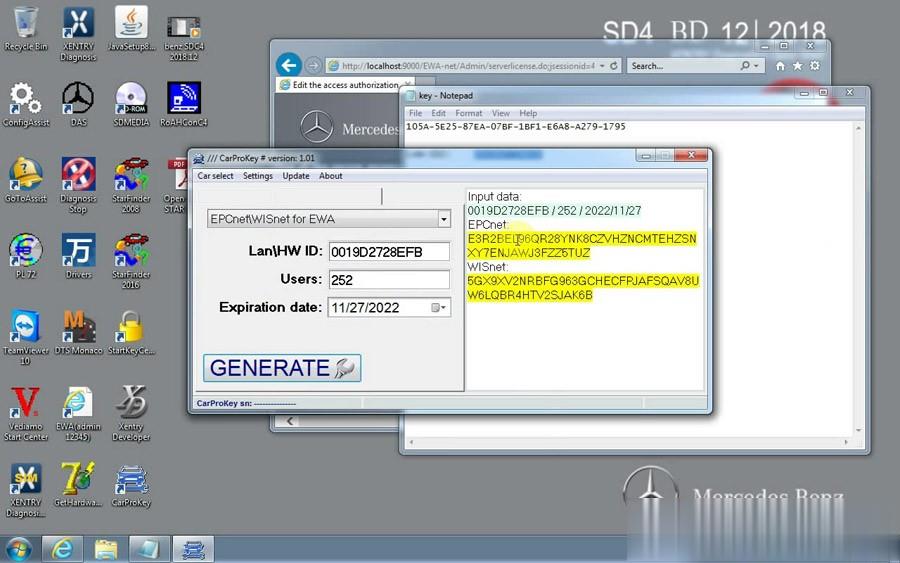
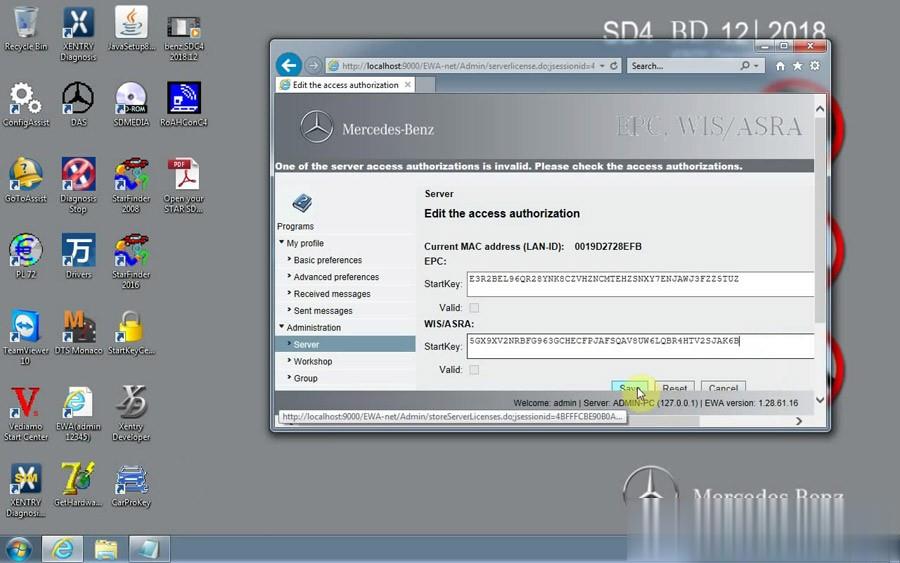
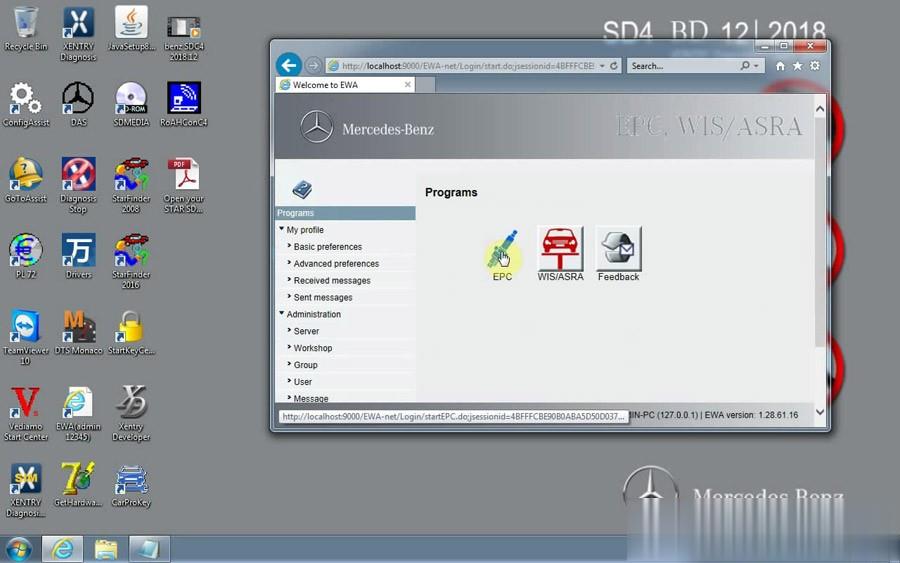
XENTRY Diagnosis
Openâ€ConfigAssistâ€
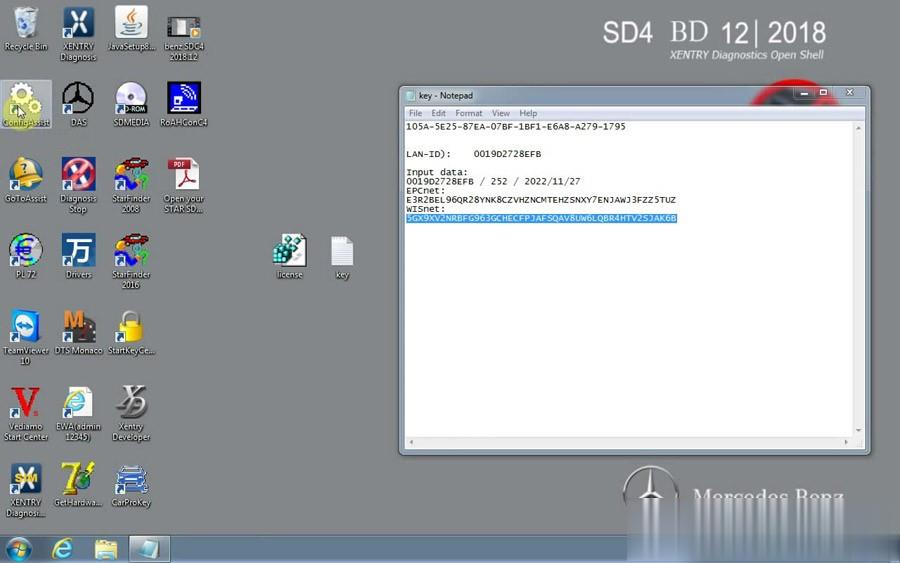
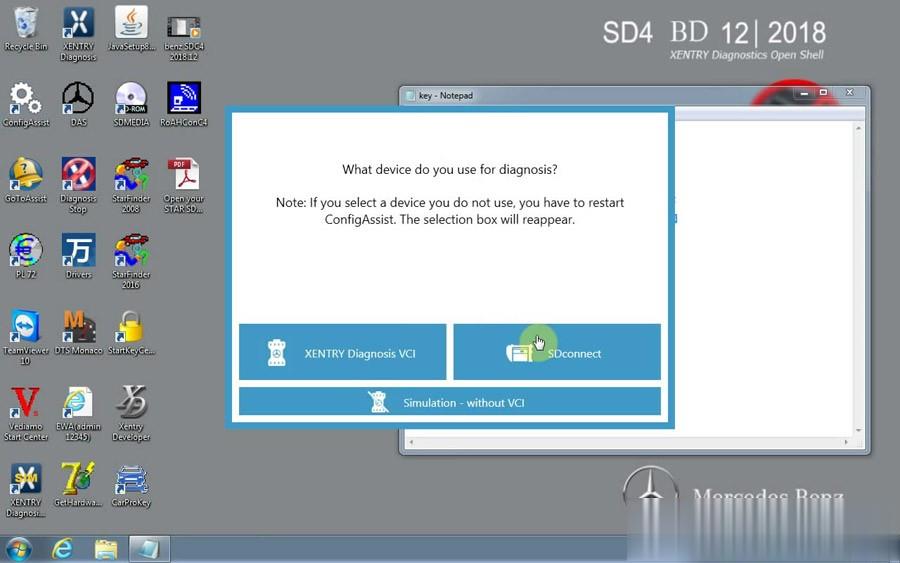
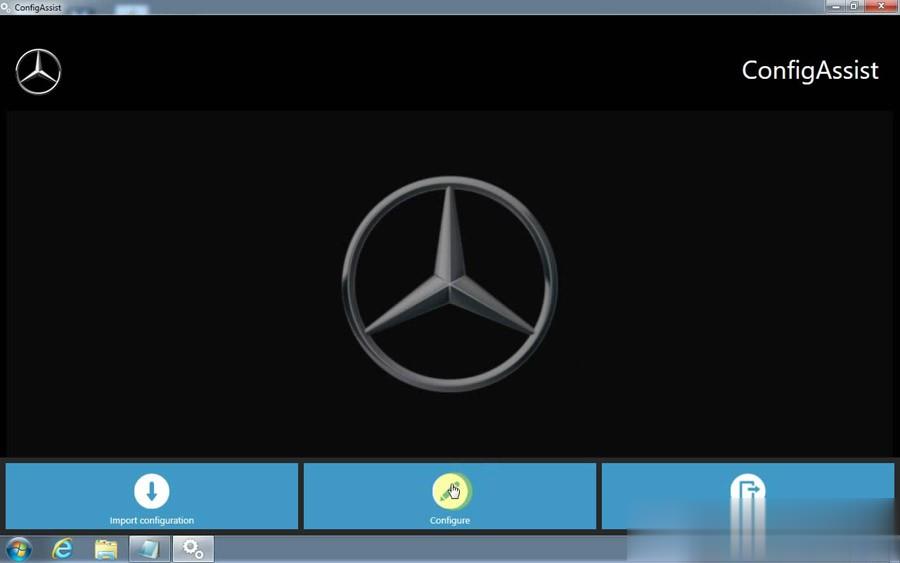
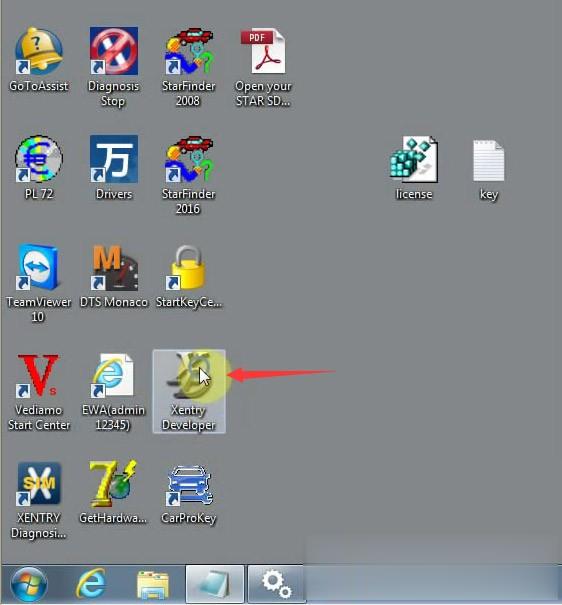

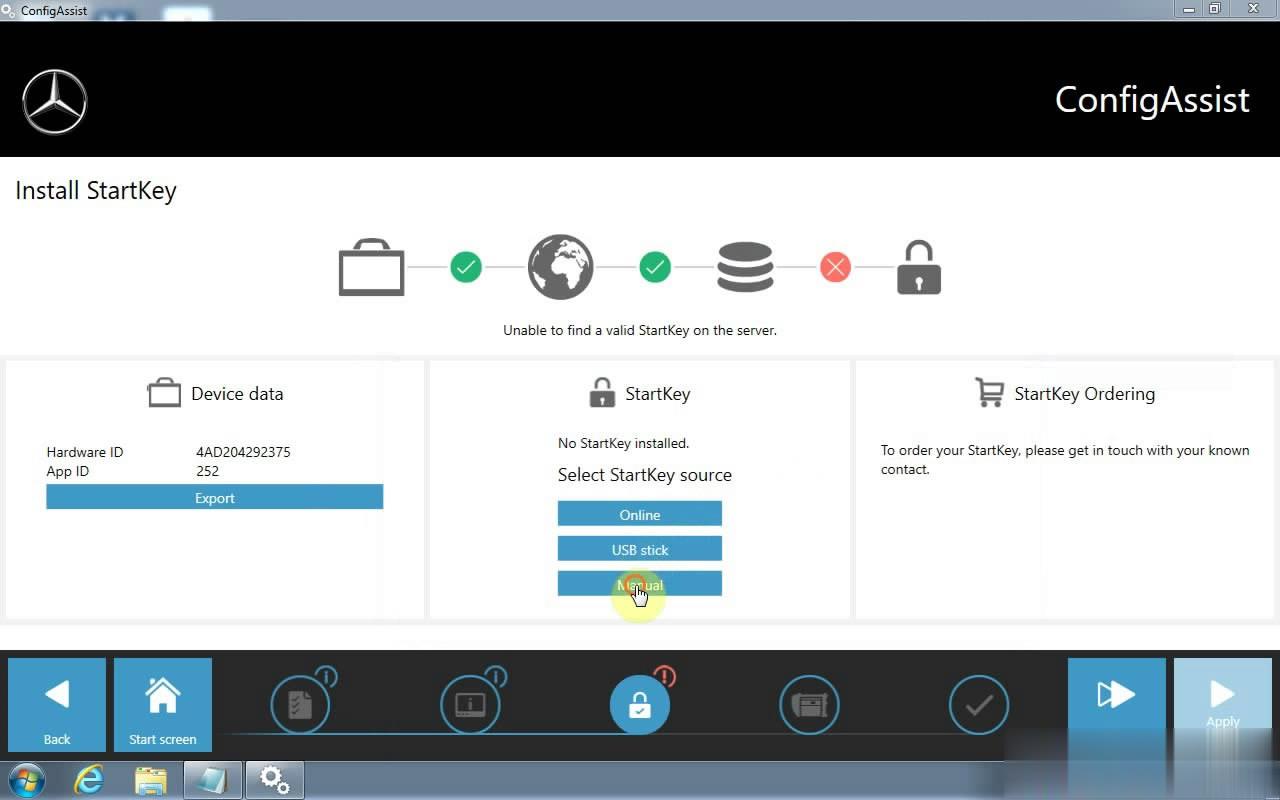
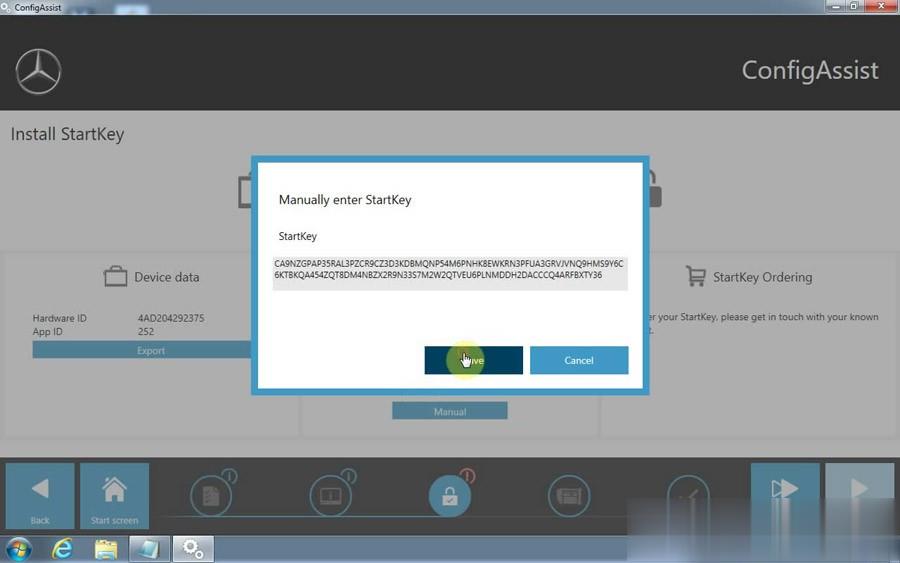
Open Computer –Local Disk C-ProgramData-LicDir copy "lic_key_2.datâ€, rename "lic_key_2.x4711″ Set to read-only file
That’s all.
Posted by: Emily white at
04:53 AM
| No Comments
| Add Comment
Post contains 69 words, total size 7 kb.
32 queries taking 0.0262 seconds, 164 records returned.
Powered by Minx 1.1.6c-pink.

