



Increased Adam 2013- IMMO system
Increased Ampera 2012-2018 smart key system
Increased Astra K 2017-2019 IMMO system
Increased Combo E 2018- IMMO system
Increased GrandLand X 2018- IMMO system and smart key system
Increased Insignia B 2017-2019 smart key system
Increased Karl/Viva 2016- IMMO system
Increased Zafira-C 2012-2016 IMMO system
Increased Agila ECM Pincode reading type: Y13DT/Z10XE/Z10XEP/Z12XEP/Z13DT
Increased Astra G ECM Pincode reading type: X16XEL/X18XE1/Y17DTL/Z12XE/Z14XEP/Z16SE/Z18XE/Z18XEL/Z20LET/Z22SE
Increased Astra H ECM Pincode reading type: Z16LET/Z16XE1/Z19DT/Z19DTH/Z19DTL/Z20LEH/Z20LEL
Increased Corsa C ECM Pincode reading type: Y13DT/Y17DT/Y17DTL/Z12XE/Z12XEP/Z14XE/Z16SE/Z16XE/Z18XE/Z18XEL
Increased Meriva ECM Pincode reading type: Y17DT/Y17DTL/Z14XEP/Z16SE/Z16XE/Z18XE/Z18XEL
Increased Tigra B ECM Pincode reading type: Y13DT/Z13DT/Z14XE/Z14XEP/Z18XE/Z18XEL
Increased Vectra B ECM Pincode reading type: X16XEL/X18XE1/X20XEV/Z16SE/Z16XE/Z18XE/Z18XEL
Increased Vectra C/Signum ECM Pincode reading type: Z16XE/Z16XEP/Z19DT/Z19DTH/Z19DTL
Increased Zafira ECM Pincode reading type: X18XE1/Z16SE/Z16XE/Z20LET/Z22SE
Increased Zafira B ECM Pincode reading type: Z19DT/Z19DTH/Z19DTL
Increased Astra J/Insignia/Meriva B/Mokka/Zafira C ICM Pincode reading
June 17, 2020
Ford F-250 2001 super duty

Problem:
Not able to write VIN on the used PCM module after PCM replacement.
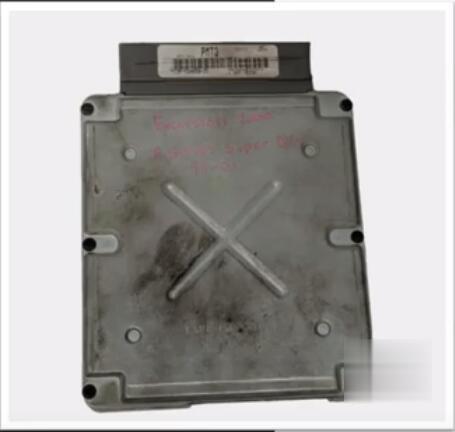

Device used to program:
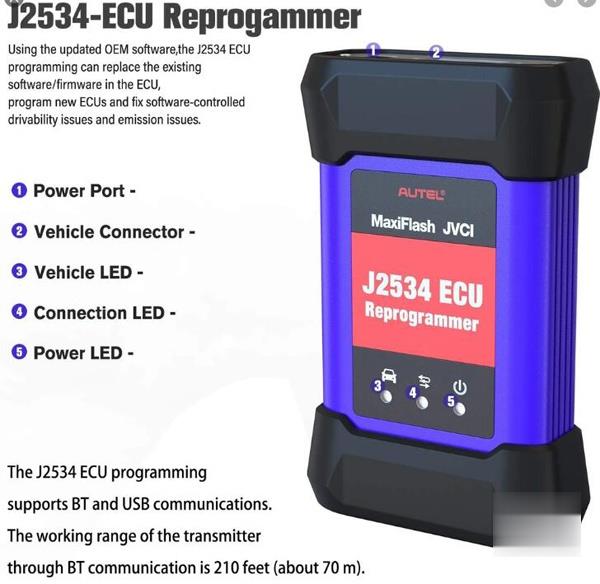
Autel MaxiIM IM608 & MaxiFlash J2534 (The module is in default package)
Ford OEM subscription
FYI:
Normally IM608 alone can do this procedure. All you need to do is click programming and look for a programmable module installation (PMI) which is a sequence in that the software will save all the original PCM’s information in IM608, then prompt you when to put the replacement module on it. Next it will then transfer all the information to the replace module.
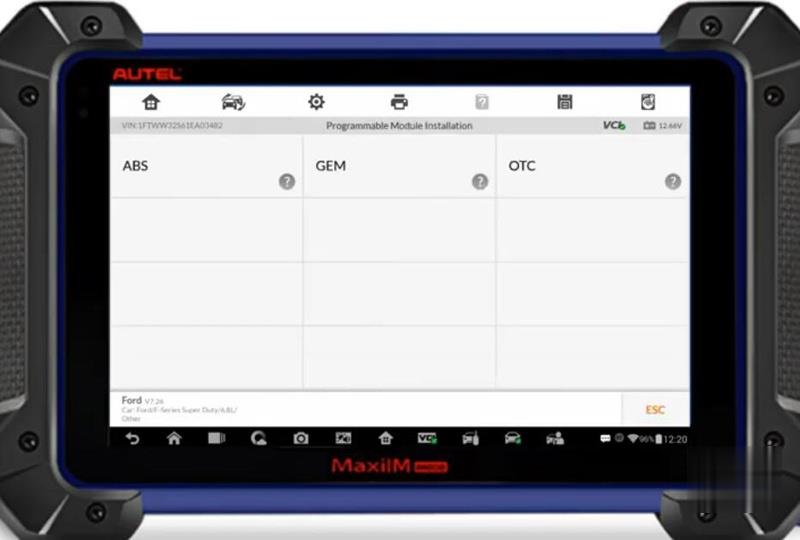
With this vehicle 2001 F-250 it does not have this functionality on the IM608 so to do this procedure will be using J2534 with the OEM subscription.
Procedure:
Go to Ford Diagnostic Menu->Auto Scan->Programming->Programmable Module Installation
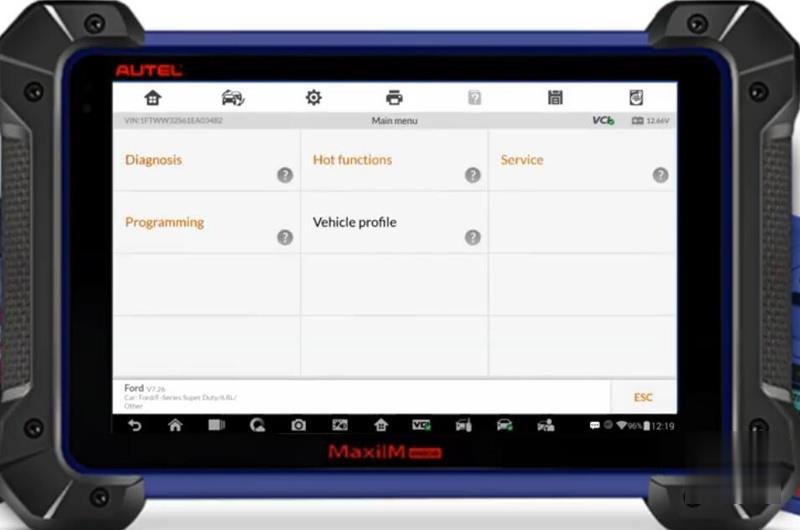
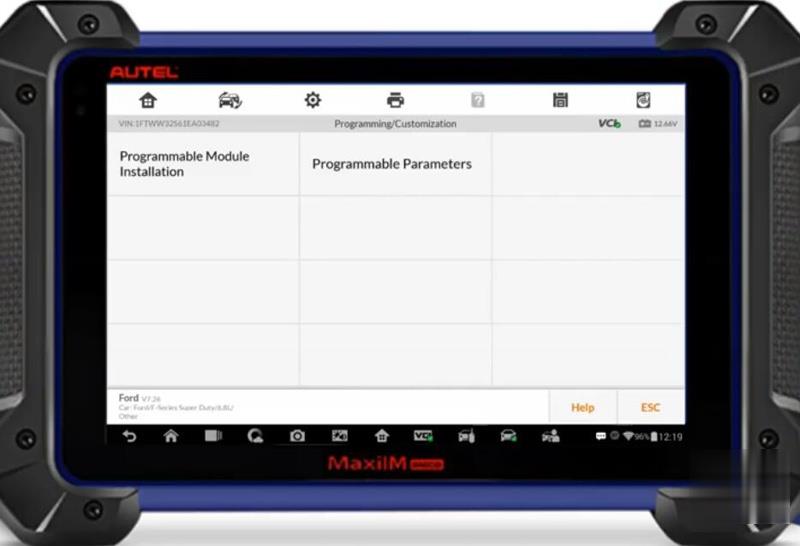
The Autel IM608 does not have the "Programmable Module Installation†feature, use Ford’s OEM software to complete the programming task.
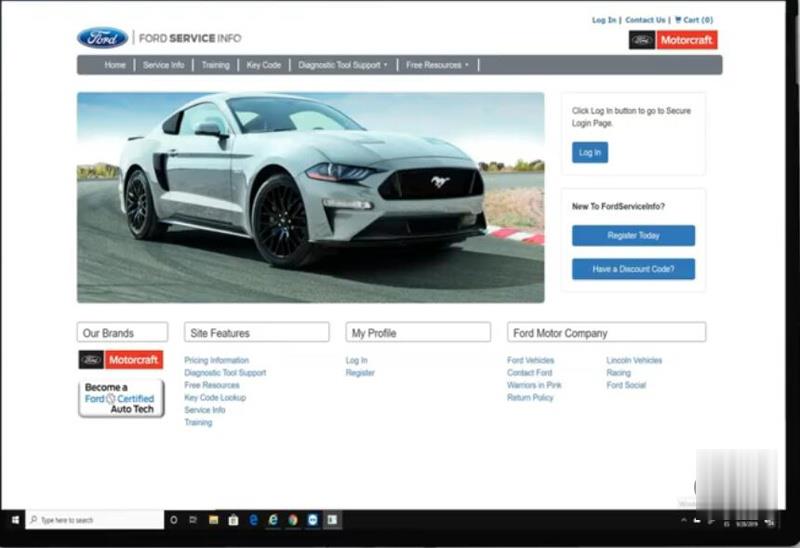
Purchase Ford day subscription from Ford Service Info website
Turn ignition to the OFF position
Run Ford OEM software
(* To write the VIN on a used module when original PCM is not present. Turn off the ignition when run the Ford software.)
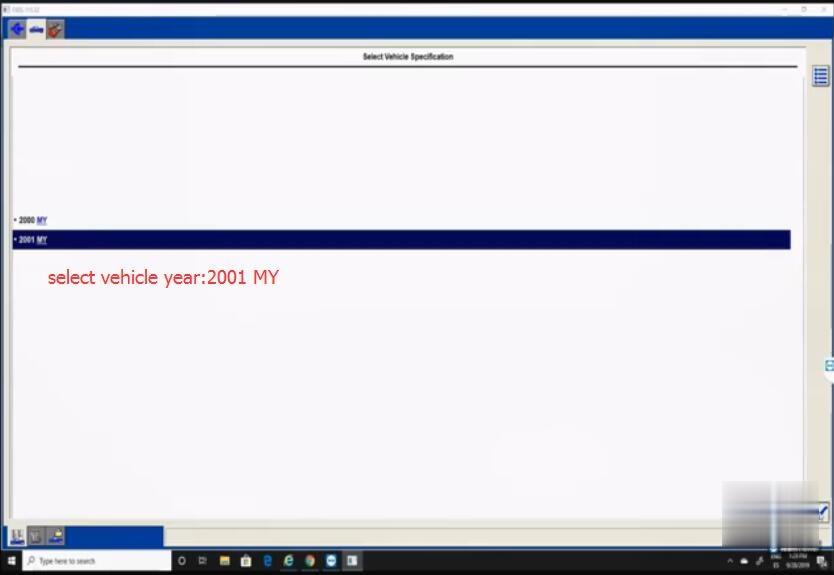
Select vehicle year: 2001
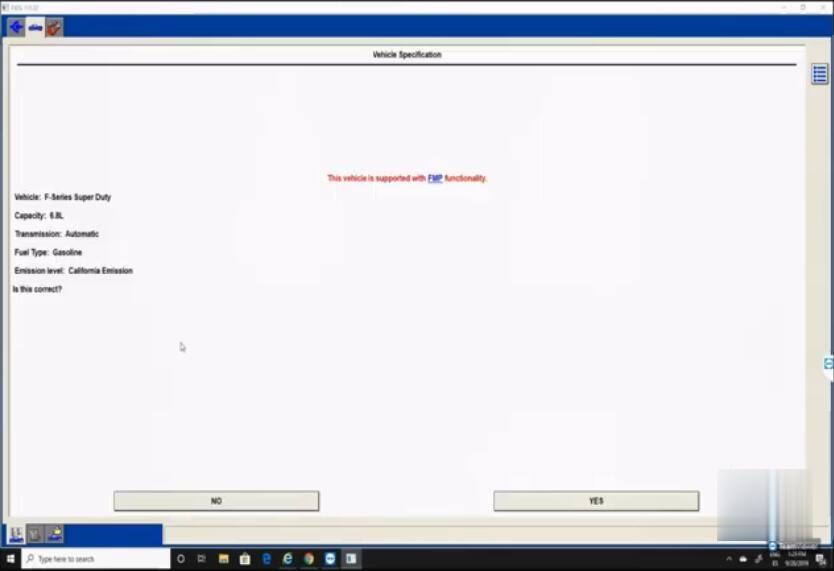
Confirm vehicle information
Follow the prompt to Enter VIN
Insert VIN number and Tear Tag information
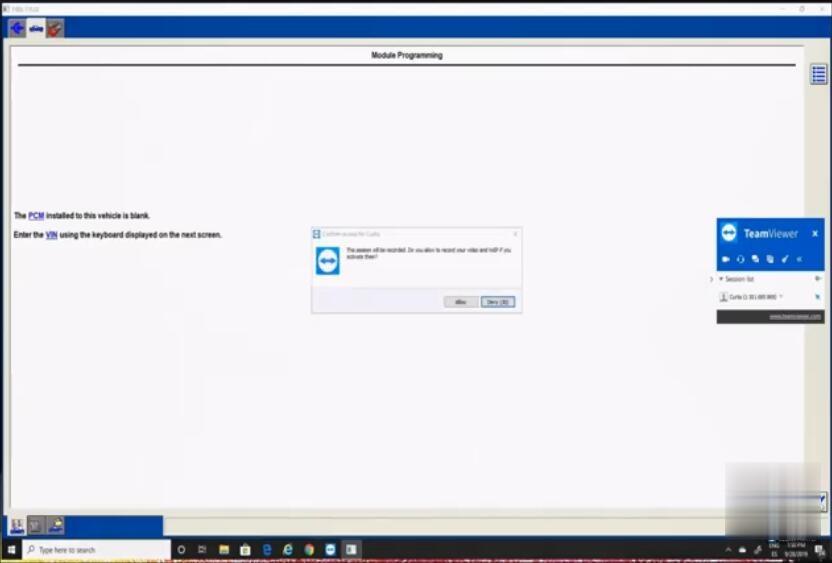
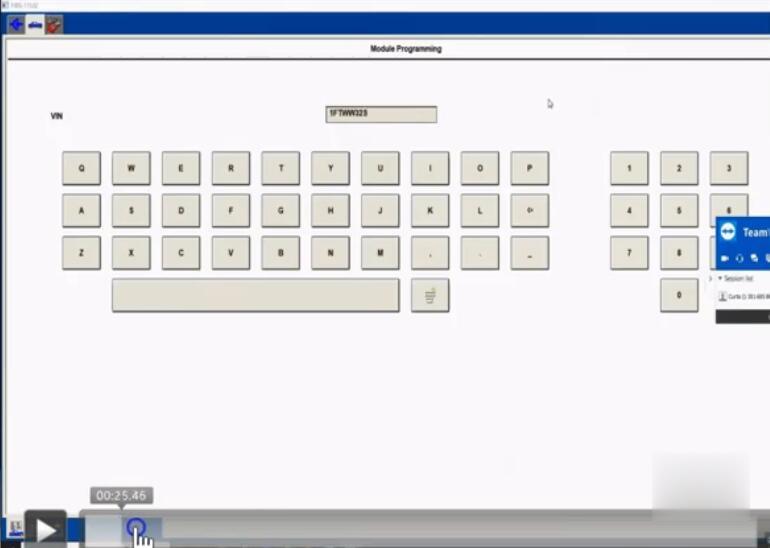
Note: Do not start a reprogramming session with a low battery in the vehicle and programming tool.
The fuel pump and the engine cooling fan(s) may run during the following procedure.
PCM reprogramming is in process
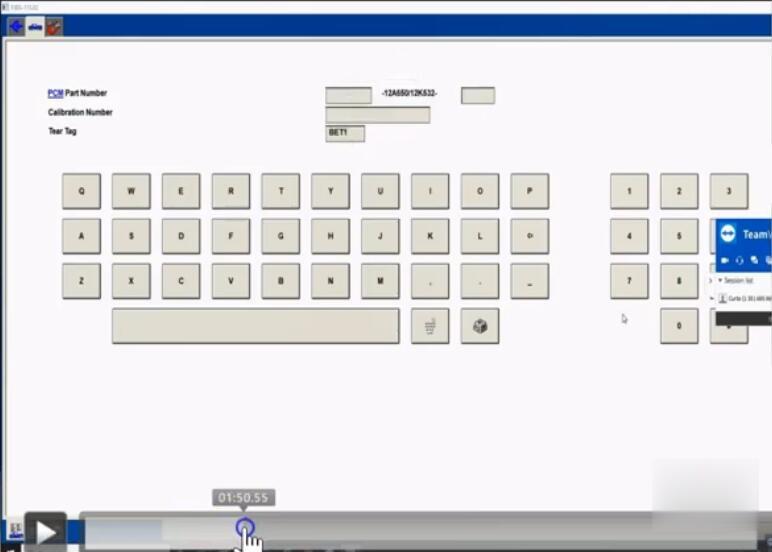
Then continue to follow prompts
Check VIN and insert mileage
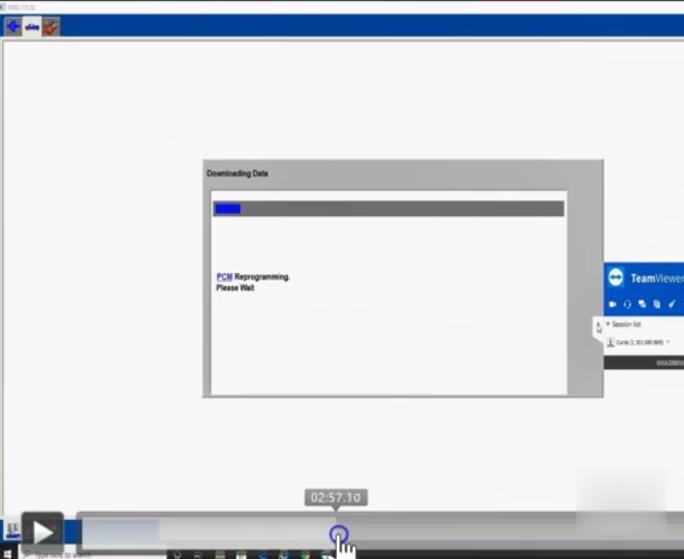
Follow prompts until succeed.
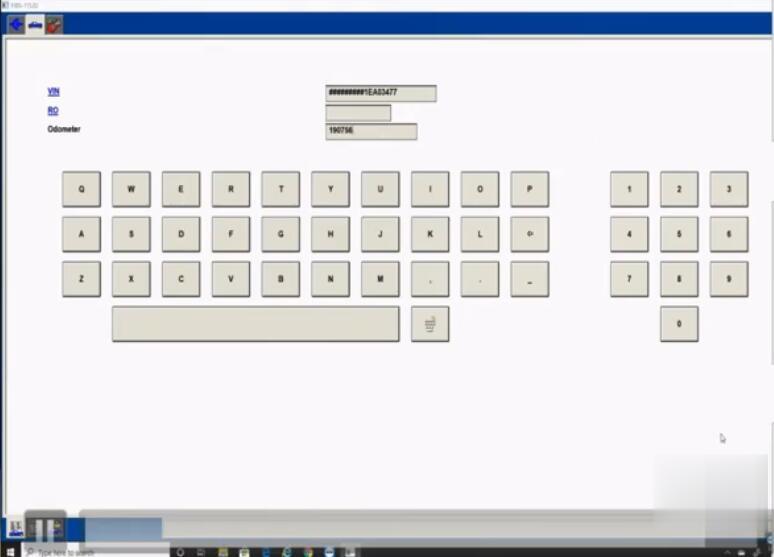
Done.
Posted by: Emily white at
11:22 AM
| No Comments
| Add Comment
Post contains 290 words, total size 8 kb.
June 15, 2020
Posted by: Emily white at
08:08 AM
| No Comments
| Add Comment
Post contains 149 words, total size 2 kb.
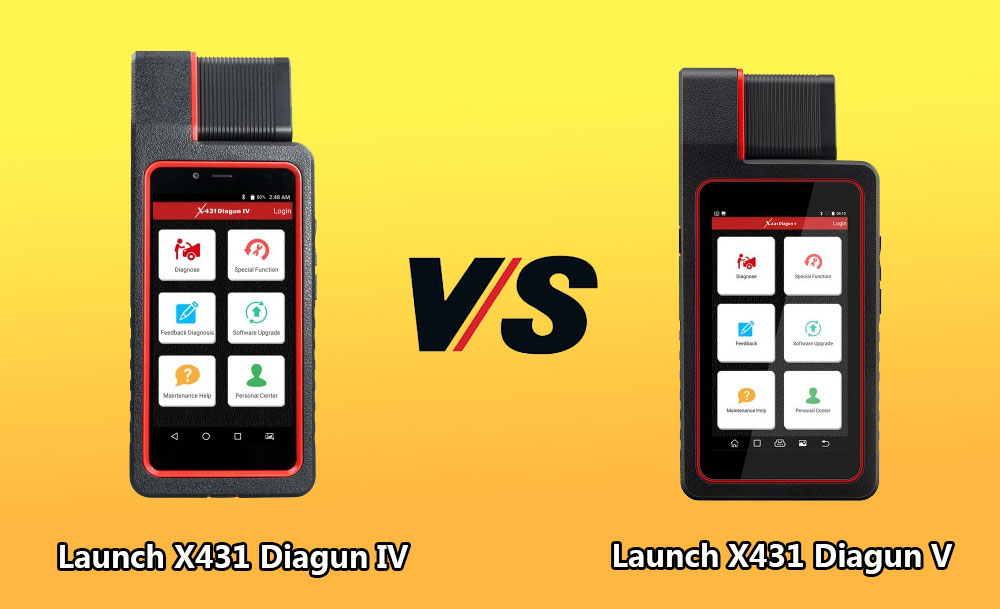
Launch X431 Diagun V wins X431 Diagun IV in:
– Upgrade in processor, memory, storage, battery, camera etc.
Which means the machine will run faster.
| Product | X-431 Diagun IV | X-431 Diagun V |
| System | Android 7.0 | Android 7.0 |
| Screen Size | 5.5-inch HD 720*1280 | 5.5-inch HD 720*1280 |
| Resolution | 720*1280 | 720*1280 |
| Processor | Quad-core 1.1GHz | Quad-core 1.3GHZ |
| Memory | 1G | 2G |
| Storage | 16GB | 32GB |
| Battery | 2500mAh | 4680mAH |
| Camera | Front 2 million, rear 8 million | Rear 5 million |
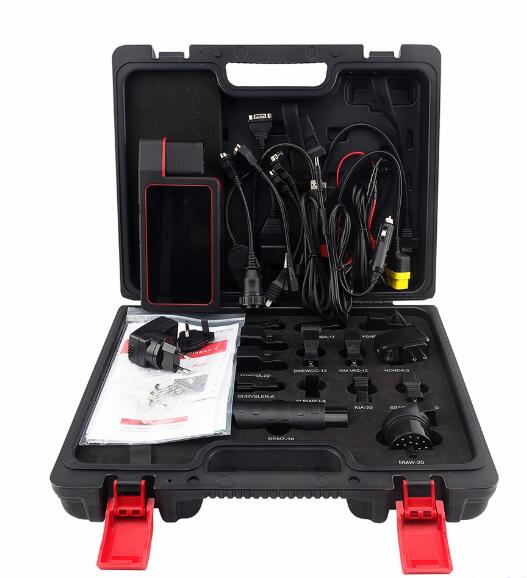
– Launch X431 Diagun V comes with full connectors, no basic version, which mean it will have a wider vehicle coverage.
Look at Diagun V package will all connectors:
Launch X431 Diagun V is as the same as X431 Diagun IV in:
– Both come with DBScar
Bluetooth: Within 10 meters
Diagnostic Method: Bluetooth + Wired
– Same diagnostic functions:
Read DTCs, Clear DTCs, Read Data Streams, Actuation Test, Special Functions, Coding, and Matching, realizing full car model and system fault diagnosis.
– Same Special functions:
service light reset , throttle adaptation , steering angle reset, brake pad reset, TPMS reset, anti-theft matching ,ABS bleeding , battery matching, injector coding and DPF regeneration
– Same Remote diagnosis : Remote diagnosis between workshop
– Same wide vehicle coverage:
Cover the car models from Asia, Europe and America, such as for Maserati , for Ferrari, for Rolls-Royce, for Bentley, For BENZ, For BMW, for Audi…
Carlist:http://qcar.x431.com/serial/layout.action
– Same One-key Upgrade
Once there is a new software version , the system will promptly remind the user to upgrade the version.
Launch X431 Diagun V feedback: a must-have diagnostic tool
Review 1.
X431 Diagun V is one of the best Bi-Directional Scanners on the market. Launch X431 is a great company. They stand behind their product and provide A+ Tech support. I highly recommend their products.
Review 2.
Launch Diagun V is an excellent tool for both professionals and DIYer’s alike. Works well on most 96 and newer vehicles, but will also work on several pre OBD II vehicles.
Review 3.
Just got X431 Diagun V set up was quick. Able to read codes on 1998 Honda. Fixed my vsa and trailer assist on my 2013 Acura mdx. easy to use I scanned 2008 s550 Mercedes Airmatic and worked great to re program suspension.
Review 4.
I want to hate this thing(Diagun V), I dislike this form factor. However this has been a useful tool. I have worked on a 2000 VW Beetle, 2001 Audi A6, 2005 Chevy Avalanche, 2012 Chevy Malibu and a 2013 Buick Regal. Doing some hard work like programming a key fob, diagnosing ABS brakes, and figuring out door locks. This unit has worked out with no problems.
What are needed to be improved:
It won’t program the immobilizer on the VW or Audi but this is due to the lack of information on the vehicles, so the jury is still out on that.
It would be nice to have some information about the reports you can make and possibly send to customers. I am guessing most of the information is online with launch, I just feel that the unit could have been sent with something.
To be upgrading…
Posted by: Emily white at
08:00 AM
| No Comments
| Add Comment
Post contains 571 words, total size 6 kb.
June 02, 2020
V2020.3 software works with MB SD Connect Compact 4 5 for the latest Mercedes Benz cars and trucks, incl. new car of B 246, CLS 218, SLK172, etc.
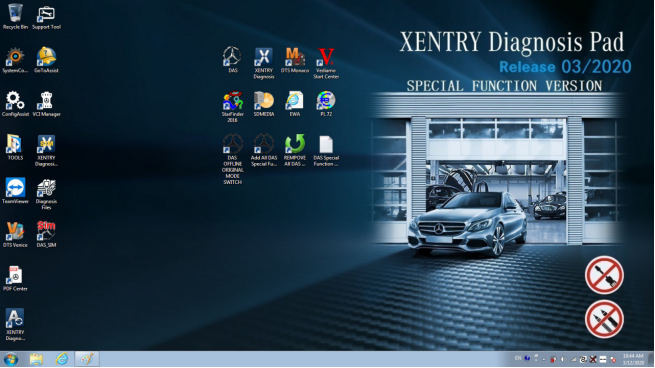
Have collected some common errors received from customer recently, and offer the corresponding solutions here.
Please kindly notice
V2020.03 MB SD Connect C4 C5 software cannot support online programming.
If you want to do online programming, you must have an user name and
password to login in official website.
Error 1 When you run 2020.03 Xentry Software with MB SD C4, the following error will be reported "The data are faulty†and cannot do any function.
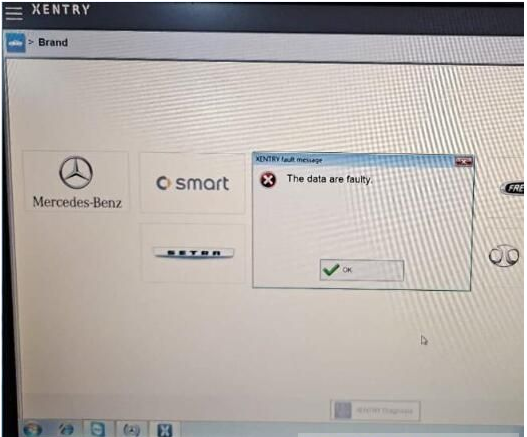
Solution offered by www.obd2tool.com engineer
Caused the error reason Click the upgrade icon as shown in the figure below.
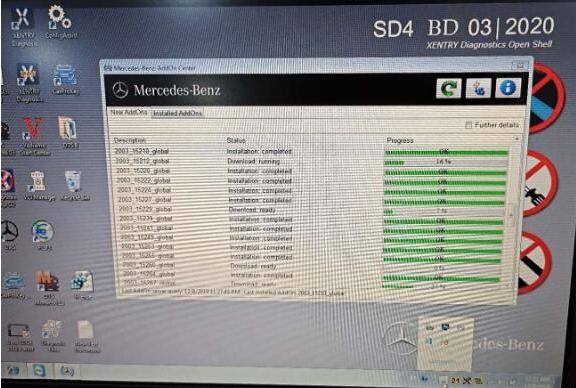
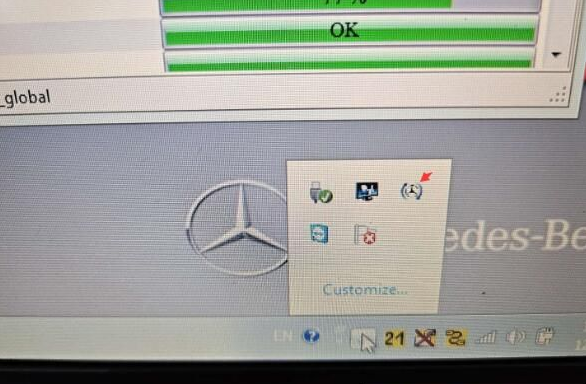
The solution
1. Please don’t click the upgrade icon, otherwise it will update.
2. Change the file name "AddOnCenter.exe†to "AddOnCenter.ex_â€, then it
will not update automatically. After modifying, restart the computer.
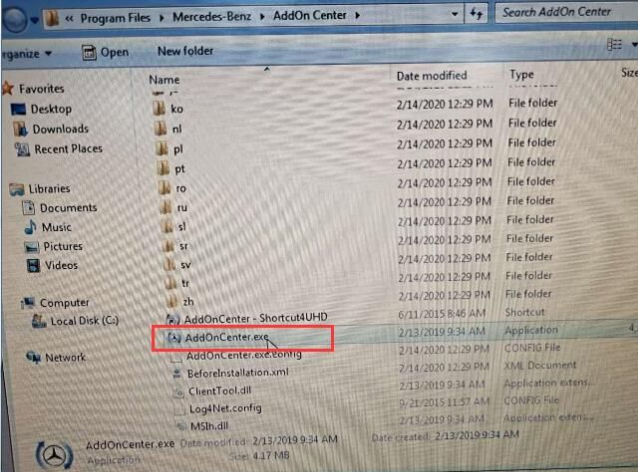
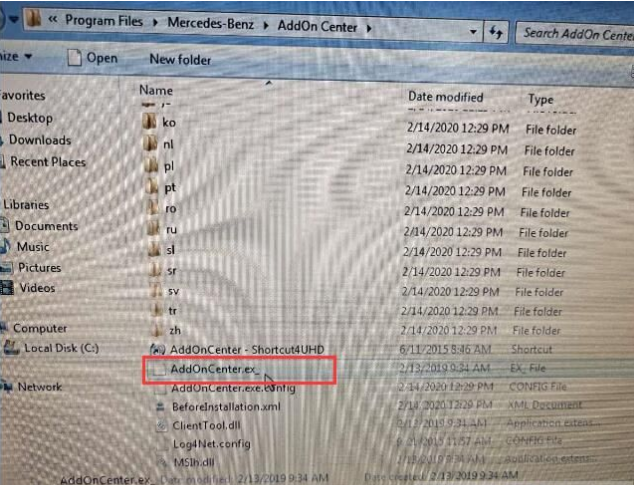
3. After installing the Xentry patch to fix the error, please restart the computer and run Xentry software again.
For your convenience, here is the video of how to fix "The data are faulty†for 2020.03 MB SD Connect C4 software
Note The solution above is suitable for 2019.12 Xentry software "The data are faulty†error as well. But the Xentry patch download link is different.
Xentrypatch2019.12 httpsshare.weiyun.com5dLTPWG
Password mlpnqm
Size 2.02 GB
Security No risk!
Error 2 When running the file "CProgram FilesMercedes-BenzXentrybinXDConfigset_SDconnect.batâ€, the error message prompts "it may not have been possible to find the fileâ€.
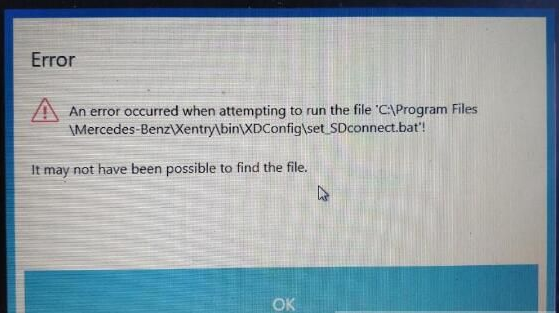
Solution offered by obd2tool.com engineer
Please follow the steps below to operate
1.Press "WIN+R†keyboard shortcuts to open the run window
2. Enter "Services.msc†in the textfield to start the Configassist service
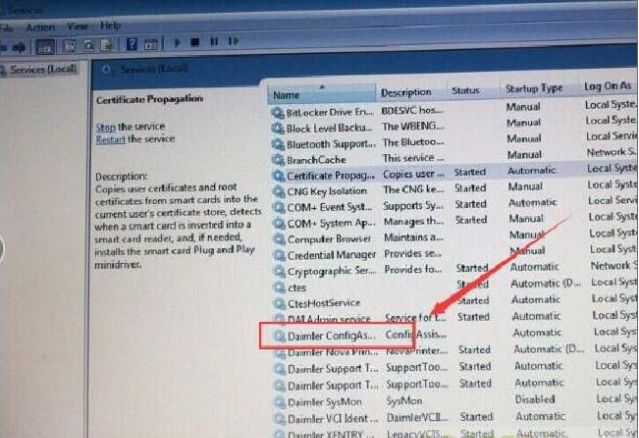
4. Free download the following link to fix.
Xentrypatch202003 httpsshare.weiyun.com5uIxwgI
Password eswr9a
Size 2GB
Security No risk!
MB STARSD C4C5 Software Product software includes
1. DAS 2020.03 the automatically Diagnosis Assistance System
2. Xentry 2020.03 New software released by Bennz Company after 042009 by diagnosis new cars.
3. WIS net 2019.07Workshop Information System
Supply the whole view of the wiring diagram in a car, component location
diagram and maintenance method. What you do is to enter the chassis
number, and then you will get the manufacture data, engine configuration
and the car model -all in detail.
4. EPC.net 2018.11Electronic Parts Catalog
5. ST FinderPart Location Finder options 2008 and 2016
6. STARUTILITIES the movement management system and self-test
7. SD MEDIA 2014
8. PL73
9.Engineer Software:DTS monaco V8.14.016And Vediamo V5.01.01 Support Offline Programming
10.HHT Software for old cars
11. Engineer version Vediamo updated to V5.01.01 ,Engineer version DTS
updated to V8.14.016,Upgrade to the latest version of 2019 data
1) Fix the error that Mercedes-Benz DAS cannot directly call WIS
2) Join the DAS sedan smart offline programming
3) Join the 204 DAS stand-alone version, which can be mutated (German), which is more powerful than Vediamo
4) Join DAS special function password-free access PKW and SMART
5) Repair SMART 450, 451, 452, 454 No longer need TAN Caculator, all offline
6) Increase offline EOL and VMAX all LKW, modify truck maximum speed limit
7) Lift the truck NOx TORGUE restriction, do not need FDOK XT
calculation code, directly enter, directly cancel the legal speed limit,
you can modify without special function
 Clear the truck SCRADBLUE fault code (MR), do not need FDOK XN calculation code, enter directly
9)Add DAS 212,207 prototyp model
10)AddXentry special features and the VeDoc calculator($53 for activation)
Posted by: Emily white at
10:07 AM
| No Comments
| Add Comment
Post contains 586 words, total size 6 kb.
32 queries taking 0.0231 seconds, 164 records returned.
Powered by Minx 1.1.6c-pink.

