



March 30, 2021
User puzzles:
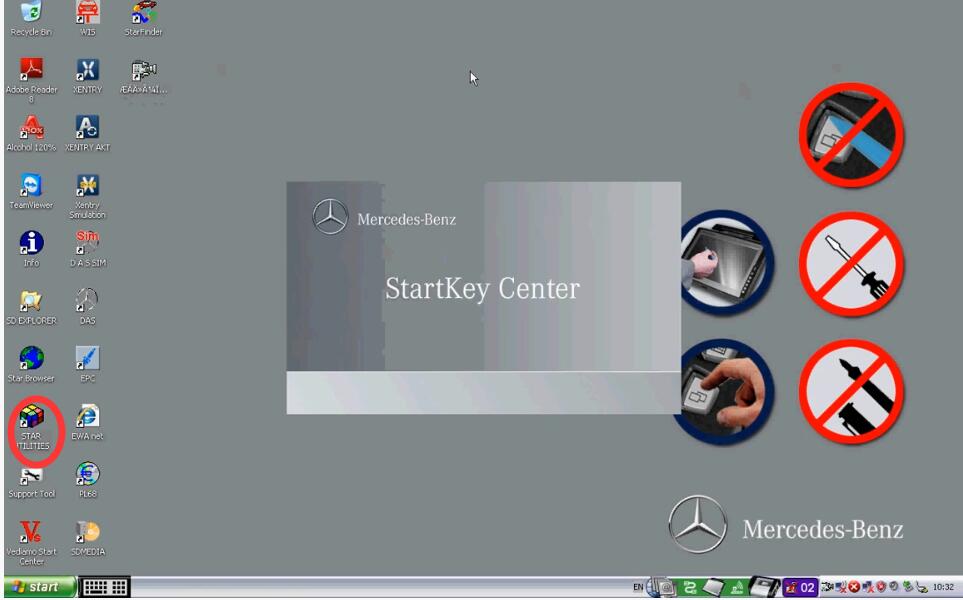
I have installed Xentry 9.2018 in Star C3 multiplexer. It works well so far. Now, I need to make diagnosis on w205 year 12/2018 but It can not communicate with the car. C3 don’t work in all recent cars in xentry but in DAS is ok.
Experienced users’ suggestion:
C3 has many limitation regarding latest vehicles in Xentry.
It can’t diagnose it e.g w205, w212, w222, w906, smart 453 etc.
its glory is already passed unless you deal only with vehicles in DAS.
you have to change to SD Connect C4.
C4’s support also officially has been stop since 12-2015.
It is no different even you change folder.
it is different protocol with recent vehicles.
For your w205 (nice car) you can use one of this :
1.SD Connect C4
2.xentry sd connect c5
Both good at all new models,W222, W221, W212, W203, 211,W 204,W207, W212, GL166, B 246, CLS 218, SLK172 and Smart405, 451, 452, 454
Besides the Star diagnosis software c3 and c4 own, sdconnect c4/c5
added three more software: SD Media, Xentry and Smart TAN Code.
SD Media: Video and PDF lessons;
Xentry: New software released by Company after 04/2009 by diagnosis new cars. Xentry software for diagnosing W 204,W207 and W212 which C3 and C4 does not support;
Smart TAN Code: Opened special function in DAS program with Smart cars
405/ 451/452/ 454.Besides, it also opened more special functions, such
as engineer mode, remove limitations,etc, which Star C3 and Star C4 do
not have.
I have successfully communicated wit my w205 AMG using a SD C4 connect all controllers accessed.
Posted by: Emily white at
11:37 AM
| Comments (1)
| Add Comment
Post contains 274 words, total size 3 kb.
March 23, 2021
Recommend goodHeavy Duty Scanner for trucks Immo / All keys lost, particularly Euro trucks – Benz, Scania, Volvo.
There is no universal tool that will do all. I do repairs on all european truck excluding Iveco, and I can share some experience if it comes to immo.
MAN – Any tool to read/write by E-GPT protocols or by BDM (EDC7) or Boot (EDC17 Euro 6) will be okay for engine ECU, and You would need EEPROM programmer and Macaca for FFR/PTM (FFR only EEPROM). With such tool You will be able to disable the immo (but I’m not sure if there is any Immo off option for EDC17 currently). Or You can get MANCATS II and III with developer software and You will be able to programm keys in truck to about 2016 year production. Newer are blocked and harder to bypass.
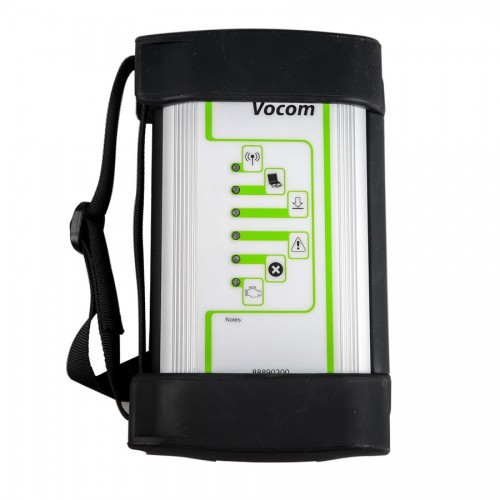
Volvo/Renault – Get Vocom with PTT, You can easily disable Immo in V2 trucks, change two parameters and You have no Immo and no error on dash. Fast and easy. For V4 trucks, never had to learn yet, as there was no client that needed new keys, so can’t tell much. But PTT will let You disable the Steering Lock that tend to fail on those trucks very often.
DAF – Euro 5 DMCI, Get Davie XDCII with DAF MUX-560, You can program keys, change ECUS, change Immo boxes no problem. For Euro 6, Davie will be ok up to 2016. Newer only Davie 4, but if You’re not authorized DAF Dealer, no Immobilizer programming. It’s totally blocked.
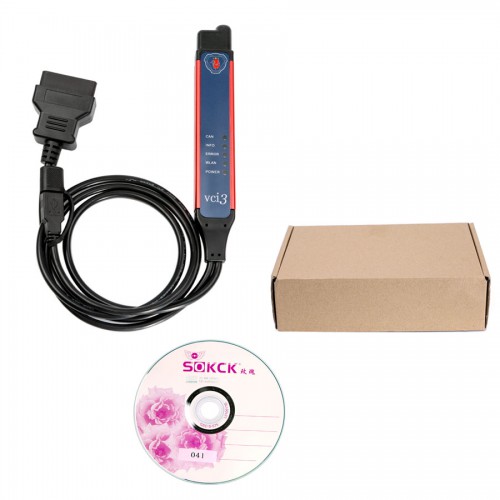
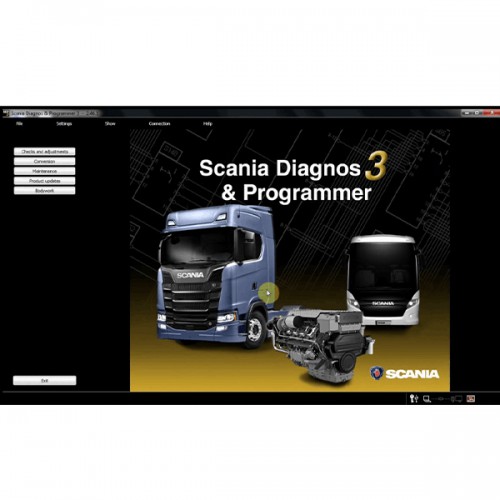
Scania – Get Scania VCI3, install SDP3 and XCOM. Learn how to modify SOPS files and erase Immo with XCOM, and You’re good to go with S6 and S7 Ecus. With S8/EMD1 it’s more complicated but doable. With SDP3 You can teach new keys, delete old ones and with few tweaks to SOPS files, You can also disable the Immo. Still, EMS and COO need to be paired, but it’s easy procedure with SDP3.
So… A lot of money to invest if You want to do every brand. If You want to start cheap – go for Scania. VCI3 is quite cheap, all the necessary software You can find on forum (or bought reliable source sdp3 software). MAN and DAF have the most expensive interfaces right now. There is no do-it-all software, like the ones for cars, that will let You program everything unfortunately.
Good luck!
Posted by: Emily white at
09:52 AM
| Comments (1)
| Add Comment
Post contains 414 words, total size 4 kb.
March 13, 2021
The GM Tech II comes with GM software and provides support for on-board diagnostics on all GM systems 1992 thru 2010.The CANDI module for GM tech2 connects between the GM Tech 2 Flash’s diagnostic link cable and the OBD adapter. Once the CANDI module is connected, it can be used on all GM vehicle applications, even those vehicles using other platforms such as OBD I and OBD II.
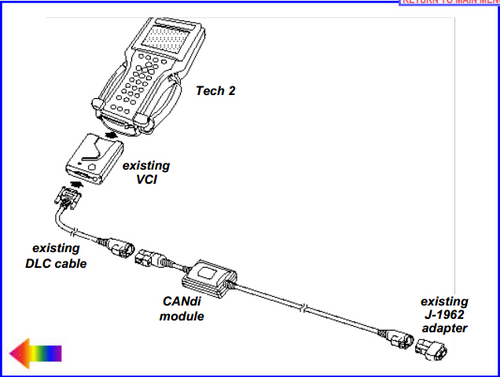
The CANdi (Controller Area Network Diagnostic Interface) is an in-line cable module that works with existing Tech 2 components including the VCI, cables and adapters.
CANdi module is fully compatible with current and past Tech 2 software. The module powers up in a way that makes it transparent to the user. This allows the existing Tech 2 software to be used with no changes when the CANdi module is installed. If a vehicle requires the use of a CANdi module, the Tech 2 clone will enable features specific to the module.
Supports simultaneous communications on three CAN buses
Provides high-speed UART communications with the GM Tech2
A self test will help to check well Candi module is well connected or not. Here is the step-by-step instruction on how to do Teh2 candi interface self test.
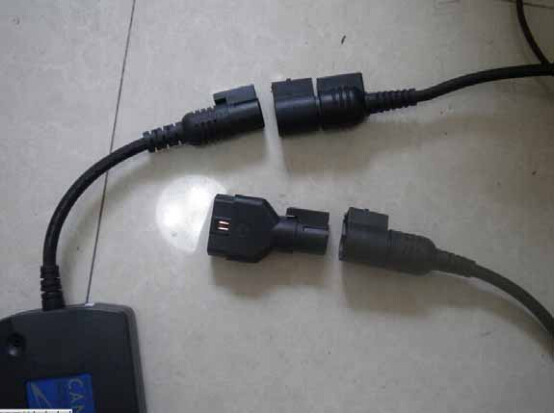
1) Connect CANdi interface to the vehicle via 12 PIN ALDL connector
2) Run and complete all GM tech 2 scanner stand-alone self-test. Disconnect CANdi interface when run Tech2 scan tool self test.
3) Run VCI self test. If the VCI self-test fails, replace VCI module. Disconnect CANdi module when run VCI self test
4) Connect the CANdi module to an existing VCI module via DLC cable, and connect VCI module with vehicle. Make sure there is good connection between scanner and vehicle. Verify that the LED on the CANdi module is flashing.
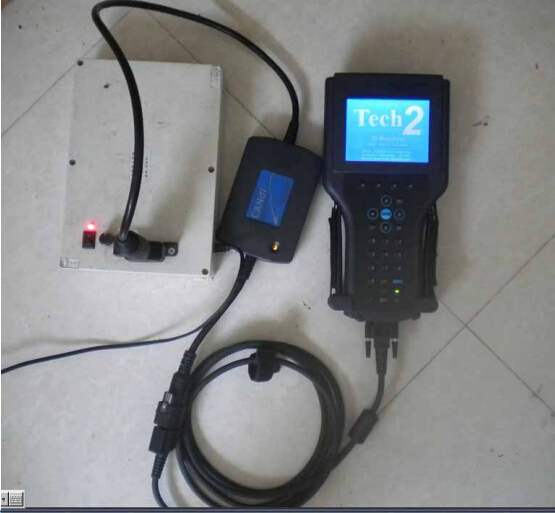
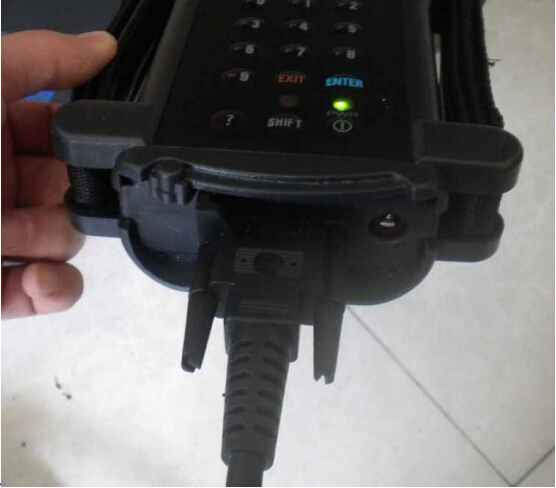
5) After well connected with vehicle and Tech2 main unit, power up the GM Tech2 scan tool, the scanner is flashing. Software update procedure will display on the screen.
6) Browse to "Tool Options†menu, select "F9 CANdi Diagnostics†option
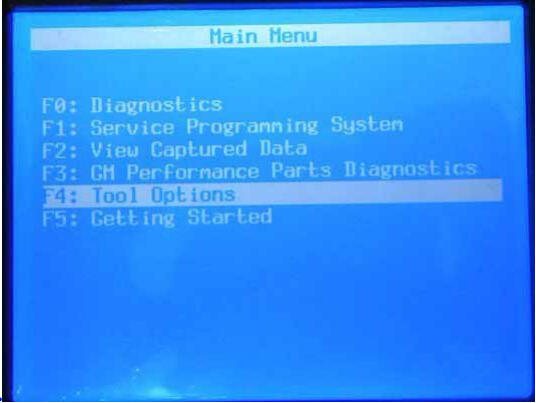
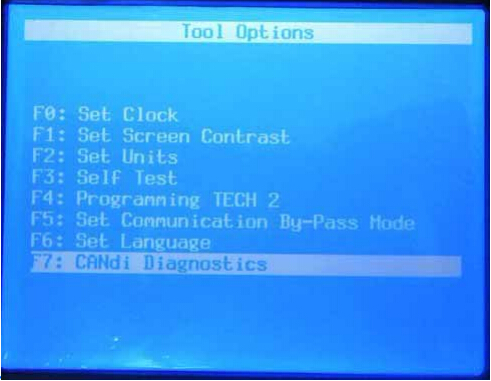
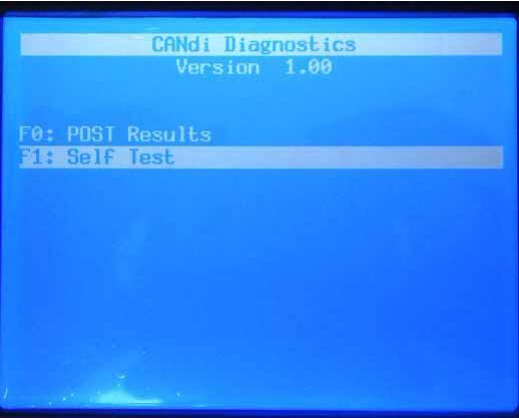
7) Two options available under CANdi Diagnostics menu: POST Test and Self Test
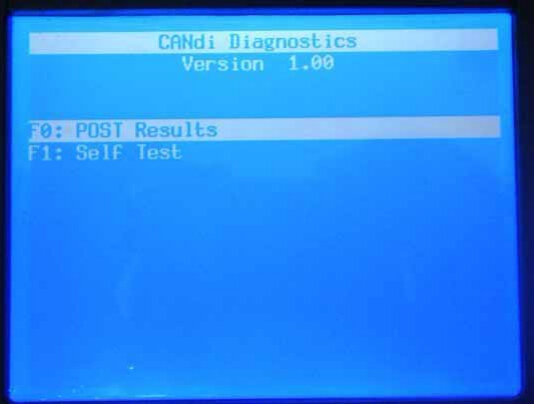
 First run a POST Test. The CANdi POST result is used to determine
if the module has any problems during the software upgrade or start-up
sequence.
First run a POST Test. The CANdi POST result is used to determine
if the module has any problems during the software upgrade or start-up
sequence.
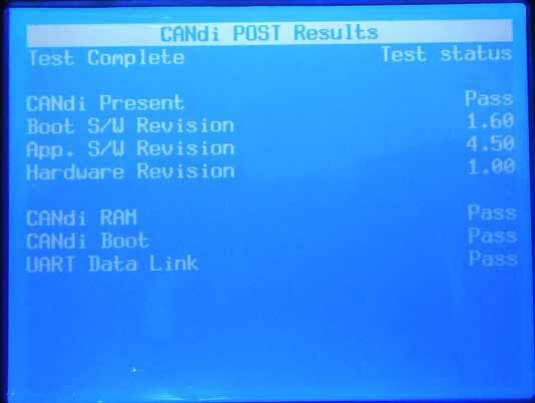
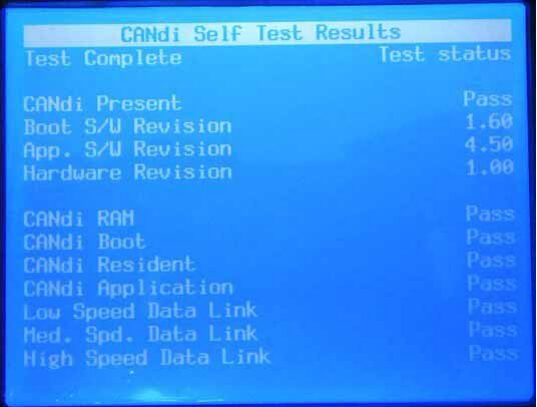
9) Then run Self Test, here is the CANdi Self Test Results figure
NOTE:
If the CANdi module is connected and an error screen occurs, disconnect the CANdi module from the Tech 2 and perform the test again.
Candi interface support GM vehicle list:
05 Buick Allure (3.6L)
05 Buick LaCrosse (3.6L)
05 Buick Rainier (5.3L)
04-05 Buick Rendezvous (3.6L)
04-05 Cadillac CTS (3.6L)
04-05 Cadillac SRX (3.6L / 4.6L)
04-05 Cadillac XLR (4.6L)
05 Cadillac STS (3.6L / 4.6L)
05 Chevrolet Cobalt (2.2L)
05 Chevrolet Corvette (6.0L)
05 Chevrolet Equinox (3.4L)
05 Chevrolet TrailBlazer (5.3L)
05 Chevrolet SSR (6.0L)
04 Chevrolet Malibu (Body/Chassis only)
05 Chevrolet Malibu (3.5L)
05 GMC Envoy (5.3L)
05 Pontiac G6 (3.5L)
05 Pontiac GTO (6.0L)
05 Pontiac Pursuit (2.2L)
03-05 Saturn ION (2.2L)
Feedback from customer:
GM tech2 would NOT work with All C5’s, if you’re going to use it on a C6, make SURE you have the CANDi modules.
I purchase a used CANDi module so I can use it on my C6.
Posted by: Emily white at
06:52 AM
| Comments (1)
| Add Comment
Post contains 559 words, total size 8 kb.
March 12, 2021
As we know,Yanhua Digimaster 3 can support automotive odometer adjustment, ECU, Airbag ECU data adjustment, computer program matching, audio decoding, automotive memory programming and key programming. Here mainly share the guide to reset Airbag and control computer data.
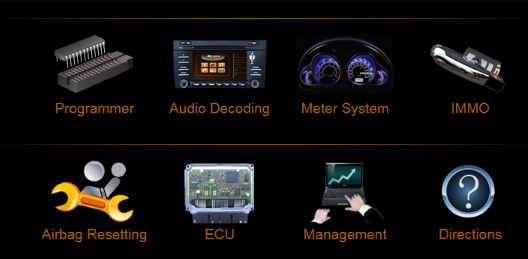
How to reset Airbag by Digimaster 3?
Note: After airbag detonation,the error record will be saved in the memory code of circuit board by airbag ECU. If you write the data generated before detonation when the computer hard disk not destroy, then you no need to change the circuit board.
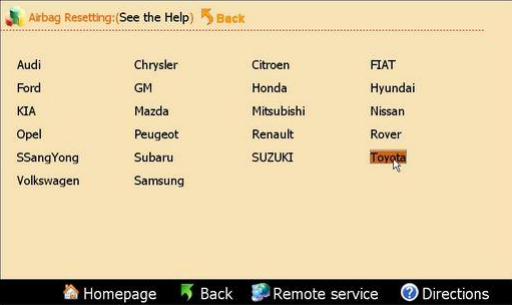
Step1: Enter the Airbag Resetting interface
Choose the relevant model
Here we take Toyota as example
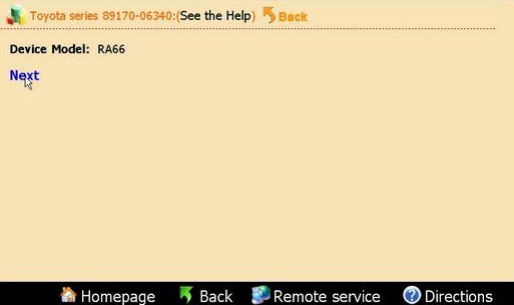
Step2: The airbag will be showed in list by number
Take "Toyota89170-06340†as example
Find out the chip in airbag ECU according to the diagram
Then dismantle the chip to install to OBP adapter, click "next stepâ€
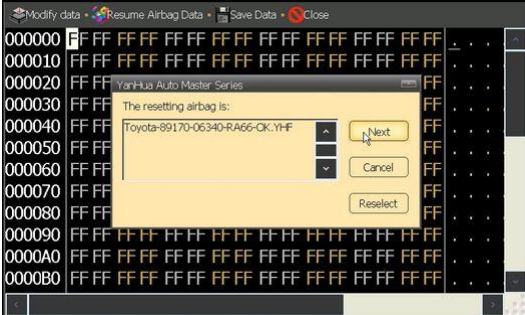
Step3: After finish reading data, it will prompt you whether need to restore airbag
Click "next stepâ€, the data will be restored to airbag chip
2.How to reset Control Computer data by Digimaster 3?
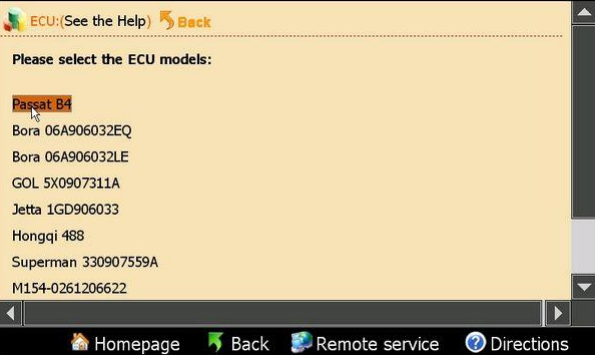
Step 1: Enter "ECU†main menu
Select the corresponding car model
Here take "Passat B4†for example
Step2: According to the diagram
Dismantle the chip and install to ICP Adapter
Click "next step†to go on
Step3: After finish reading data, it will prompt that "it will cover the engine computer dataâ€
then click "next step†to write data into the engine computer
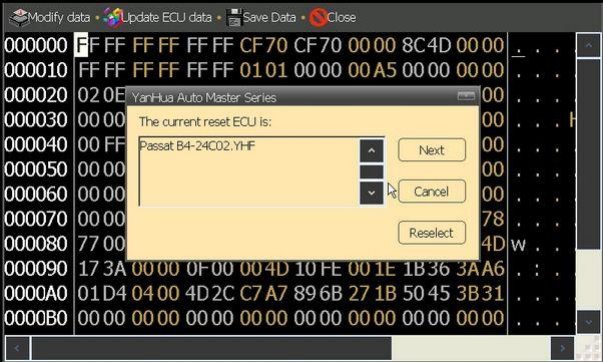
Step4: After all these operations, just need to put the chip back to car
Digimaster III Odometer Correction Master Airbag Resetting Car Model Full List:
http://forobd2tool.com/wp-content/download/Digimaster_3/digimaster_iii_newest_car_list.pdf
Car models: Audi, Chrysler, Citroen, FIAT, Ford, GM, Honda, Hyundai,KIA, Land Rover, Mazda, Mitsubishi, Nissan, Opel, Peugeot, Renault, SSangYong, Subaru, SUZUKI, Toyota, Volkswagen, Samsung, MG Rover, Cadillac and Luxgen.
Please kindly notice: Here is not full car models Digimaster III supported, the car models always have been updating…
Posted by: Emily white at
06:39 AM
| Comments (1)
| Add Comment
Post contains 317 words, total size 4 kb.
March 05, 2021
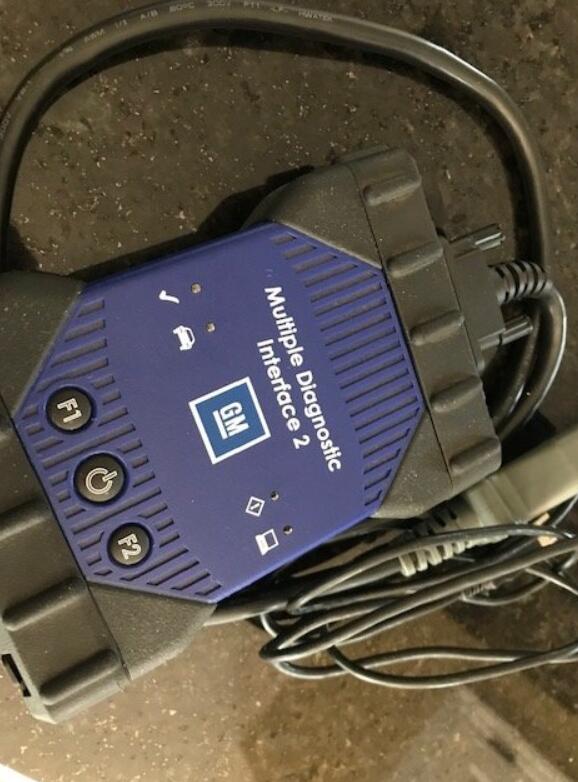
Post by i6pwr:
For my 2002 GMC SUV as well as other mid 2000’s GM vehicles, I’m ready to purchase either of the above mentioned. My thoughts are with a Tech 2, I have an all-in-one unit, but the MDI gives me options down tne road especially with our 2014 Toyota.
I’m fine with just a Tech 2 Scanner for the 2002 GMC for time being, but if I go with the MDI, would a regular Win 10 laptop work?
There are so many options I’m not sure where to start, mainly with options. I hear that some overseas sellers may not be the best choice due to customs.
I’m looking to try to stay under $500 for either setup if possible. Anyone who has been down this road, all input and criticism welcome.
Reply by Timmastertech:
As far as scan functions for your vehicle, tech2win is the software package, the MDI is the interface. Without a subscription the MDI is a nice looking paperweight. Global platform GM vehicles (starts with Camaro in 2010 and was all vehicles by 2014) use GDS2 with the MDI. Programming for any of the above is done with an SPS subscription and an interface. GM products that have a class 2 data bus (anything pre-can) does not program well with an MDI/MDI 2 or modern J2534 device. Programming using the tech 2 as the interface is the only reliable way.
A handheld Tech 2 with candi module covers scan functionality on all GM from 1992 to 2009 and all non-global vehicles to 2013. New legit from Bosch they are in the 4500 ballpark and used around 2000. ANything cheaper is a chinese knockoff that may or may not work.
For scan only, there is no reason you need an MDI. A Cardaq M or Cardaq plus 3 works just fine and can also be used as an interface for Toyota Techstream for your toyota.
As far as a laptop. Win 10 is the only OS that GM supports anymore. Here is a link to the PC requirements https://gsi.ext.gm.com/userguides/Aftermarket Infrastructure Guideline v1.0.pdf
Posted by: Emily white at
07:08 AM
| Comments (2)
| Add Comment
Post contains 356 words, total size 3 kb.
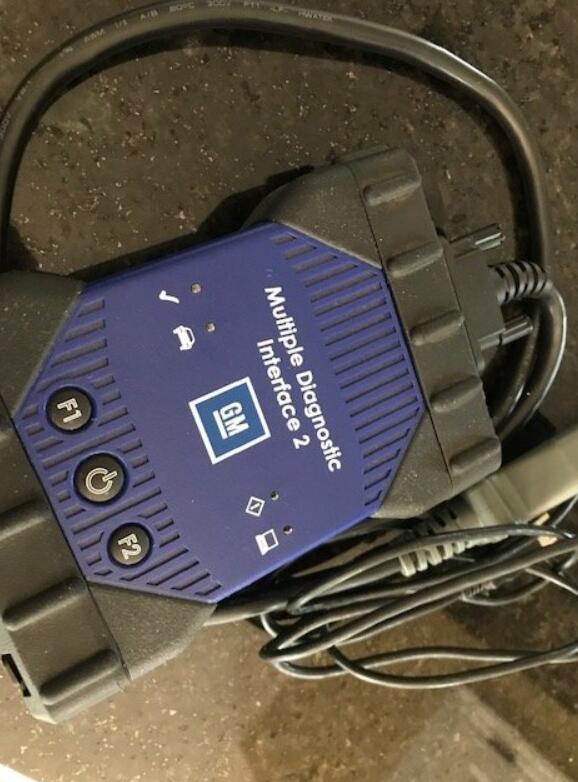
Post by i6pwr:
For my 2002 GMC SUV as well as other mid 2000’s GM vehicles, I’m ready to purchase either of the above mentioned. My thoughts are with a Tech 2, I have an all-in-one unit, but the MDI gives me options down tne road especially with our 2014 Toyota.
I’m fine with just a Tech 2 Scanner for the 2002 GMC for time being, but if I go with the MDI, would a regular Win 10 laptop work?
There are so many options I’m not sure where to start, mainly with options. I hear that some overseas sellers may not be the best choice due to customs.
I’m looking to try to stay under $500 for either setup if possible. Anyone who has been down this road, all input and criticism welcome.
Reply by Timmastertech:
As far as scan functions for your vehicle, tech2win is the software package, the MDI is the interface. Without a subscription the MDI is a nice looking paperweight. Global platform GM vehicles (starts with Camaro in 2010 and was all vehicles by 2014) use GDS2 with the MDI. Programming for any of the above is done with an SPS subscription and an interface. GM products that have a class 2 data bus (anything pre-can) does not program well with an MDI/MDI 2 or modern J2534 device. Programming using the tech 2 as the interface is the only reliable way.
A handheld Tech 2 with candi module covers scan functionality on all GM from 1992 to 2009 and all non-global vehicles to 2013. New legit from Bosch they are in the 4500 ballpark and used around 2000. ANything cheaper is a chinese knockoff that may or may not work.
For scan only, there is no reason you need an MDI. A Cardaq M or Cardaq plus 3 works just fine and can also be used as an interface for Toyota Techstream for your toyota.
As far as a laptop. Win 10 is the only OS that GM supports anymore. Here is a link to the PC requirements https://gsi.ext.gm.com/userguides/Aftermarket Infrastructure Guideline v1.0.pdf
Posted by: Emily white at
07:08 AM
| No Comments
| Add Comment
Post contains 356 words, total size 3 kb.
38 queries taking 0.0434 seconds, 175 records returned.
Powered by Minx 1.1.6c-pink.

