



May 31, 2020
Compared with the old Launch X431 V 8 inch version 2017, the new Launch X431 V 8-inch scan tool version 2018 has been improved a lot in hardware including the tablet and the Bluetooth connector.
Look at the chart: Launch X431 V 8-inch NEW and OLD versions comparison
| Specification/scanner | 2018 Launch X431 V 8-inch | 2017 Launch X431 V 8-inch |
| Scan tool | 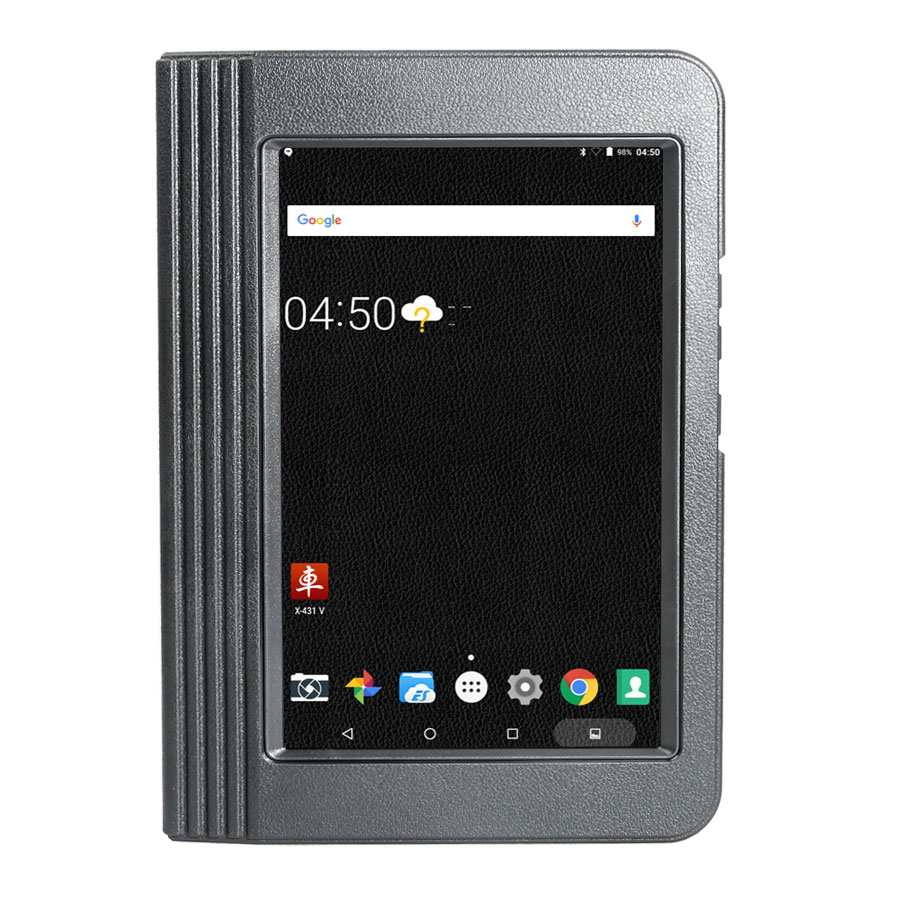 |
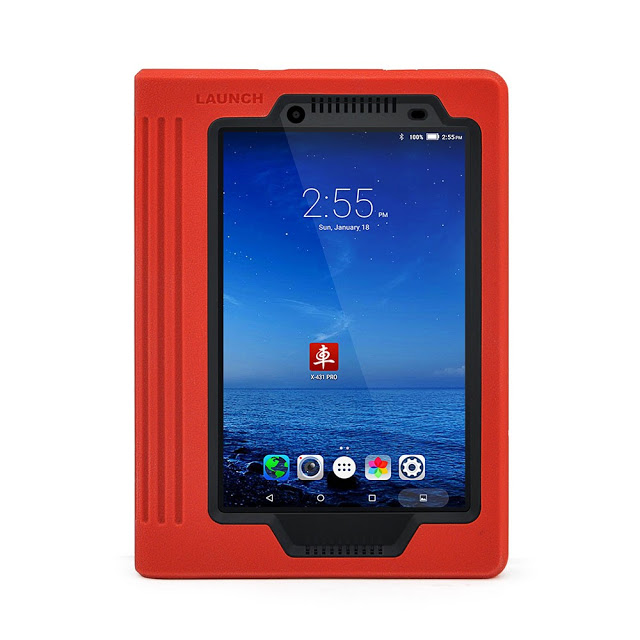 |
| Bluetooth adapter | 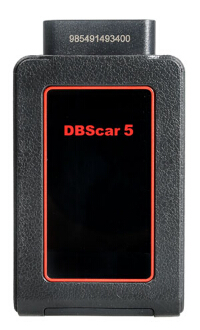
Cover 10 meters or less |
Cover 10 meters or less |
| System | Android 7.1 | Android 6.0 |
| LCD screen | 8 inch with 1280*800 resolution | 8 inch with 1280*800 resolution |
| CPU model | Qualcomm Snapdragon 425 | MT816P (mt6835m) |
| Processor | Quad Core 1.4GHz | Quad Core 1 GHz |
| Memory | 2GB | 1GB |
| Storage | 16GB (Expandable up to 128GB) | 16GB (Expandable up to 32GB) |
| Battery | 4850mAh | 4200mAh |
| Front camera | No front camera | 200W |
| Rear camera | 500W | 500W |
| Free update | 2 years | 2year |
With hardware improvement, the Launch version 2018 runs faster and more stable in diagnostic tests on vehicles.
YOU HAVE TO READ: Why should you have a 2018 Launch X431 V 8-inch tablet, not other diagnostic tools?
Launch X431 V 8-inch scanner, GOOD or NOT?
Definitely yes! It’s worth every penny!
Why Launch X431 V, NOT Autel DS708?
Hardware
TheLaunch has higher hardware configuration while the Autel ds708 stops production.
Language
Launch has 23 languages available while ds708 has 6 only.
Launch x431 supports English, German, Japanese, Russian, French, Korea, Arabic, Spanish, Italy, Portuguese, Polish, Turkish, Dutch, Greek, Hungarian, Arabic, Danish, Persian, Romanian, Serbian, Finnish, Swedish and Czech
Vehicle coverage
Launch supports much more vehicles worldwide, about 69 car brands about 220 models from European, USA and Asian
But ds708 works with 40 car makes around.
Special functions
The x431 v has the following special functions inside but ds708 has nothing:
Oil Reset Service, Steering Angle Calibration, Electronic Parking Brake Reset, Battery Register / Battery Maintenance, ABS Bleeding, Electronic Throttle Position Reset / Learn, Diesel Particulate Filter (DPF) Regeneration, Tire Pressure Monitor System Reset
In detail…
Why 2018 Launch X431 V, NOT Autocom or TCS CDP Pro?
Here are reasons why you should have a 2018 Launch X431 V 8-inch tablet instead of an Autocom or TCS CDP Pro:
Launch X431 V vs Autocom vs TCS CDP pro… Here you go
1– Handy
Launch X431 V 8″ is compatible with Android tablet and` phone, it is handheld and no bother installing driver and program.
Cracked Autocom/Delphi Ds150e is windows-based and need to install driver.
2– Function (special function):
Autocom/Delphi Ds150e Clone is with normal function, A LOT OF SPECIAL function DOES NOT EXIST OR DOES NOT WORK.
Launch X431 V 8″ covers full range car models and perform full car
system diagnosis include: Read DTCs, Clear DTCs, Read data stream.
X431 V 8 inch includes more special functions incl. Oil Reset Service,
Steering Angle Calibration, Electronic Parking Brake Reset, Battery
Register / Battery Maintenance, ABS Bleeding, Electronic Throttle
Position Reset / Learn, Diesel Particulate Filter (DPF) Regeneration,
Tire Pressure Monitor System Reset, specifically, BMW idle study, BMW
injection rate adjustment, BMW battery replacement, Nissan matching key,
Renault – airbags coding ON/OFF, like on Clip tool.
Programming: some models support online programming.
3– Database:
In short I suggest buy original launch X431 V 8 inch for 799$ and you
will have best solution because of the price of what you pay.
The only way that you have that big database and functions is to buy
original software from Delphi, autocom or wurth, because there is no new
version than 2014r3 / 2015r3
And Launch X431 V haves far more than Delphi and others because launch
you can have with 2016 database and even 2017 database for Ford and
Mazda incl. Escape, MKC, Fusion, MKZ, Expedition, Navigator, Transit
Connect, Explorer, Transit Connect, Super Duty, F150 etc. and believe me
it is big difference.
4- Vehicle coverage:
X431 V is much better in model coverage for old Asia (10+ years,
basically Autocom/Delphi will never support this models good+Asia
adapters was never developed) and sometime better functions for new Asia
(younger than 10 years, this models are included in AC/D). About
European brands are both tools perfect.
5- After-sale service
Launch X431 V 8″: Tap the "Remote Diagnosis†option and through CC
number no need TV, you could gain instant messaging and remote
diagnosis.
Autocom/Delphi users usually use Team viewer (TV) to get remote assistance by supplier.
6- Update:
Launch X431 V 8″ update is free for the first two years and upgrade every one month.
Autocom/Delphi Ds150e Clone is no new version than 2014.03v / 2015.03v for long time.
7- Legalization
If you want it legal, then you can buy Launch X431 V 8 inch, it has the
same functions like X431 V 7″, run faster than 7″ since it has better
configuration.
8- Language available
Launch X431 V 8″ language available: English, German, Japanese, Russian,
French, Korea, Arabic, Spanish, Italy, Portuguese, Polish, Turkish,
Dutch, Greek, Hungarian, Arabic, Danish, Persian, Romanian, Serbian,
Finnish, Swedish and Czech.
Autocom/Delphi Ds150e Clone language available: English, Spanish, French, Italian, Portuguese, Czech, Dansk, German, Turkish, Greek, Dutch, Hungarian, Norwegian, Polish, Romanian, Russian, Serbian, Swedish.
In conclusion:
It all depends what do you need and do you really have to have it
software + interface genuine, if yes then I recommend Delphi (CDP or
Multidiag pro) if you are new to diagnostic world, but if you need
original interface and to buy license for launch separately then I would
choose launch x431 v 8 inch tablet, because it will cost you a lot
cheaper. You will get what you pay for.
In detail…
Posted by: Emily white at
10:34 AM
| No Comments
| Add Comment
Post contains 931 words, total size 10 kb.
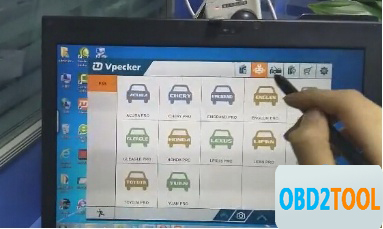
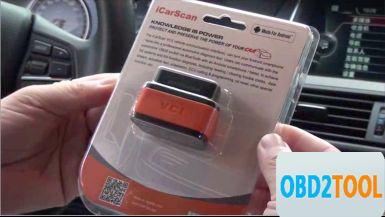
Vpecker and Launch ICARSCAN,which one is a better OBD2 fault code reader? One of our customer has tested both and made a comparison of Vpecker easydiag wifi wireless diagnostic scanner and Launch iCarScan scanner (iDiag’s replacement) on several models.
Tested tool:
VPECKER Esaydiag
Launch X431 iCarScan (sometimes i called it iDiag also)
Tested model:
Mazda 6 GH 2.0 diesel 2008
Toyota,
Honda,
Scion
Tested results:
Functions
To be honest, Launch iScan have a lot more options on that car then vpecker, for example on engine it can only read few parameters and it can read and clear trouble codes thats it nothing else on engine not even dpf regeneration, idiag have more to offer for that car, i tested on few more cars. I think what it can do more with special functions is for Toyota,Honda,Scion. But since it is original interface and software price is ok for it (cost $210).
So for now vpecker OBD2 scanner is good because it is even much faster than launch and original for good price ($159), but not even close to Delphi or Launch because of the functions that it cannot do.
Update
VPECKER Esaydiag and iScan fault code reader are updated online via Win XP~Win 10 system. Very very easy to update. So they can work for all cars until 2015.
Language
Vpecker does better in language compatibility, covering 25 main languages worldwide; while Launch seems less, with 9 languages only. So if languages depend on customers, Vpecker will cover more.
Ps. Vpecker language:
Italian, Chinese (Simplified), English, Chinese (Traditional),
Japanese, German, Russian, French, Spanish, Portuguese, Polish,Turkish,
Dutch, Hungarian, Korean, Czech, Arabic, Indonesian, Persian, Thai, Vietnamese, Finnish, Swedish, Romanian, Bosnian, etc.
Launch language:
English, French, Russian, Japanese, German, Spanish, Italian, Portuguese, Chinese
That’s it. I should say, each one has its own merits and demerits, but both VPECKER Esaydiag and Launch X431 iCarScan work ok until now. A successful purchase from China.
Posted by: Emily white at
09:19 AM
| No Comments
| Add Comment
Post contains 328 words, total size 3 kb.
May 05, 2020
It is the Upgraded Version of Autel Maxisys MS908P Pro. For the many years that I have repaired and maintained different car models and makes in my car repair shop, this has been one of the most reliable scanners that I have used over the years. Read this Autel Maxisys Elite review to know more about this advanced diagnostic tool.
Who Will Buy theAutel Maxisys Elite Diagnostic Tool?
The Autel Maxisys elite diagnostic scanner is the perfect scanner for busy and professional mechanics as well as technicians. Let the price not deter you from acquiring this fast, efficient, and comprehensive diagnostic scan tool. You can also use it on a variety of car brands, and its ergonomic design is fun to have in the hands. The Wi-Fi connection makes updating easy, and the large LCD displays make reading and erasing codes to be quick.
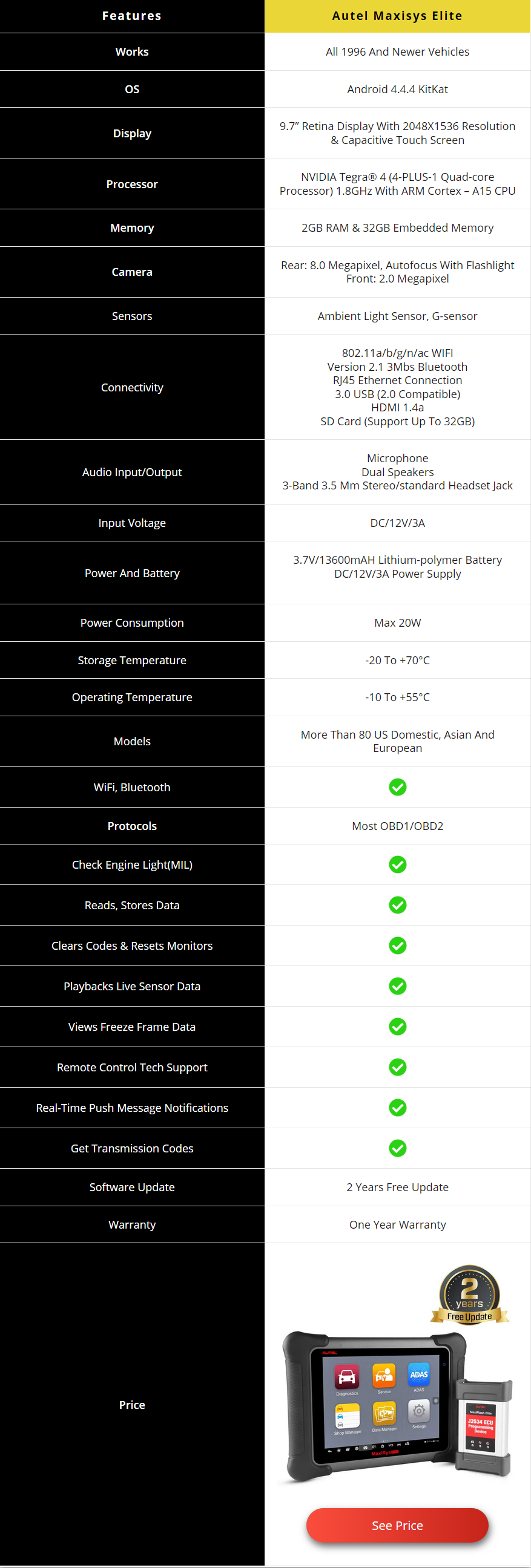
Review of Autel Maxisys Elite
Let’s take a closer look at this scanner:
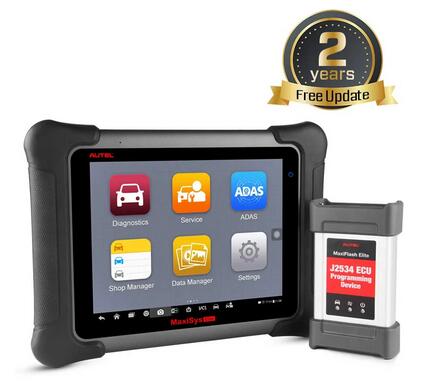
PROS
Online Programming
Smart Device
Powerful and Extremely Efficient
Mobile
Full OBDII Functions
Advanced Functions
Extensive Vehicle Coverage
Accurate Diagnosis and Analysis
Ergonomic Design
Automatic System and Software Update
CONS
Quite Expensive
Not Compatible With All Vehicles
To learn more about this top quality scanner, we’ve highlighted its features, benefits and some of the setbacks it faces.
Features
Broad vehicle coverage
Advanced ECU coding and programming
Grease and water resistant
32GB storage
8 GHZ quad-core
13600mAh lithium polymer battery
Large LCD display
Enhanced wireless connectivity
Unique ergonomic design
Rubberized protection
Rugged internal housing
Interactive data logging
Automatic system and software update
Uniquely integrated vehicle programming
Full OBDII automotive scanner
Maxifix platform
Benefits
Online Programming
This scanner enables you to perform online ECU programming just like the Autel MS908CV scanner. The Maxisys Elite is one of the best-advanced scanners and has the most uniques features. Online programming helps professional mechanics and technicians to troubleshoot and deal with complex vehicle problems. All you have to do is to follow instructions carefully when solving the problems.
Smart Device
This scanner is not only versatile, but it also features some outstanding functions such as automatically reading VIN and one-click upgrade. In addition, it features the Autel cloud technology like the Maxifix platform, data feedback, and data management provide you support anytime anywhere.
Powerful and Extremely Efficient
The Autdr that offers you a fast operation speed and a quick diagnosis, the boot-up time is within 20 seconds. All of these combined together provide you with an excellent diagnostic experience. As a matter of fact, it is 3 times faster than normal scan tools.
Mobile
This automotive diagnostic scan tool comes with an outstanding functionality that functions on most OBD1/OBD2 protocols, the enhanced wireless connectivity between the tablet and VCI device that allows greater mobility and ease at work. So, you will have a simple time using this car scan tool. Also, it has a Bluetooth feature.
Full OBDII Functions
Similar to many Autel scan tools, the Autel maxisys elite can perform all the OBD II test modes. These include the latest powertrain diagnostic data, freeze frame data, emission diagnostic trouble codes, emissions diagnostic data, oxygen sensor monitoring test results, onboard monitoring tests, VIN, and many more.
Advanced Functions
Besides offering all the OBD II test modes, the scanner as well provides the user with advanced functions such as coding functions, ECU matching, SAS reset, DPF reset, Tire pressure reset, Anti-theft matching, Throttle matching, and injector programming. All these functions make this device to be an exceptional one. If you are a beginner mechanic and don’t need this type of advanced features, then you can look at the Autel maxicheck MX808 diagnostic scanner.
Extensive Vehicle Coverage
This is one of the broadest diagnostic scanners that you will come across. This automotive code reader has exceptional coverage of more than 80 US, European, and Asian makes and models. It covers vehicle brands like GM, Ford, Toyota, Nissan, Chrysler, Benz, BMW, Maserati, Honda, Hyundai, Subaru, and many others. That’s why it is great for commercial use.
Accurate Diagnosis and Analysis
It is also one of the most accurate and efficient code readers on the market. The scan tool supports for first-hand troubleshooting of diagnostic bugs and faults, and one-stop multitasking created for the suitable management of workshop tasks to keep all data files, customer information, and vehicle records well organized.
Ergonomic Design
The ergonomic design of the scan tool makes using it to be fun and simple. The large display screen shows all the data to be read or cleared. In addition, it has rubberized outer protection for durability and rugged internal housing.
Automatic System and Software Update
Unlike other sophisticated scan tools, the Autel maxisys elite scanner offers an automatic system and software updates with real-time push message notifications. This is through the internet with instant remote control tech support. Also, it has interactive data logging sessions that allow you to have direct contact with Autel technicians for any help at any time.
Shortcomings
Quite Expensive
If you’re looking for a simple and personal code reader, then look away. The Autel maxisys elite scan tool is very costly and not good for individuals. Actually, it is one of the most expensive scanners on the market. If you are looking for a cheaper option, then you can consider buying the Autel Maxisys MS906 scanner.
Not Compatible With All Vehicles
This is another major challenge with most of the Autel scan tools. Before purchasing this scanner, you should find out what types of cars and models are compatible with it. You don’t want to spend a lot of cash only to find out that the scanner cannot work on the type of vehicles that you deal with on a daily basis.
Conclusion
The Autel maxisys elite scan tool is specifically built for commercial use. Individuals can as well own it, but it will be too costly for them. It is great for professional mechanics who handle different car makes on a daily basis. The Autel maxisys elite automotive diagnostic scanner is a very interesting tool to have in your shop as it has exceptional features, it is effective, easy to use, provides accurate data, and has an advanced ECU coding and technology. I have explained everything in this Autel Maxisys Elite review that you should know about this tool.
People Also Ask
Does the Autel Maxisys Elite Scanner Comes With Troubleshooting Feature?
Yes, it does. The Autel maxisys elite diagnostic scanner can diagnose vehicles, read and clear DTCs. Also, it can do ECU coding and programming. As a matter of fact, the maxisys elite scanner is one of the most advanced tools on the market with a wide range of outstanding features. It can be used on the different car make and performs all OBD2 functions.
Can I Use This Scanner to Calibrate Seat Sensors?
Of course, you can. This Autel maxisys elite scanner can do on most cars. But before you buy it, get in touch with Autel and find out if it’s compatible with your car make or model. Some users have reported compatibility problems, and you don’t want to be one of them.
How Important is the Freeze-Frame Feature in a Diagnostic Scanner?
This is a standard feature built into all OBD2 systems that normally takes a snapshot of data when an emissions-related diagnostic trouble code sets. By default, there are some scanners that may only retrieve one frame of captured data on demand. But some manufacturers build in expanded freeze-frame data capture routines that show more than a standard frame. In order to pull this expanded data, it normally needs a scanner with expanded freeze-frame retrieval capabilities or an original equipment diagnostic scanner.
This Autel Maxisys Elite review article was helpful? Comment below if you have any question.
Posted by: Emily white at
04:58 AM
| No Comments
| Add Comment
Post contains 1361 words, total size 11 kb.
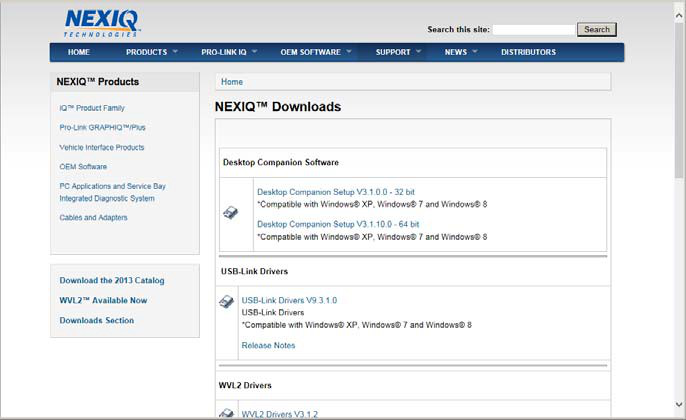
2. From the USB-Link 2 Drivers section, select the latestversion of the USB-Link 2 drivers.
3. Carefully read the End User License Agreement.
4. Scroll down to the bottom of the page and click on Accept.
5. Click on the software title to begin the download.
6.Click on Run (if your browser is Internet Explorer).
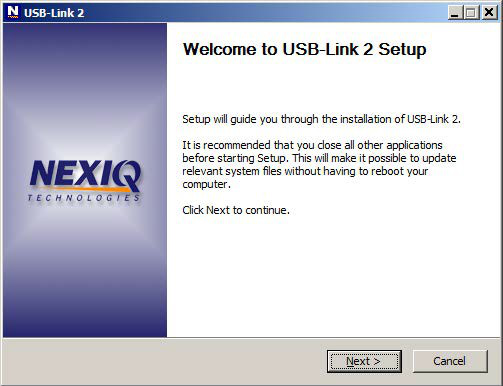
7. Read the information displayed on the screen, and click Next.
The License Agreement screen is displayed.
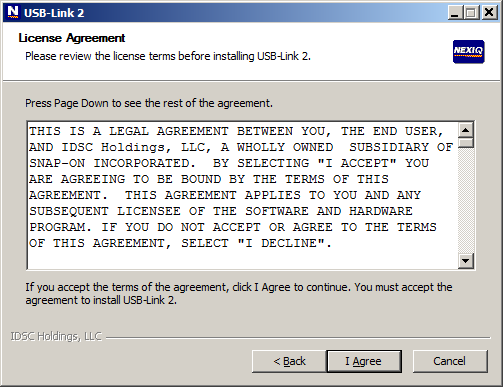
8 Read all the information on this screen, then click I Agree.
The Choose Components screen is displayed.
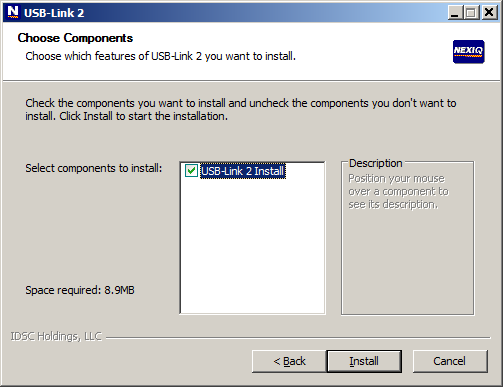
You can position your mouse over the component (i.e., USB-Link 2 Install) to view its description.
9. Click Install.
The following warning message is displayed.
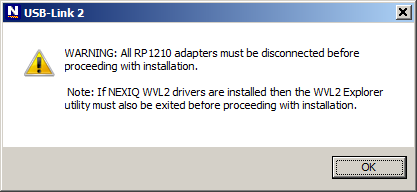
10. Carefully read the warning message, and disconnect all RP1210
adapters to which to which your laptop or PC might be connected prior to
proceeding with the installation.
11. Once you have complied with the requirements of the warning message, click OK.
The following screen is displayed.
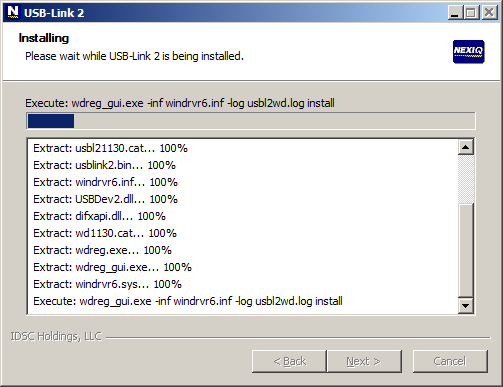
12. Wait briefly while the Heavy Duty Truck Scan Tool USB-Link 2 is installed.
13. Move on to Installing the Device Tester, next in this chapter.
14. USB-Link 2 Installation and Setup Manual
If you are running Windows® 7 or Windows® 8, the following Windows Security dialogs may be displayed.
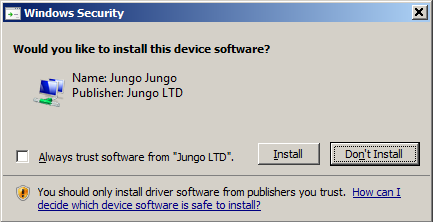
Click Install to continue.
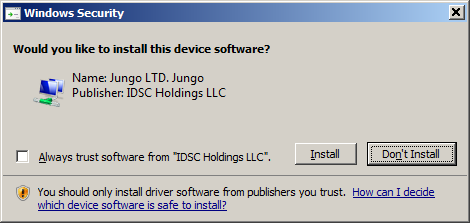
Click Install to continue.
Once the drivers are installed, you are ready to install the Device Tester.
Posted by: Emily white at
04:28 AM
| No Comments
| Add Comment
Post contains 256 words, total size 5 kb.
32 queries taking 0.0195 seconds, 164 records returned.
Powered by Minx 1.1.6c-pink.

