



Increased Adam 2013- IMMO system
Increased Ampera 2012-2018 smart key system
Increased Astra K 2017-2019 IMMO system
Increased Combo E 2018- IMMO system
Increased GrandLand X 2018- IMMO system and smart key system
Increased Insignia B 2017-2019 smart key system
Increased Karl/Viva 2016- IMMO system
Increased Zafira-C 2012-2016 IMMO system
Increased Agila ECM Pincode reading type: Y13DT/Z10XE/Z10XEP/Z12XEP/Z13DT
Increased Astra G ECM Pincode reading type: X16XEL/X18XE1/Y17DTL/Z12XE/Z14XEP/Z16SE/Z18XE/Z18XEL/Z20LET/Z22SE
Increased Astra H ECM Pincode reading type: Z16LET/Z16XE1/Z19DT/Z19DTH/Z19DTL/Z20LEH/Z20LEL
Increased Corsa C ECM Pincode reading type: Y13DT/Y17DT/Y17DTL/Z12XE/Z12XEP/Z14XE/Z16SE/Z16XE/Z18XE/Z18XEL
Increased Meriva ECM Pincode reading type: Y17DT/Y17DTL/Z14XEP/Z16SE/Z16XE/Z18XE/Z18XEL
Increased Tigra B ECM Pincode reading type: Y13DT/Z13DT/Z14XE/Z14XEP/Z18XE/Z18XEL
Increased Vectra B ECM Pincode reading type: X16XEL/X18XE1/X20XEV/Z16SE/Z16XE/Z18XE/Z18XEL
Increased Vectra C/Signum ECM Pincode reading type: Z16XE/Z16XEP/Z19DT/Z19DTH/Z19DTL
Increased Zafira ECM Pincode reading type: X18XE1/Z16SE/Z16XE/Z20LET/Z22SE
Increased Zafira B ECM Pincode reading type: Z19DT/Z19DTH/Z19DTL
Increased Astra J/Insignia/Meriva B/Mokka/Zafira C ICM Pincode reading
September 11, 2020
Car model and year: 2002 GMC Sierra 1500
Purpose: to pull codes
Scan Tool or Diagnostic Tool to use – pros and cons
1.GM Tech2 pros and cons
To do work on gm stuff I have knock off Tech2. I like it.
2. My OBD Link MX+ or Konnwei Bluetooth devices with the usual Dash Command, Torque Pro, OBD Link and Motor Data apps work for me for troubleshooting.
For us LS engine swap people that don’t like to pay the HP Tuners folks money to license a new operating system, there are now free alternatives. "Tuner Pro RT†software allows the free editing of a General Motors PCM operating system to get it to work in a swapped vehicle. Then we use "LS Droid†software with my MX+ device to actually write the changed Tuner Pro operating system to the PCM which completely avoids spending money on HP Tuners.
3.
For a long time I have gotten by with a simple scanner. These days with
the Bluetooth devices and the torque app…that is even easier for basic
stuff. Back in 2011 I picked up an Innova 3150 which had the ability to
read ABS and SRS system faults. It was about $150 then. Current ad for
this older tool shows $220…not sure why xxxx
I have considered a clone Tech2 and or the MDI device I have seen
mentioned. My main concern other than the $300 cost…which is not bad for
what it does….was that I did not want to somehow brick my ECU or any
other module either due to the clone tool or my lack of knowledge of
using one of these more sophisticated diagnostic tools.
I decided to get one that would perform the ABS bleed, mainly because I like to flush the brake fluid ever few years. What I ran across for the least $$ to fit what I was looking for is the Foxwell NT630 Plus. Listing made an offer to another listing but they would not budge. (why do they show make an offer if they only will drop a dollar?!). The one Currently my plan is to sell the Innova locally and try and recoup most of the cost of the new tool.
4. My 2001 GMC truck has a problem with the red brake warning light and the yellow ABS lights randomly coming on at the same time. I wanted to find out what code was being set. I quickly learned the local auto parts stores couldn’t read ABS codes. I also learned that the repair shops in my area charged $35-$59 just to use their scanner to check for ABS codes. I thought that was too much for a 5 minute scan so I decided to buy a scan tool that would read ABS and SRS codes as well as OBDII codes. Over the course of several weeks I have purchased three scan tools and returned each one of them for a refund for reasons I will describe below What I wanted a scan tool to do.
I initially set out to find a scan tool that would read ABS, SRS and OBDII codes on all my vehicles, a 1999 S10 Blazer, a 2001 GMC Sierra, a 2012 Equinox and my daughters. 2009 Camry. I wanted to spend no more than $125. I know that sounds like a lot to hope for but I figured I might be able to do it.
Then I confirmed Tech2 is able to do ABS Brake Automated Bleed & Pressure Bleed for Chevy & GMC. Just google †GMC Sierra 2002 Tech2″ and you will see a Youtube video on how to do.
5.
Question: Will this gm tech2 work with my 2012 GMC Sierra 1500. Will I
be able to calibrate the BPP sensor out of the box? Thanks!
Reply:
If you scroll down further it lists it as going to 2013. I bought one
like this and it has been great to diag and repair everything. Too bad
it doesn’t work on my camaro(MDI).
Could be, but there was an updated 32MB card that supported up to ’13.
Or get a Jbox or anMDI2 as it can do anything a tech 2 can and much more. I can go into much more detail if needed but don’t buy a tech 2 it’s outdated and obsolete as of 2013 at best. I have 4 scan tools ranging from 300-5000$ and you can easily spend 500 or less and do anything I can.
It’s called the open port 2.0. It is compatible with GM’s programming
website called SPS. That tells me it’s a go for the tech 2 win program
which is a laptop version of the handheld tech 2. It also would work
with GDS2 which is the current diag tool via laptop for GM. Then you can
lease the use of the software as needed.
https://www.acdelcotds.com/acdelco/action/subscribehome This is The site
to lease the programs. It may not make since for some people but if you
are devoted to "doing it yourself†it’s the only way, end of story. You
will use other software to diag the problem and then slide over to gm’s
stuff if needed but this will give you the widest range of
functionality.
Posted by: Emily white at
02:40 AM
| No Comments
| Add Comment
Post contains 888 words, total size 5 kb.
August 23, 2020
How-to: export Mercedes Benz HU5 control module data from Xentry and import to DTS Monaco to perform Ethernet DOIP programming successfully.
Connect Vxdiag Benz C6:
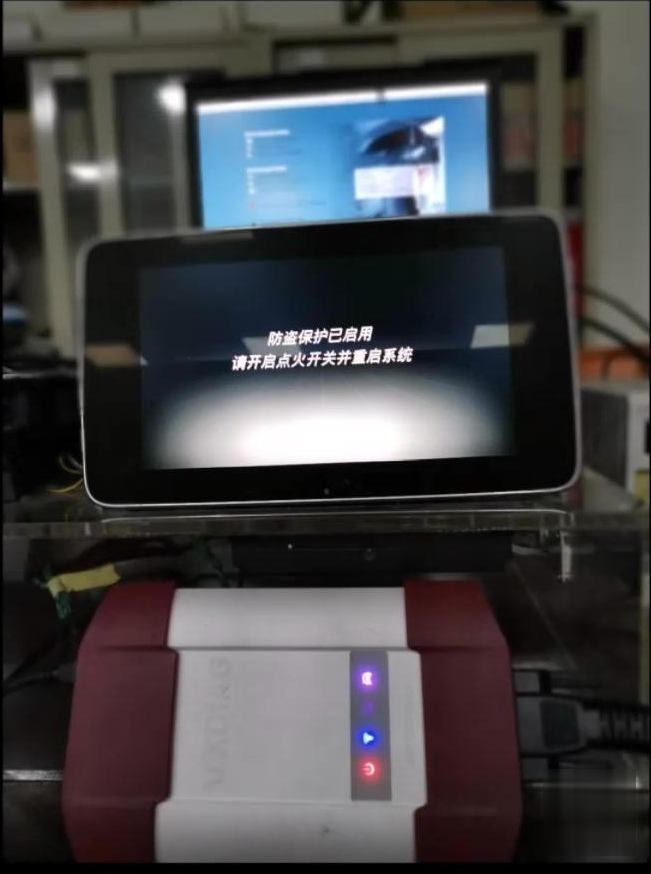
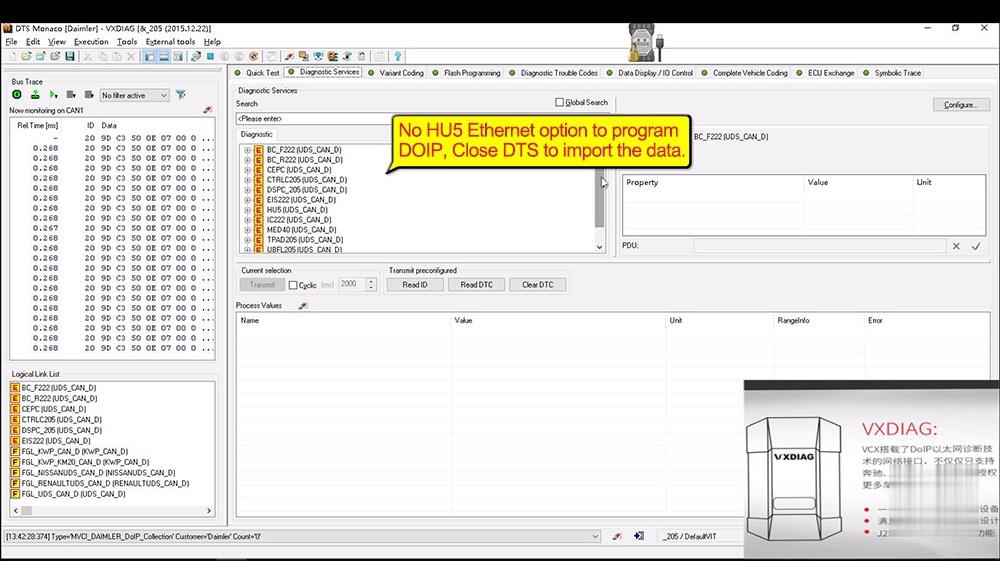
Open DTS Monaco – VXDIAG, click on "Diagnostic Services†and it has no HU5 Ethernet option and can’t program DOIP, click on "File†and then "Close†to exist DTS to import the data.
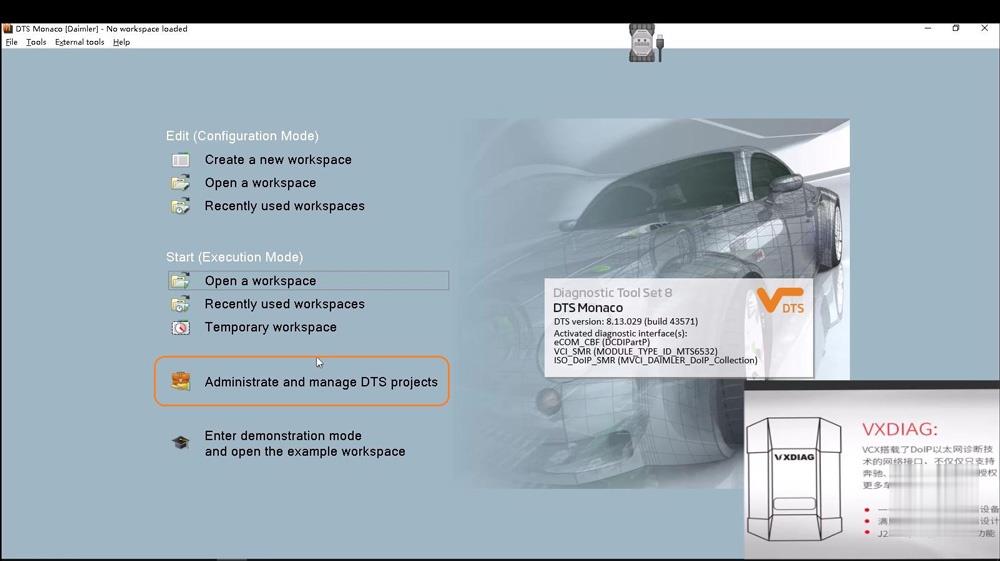
Click on "Administrate and manage DTS projectsâ€.
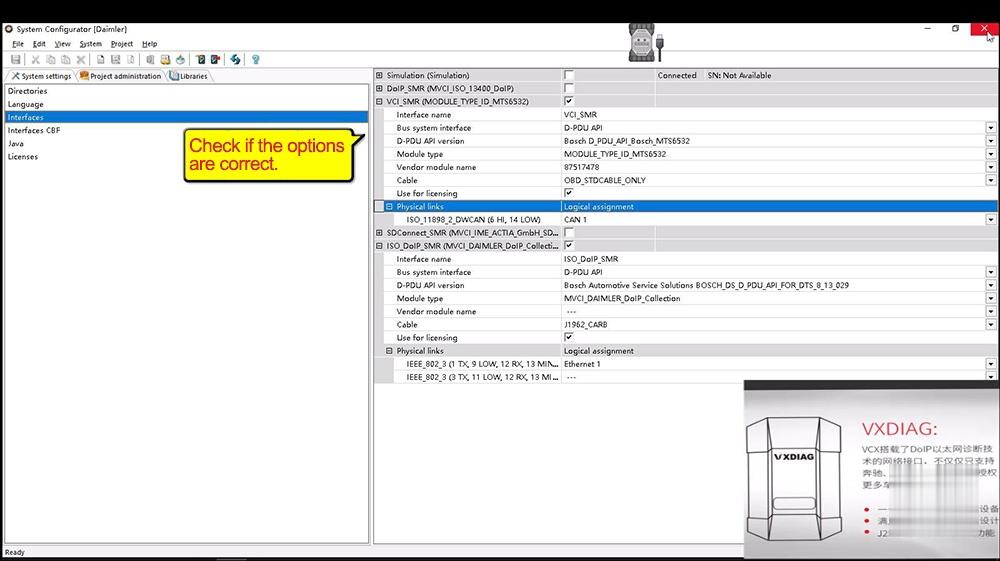
Enter "System Configurator†– > "System settings†-> "Interfacesâ€, check if the options are correct as below.
Right click on "Xentry Diagnosis†– "Open file location†-> "Xentry†-> "Kontexte†-> "ODXProjekte†– >PKW_COMMON†-> "DBRâ€. This is the location of HU5 control module data.
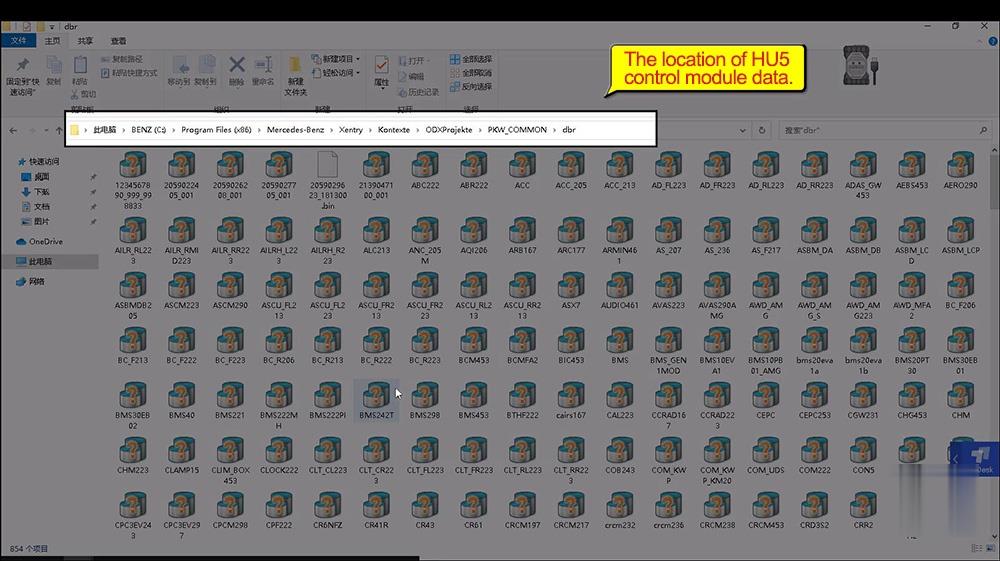
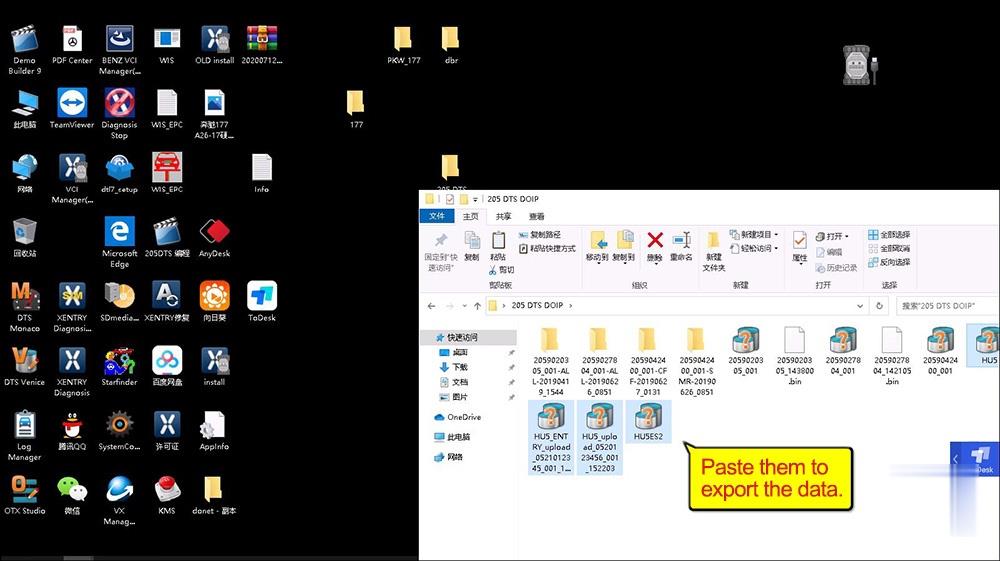
Choose the HU5 control module data to copy, then paste them into "205 DTS DOIP†folder.

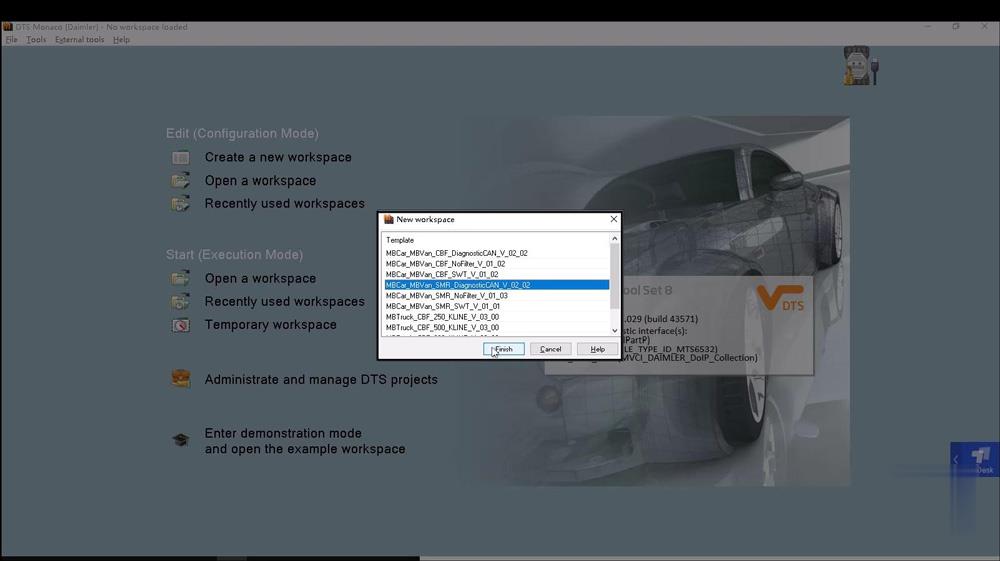
Open "Temporary workspaceâ€, choose HU5 control module data.

Enable DOIP switch.
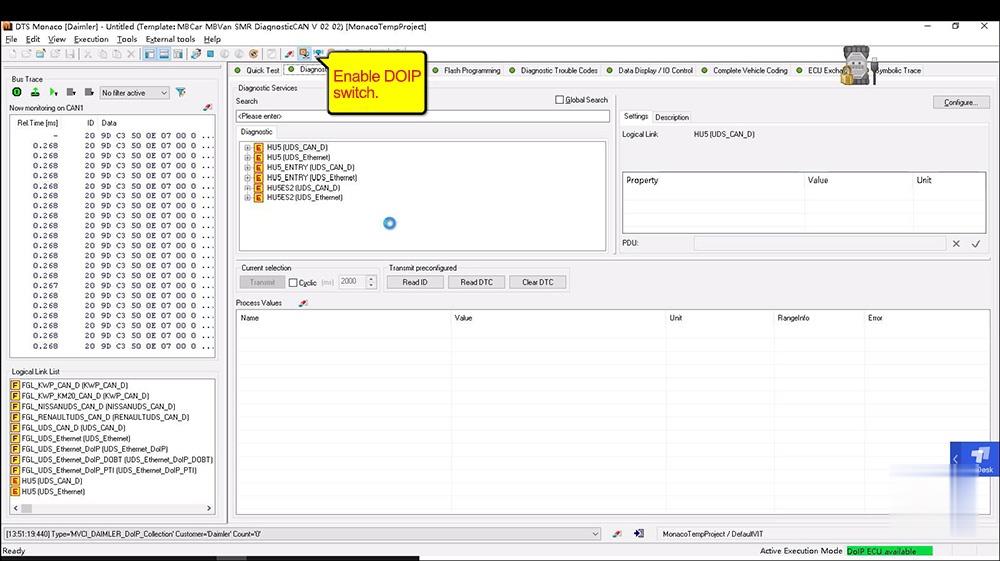
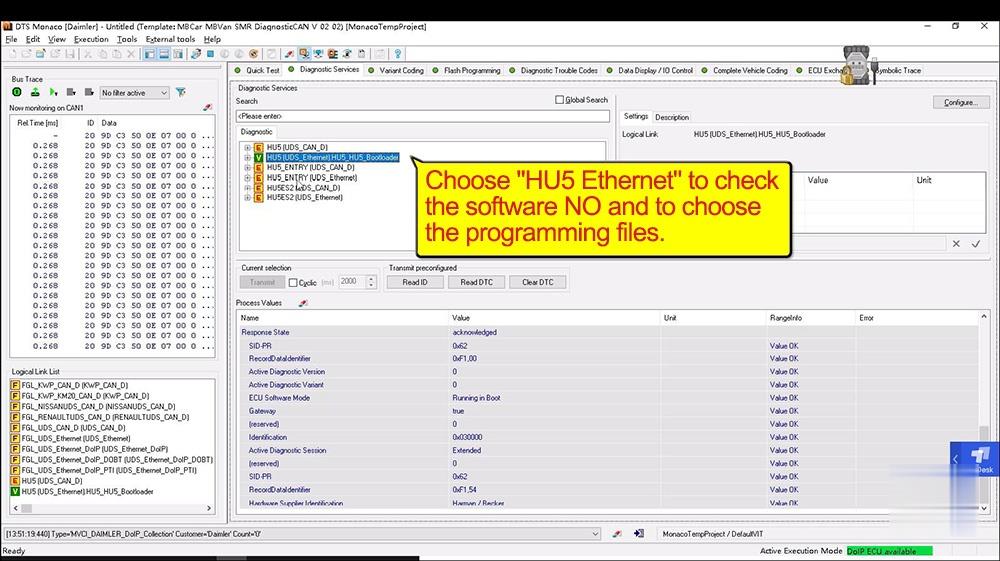
Choose "HU5 Ethernet†to check the software NO and to choose the programming files.
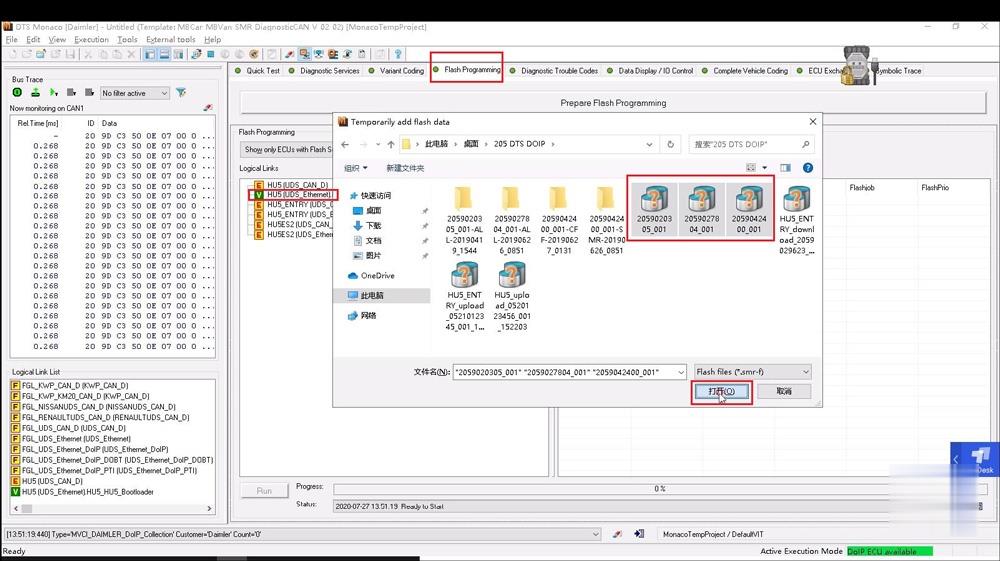
Click on "Flashing programmingâ€, then "HU5 (UDS_Ethernet)â€, then "205 DTS DOIPâ€, then choose the 3 files to open.

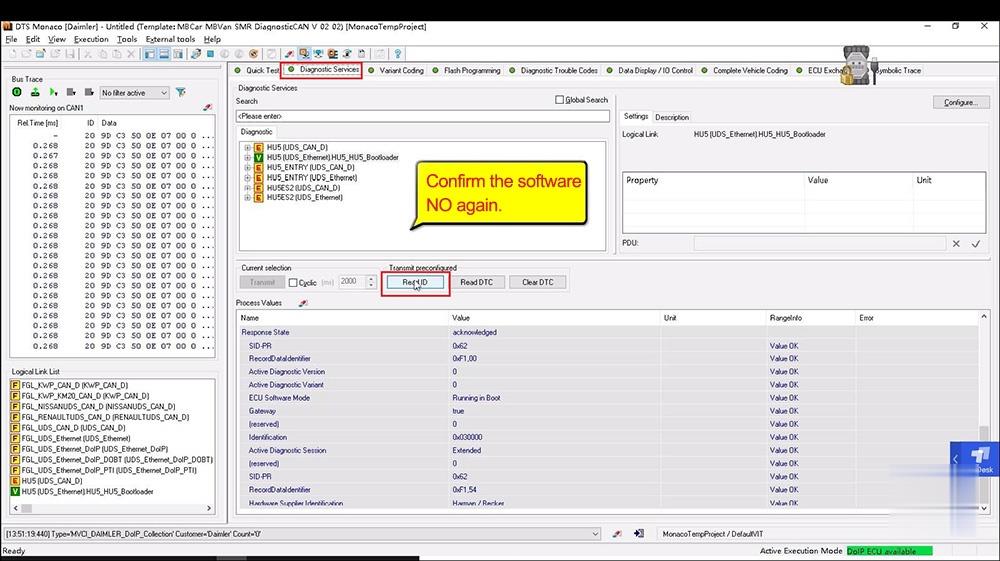
Click on "Diagnostic Servicesâ€, then "Read ID†to confirm the software NO again.

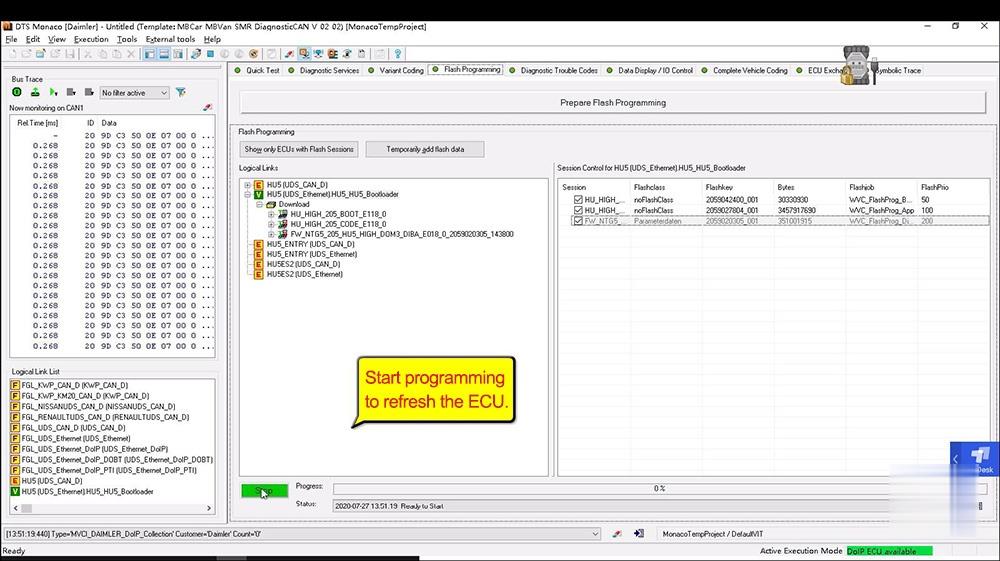
Click on "Flash Programming†, then "Run†one by one.
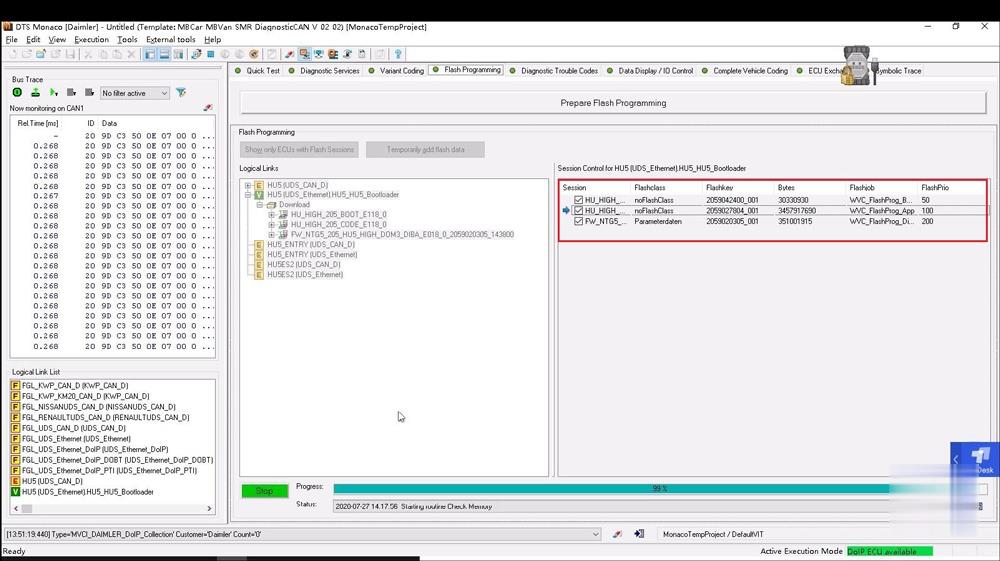
Job is done.
Posted by: Emily white at
03:40 AM
| No Comments
| Add Comment
Post contains 203 words, total size 8 kb.
Car model: Porsche 958 Cayenne
Issue:
Standing outside vehicle with car off I press lock on the fob and
everything happens as I expect: lights flash and turn off… Chirp chirp…
Car locks… AntiTheft light starts blinking…
Same results when locking manually.
But exactly 20 seconds later something unexpected occurs. Exterior lights start coming on!
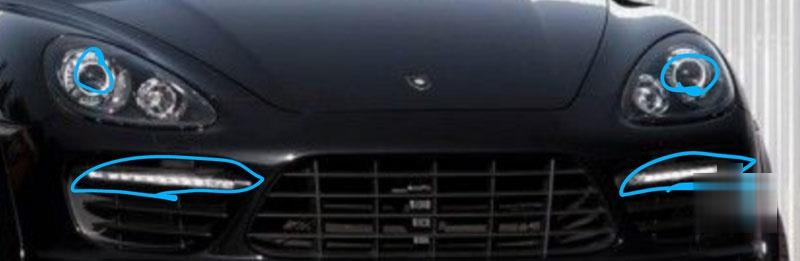
Then 10 seconds later more lights come on!
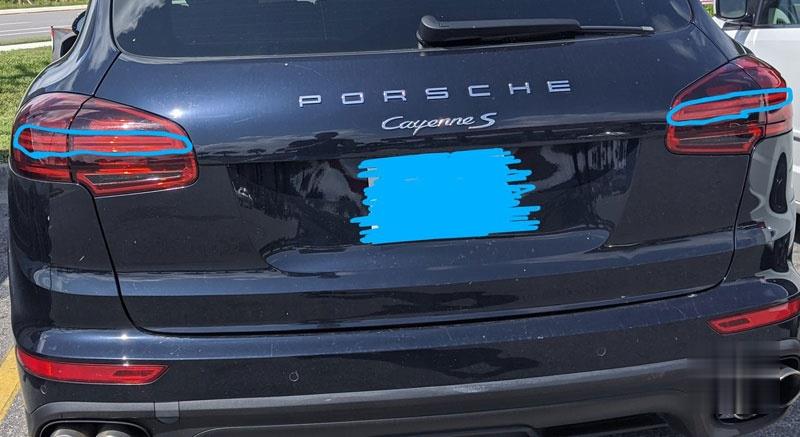
And all these lights stay on until the battery dies.
The battery was completely dead upon purchase and they swapped it out before I left the lot.
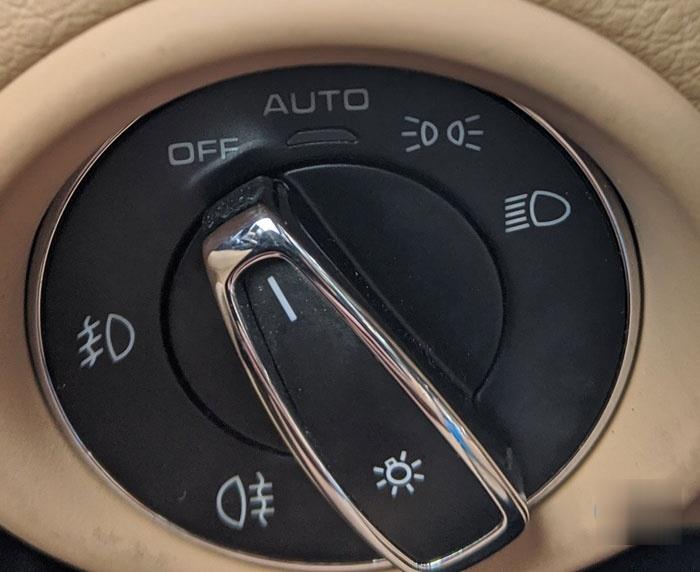
Issue reproduces for various positions of light selector switch.
If I walk away from the car with the car unlocked then eventually
(couple of minutes?) the front lights come on but I think not the rear
lights.
??????
Solution:
I went ahead and ordered a pre-owned ballast for $26 hoping that might be it. Just ordered a Porsche PIWIS tester as well.
Good call on a thorough visual inspection I’ll do that.
Let’s hone in on what stood out most from PIWIS diagnostics:
1. The roof console is a sub-section of the rear electronics module, but the roof console part number could not be read.
Possibilities I thought of: Wires are missing/incorrect; One or more
wires are grounded; Rear BCM was replaced but as wrong revision or was
coded incorrectly; Rear BCM was replaced but must be mated to the car
via dealer online coding; Roof console is sort-of seen but needs to be
taught
Evaluation: Unlikely that rear BCM would fail or be removed-even by a
savvy thief-therefore unlikely that the BCM was replaced. Some features
of rear BCM I could control via PIWIS so it is probably coded correctly.
I verified all wires exist except that alarm horn wire but no evidence
in harness of it being cut. Let’s focus on the idea that roof console
cannot communicate and see what wires it shares with BCM.
2. Rear-end electronics board has one error: Communication with LIN bus.
Possibilities I thought of: Wire is missing; wire is damaged; wire is grounded; Board is bad; Board is coded incorrectly
Possibilities suggested by PIWIS Fault Finding: "Short circuit to
B+/ground or open circuit in the line.†, "â€Cancellation of
communication due to bit error.â€
Evaluation: I opened up the module and visually inspected the board for
burn marks or melted components. I visually inspected the wires as well
after popping the trays of wires out of the connectors. They have little
tiny numbers printed on the connectors, the trays, and the sockets that
need to be lined up.
I only have a couple hours a day where it was possible to work on car so
I went ahead and ordered a replacement roof console for $70. I can
always resell it if I don’t need it. It included the connectors chopped
from the harness and those connectors came up clutch later.
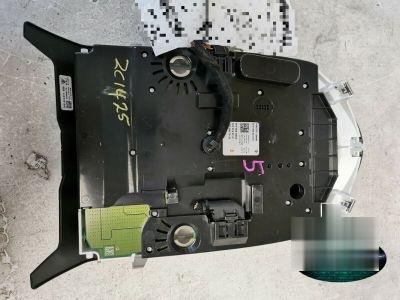
The console arrived yesterday so I connected toPorsche Piwis and got the same errors. I was unable to teach this roof console as well. This result further points to the wiring being the issue.
The wiring diagrams for PIWIS have an added advantage over those in the workshop manual in that you can click one terminal end and it will zip you over to the other end. I read all wires for the rear electronics module for relevance:
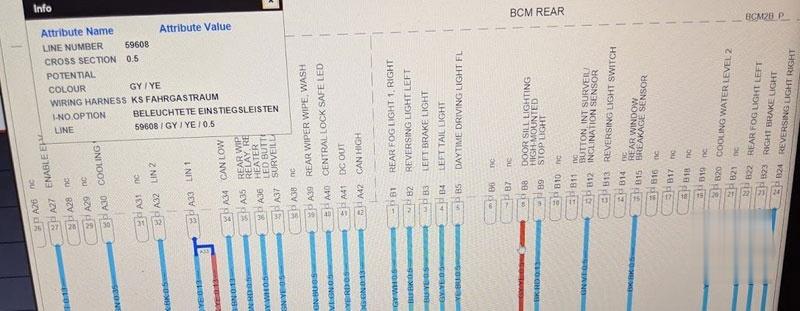
Terminal 33 on connector A is titled "LIN 1â€, which PIWIS told us cannot communicate. Scrolling down, I see that black/yellow wire has a few things spliced together.
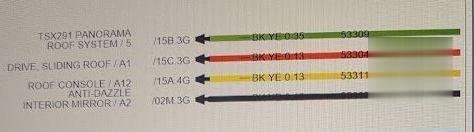
We can see that the splices on that LIN1 wire from rear BCM are:
-Pin 5 on the panoramic roof connector (visible in roof console cavity)
-Pin 1 on connector A of the Sliding Roof (no idea where this is)
-Pin 12 of connector A of the Roof console
-Pin 2 of connector A for the interior mirror (rear view mirror).
I set my multimeter to resistance to "tone out†the wires I know the location of and see if they are connected. I used a wire insulation piercing probe on LIN1 at the BCM connector black/yellow wire (if you don’t have one you should get one). Sure enough they are all connected, ringing and registering ~1 Ohm. I see what the resistance to ground is (expected to be infinite, aka open circuit) but the meter rings and says 60 Ohms! Might be onto something here! I see in wiring diagram that BCM has a LIN 2… I try to tone that with ground and get infinite resistance.
Next I wanted to re-run the wires directly. I didn’t want to cut any
factory wires if I didn’t have to because there isn’t a whole lot of
slack and I don’t have many of my proper tools on the road with me. I
just had a $5 harbor freight cheap-o crimper set,
Three of the four wires I want to replace are the same type of pin;
coincidentally and conveniently I have many spare of these already
crimped to 4 inch strands of wire thanks to the connectors from used
ebay item. I slide out the factory pins in question and run my own
wires. The small pins could be removed fairly easily with a small
flathead or pick tool.

For the bigger wire with bigger pin in the panoramic roof connector I
used my VW pin removal tool that I bought for changing the fuel flange
plug on the 955 CTT.
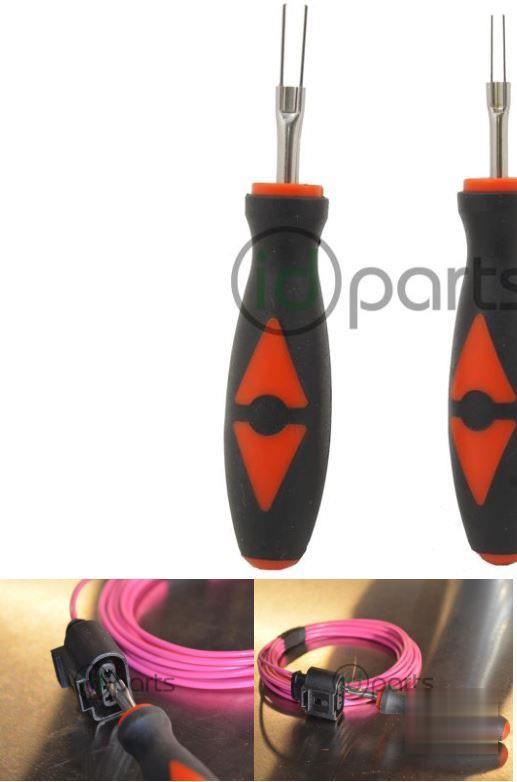
That way I could have connector connected but not that wire with the mystery ground on it. On the other side of connector I just shoved a spliced end of my ghetto wiring harness lol.
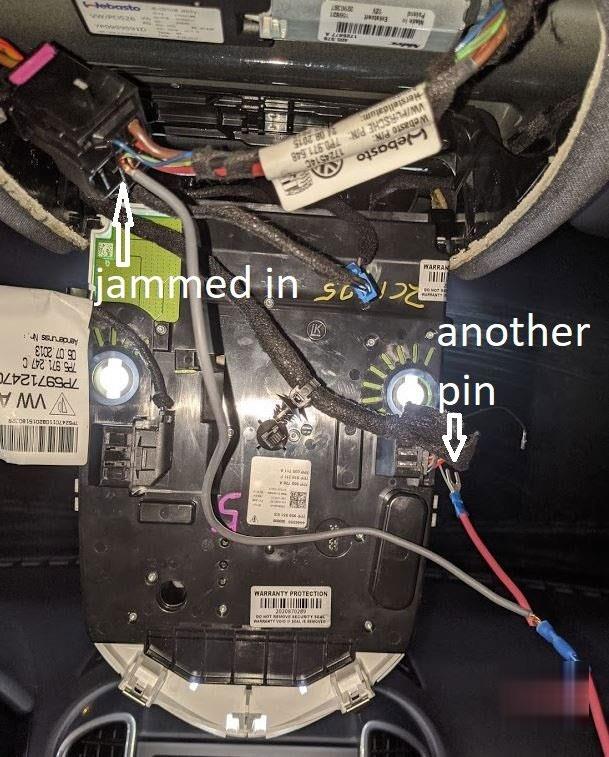
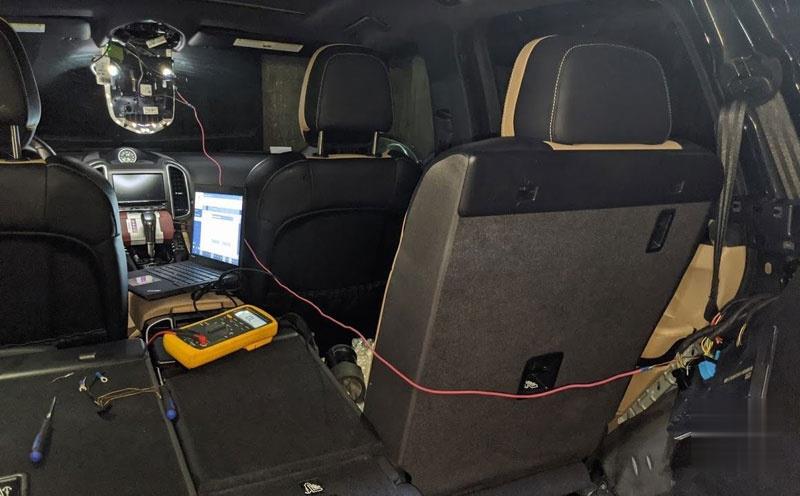
I double checked my work… popped in the key… and the dome light sprang to life! Great sign! I connected PIWIS and could read the roof console part number.
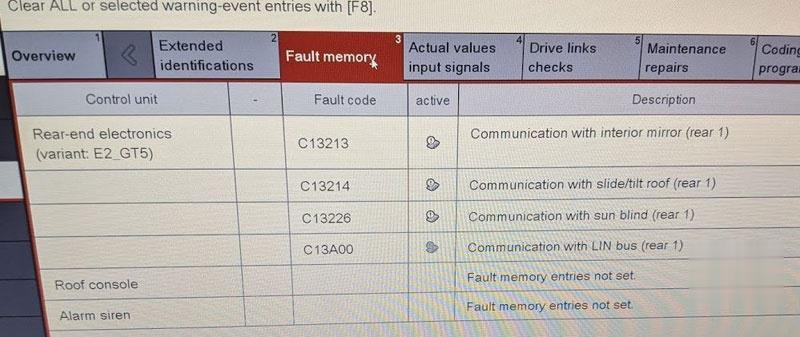
I had new errors but probably because I couldn’t find the 5th wire in the splice so sunroof still not working yet. Time to plan the route of my new wiring harness (obviously I’ll make it much prettier, safer, protected, and well-labeled.
Thanks again to those following along and contributing ideas.
The experience makes me want to find a few dirt cheap Porsche or VW
wiring harnesses that have crimp pins of various sizes to aid in any
future electrical troubleshooting adventures.
Posted by: Emily white at
03:11 AM
| No Comments
| Add Comment
Post contains 1063 words, total size 11 kb.
August 11, 2020
A PIWIS is the factory developed diagnostic and repair tool. It stands
for Porsche Integrated Workshop Information System. Porsche dealer
technicians use this tool to perform a multitude of diagnostic and
repair functions on your car. There are 3 generations of testers, the
original which I believe can handle cars up to the 2014 model year, the
PIWIS II which handles cars up to and including the 2017 model year and
the current PIWIS III which handles all cars including the 2020 model
year. Naturally if your car is under warranty, then you don’t need this
tool. Let the dealer handle any issues that come up. However, if you
have a Porsche which is off warranty, watch out, your dealer charges
crazy high hourly rates, mine is currently at $269 an hour, and also
charges you parts at full retail. Go to a dealer for a brake job, and he
will quote you $4000. You can do it yourself for $600, $900 with
factory parts. Need an O2 sensor changed? There are 4 on a Porsche and
the dealer will quote you $1200 for one, and then will recommend that
they be changed in pairs so now you are looking at $2,400. A quick
lookup on Rockauto.com shows you can buy a Bosch OEM O2 sensor for $60.
Luckily, the 02 sensor change does not require a PIWIS but the rear
rotors do as many have discovered here after doing their brakes. As many
of you have noted, you can only lease a PIWIS from Porsche if you are a
member of their PPN. Porsche Partner Network. Your local shop can apply
to become a member and then pay $18,000 for his tester for the first
year and $12,000 a year after that. Very few shops will pay that to
repair only one model of car. Luckily our friends in China have cloned
the PIWIS. It’s a little buggy and wont update since you aren’t
connected to the PPN but the Chinese have disabled the function which
tells the interface tool to check with the factory to see if it is
legit. What is it, it’s basically a pc with some added software and a
special interface between the car and the PC ThePIWIS II is a Vista based ( yikes) windows pc The Chinese have improved on it,
adding an SSD and some have updated the OS to Windows 7 but I don’t
recommend that version. The PIWIS III I haven’t seen yet so I don’t know
if it is still a windows pc. Both version have a multimeter function
built in but the Chinese version of the PIWIS II doesn’t ship with those
cables. The PIWIS III has a built in multimeter and oscilloscope and
the cables are included. You see the interface online for the PIWIS II
for $369 but that doesn’t include the necessary software. Buy the entire
device for $769 which includes a pc, software, interface and car
connect cables. APiwis III sells for $1999 down from $6500 last year. Look at this web site as an
example of how sophisticated the clone market is. You can’t tell the
difference between a factory tool and a clone. Now why do you or your
mechanic need one? Well here’s what you can do without one
Change spark plugs and ignition coils. (The engine module is self calibrating and will learn new parts automatically)
Change front rotors and pads
Change switches,
Change washers, wipers window motors, door locks
Change most engine sensors
Change your own oil (but you won’t be able to reset the service interval)
Change differential oil
Change battery (But you won’t be able to tell the car you changed it)
Change bulbs
Here are some basic things that you can do that require a PIWIS
Change the rear rotors
Change any suspension parts
Change seat motors
Change any control modules (There are 27 of them) All need to be coded with the VIN of the car
Change the battery and record the change with the gateway module
Reset the service interval
Change the PDK oil (you can actually do the PDK fluid change without the
PIWIIS , well a simple fluid change, you might need it if you replace
the PDK filter. the reason you might want a PIWIS for the fluid change
is to monitor oil temperature. The V8 needs the oil to be a certain
temperature for all the oil in the cooler to drain. The v6 wants a
certain temperature to be hit behold you check the level in the top up
procedure. In both cases you could likely run the car for ten miles to
achieve the temperature).
Change headlight components that aren’t bulbs
Change clock spring ( will require codes which only the dealer can get but you can buy from the Chinese
Most importantly, as many of you have discovered, it is nearly
impossible to diagnose repair issues without one. The Durametric device
just doesn’t come close to providing the information you need and many
of the error code labels it provides are simply wrong and will lead you
changing parts that don’t need changing. At $769 which is less than 3
hours labor, you can see everything a dealer can see about your car. I
have a 2 and I’m going to a 3. If anyone is interested, I can try to
post a video of the PIWIS II. It has a simulation mode for training
purposes which is helpful. There are 4 programs in the PIWIS, the
diagnostic, which is the main program for service, a wiring diagram
program, a fault finding program which I haven’t found to be useful
running offline and the multimeter function.
If you can share one with a buddy or some Porsche meetup groups that
would be ideal. My recommendation, don’t let anyone do repairs on your
car that doesn’t have one.
Here are some basic pictures
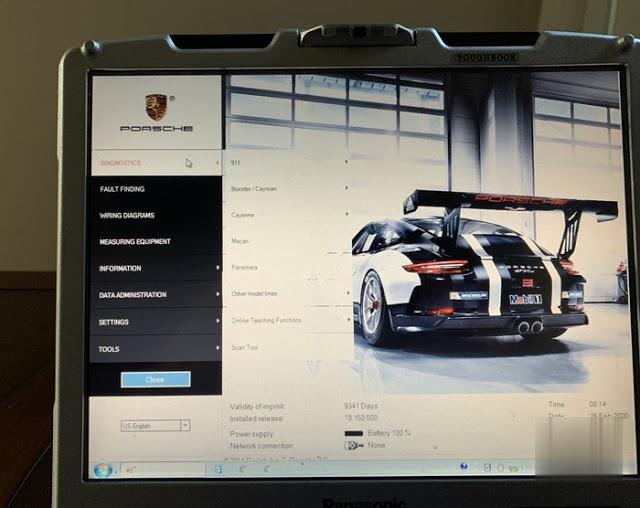
This is a Porsche PIWIS II which was originally on a Panasonic toughbook shown here
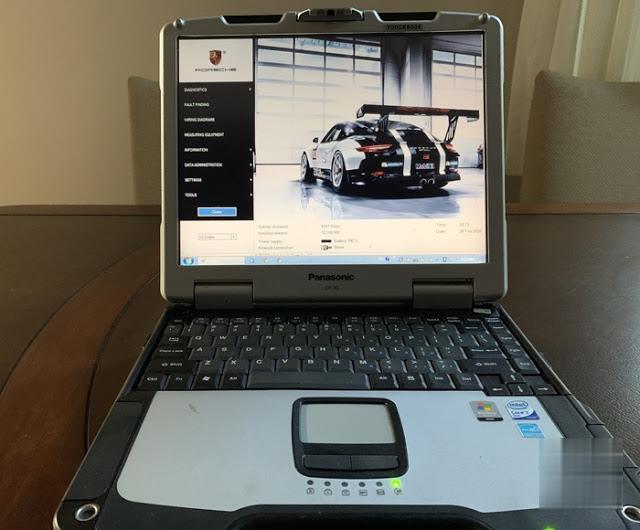
The menu options
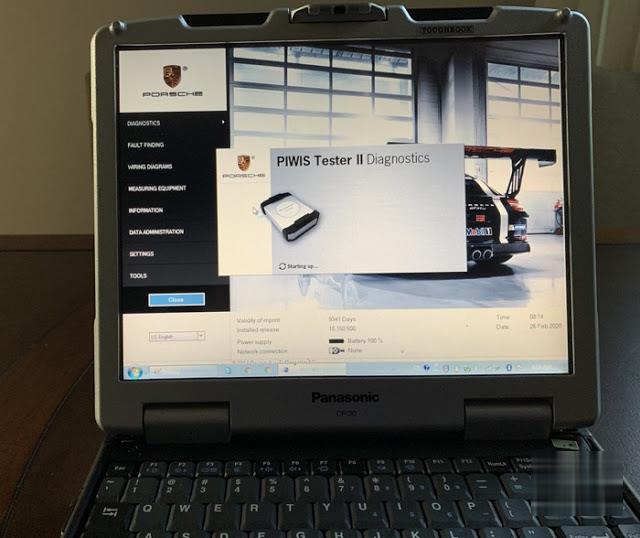
This is the unit going into the diagnostic program and it shows a picture of the interface.
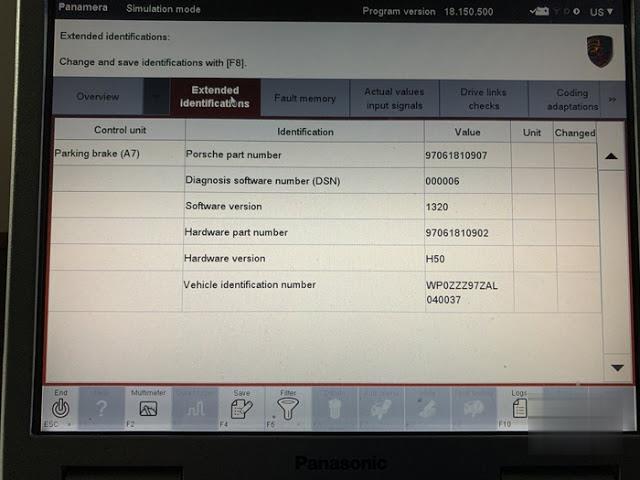
Parking brake module extended Identifications. This is where you can change the VIN on a used part or add it for a new part
Part 2: Why you need one piwis III instead of piwis II?
For the newest Porsche model after 2017 year (i.e 2018 Macan), requires piwis tester 3;
For the older Porsche model (i.e a 99 Boxster), don’t need the newest version, then piwis 2 is okay.
Question: As I’m researching this myself, given that you don’t have a
model year that requires it, what is driving you to upgrade from piwis
II, to piwis III? Is it just this: "The PIWIS III testerhas a built in
multimeter and oscilloscope and the cables are included.â€, or other
factors that you can note here, for reference?
Reply:
I also have a 2018 Macan that requires the piwis3. I hope to help people
in my community and I also plan to rebuild another. I’m excited my
PIWIS III arrives tomorrow. I will review after I test it out. I have
PSM module arriving Saturday that will need the module replacement
procedure.
An interesting thing happened to me the other day. I had just received my PIWIS III and was going to use it to change out the PSM module and before I did I had it run a full diagnostic. At the time I didn’t realize that the unit was in development mode. My PIWIS 2 would only show one code, a faulty recirculation servomotor which I have struggled to physically change due to its location. When the diagnostic was complete two things happened; one I realized it was in development mode since all the responses were in German (in development mode the menus can be changed to English but the responses from the modules appear in German) And two there were more error codes. After having Google translate the German responses I discover that the b piller servomotors were mechanically jammed. It also found a fault in the brake light switch which was working properly. I switched the unit to after sales mode( the dealer mode) and those codes weren’t there Then I used the unit to monitor the servomotors in question. What I discovered was that they were indeed not moving from 0 to 100. After finally figuring out where they were located (under the front seats) I pulled one out and took it apart and the motor shaft was seized. Un seizing it didn’t do enough to fix it so I ordered 3(one for the recirc). Anyways the point is that developers mode not only tested the motors it tried to run them from stop to stop which normal mode does not. The brake light switch after checking the voltage while pressing on the switch was showing only 7 volts so it was partially shorted something else missed by the regular mode. If you have mysterious issues with no codes and have access to Porsche tester, try running it in development or engineering mode as it is sometimes called, and see if it reveals any new codes.
Question:
Do you know if it is possible to activate the rear DRL and the LED Matrix headlamps with the PIWIS III?
Answer:
activation codes are not included with the tester. You can add them if
you have them but this is an online programming function and the dealer
must pay Porsche for the options that he installed. When he sends a work
order to Porsche he receives the activation codes then enters them into
the PIWIS. Now there are some Russians who have hacked porches codes
and will sell you an activation code for new options. I haven’t tried
them but I did pay $125 for my original activation codes so I code
reprogram a pcm and a new clock spring.
Question: PIWIS III clone or original, which one should i buy?
Answer:
I recall now that I encountered a Chinese PIWIS at a local "indy†shop. I
had my Turbo in there in Sep. of 2019 to get new O2 sensors installed
and the tech — recently from the local Porsche dealer I use — was there
and after the sensors were replaced he grabbed what looked like a PIWIS
but when I expressed surprise that an indy shop would own one he told me
it wasn’t the real thing but a Chinese clone. He said it worked pretty
good.
Question:
PIWIS Chinese knock-off is way too expensive for me and offers no online updates. Is it true?
Answer: No. It depends on where you buy one Porsche Piwis3, this one comes with U disk update tool and allows user to update online:
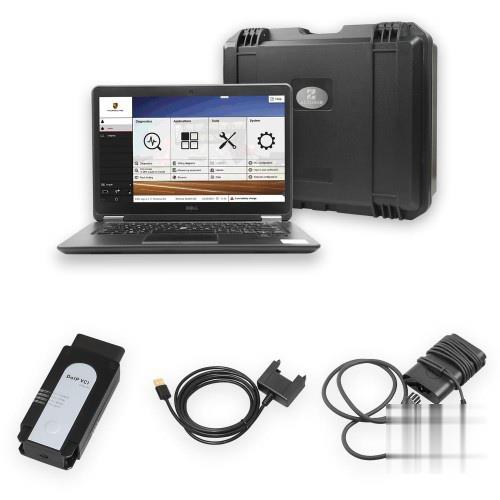
Enjoy!
Posted by: Emily white at
11:05 AM
| No Comments
| Add Comment
Post contains 1820 words, total size 13 kb.
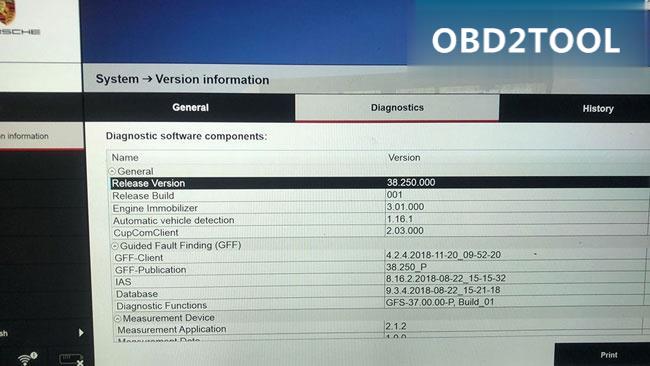
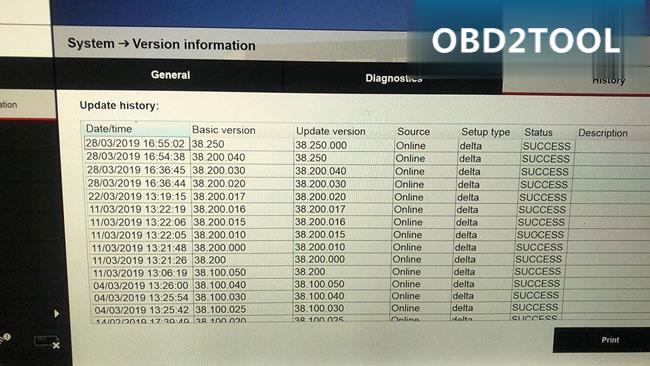
TheVCX-DoIP Piws 3 is only Vxdiag J2534 tool supports Porsche PIWS 3 Software till now. The VXDIAG PIWIS3 software has released to newer version V38.250.000.
Free download VXDIAG Porsche PIWIS 3 software latest version 38.250.000:
https://mega.nz/#F!GZ401QjJ!mVbAaQM0e_7t1Ok1HOpXZA
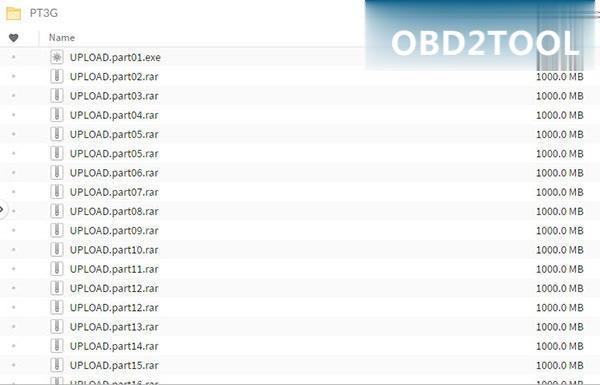
Date: 02-04-2018
Version: 38.250.000
Password: No
Image: piwis 38.250.000
Multi-language
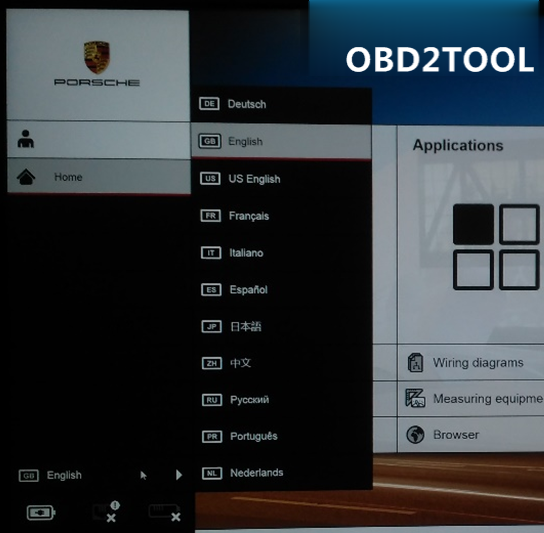
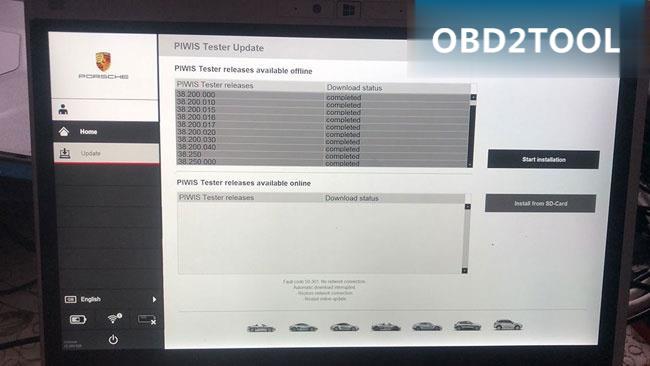
VXDIAG Porsche PIWIS III is good at maintenance, repair, control units change and programming & setting codes
New Piws 3 operation system and more intuitive diagnostic interface as Piwis III
VCX-DoIP Piws 3 Interface For Porsche post-2017 vehicles with DoIP diagnosis
VCX-DoIP J2534 Piws 3 VCI look for maintenance wiring diagram
VCX-DoIP Piws 3 login for online immobilizer programming
VCX-DoIP j2534 Piws 3 PST3 Interface support special functions like
modification or flashing, with Engineering mode (Development version)
Developer mode enabled
Worked with new and old Porsche vehicles!
New & Old Cars:
All Porsche from 1998-2018:
Porsche 911(997) (991)
Boxster/Cayman (987)
Cayenne up to MY 2010
Cayenne from MY 2011
Panamera
Especially the latest models:
Paramera (971) 2018
Caynenne (92A) 2018
Macan (95B) 2018
911 (991) 2018
and other old models
Posted by: Emily white at
10:37 AM
| No Comments
| Add Comment
Post contains 186 words, total size 4 kb.
August 05, 2020
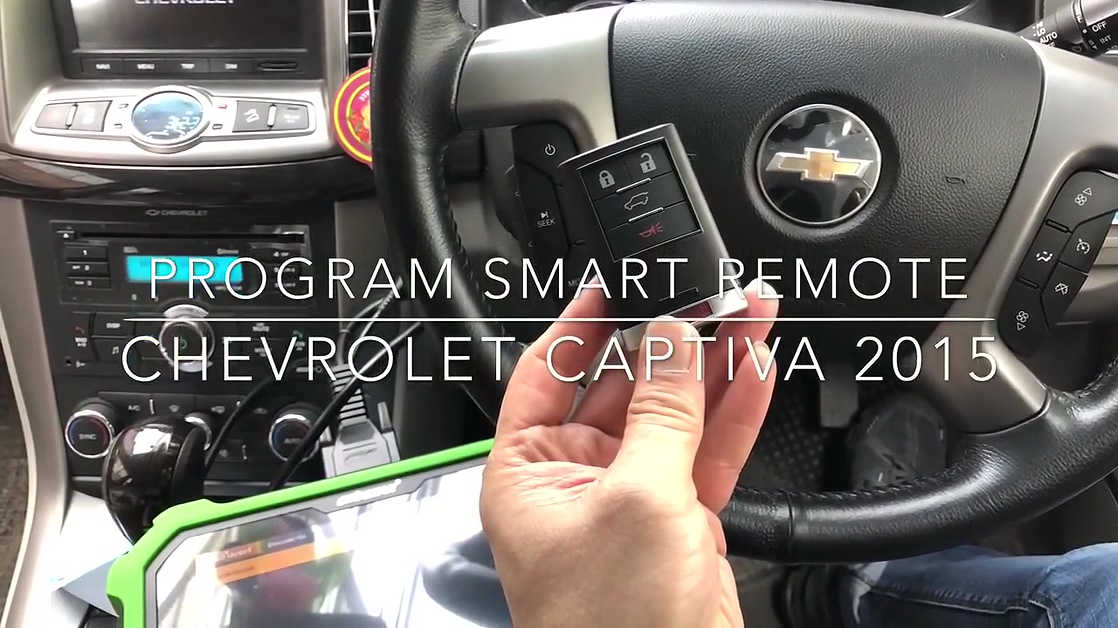
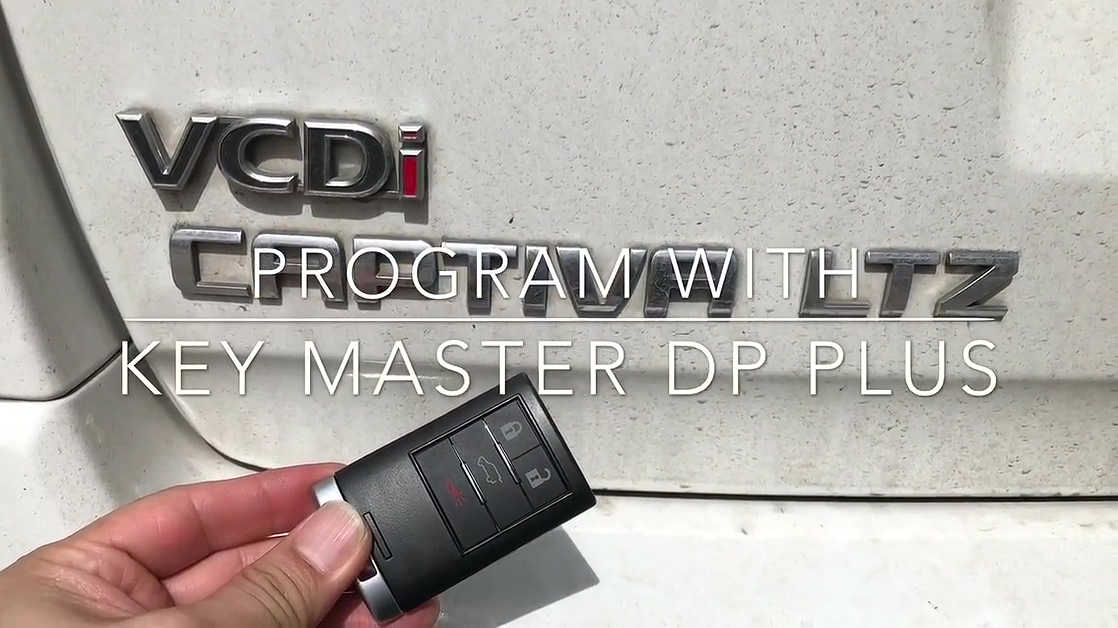
PS:
The on-screen instruction is Thai, you can refer to the subtitle to understand what to do.
The green key master DP = orange obdstar DP plus in the aspects of functions and coverage, the difference is only the color.
Guide
Program smart remote frequency 433MHZ.
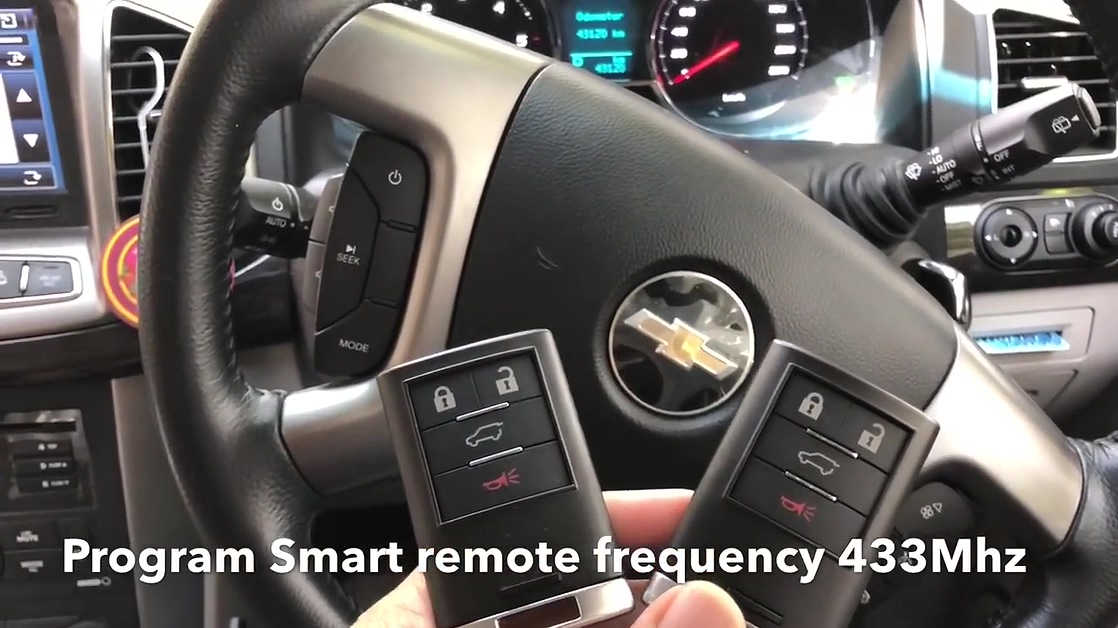
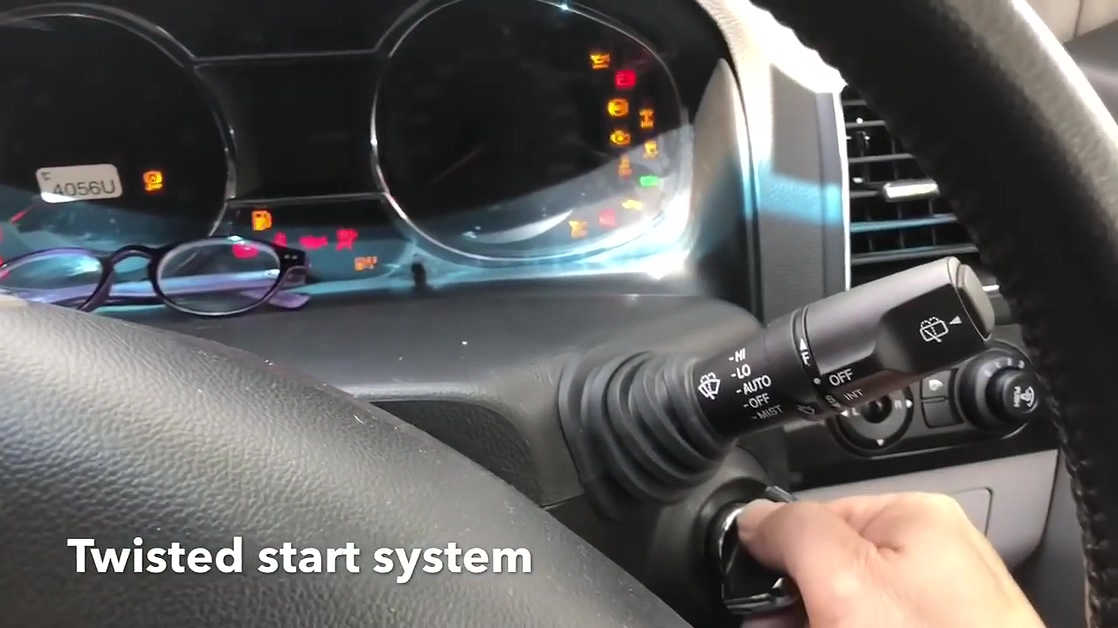
twisted the start system.
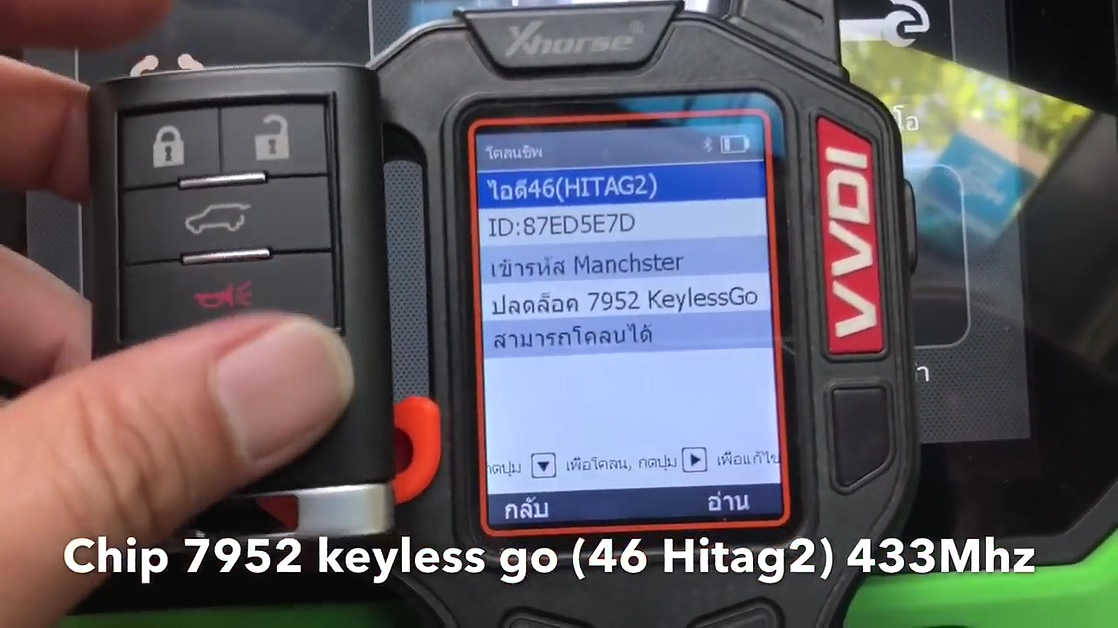
Chip 7952 keyless go (46 Hitag2) 433Mhz read by VVDI key tool.
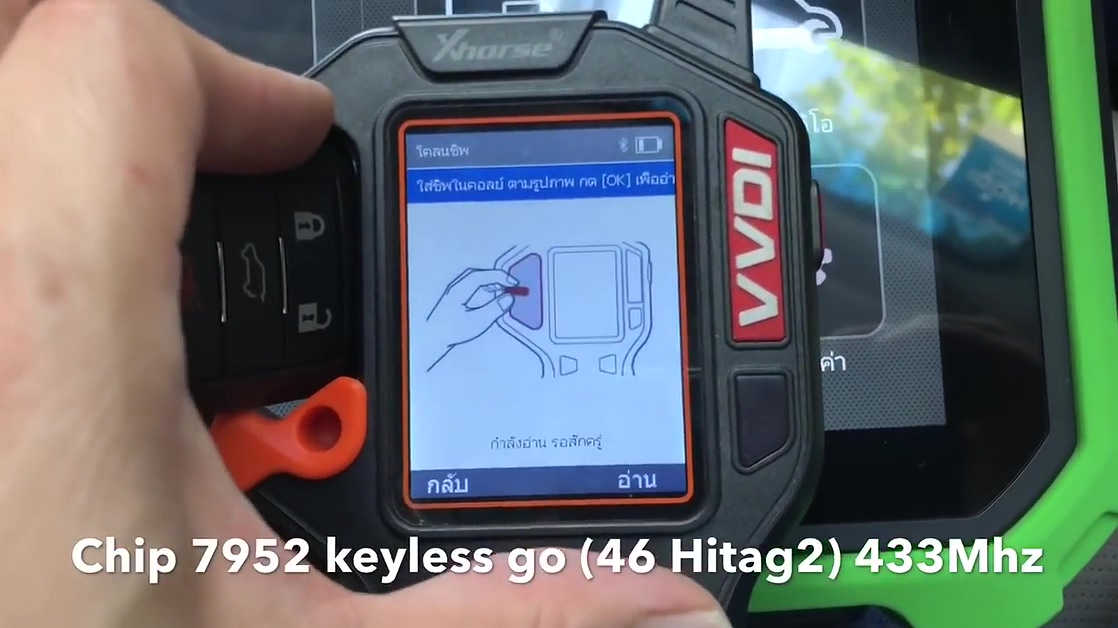
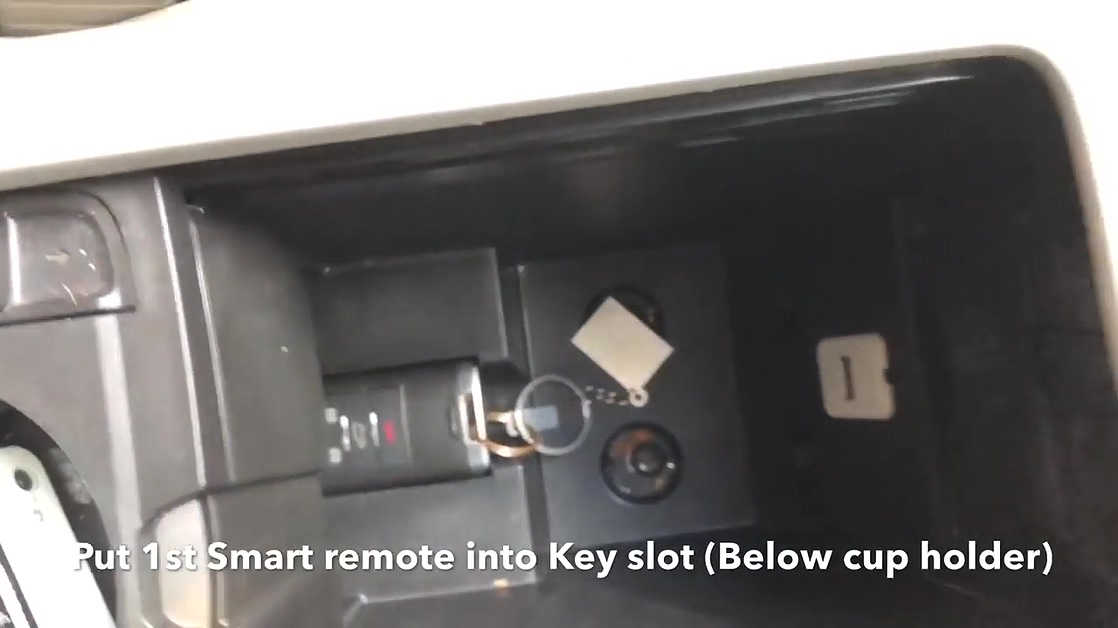
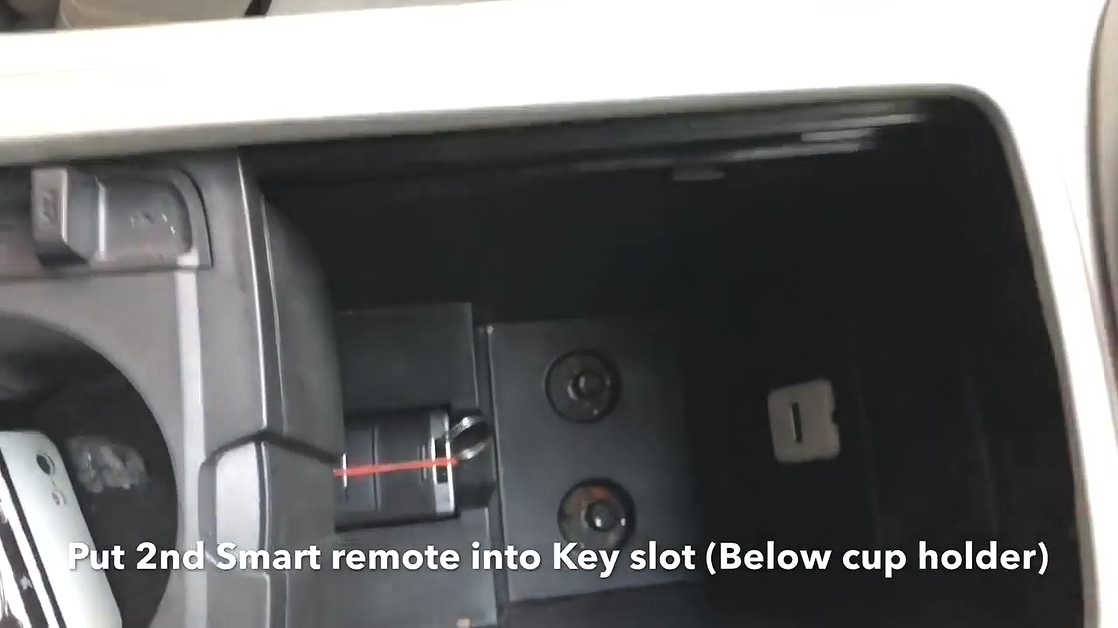
The key slot is under the cup holder.
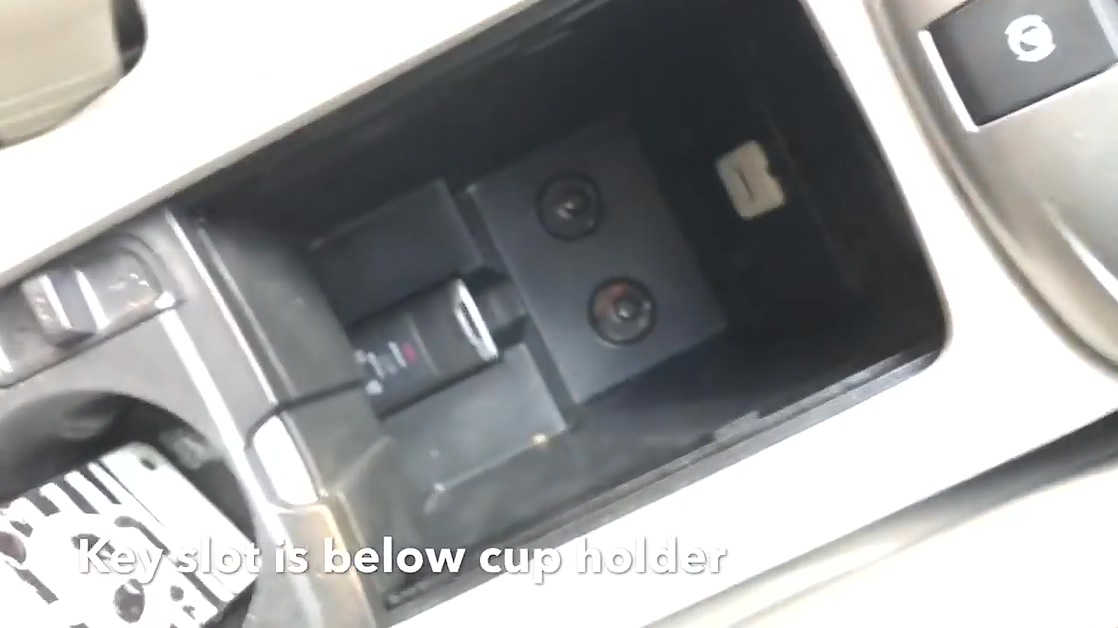
The key slot for emergency start.
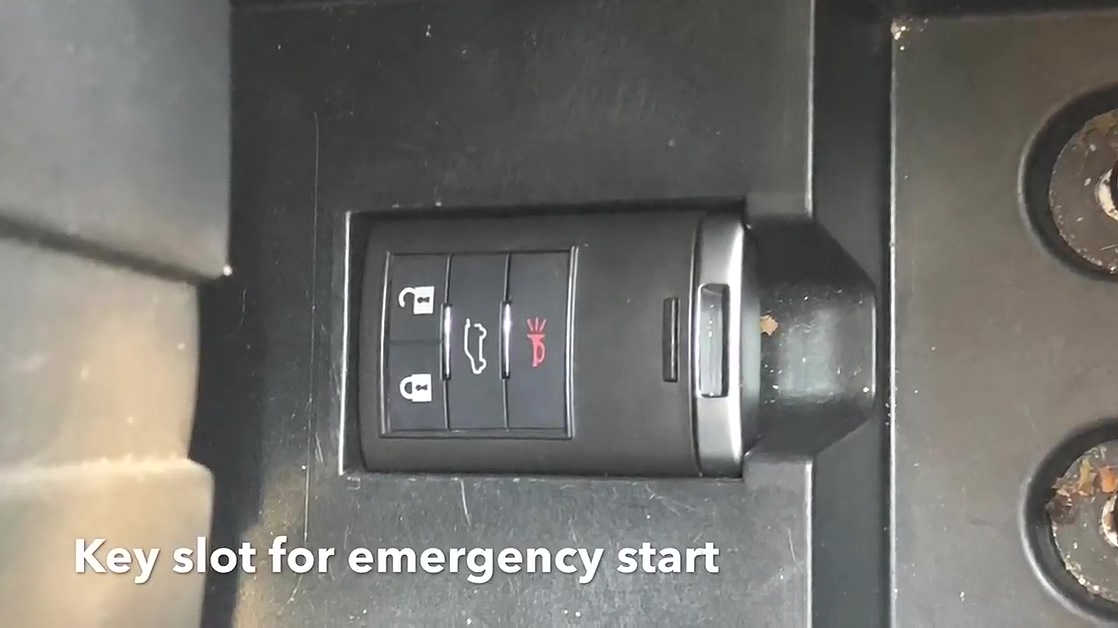
Next is to use OBDSTAR DP Plus to program key.
Program 3 Smart remotes.
Turn on Switch.
Tap IMMOBILIZER -> GM -> GM 31.12.
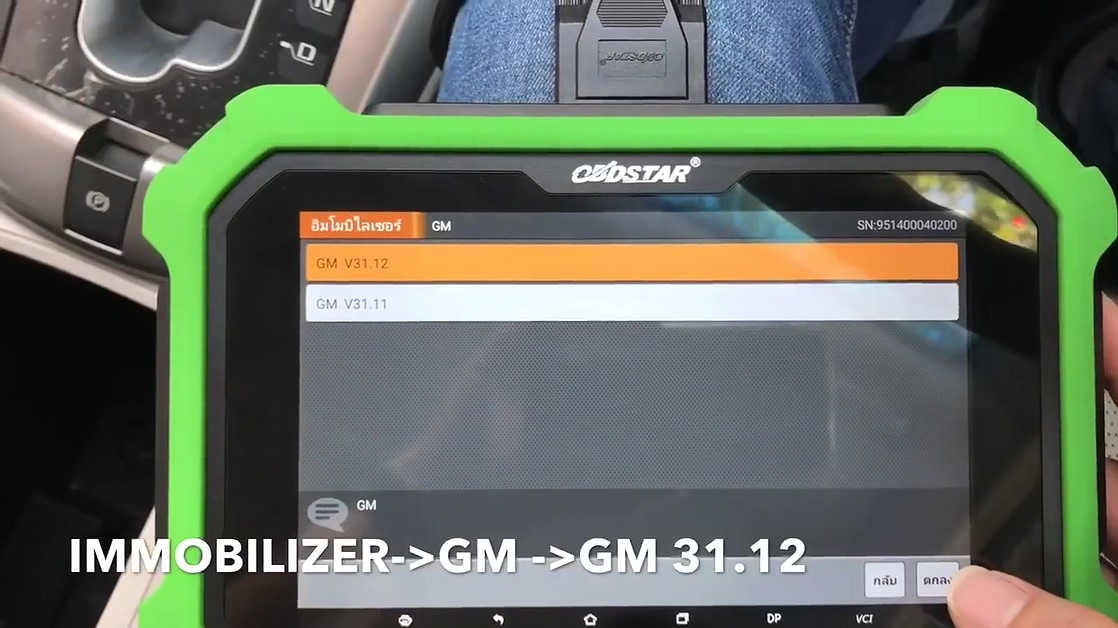
Select by car -> Chevrolet.
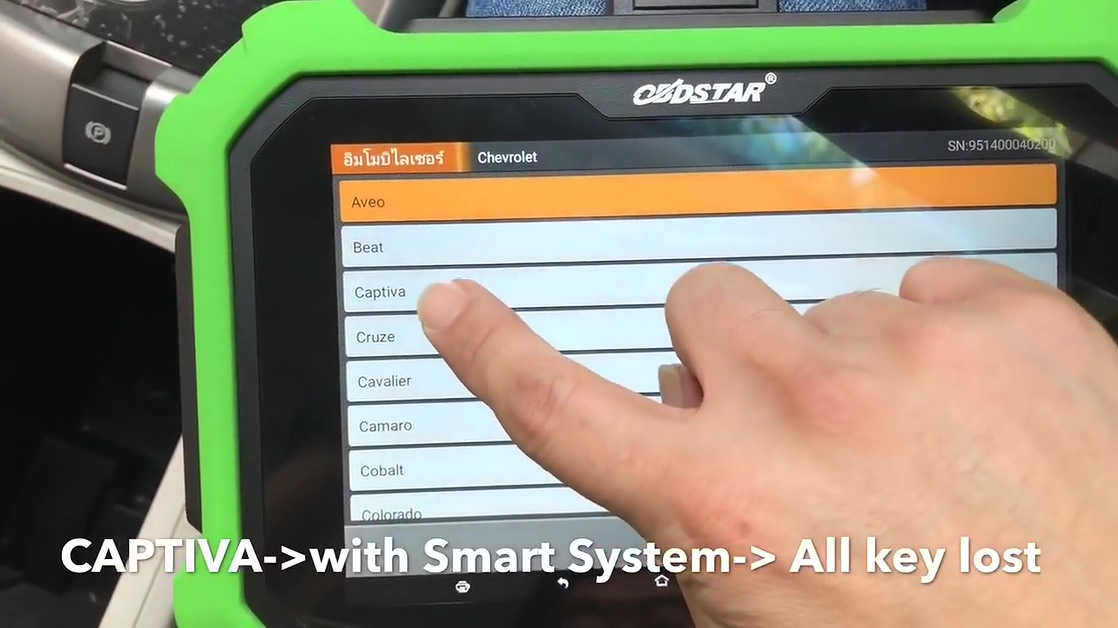
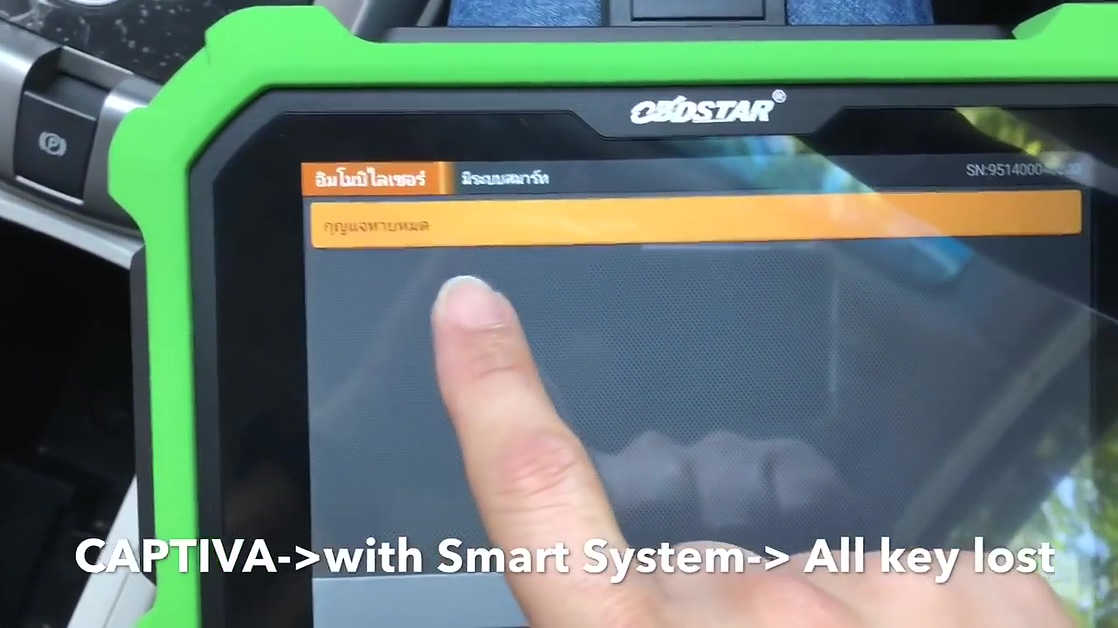
Captiva -> with Smart System -> All key lost.
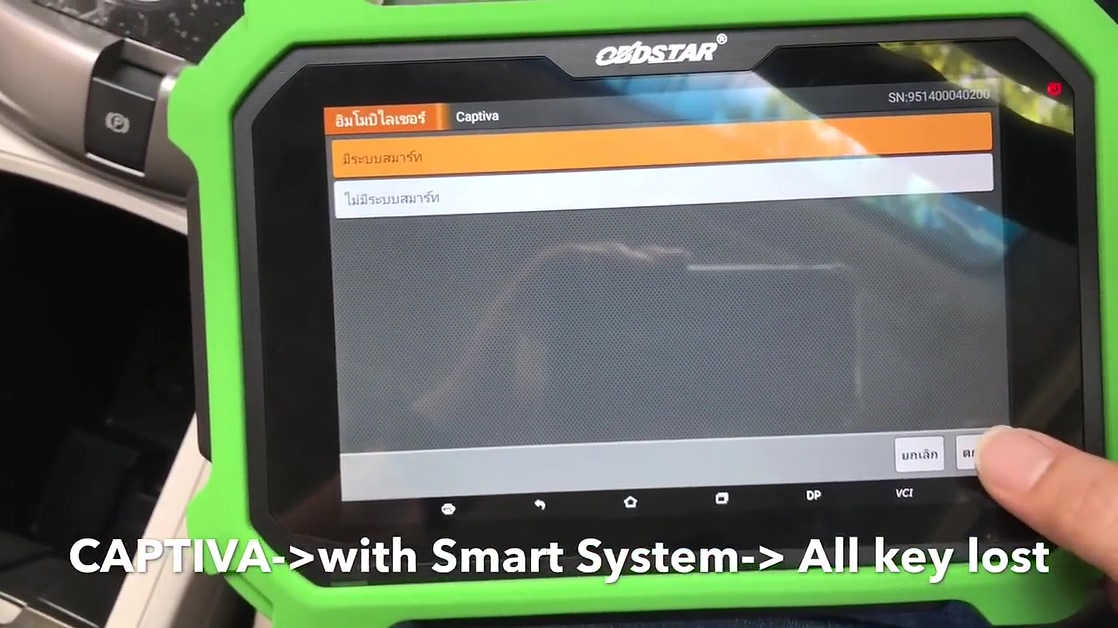
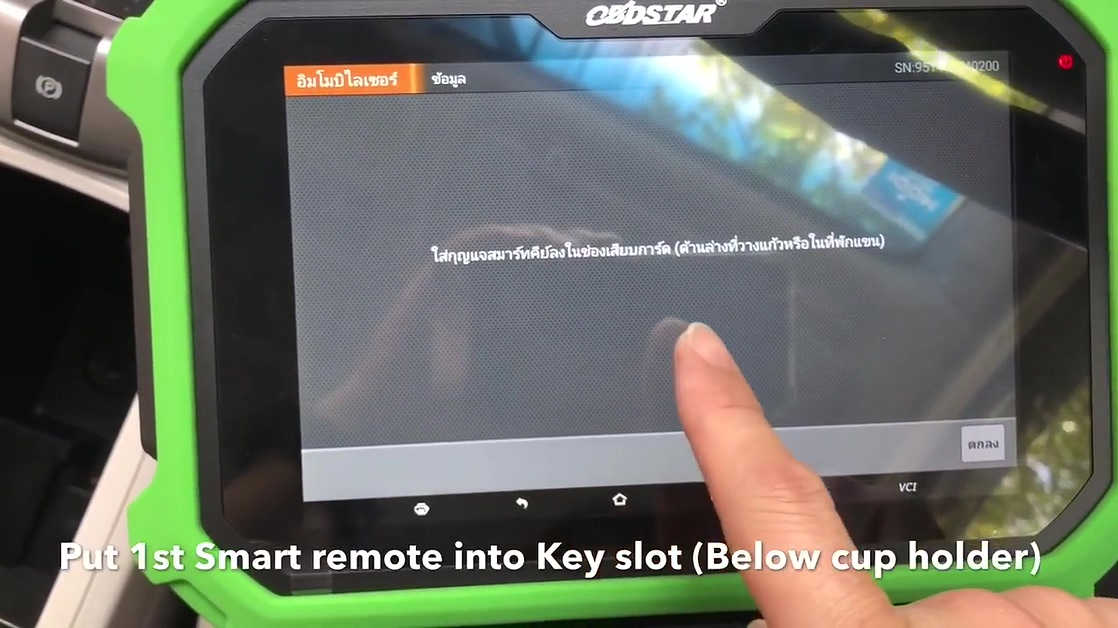
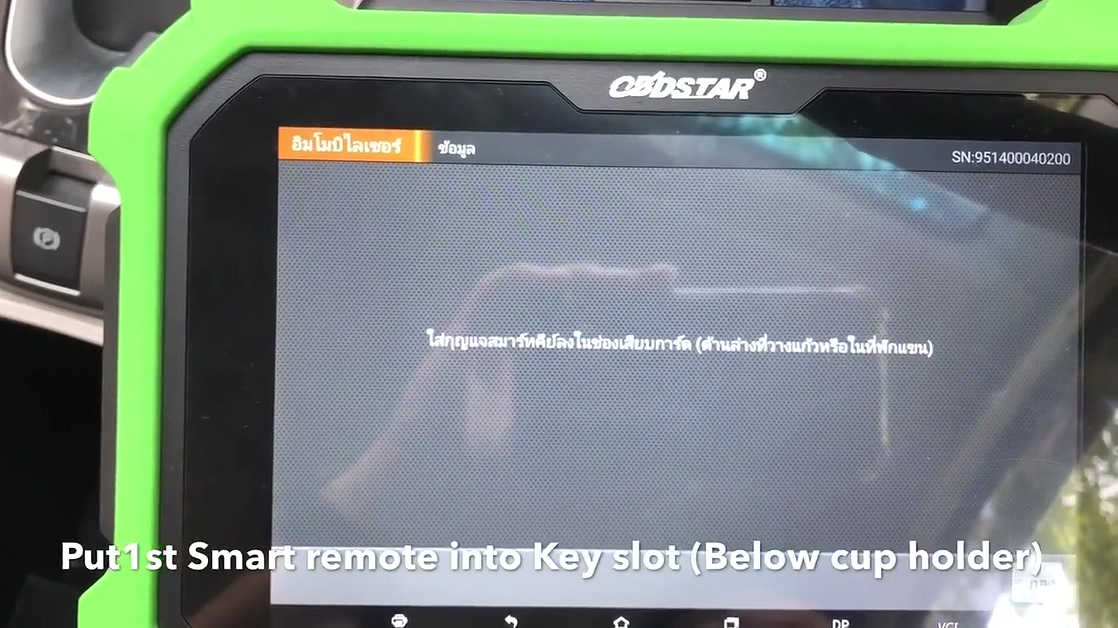
Put 1st smart remote into key slot (Below cup holder).
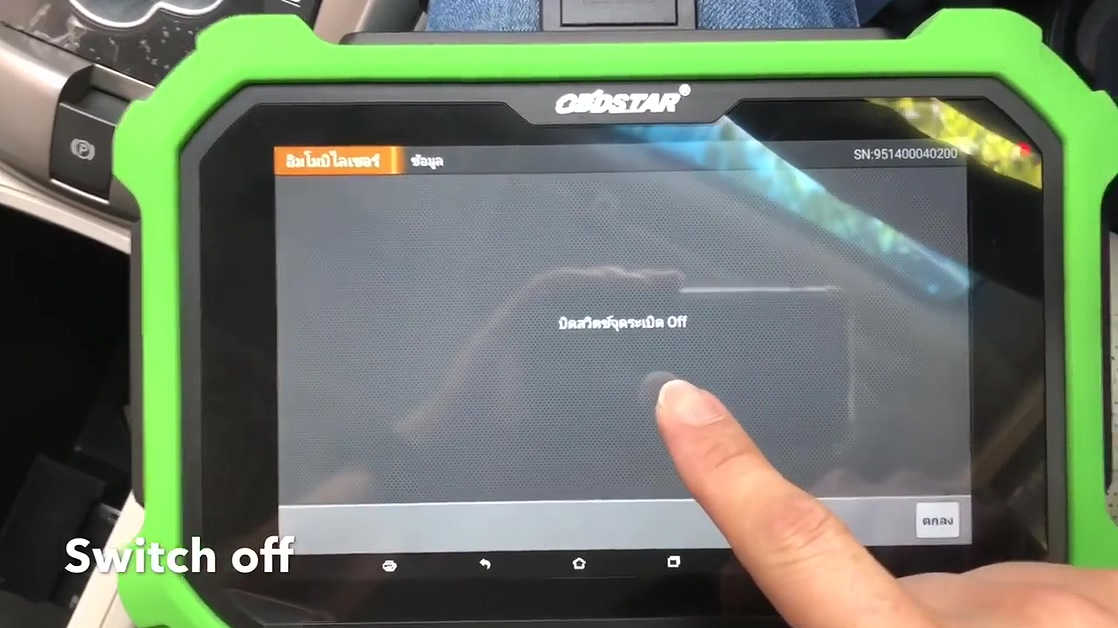
Switch off
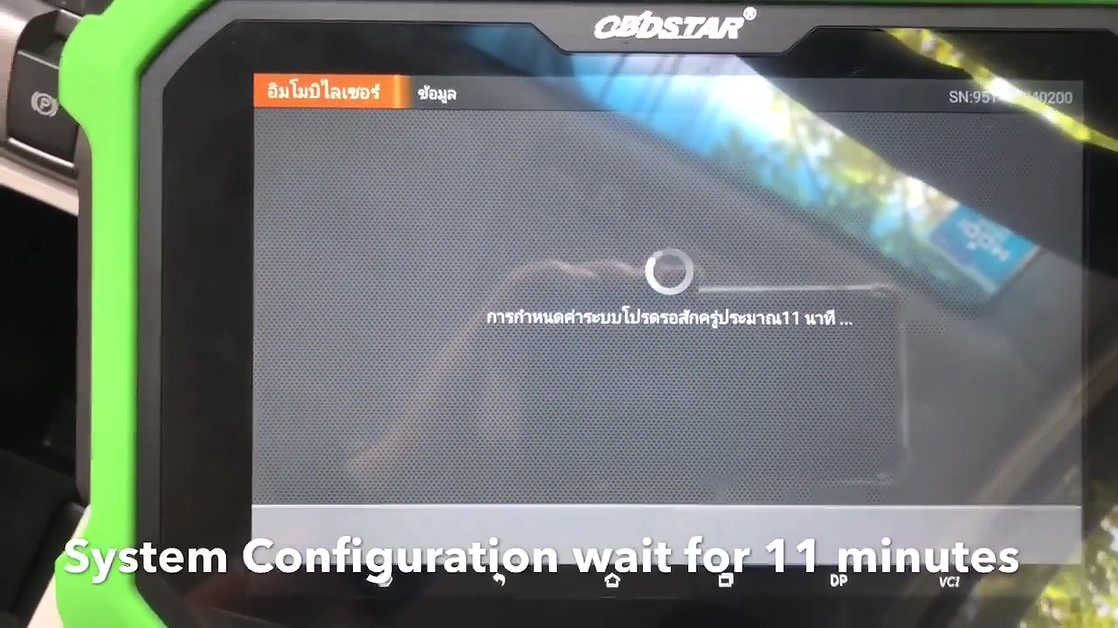
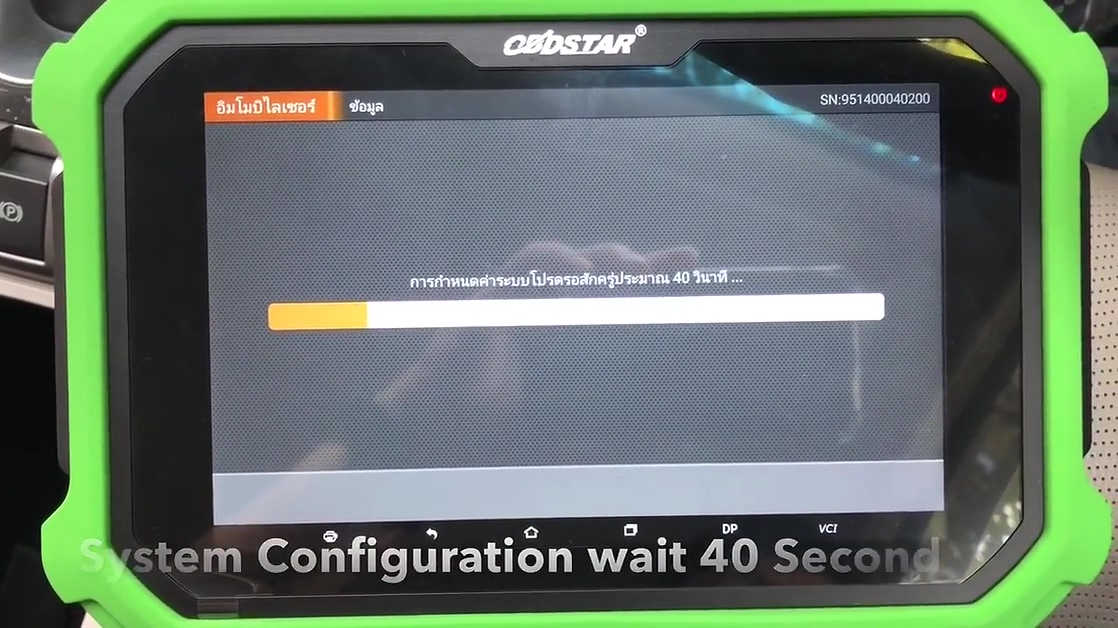
System configuration wait for 11 minutes.
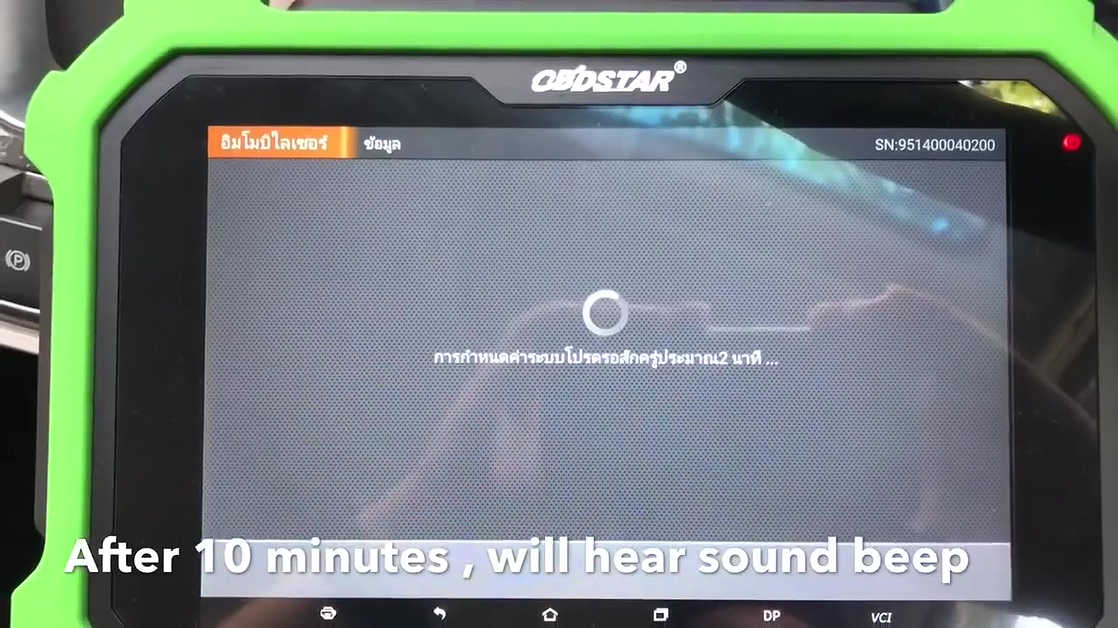
After 10 minutes, you will hear sound beep.
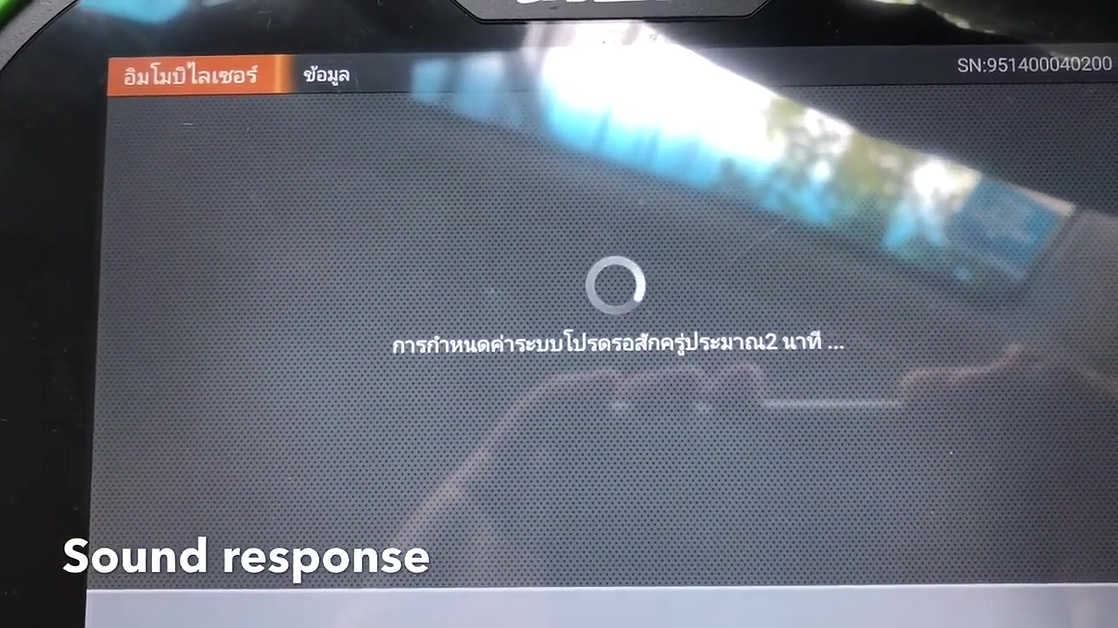
Sound response.
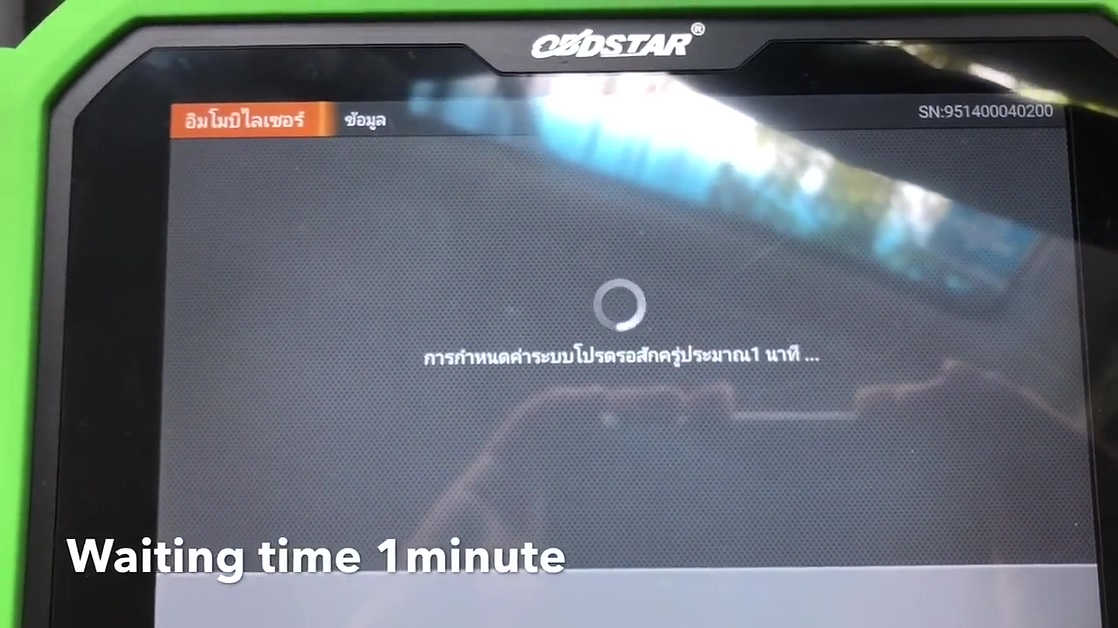
Waiting time for 1 minute.
Whether do delete all keys? Press[Yes] to clear [No] to exit.
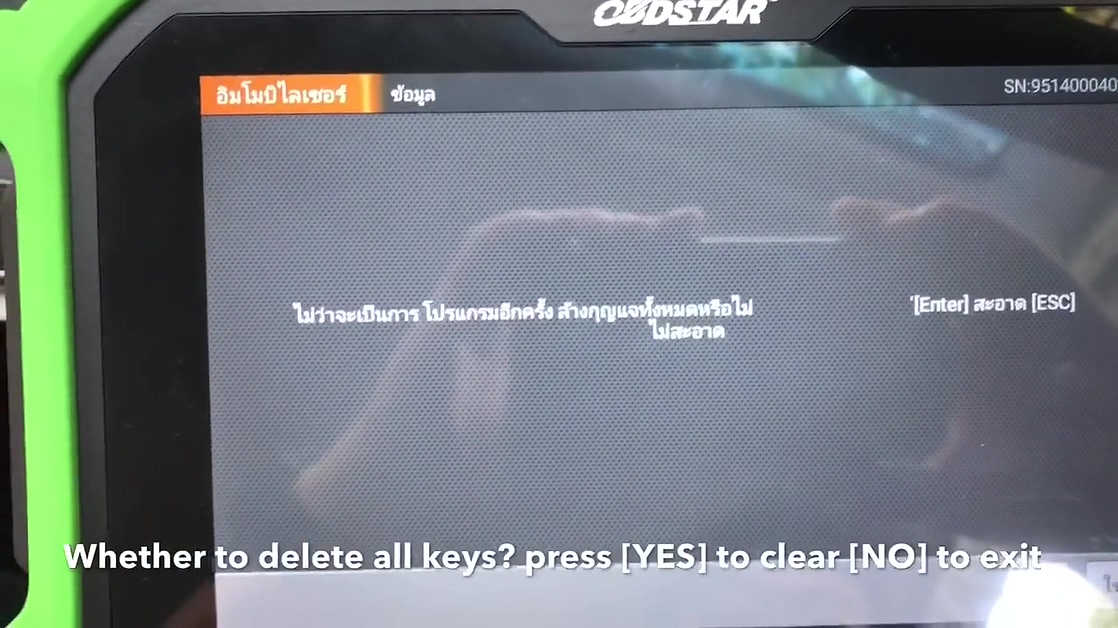
Put 1st smart remote into key slot (Below cup holder).
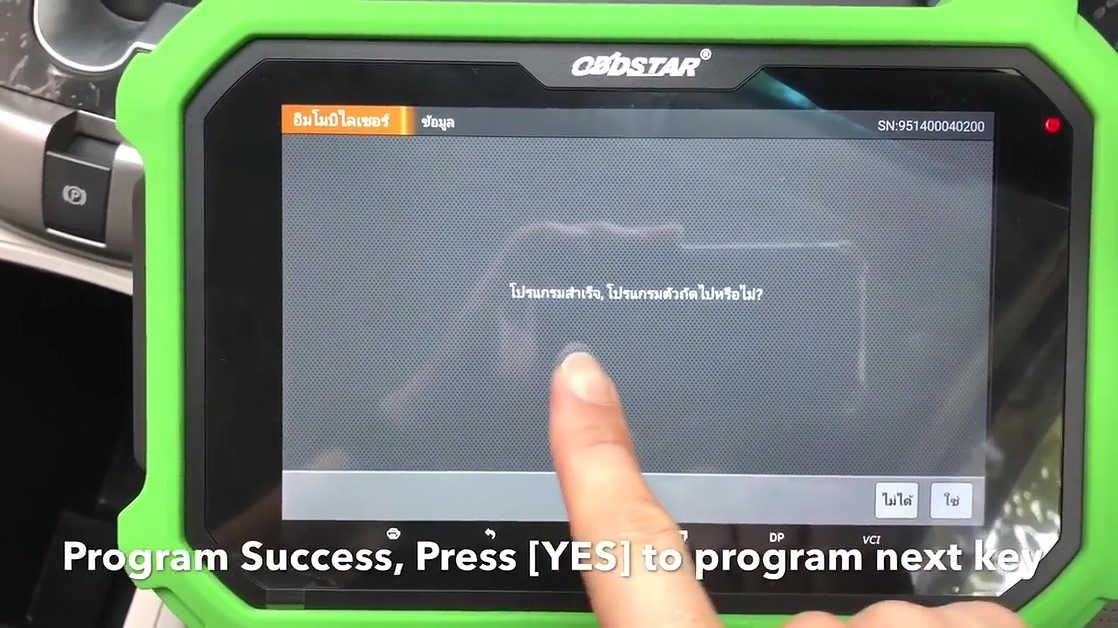
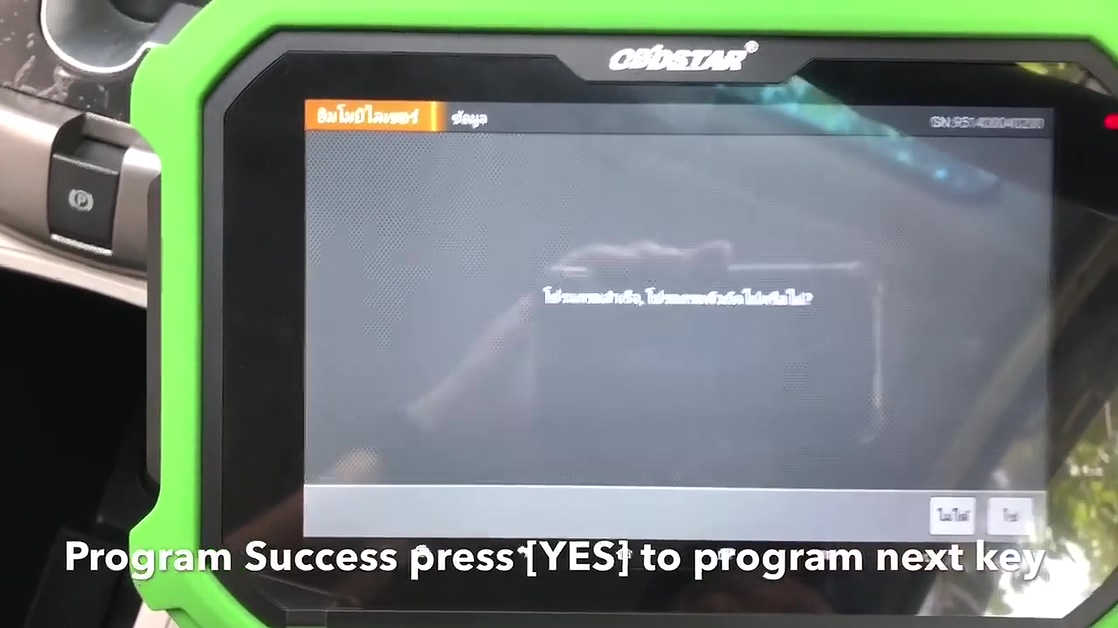
Program Success, Press [Yes] to program next key.
Put 2nd smart remote into key slot (Below cup holder).
Program Success, Press [Yes] to program next key.
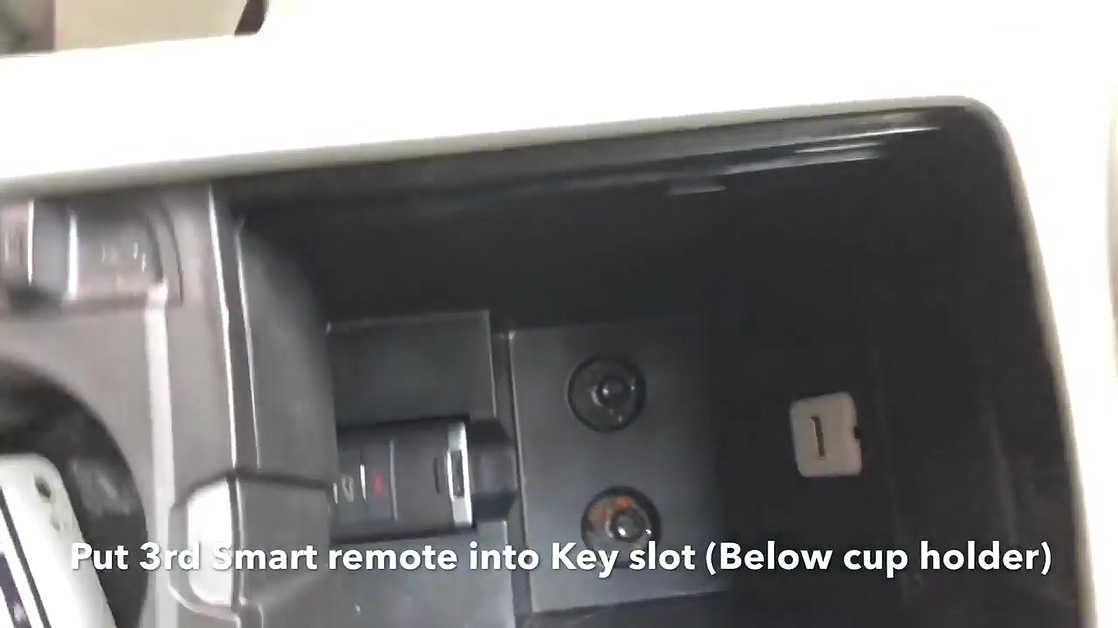
Put 3rd smart remote into key slot (Below cup holder).
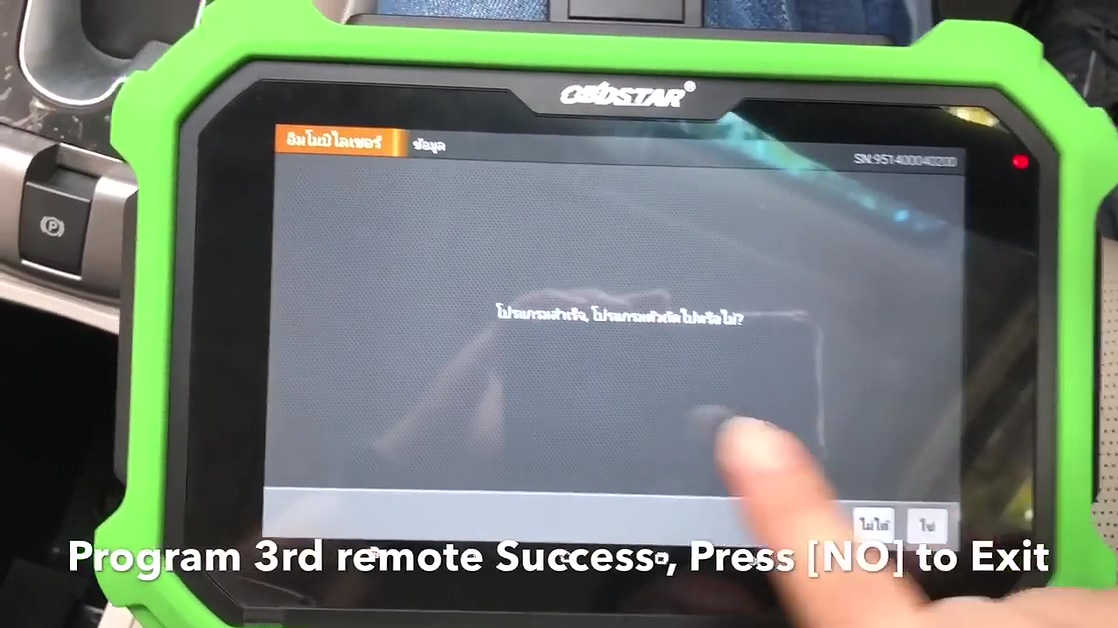
Program Success, Press [Yes] to program next key.
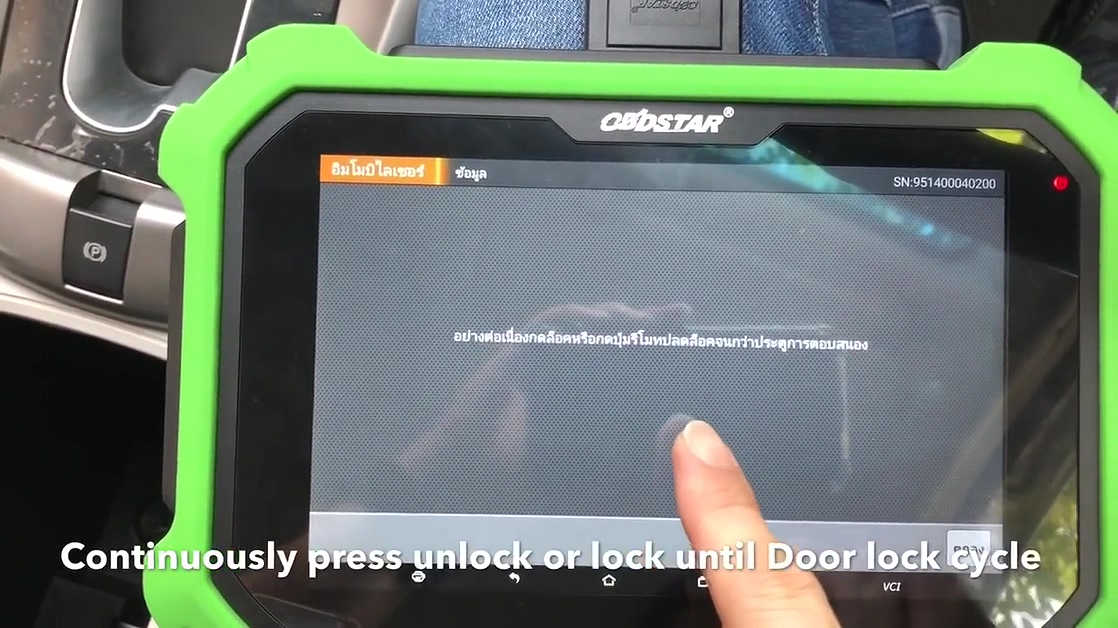
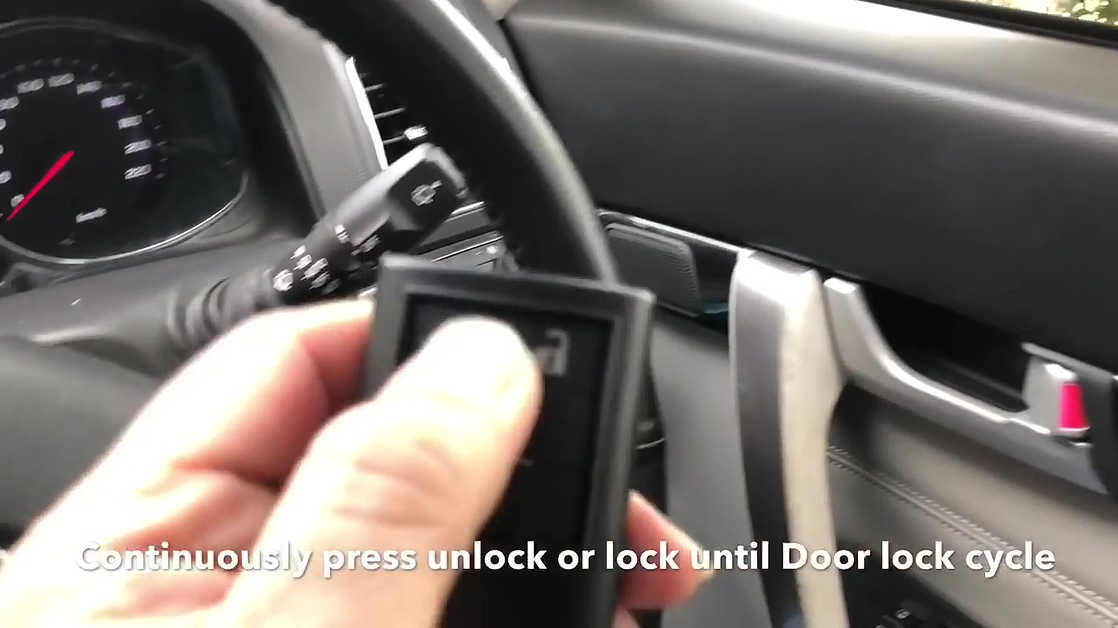
Continuously press unlock or lock until Dorr lock cycle.
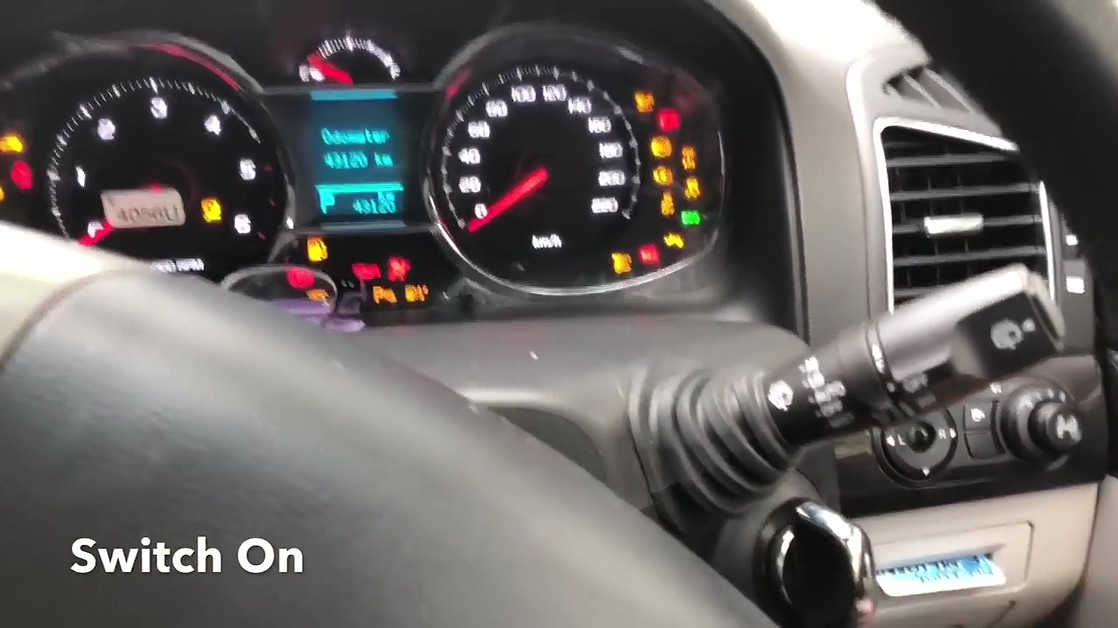
Switch on.
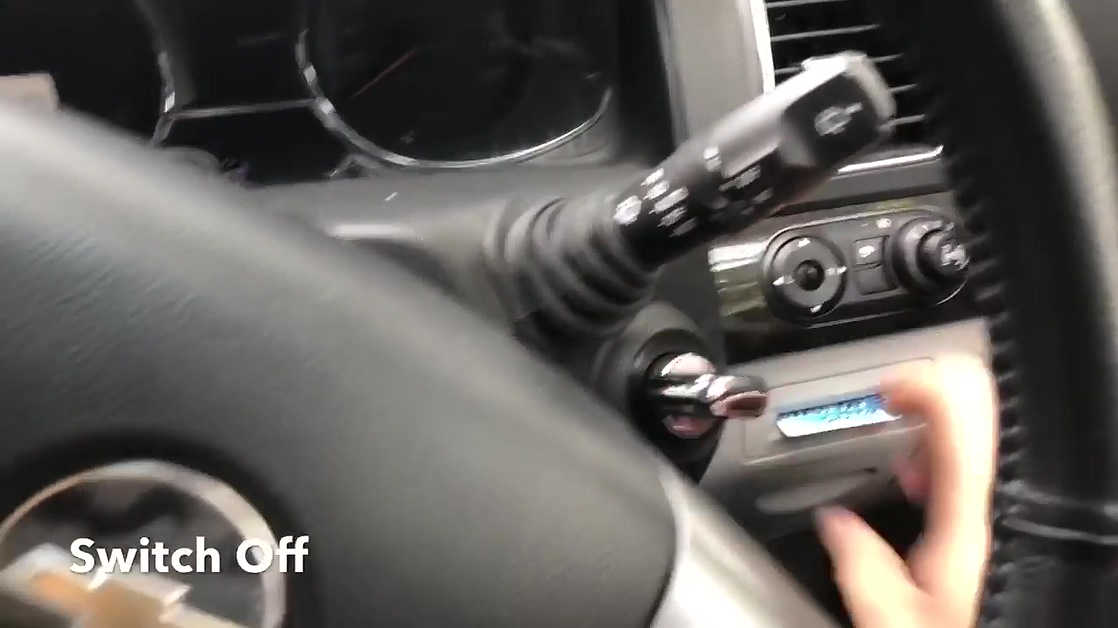
Switch Off.
System configuration wait 40 seconds.
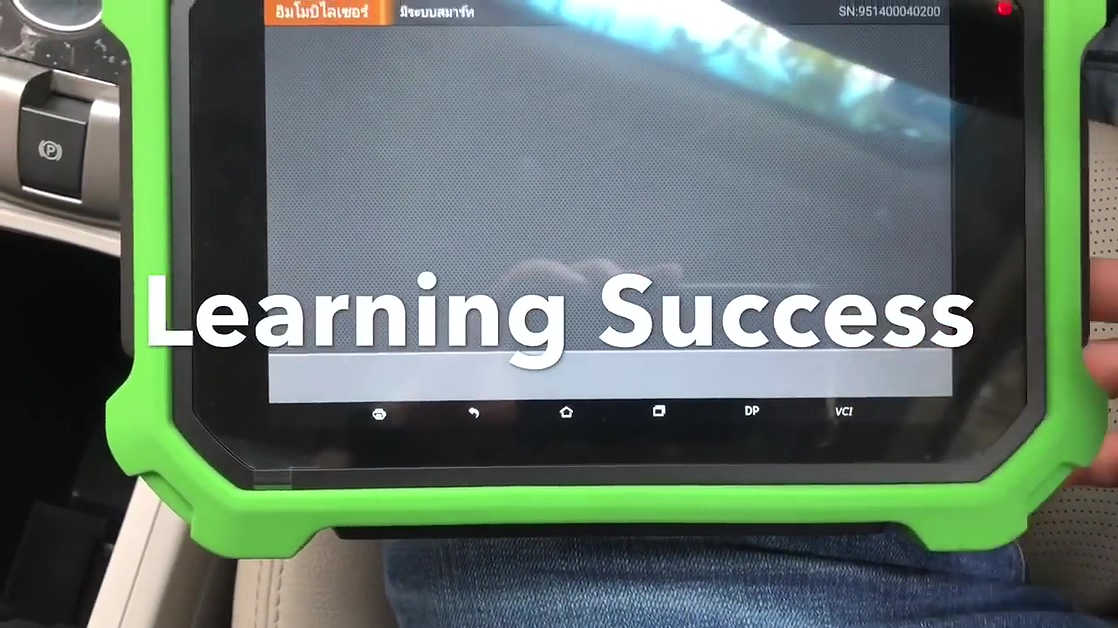
Learning success.
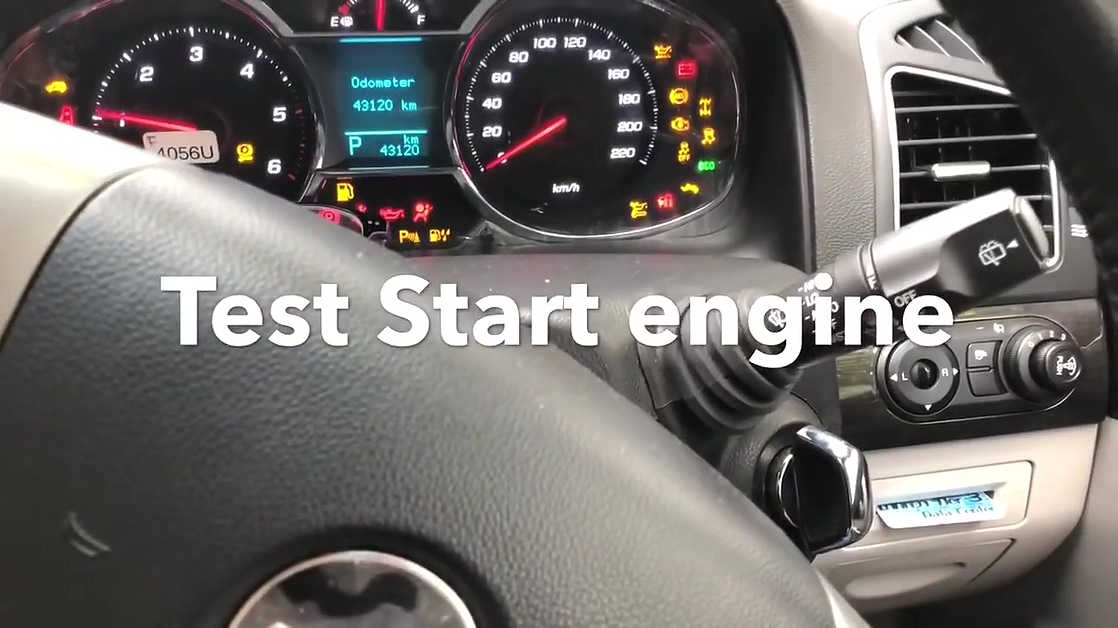
Test start engine.
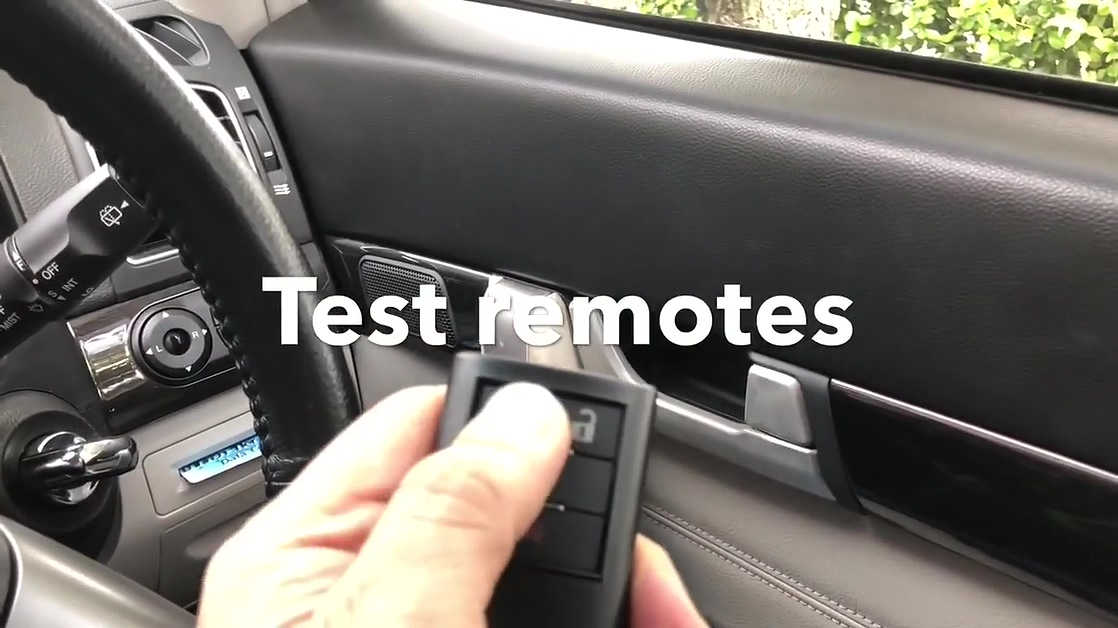
Test remotes one by one.
Done.
The whole process is smooth and pleasant.
VVDI Key Tooland OBDSTAR DP Plus are really decent tools.
Posted by: Emily white at
07:16 AM
| No Comments
| Add Comment
Post contains 301 words, total size 14 kb.
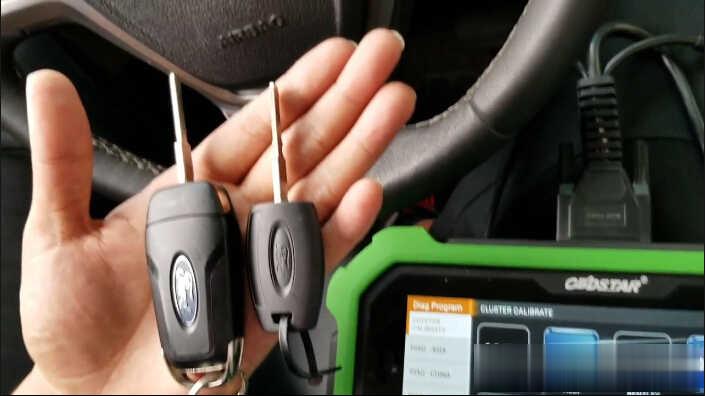
Here is OBDSTAR Key Master DP Plus Do 2018 Ford Escort All Keys Lost Video Guide:
Procedure With Pictures and Texts:
Connect OBDSTAR X300 DP Plus to Ford Escort by OBD port
Enter main menu–>Diag Program–>Immobiliser–>Ford Lincoln
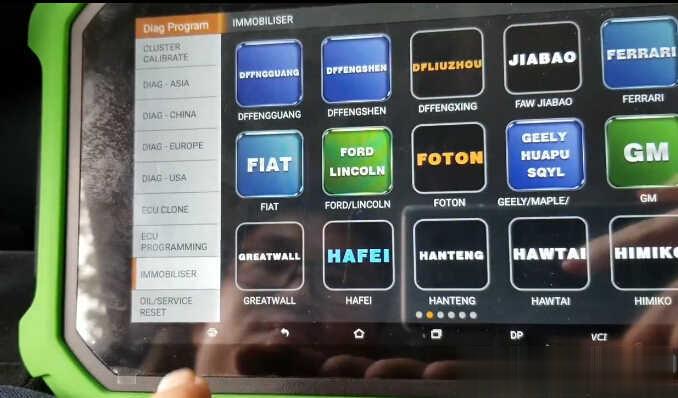
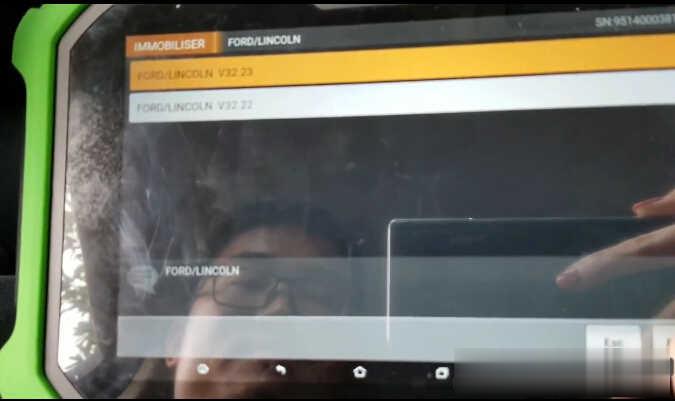
Select "FORD/LINCOLN V32.23†then click "Enter†to continue
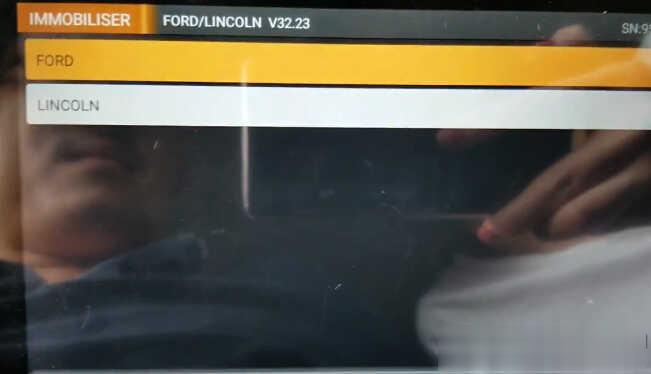
Select "FORDâ€
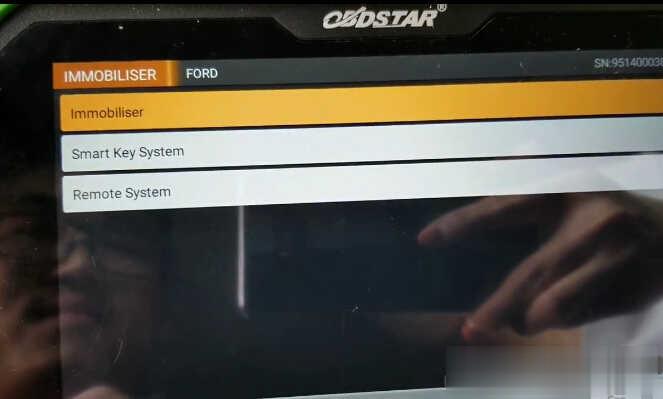
Select "Immobiliserâ€
ESCORT
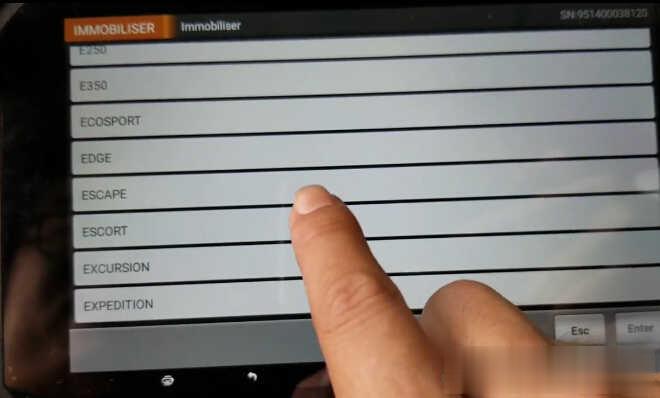
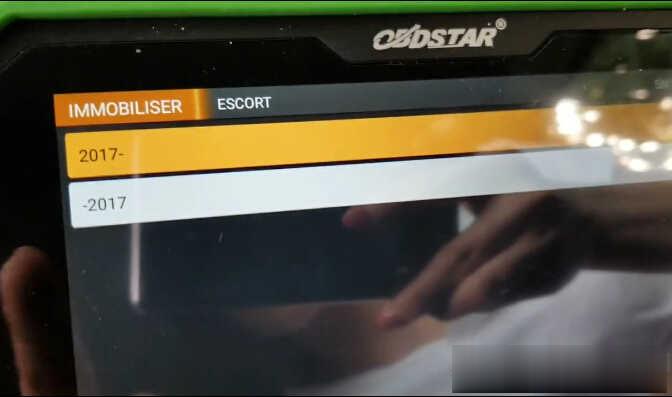
Select year after 2017 "2017-â€
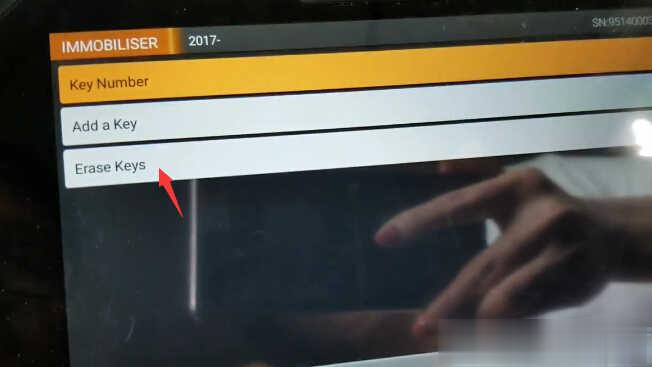
Select "Erase Keysâ€
Instruction:
All keys will be erased
Min keys are required:2
Press Enter to continue

Turn the ignition to ON position,then click "Enter†to continue
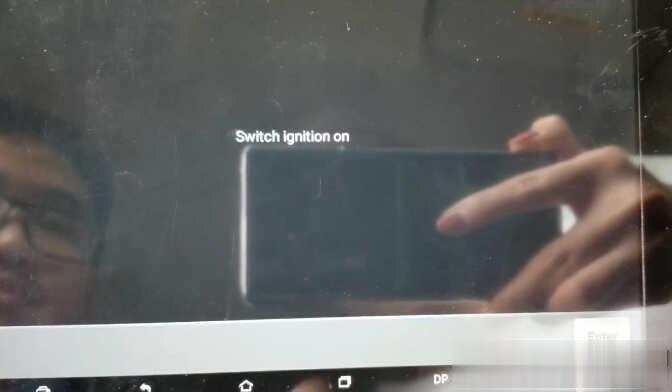
You need to wait a minute for system reading data…
When the system configuration completing,it will prompt to follow below operations:
1.Switch ignition off
2.Switch ignition on with key 1 for 3 seconds,then switch off and remove the key
3.Swtich ignition on with key 2 for 3 seconds,then switch off and remove the key
4.If you want to add more keys,please repeat procedure 3,complete
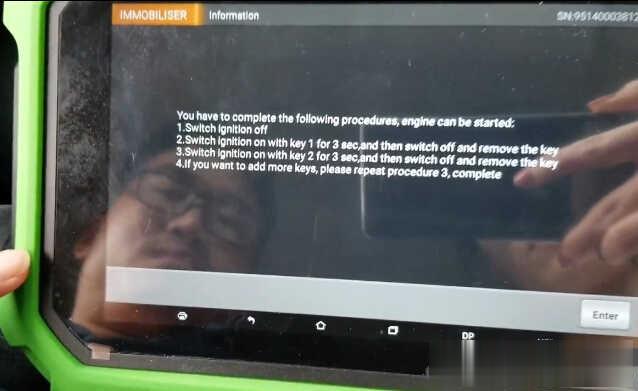
Press "Enter†to continue
Test programmed keys on the vehicle
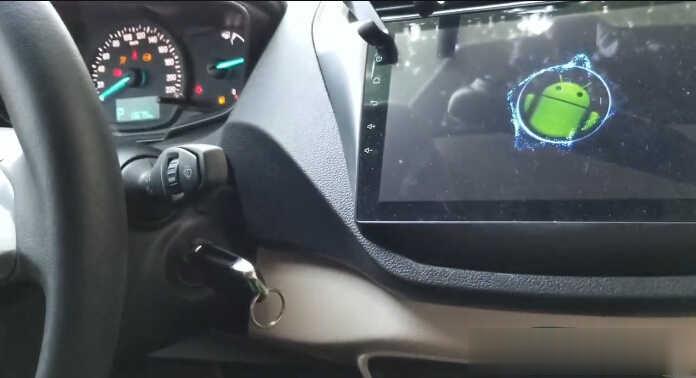
Done!
Posted by: Emily white at
06:40 AM
| No Comments
| Add Comment
Post contains 195 words, total size 7 kb.
July 02, 2020
Car model and year: 2002 GMC Sierra 1500
Purpose: to pull codes
Scan Tool or Diagnostic Tool to use – pros and cons
1. GM Tech2 pros and cons
To do work on gm stuff I have knock off Tech 2. I like it.
2. My OBD Link MX+ or Konnwei Bluetooth devices with the usual Dash Command, Torque Pro, OBD Link and Motor Data apps work for me for troubleshooting.
For us LS engine swap people that don’t like to pay the HP Tuners folks money to license a new operating system, there are now free alternatives. "Tuner Pro RT†software allows the free editing of a General Motors PCM operating system to get it to work in a swapped vehicle. Then we use "LS Droid†software with my MX+ device to actually write the changed Tuner Pro operating system to the PCM which completely avoids spending money on HP Tuners.
3.
For a long time I have gotten by with a simple scanner. These days with
the Bluetooth devices and the torque app…that is even easier for basic
stuff. Back in 2011 I picked up an Innova 3150 which had the ability to
read ABS and SRS system faults. It was about $150 then. Current ad for
this older tool shows $220…not sure why xxxx
I have considered a clone Tech2 and or the MDI device I have seen
mentioned. My main concern other than the $300 cost…which is not bad for
what it does….was that I did not want to somehow brick my ECU or any
other module either due to the clone tool or my lack of knowledge of
using one of these more sophisticated diagnostic tools.
I decided to get one that would perform the ABS bleed, mainly because I like to flush the brake fluid ever few years. What I ran across for the least $$ to fit what I was looking for is the Foxwell NT630 Plus. Listing made an offer to another listing but they would not budge. (why do they show make an offer if they only will drop a dollar?!).
Currently my plan is to sell the Innova locally and try and recoup most of the cost of the new tool.
4. My 2001 GMC truck has a problem with the red brake warning light and the yellow ABS lights randomly coming on at the same time. I wanted to find out what code was being set. I quickly learned the local auto parts stores couldn’t read ABS codes. I also learned that the repair shops in my area charged $35-$59 just to use their scanner to check for ABS codes. I thought that was too much for a 5-minute scan so I decided to buy a scan tool that would read ABS and SRS codes as well as OBDII codes. Over the course of several weeks I have purchased three scan tools and returned each one of them for a refund for reasons I will describe below
What I wanted a scan tool to do.
I initially set out to find a scan tool that would read ABS, SRS and
OBDII codes on all my vehicles, a 1999 S10 Blazer, a 2001 GMC Sierra, a
2012 Equinox and my daughters. 2009 Camry. I wanted to spend no more
than $125. I know that sounds like a lot to hope for but I figured I
might be able to do it.
Then I confirmed Tech2 is able to do ABS Brake Automated Bleed & Pressure Bleed for Chevy & GMC. Just google †GMC Sierra 2002 Tech2″ and you will see a Youtube video on how to do.
5.
Question: Will this work with my 2012 GMC Sierra 1500. Will I be able to calibrate the BPP sensor out of the box? Thanks!
Reply:
If you scroll down further it lists it as going to 2013. I bought one
like this and it has been great to diag and repair everything. Too bad
it doesn’t work on my camaro(MDI).
Could be, but there was an updated 32MB card that supported up to ’13.
Or get a Jbox or an MDI2 as it can do anything a tech 2 can and much more. I can go into much more detail if needed but don’t buy a tech 2 it’s outdated and obsolete as of 2013 at best. I have 4 scan tools ranging from 300-5000$ and you can easily spend 500 or less and do anything I can.
It’s called the open port 2.0. It is compatible with GM’s programming
website called SPS. That tells me it’s a go for the tech 2 win program
which is a laptop version of the handheld tech 2. It also would work
withGDS2 software which is the current diag tool via laptop for GM. Then you can lease the use of the software as needed.
https://www.acdelcotds.com/acdelco/action/subscribehome This is The site
to lease the programs. It may not make since for some people but if you
are devoted to "doing it yourself†it’s the only way, end of story. You
will use other software to diag the problem and then slide over to gm’s
stuff if needed but this will give you the widest range of
functionality.
Posted by: Emily white at
07:32 AM
| No Comments
| Add Comment
Post contains 886 words, total size 5 kb.
X100 pad2 key programmer is the updated version of XTOOL X100 PAD, supporting additional functions such as headlight adjustment, OBD2 diagnosis and car suspension.
It has two versions, one with standard configuration, the other with full configuration (Xtool X100 Pad2 Pro). The only difference between them is the latter supports VW 4th & 5th generation immobilizer programming, of course, at a bit higher price, but you’ll see it’s well worth the money for those needing this function.
Med Amine Arabi, an Xtool x100 pad2 tablet key programmer (full version) user, having been using this tool for half a year, shared his review about his successful experience of it on "Car Key Programmer†forum. I post it here for your reference.
There’re two versions of x100 pad2 in the market, and I chose the
full version. It is a good helper as a universal key programmer with the
ability to perform obd2 diagnosis and lots of special functions.
Generally, the x100 pad 2 supports not only OBD2 engine diagnosis, which
x100 pad failed to do, but also oil service light reset, mileage
adjustment, EPB/DPF reset, SAC calibration and key programming
(especially supporting VW 4th & 5th IMMO function— the most
important one for me!)
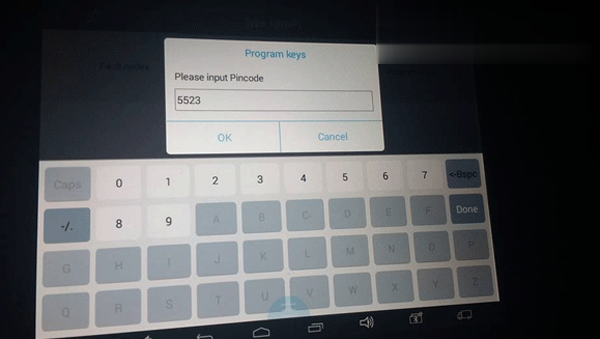
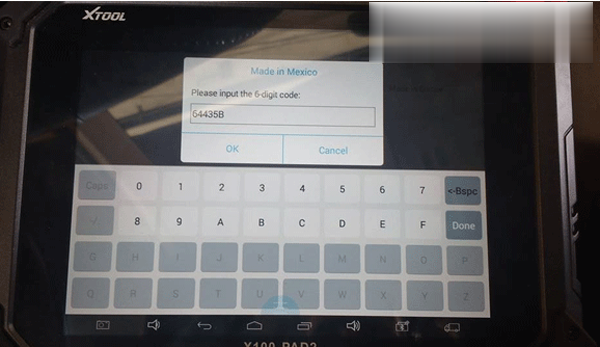
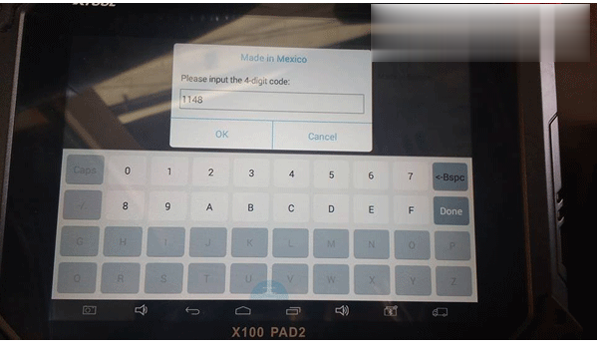
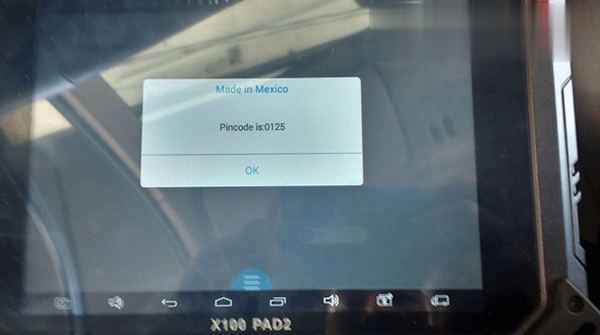
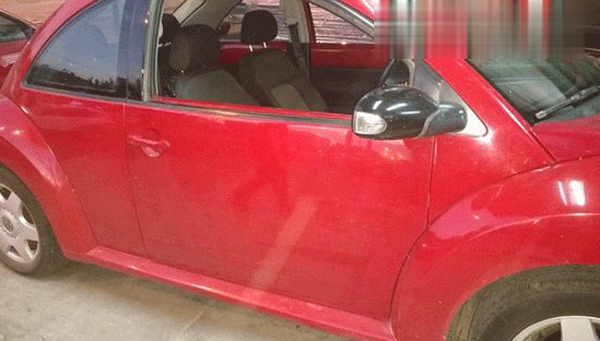
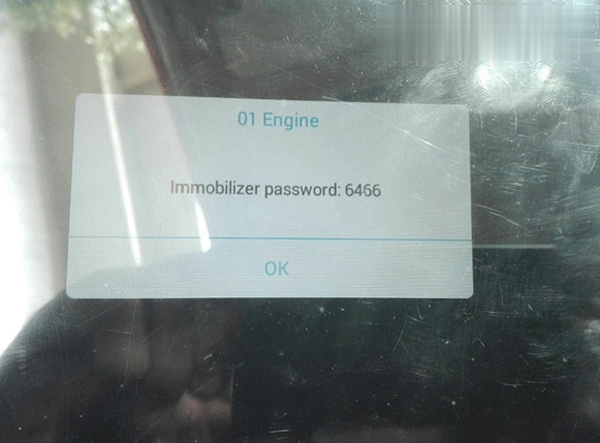
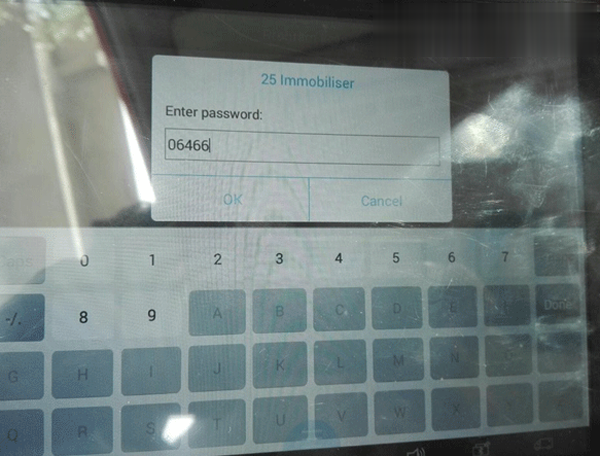
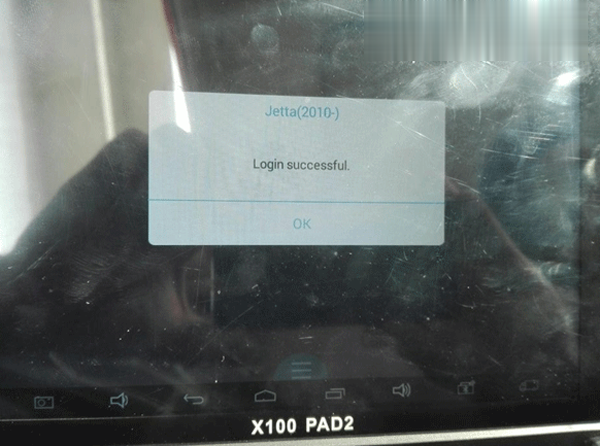
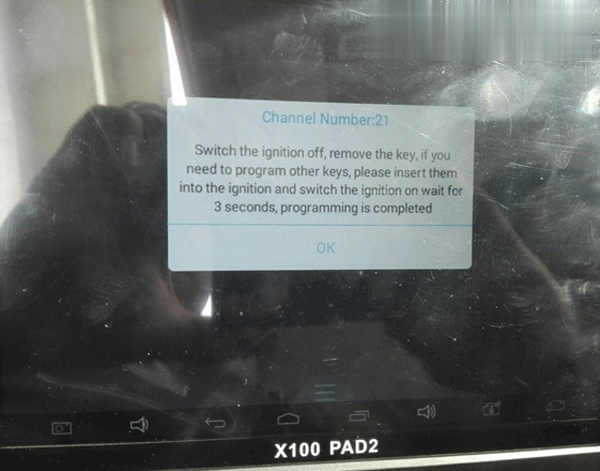
Here’re a few photos he posted about the process of key programming with xtool pad2.
Car model: Nissan Altima
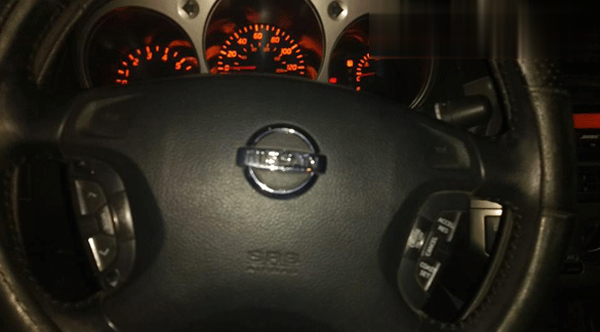
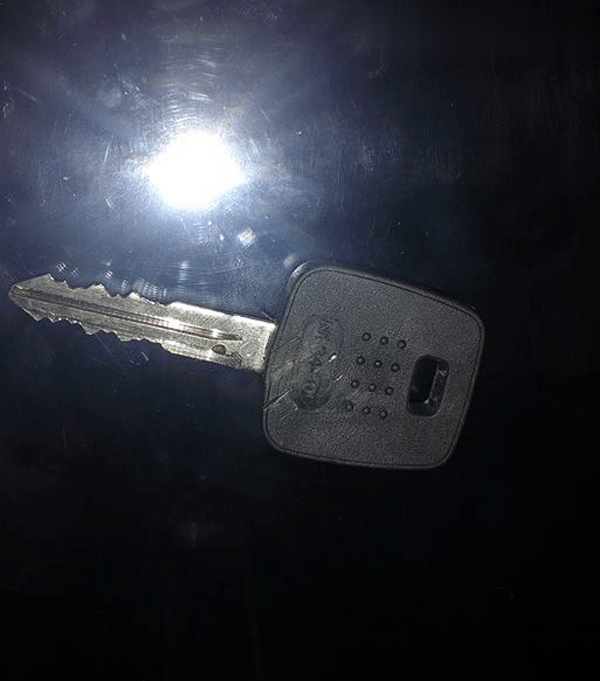
Car model: Nissan Xtrail

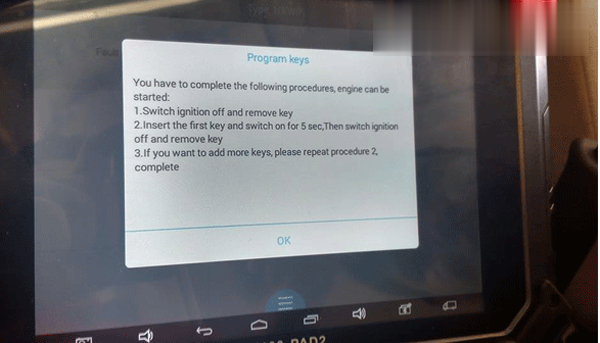
Car model: Volkswagen Beetles
Now I list more detailed function list of this device for those who may be interested:
* OBD2 diagnosis: 4 systems diagnosis, codes reading & clearing for engine, brakes, central electrics and airbag system
*New key programming, with KC100 adapter, especially added with VW 4th & 5th IMMO
*VIN (vehicle identification number) programming
*New remote controller programming
*Key reading from IMMO’s memory
*PIN Code reading with EEPROM
*Remote key’s frequency test through MB506
*Host’s Type-C connector can be connected with KC100 via micro USB
*Oil Reset/Engine oil light reset
*Odometer Adjustment
*Tire Pressure Warning Light Reset
*Timing belt light reset (Manual Operation)
*Battery Reset
*EPB Electrical Parking Brake Adaptation
*TPS Throttle Body Adaptation
*Steering Angle Calibration
Hope it’s helpful.
Posted by: Emily white at
07:16 AM
| No Comments
| Add Comment
Post contains 357 words, total size 8 kb.
June 17, 2020
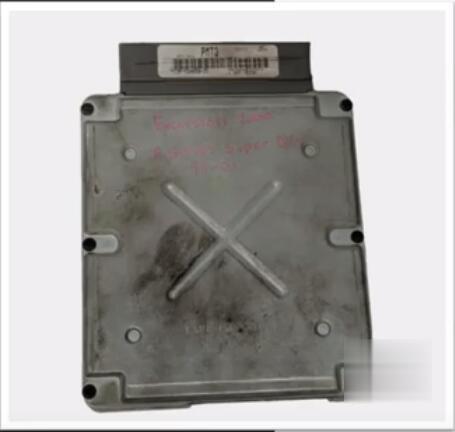
Ford F-250 2001 super duty

Problem:
Not able to write VIN on the used PCM module after PCM replacement.

Device used to program:
Autel MaxiIM IM608 & MaxiFlash J2534 (The module is in default package)
Ford OEM subscription
FYI:
Normally IM608 alone can do this procedure. All you need to do is click programming and look for a programmable module installation (PMI) which is a sequence in that the software will save all the original PCM’s information in IM608, then prompt you when to put the replacement module on it. Next it will then transfer all the information to the replace module.
With this vehicle 2001 F-250 it does not have this functionality on the IM608 so to do this procedure will be using J2534 with the OEM subscription.
Procedure:
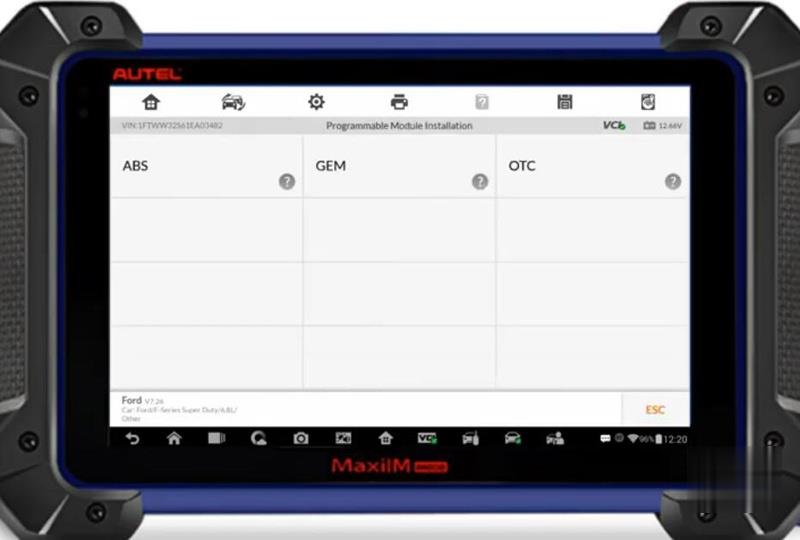
Go to Ford Diagnostic Menu->Auto Scan->Programming->Programmable Module Installation
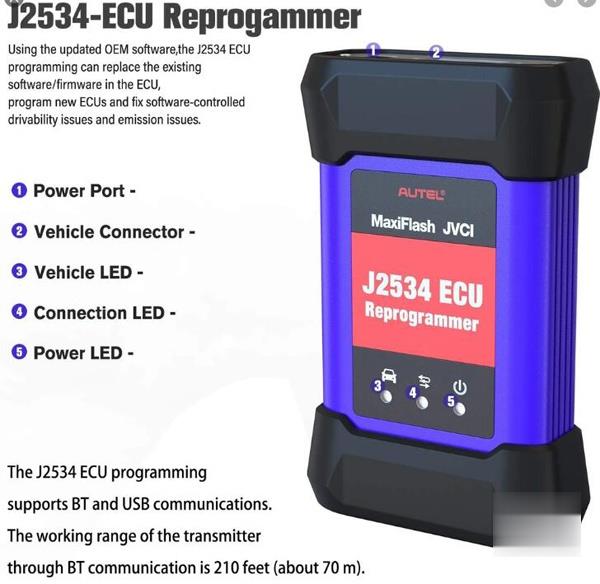
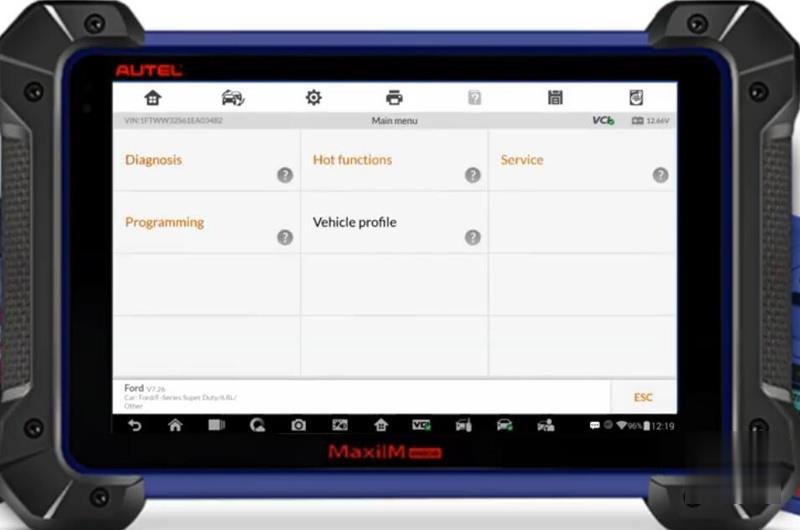
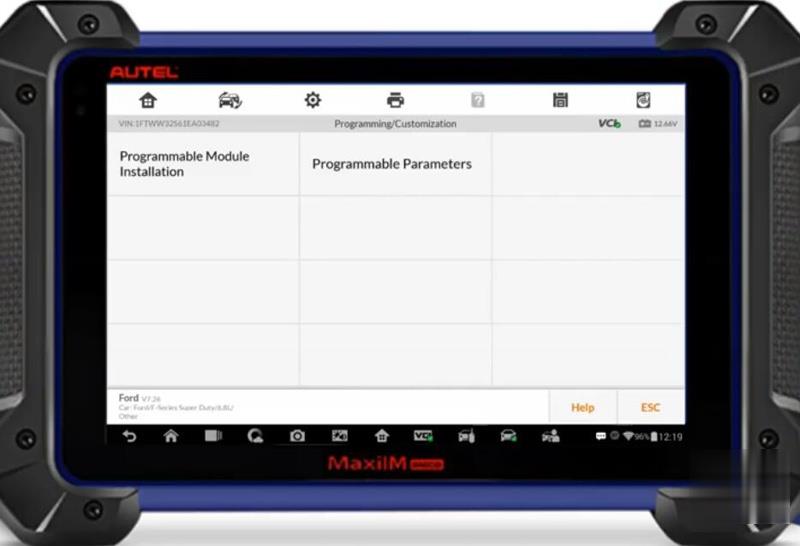
The Autel IM608 does not have the "Programmable Module Installation†feature, use Ford’s OEM software to complete the programming task.
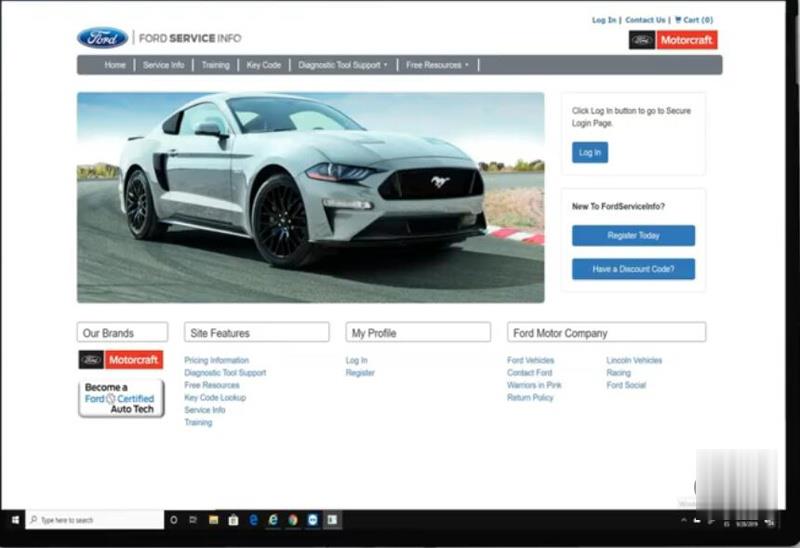
Purchase Ford day subscription from Ford Service Info website
Turn ignition to the OFF position
Run Ford OEM software
(* To write the VIN on a used module when original PCM is not present. Turn off the ignition when run the Ford software.)
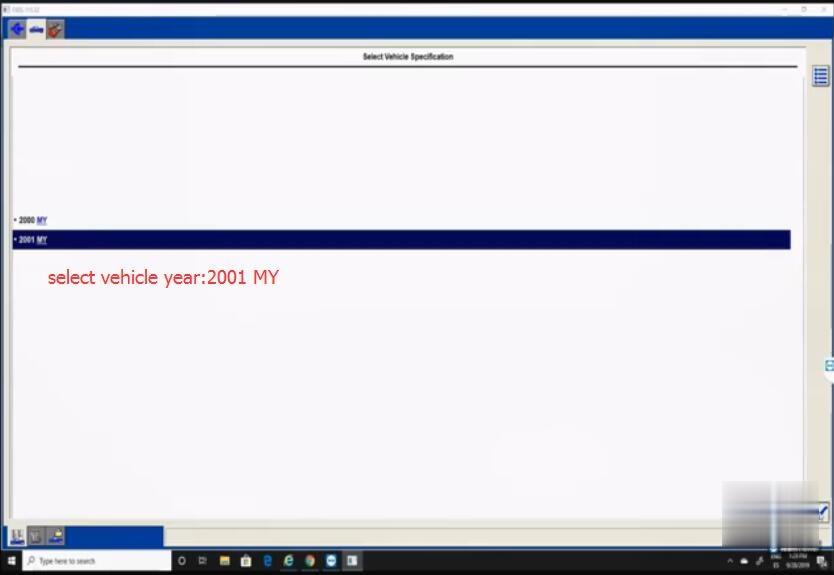
Select vehicle year: 2001
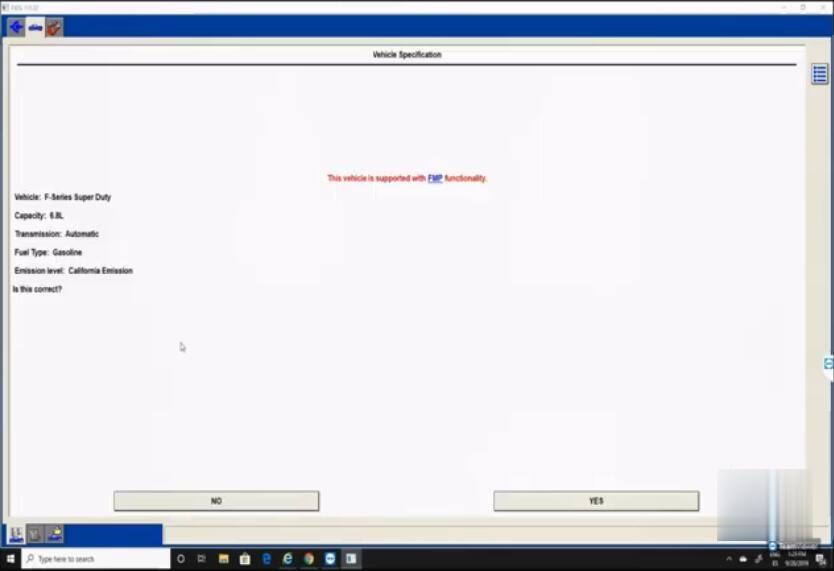
Confirm vehicle information
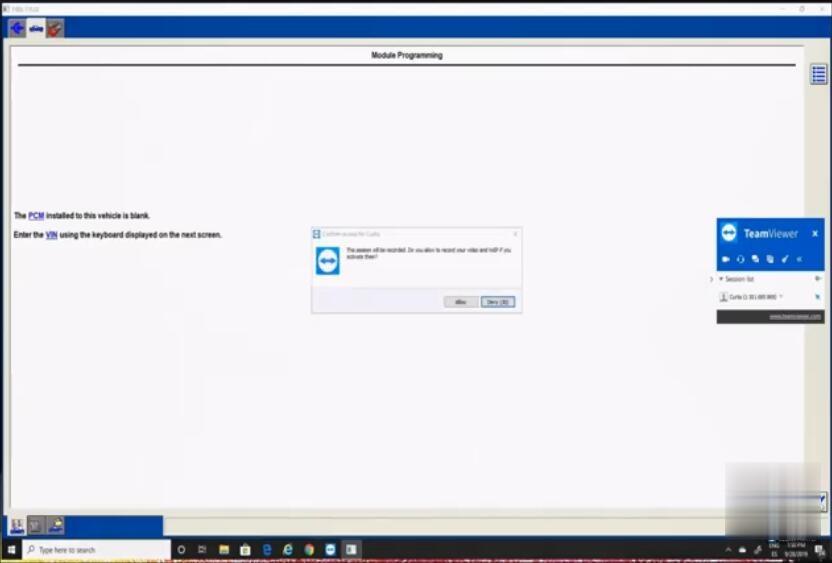
Follow the prompt to Enter VIN
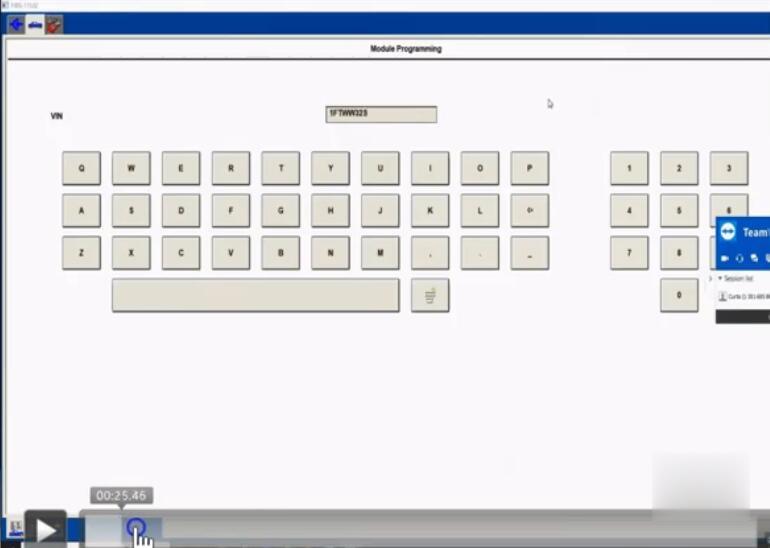
Insert VIN number and Tear Tag information
Note: Do not start a reprogramming session with a low battery in the vehicle and programming tool.
The fuel pump and the engine cooling fan(s) may run during the following procedure.
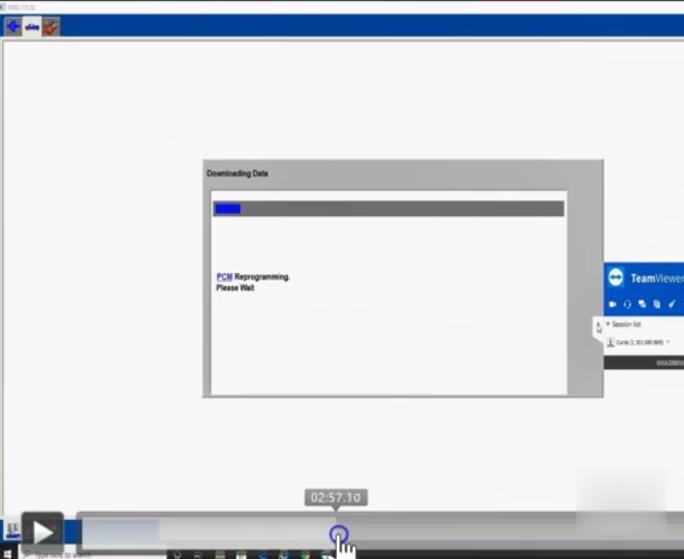
PCM reprogramming is in process
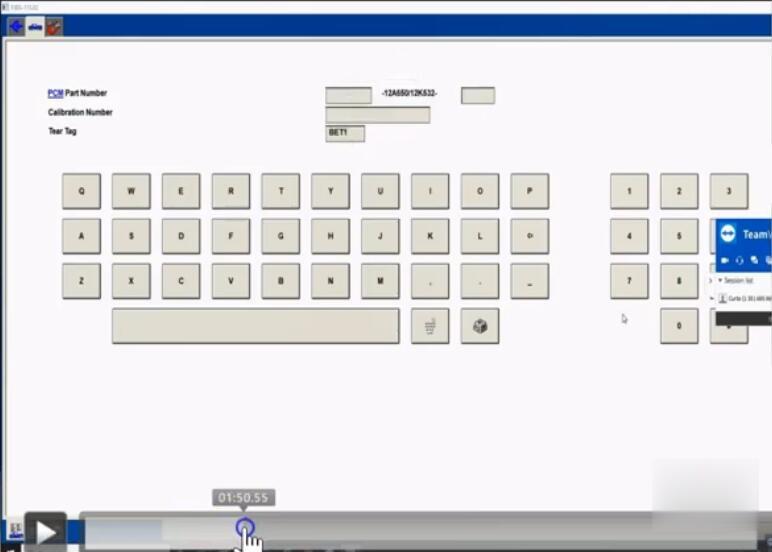
Then continue to follow prompts
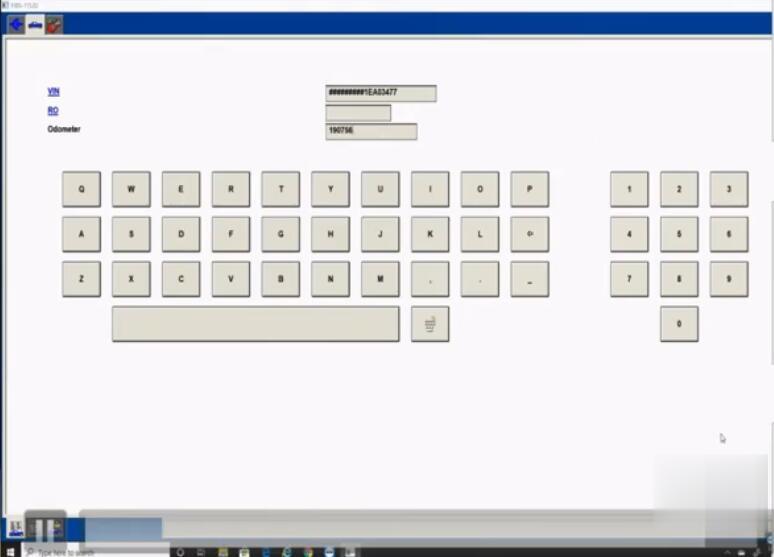
Check VIN and insert mileage
Follow prompts until succeed.
Done.
Posted by: Emily white at
11:22 AM
| No Comments
| Add Comment
Post contains 290 words, total size 8 kb.
June 15, 2020
Posted by: Emily white at
08:08 AM
| No Comments
| Add Comment
Post contains 149 words, total size 2 kb.
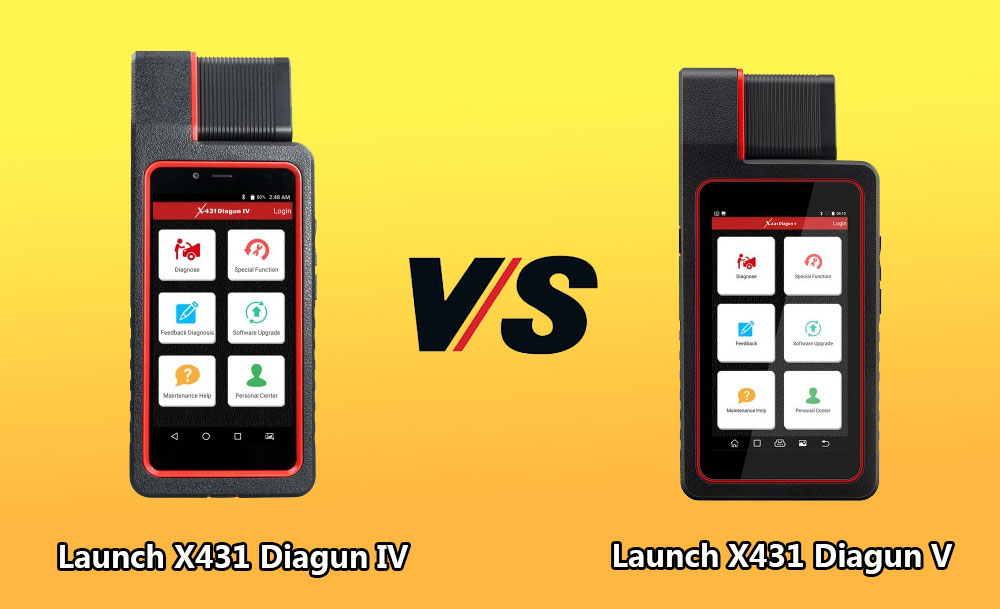
Launch X431 Diagun V wins X431 Diagun IV in:
– Upgrade in processor, memory, storage, battery, camera etc.
Which means the machine will run faster.
| Product | X-431 Diagun IV | X-431 Diagun V |
| System | Android 7.0 | Android 7.0 |
| Screen Size | 5.5-inch HD 720*1280 | 5.5-inch HD 720*1280 |
| Resolution | 720*1280 | 720*1280 |
| Processor | Quad-core 1.1GHz | Quad-core 1.3GHZ |
| Memory | 1G | 2G |
| Storage | 16GB | 32GB |
| Battery | 2500mAh | 4680mAH |
| Camera | Front 2 million, rear 8 million | Rear 5 million |
– Launch X431 Diagun V comes with full connectors, no basic version, which mean it will have a wider vehicle coverage.
Look at Diagun V package will all connectors:
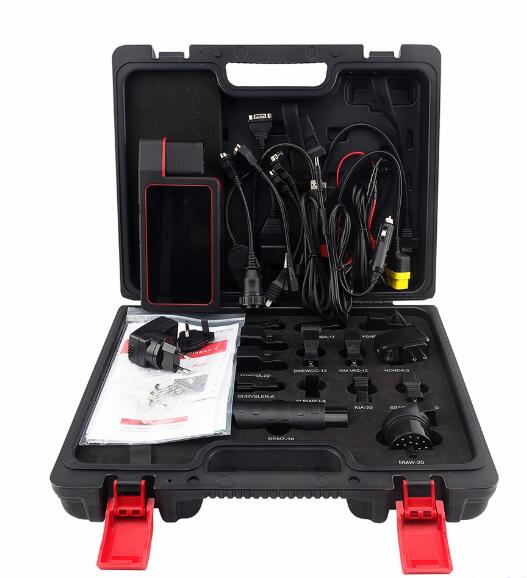
Launch X431 Diagun V is as the same as X431 Diagun IV in:
– Both come with DBScar
Bluetooth: Within 10 meters
Diagnostic Method: Bluetooth + Wired
– Same diagnostic functions:
Read DTCs, Clear DTCs, Read Data Streams, Actuation Test, Special Functions, Coding, and Matching, realizing full car model and system fault diagnosis.
– Same Special functions:
service light reset , throttle adaptation , steering angle reset, brake pad reset, TPMS reset, anti-theft matching ,ABS bleeding , battery matching, injector coding and DPF regeneration
– Same Remote diagnosis : Remote diagnosis between workshop
– Same wide vehicle coverage:
Cover the car models from Asia, Europe and America, such as for Maserati , for Ferrari, for Rolls-Royce, for Bentley, For BENZ, For BMW, for Audi…
Carlist:http://qcar.x431.com/serial/layout.action
– Same One-key Upgrade
Once there is a new software version , the system will promptly remind the user to upgrade the version.
Launch X431 Diagun V feedback: a must-have diagnostic tool
Review 1.
X431 Diagun V is one of the best Bi-Directional Scanners on the market. Launch X431 is a great company. They stand behind their product and provide A+ Tech support. I highly recommend their products.
Review 2.
Launch Diagun V is an excellent tool for both professionals and DIYer’s alike. Works well on most 96 and newer vehicles, but will also work on several pre OBD II vehicles.
Review 3.
Just got X431 Diagun V set up was quick. Able to read codes on 1998 Honda. Fixed my vsa and trailer assist on my 2013 Acura mdx. easy to use I scanned 2008 s550 Mercedes Airmatic and worked great to re program suspension.
Review 4.
I want to hate this thing(Diagun V), I dislike this form factor. However this has been a useful tool. I have worked on a 2000 VW Beetle, 2001 Audi A6, 2005 Chevy Avalanche, 2012 Chevy Malibu and a 2013 Buick Regal. Doing some hard work like programming a key fob, diagnosing ABS brakes, and figuring out door locks. This unit has worked out with no problems.
What are needed to be improved:
It won’t program the immobilizer on the VW or Audi but this is due to the lack of information on the vehicles, so the jury is still out on that.
It would be nice to have some information about the reports you can make and possibly send to customers. I am guessing most of the information is online with launch, I just feel that the unit could have been sent with something.
To be upgrading…
Posted by: Emily white at
08:00 AM
| No Comments
| Add Comment
Post contains 571 words, total size 6 kb.
June 02, 2020
V2020.3 software works with MB SD Connect Compact 4 5 for the latest Mercedes Benz cars and trucks, incl. new car of B 246, CLS 218, SLK172, etc.
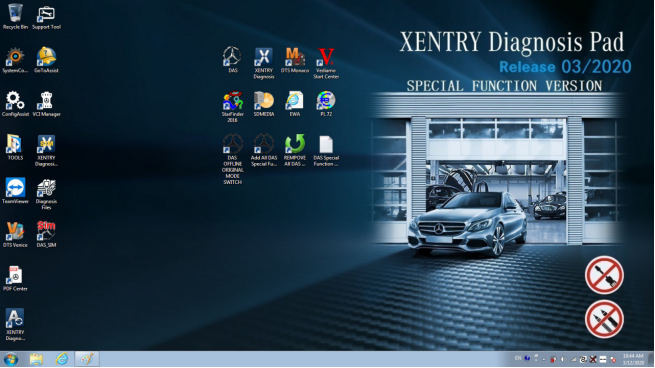
Have collected some common errors received from customer recently, and offer the corresponding solutions here.
Please kindly notice
V2020.03 MB SD Connect C4 C5 software cannot support online programming.
If you want to do online programming, you must have an user name and
password to login in official website.
Error 1 When you run 2020.03 Xentry Software with MB SD C4, the following error will be reported "The data are faulty†and cannot do any function.
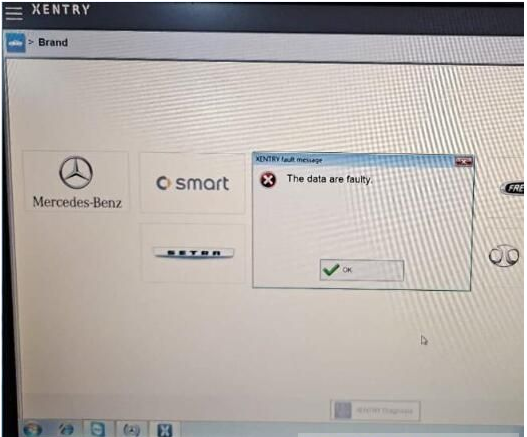
Solution offered by www.obd2tool.com engineer
Caused the error reason Click the upgrade icon as shown in the figure below.
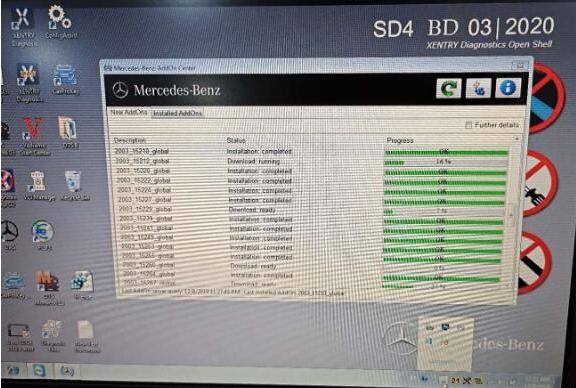
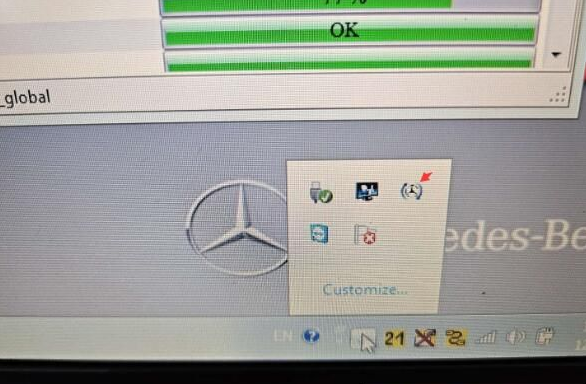
The solution
1. Please don’t click the upgrade icon, otherwise it will update.
2. Change the file name "AddOnCenter.exe†to "AddOnCenter.ex_â€, then it
will not update automatically. After modifying, restart the computer.
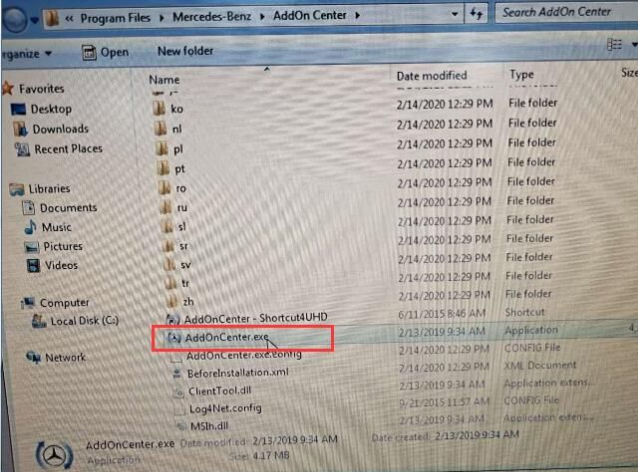
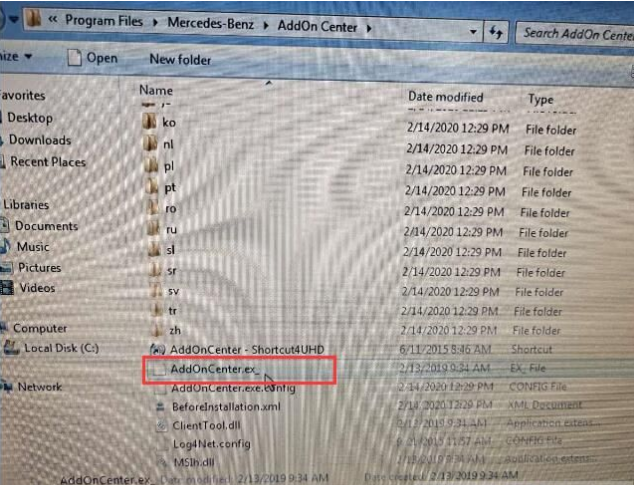
3. After installing the Xentry patch to fix the error, please restart the computer and run Xentry software again.
For your convenience, here is the video of how to fix "The data are faulty†for 2020.03 MB SD Connect C4 software
Note The solution above is suitable for 2019.12 Xentry software "The data are faulty†error as well. But the Xentry patch download link is different.
Xentrypatch2019.12 httpsshare.weiyun.com5dLTPWG
Password mlpnqm
Size 2.02 GB
Security No risk!
Error 2 When running the file "CProgram FilesMercedes-BenzXentrybinXDConfigset_SDconnect.batâ€, the error message prompts "it may not have been possible to find the fileâ€.
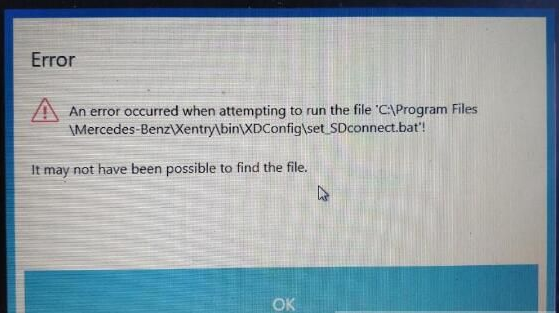
Solution offered by obd2tool.com engineer
Please follow the steps below to operate
1.Press "WIN+R†keyboard shortcuts to open the run window
2. Enter "Services.msc†in the textfield to start the Configassist service
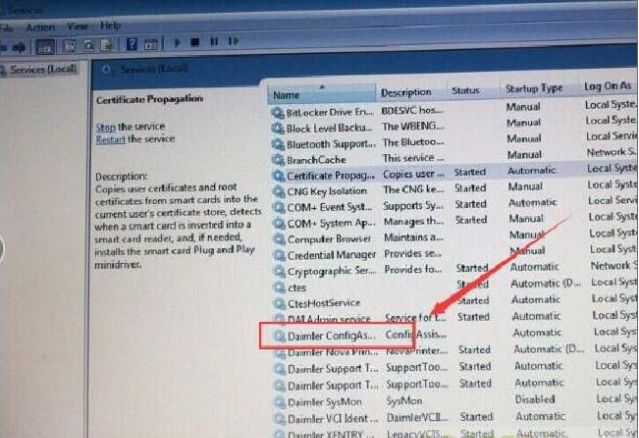
4. Free download the following link to fix.
Xentrypatch202003 httpsshare.weiyun.com5uIxwgI
Password eswr9a
Size 2GB
Security No risk!
MB STARSD C4C5 Software Product software includes
1. DAS 2020.03 the automatically Diagnosis Assistance System
2. Xentry 2020.03 New software released by Bennz Company after 042009 by diagnosis new cars.
3. WIS net 2019.07Workshop Information System
Supply the whole view of the wiring diagram in a car, component location
diagram and maintenance method. What you do is to enter the chassis
number, and then you will get the manufacture data, engine configuration
and the car model -all in detail.
4. EPC.net 2018.11Electronic Parts Catalog
5. ST FinderPart Location Finder options 2008 and 2016
6. STARUTILITIES the movement management system and self-test
7. SD MEDIA 2014
8. PL73
9.Engineer Software:DTS monaco V8.14.016And Vediamo V5.01.01 Support Offline Programming
10.HHT Software for old cars
11. Engineer version Vediamo updated to V5.01.01 ,Engineer version DTS
updated to V8.14.016,Upgrade to the latest version of 2019 data
1) Fix the error that Mercedes-Benz DAS cannot directly call WIS
2) Join the DAS sedan smart offline programming
3) Join the 204 DAS stand-alone version, which can be mutated (German), which is more powerful than Vediamo
4) Join DAS special function password-free access PKW and SMART
5) Repair SMART 450, 451, 452, 454 No longer need TAN Caculator, all offline
6) Increase offline EOL and VMAX all LKW, modify truck maximum speed limit
7) Lift the truck NOx TORGUE restriction, do not need FDOK XT
calculation code, directly enter, directly cancel the legal speed limit,
you can modify without special function
 Clear the truck SCRADBLUE fault code (MR), do not need FDOK XN calculation code, enter directly
9)Add DAS 212,207 prototyp model
10)AddXentry special features and the VeDoc calculator($53 for activation)
Posted by: Emily white at
10:07 AM
| No Comments
| Add Comment
Post contains 586 words, total size 6 kb.
May 31, 2020
Compared with the old Launch X431 V 8 inch version 2017, the new Launch X431 V 8-inch scan tool version 2018 has been improved a lot in hardware including the tablet and the Bluetooth connector.
Look at the chart: Launch X431 V 8-inch NEW and OLD versions comparison
| Specification/scanner | 2018 Launch X431 V 8-inch | 2017 Launch X431 V 8-inch |
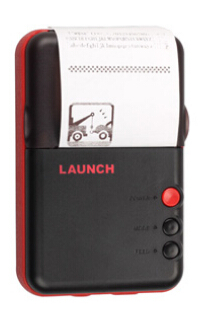
| Scan tool | 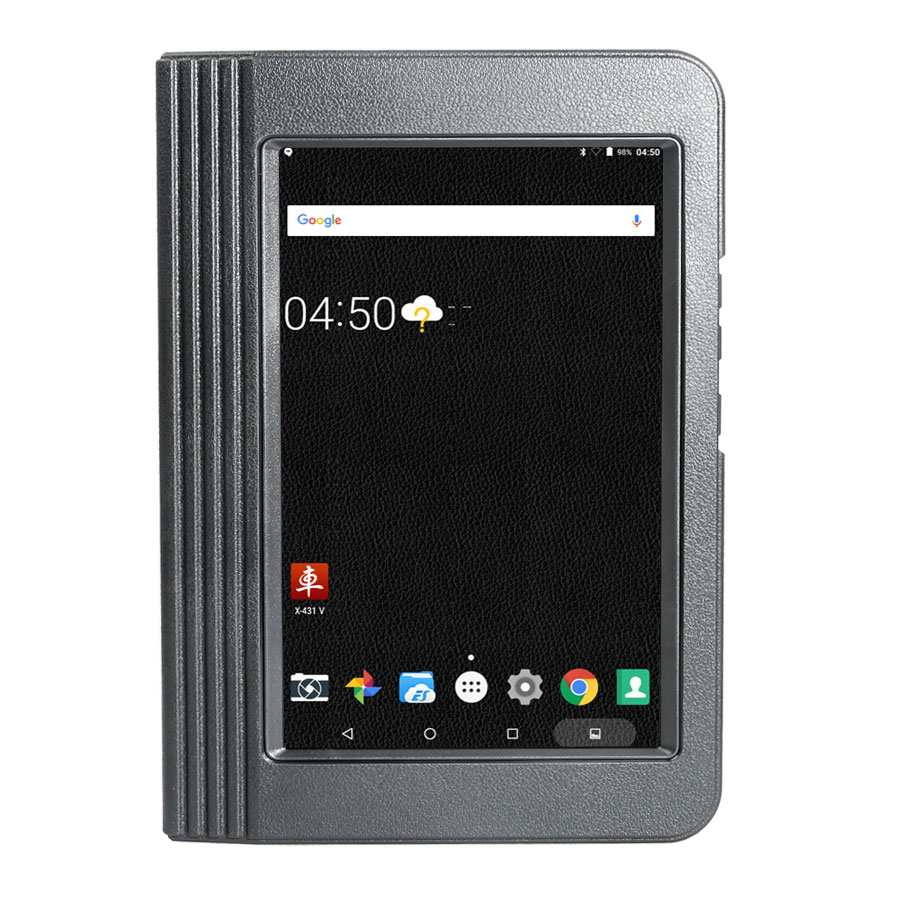 |
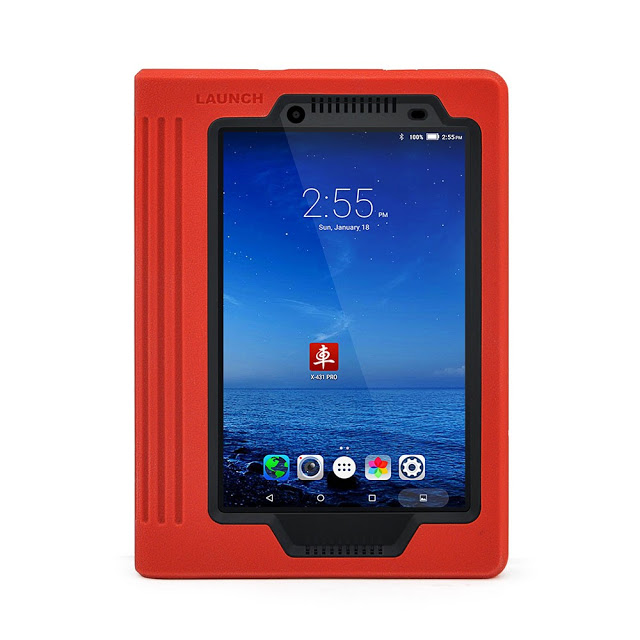 |
| Bluetooth adapter | 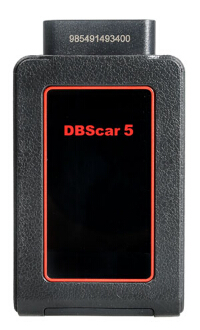
Cover 10 meters or less |
Cover 10 meters or less |
| System | Android 7.1 | Android 6.0 |
| LCD screen | 8 inch with 1280*800 resolution | 8 inch with 1280*800 resolution |
| CPU model | Qualcomm Snapdragon 425 | MT816P (mt6835m) |
| Processor | Quad Core 1.4GHz | Quad Core 1 GHz |
| Memory | 2GB | 1GB |
| Storage | 16GB (Expandable up to 128GB) | 16GB (Expandable up to 32GB) |
| Battery | 4850mAh | 4200mAh |
| Front camera | No front camera | 200W |
| Rear camera | 500W | 500W |
| Free update | 2 years | 2year |
With hardware improvement, the Launch version 2018 runs faster and more stable in diagnostic tests on vehicles.
YOU HAVE TO READ: Why should you have a 2018 Launch X431 V 8-inch tablet, not other diagnostic tools?
Launch X431 V 8-inch scanner, GOOD or NOT?
Definitely yes! It’s worth every penny!
Why Launch X431 V, NOT Autel DS708?
Hardware
TheLaunch has higher hardware configuration while the Autel ds708 stops production.
Language
Launch has 23 languages available while ds708 has 6 only.
Launch x431 supports English, German, Japanese, Russian, French, Korea, Arabic, Spanish, Italy, Portuguese, Polish, Turkish, Dutch, Greek, Hungarian, Arabic, Danish, Persian, Romanian, Serbian, Finnish, Swedish and Czech
Vehicle coverage
Launch supports much more vehicles worldwide, about 69 car brands about 220 models from European, USA and Asian
But ds708 works with 40 car makes around.
Special functions
The x431 v has the following special functions inside but ds708 has nothing:
Oil Reset Service, Steering Angle Calibration, Electronic Parking Brake Reset, Battery Register / Battery Maintenance, ABS Bleeding, Electronic Throttle Position Reset / Learn, Diesel Particulate Filter (DPF) Regeneration, Tire Pressure Monitor System Reset
In detail…
Why 2018 Launch X431 V, NOT Autocom or TCS CDP Pro?
Here are reasons why you should have a 2018 Launch X431 V 8-inch tablet instead of an Autocom or TCS CDP Pro:
Launch X431 V vs Autocom vs TCS CDP pro… Here you go
1– Handy
Launch X431 V 8″ is compatible with Android tablet and` phone, it is handheld and no bother installing driver and program.
Cracked Autocom/Delphi Ds150e is windows-based and need to install driver.
2– Function (special function):
Autocom/Delphi Ds150e Clone is with normal function, A LOT OF SPECIAL function DOES NOT EXIST OR DOES NOT WORK.
Launch X431 V 8″ covers full range car models and perform full car
system diagnosis include: Read DTCs, Clear DTCs, Read data stream.
X431 V 8 inch includes more special functions incl. Oil Reset Service,
Steering Angle Calibration, Electronic Parking Brake Reset, Battery
Register / Battery Maintenance, ABS Bleeding, Electronic Throttle
Position Reset / Learn, Diesel Particulate Filter (DPF) Regeneration,
Tire Pressure Monitor System Reset, specifically, BMW idle study, BMW
injection rate adjustment, BMW battery replacement, Nissan matching key,
Renault – airbags coding ON/OFF, like on Clip tool.
Programming: some models support online programming.
3– Database:
In short I suggest buy original launch X431 V 8 inch for 799$ and you
will have best solution because of the price of what you pay.
The only way that you have that big database and functions is to buy
original software from Delphi, autocom or wurth, because there is no new
version than 2014r3 / 2015r3
And Launch X431 V haves far more than Delphi and others because launch
you can have with 2016 database and even 2017 database for Ford and
Mazda incl. Escape, MKC, Fusion, MKZ, Expedition, Navigator, Transit
Connect, Explorer, Transit Connect, Super Duty, F150 etc. and believe me
it is big difference.
4- Vehicle coverage:
X431 V is much better in model coverage for old Asia (10+ years,
basically Autocom/Delphi will never support this models good+Asia
adapters was never developed) and sometime better functions for new Asia
(younger than 10 years, this models are included in AC/D). About
European brands are both tools perfect.
5- After-sale service
Launch X431 V 8″: Tap the "Remote Diagnosis†option and through CC
number no need TV, you could gain instant messaging and remote
diagnosis.
Autocom/Delphi users usually use Team viewer (TV) to get remote assistance by supplier.
6- Update:
Launch X431 V 8″ update is free for the first two years and upgrade every one month.
Autocom/Delphi Ds150e Clone is no new version than 2014.03v / 2015.03v for long time.
7- Legalization
If you want it legal, then you can buy Launch X431 V 8 inch, it has the
same functions like X431 V 7″, run faster than 7″ since it has better
configuration.
8- Language available
Launch X431 V 8″ language available: English, German, Japanese, Russian,
French, Korea, Arabic, Spanish, Italy, Portuguese, Polish, Turkish,
Dutch, Greek, Hungarian, Arabic, Danish, Persian, Romanian, Serbian,
Finnish, Swedish and Czech.
Autocom/Delphi Ds150e Clone language available: English, Spanish, French, Italian, Portuguese, Czech, Dansk, German, Turkish, Greek, Dutch, Hungarian, Norwegian, Polish, Romanian, Russian, Serbian, Swedish.
In conclusion:
It all depends what do you need and do you really have to have it
software + interface genuine, if yes then I recommend Delphi (CDP or
Multidiag pro) if you are new to diagnostic world, but if you need
original interface and to buy license for launch separately then I would
choose launch x431 v 8 inch tablet, because it will cost you a lot
cheaper. You will get what you pay for.
In detail…
Posted by: Emily white at
10:34 AM
| No Comments
| Add Comment
Post contains 931 words, total size 10 kb.
Vpecker and Launch ICARSCAN,which one is a better OBD2 fault code reader? One of our customer has tested both and made a comparison of Vpecker easydiag wifi wireless diagnostic scanner and Launch iCarScan scanner (iDiag’s replacement) on several models.
Tested tool:
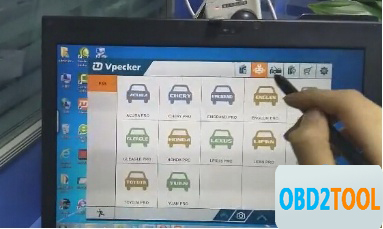
VPECKER Esaydiag
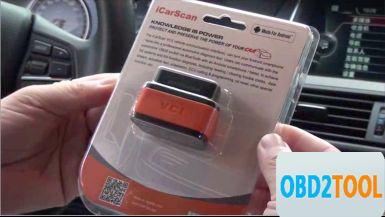
Launch X431 iCarScan (sometimes i called it iDiag also)
Tested model:
Mazda 6 GH 2.0 diesel 2008
Toyota,
Honda,
Scion
Tested results:
Functions
To be honest, Launch iScan have a lot more options on that car then vpecker, for example on engine it can only read few parameters and it can read and clear trouble codes thats it nothing else on engine not even dpf regeneration, idiag have more to offer for that car, i tested on few more cars. I think what it can do more with special functions is for Toyota,Honda,Scion. But since it is original interface and software price is ok for it (cost $210).
So for now vpecker OBD2 scanner is good because it is even much faster than launch and original for good price ($159), but not even close to Delphi or Launch because of the functions that it cannot do.
Update
VPECKER Esaydiag and iScan fault code reader are updated online via Win XP~Win 10 system. Very very easy to update. So they can work for all cars until 2015.
Language
Vpecker does better in language compatibility, covering 25 main languages worldwide; while Launch seems less, with 9 languages only. So if languages depend on customers, Vpecker will cover more.
Ps. Vpecker language:
Italian, Chinese (Simplified), English, Chinese (Traditional),
Japanese, German, Russian, French, Spanish, Portuguese, Polish,Turkish,
Dutch, Hungarian, Korean, Czech, Arabic, Indonesian, Persian, Thai, Vietnamese, Finnish, Swedish, Romanian, Bosnian, etc.
Launch language:
English, French, Russian, Japanese, German, Spanish, Italian, Portuguese, Chinese
That’s it. I should say, each one has its own merits and demerits, but both VPECKER Esaydiag and Launch X431 iCarScan work ok until now. A successful purchase from China.
Posted by: Emily white at
09:19 AM
| No Comments
| Add Comment
Post contains 328 words, total size 3 kb.
May 05, 2020
It is the Upgraded Version of Autel Maxisys MS908P Pro. For the many years that I have repaired and maintained different car models and makes in my car repair shop, this has been one of the most reliable scanners that I have used over the years. Read this Autel Maxisys Elite review to know more about this advanced diagnostic tool.
Who Will Buy theAutel Maxisys Elite Diagnostic Tool?
The Autel Maxisys elite diagnostic scanner is the perfect scanner for busy and professional mechanics as well as technicians. Let the price not deter you from acquiring this fast, efficient, and comprehensive diagnostic scan tool. You can also use it on a variety of car brands, and its ergonomic design is fun to have in the hands. The Wi-Fi connection makes updating easy, and the large LCD displays make reading and erasing codes to be quick.
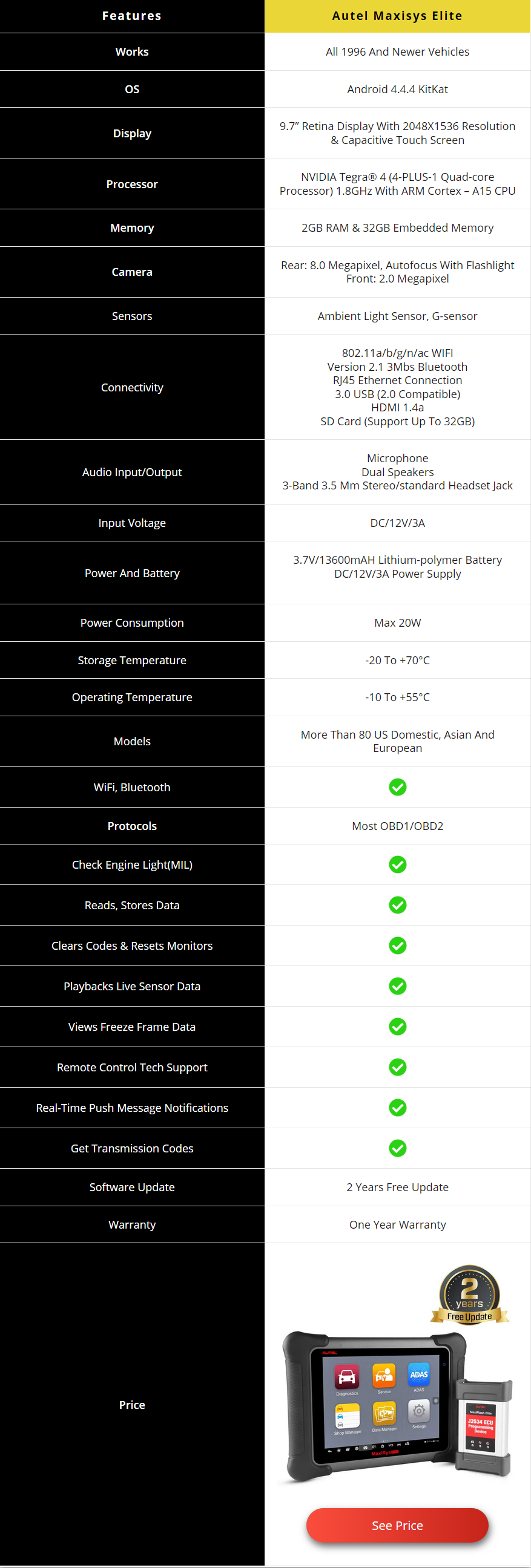
Review of Autel Maxisys Elite
Let’s take a closer look at this scanner:
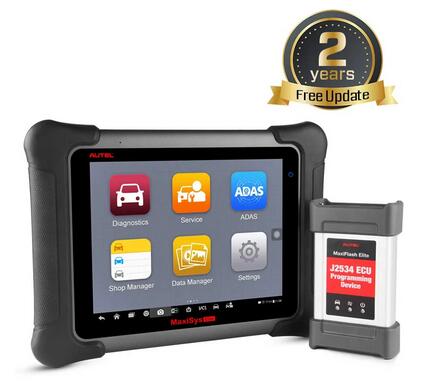
PROS
Online Programming
Smart Device
Powerful and Extremely Efficient
Mobile
Full OBDII Functions
Advanced Functions
Extensive Vehicle Coverage
Accurate Diagnosis and Analysis
Ergonomic Design
Automatic System and Software Update
CONS
Quite Expensive
Not Compatible With All Vehicles
To learn more about this top quality scanner, we’ve highlighted its features, benefits and some of the setbacks it faces.
Features
Broad vehicle coverage
Advanced ECU coding and programming
Grease and water resistant
32GB storage
8 GHZ quad-core
13600mAh lithium polymer battery
Large LCD display
Enhanced wireless connectivity
Unique ergonomic design
Rubberized protection
Rugged internal housing
Interactive data logging
Automatic system and software update
Uniquely integrated vehicle programming
Full OBDII automotive scanner
Maxifix platform
Benefits
Online Programming
This scanner enables you to perform online ECU programming just like the Autel MS908CV scanner. The Maxisys Elite is one of the best-advanced scanners and has the most uniques features. Online programming helps professional mechanics and technicians to troubleshoot and deal with complex vehicle problems. All you have to do is to follow instructions carefully when solving the problems.
Smart Device
This scanner is not only versatile, but it also features some outstanding functions such as automatically reading VIN and one-click upgrade. In addition, it features the Autel cloud technology like the Maxifix platform, data feedback, and data management provide you support anytime anywhere.
Powerful and Extremely Efficient
The Autdr that offers you a fast operation speed and a quick diagnosis, the boot-up time is within 20 seconds. All of these combined together provide you with an excellent diagnostic experience. As a matter of fact, it is 3 times faster than normal scan tools.
Mobile
This automotive diagnostic scan tool comes with an outstanding functionality that functions on most OBD1/OBD2 protocols, the enhanced wireless connectivity between the tablet and VCI device that allows greater mobility and ease at work. So, you will have a simple time using this car scan tool. Also, it has a Bluetooth feature.
Full OBDII Functions
Similar to many Autel scan tools, the Autel maxisys elite can perform all the OBD II test modes. These include the latest powertrain diagnostic data, freeze frame data, emission diagnostic trouble codes, emissions diagnostic data, oxygen sensor monitoring test results, onboard monitoring tests, VIN, and many more.
Advanced Functions
Besides offering all the OBD II test modes, the scanner as well provides the user with advanced functions such as coding functions, ECU matching, SAS reset, DPF reset, Tire pressure reset, Anti-theft matching, Throttle matching, and injector programming. All these functions make this device to be an exceptional one. If you are a beginner mechanic and don’t need this type of advanced features, then you can look at the Autel maxicheck MX808 diagnostic scanner.
Extensive Vehicle Coverage
This is one of the broadest diagnostic scanners that you will come across. This automotive code reader has exceptional coverage of more than 80 US, European, and Asian makes and models. It covers vehicle brands like GM, Ford, Toyota, Nissan, Chrysler, Benz, BMW, Maserati, Honda, Hyundai, Subaru, and many others. That’s why it is great for commercial use.
Accurate Diagnosis and Analysis
It is also one of the most accurate and efficient code readers on the market. The scan tool supports for first-hand troubleshooting of diagnostic bugs and faults, and one-stop multitasking created for the suitable management of workshop tasks to keep all data files, customer information, and vehicle records well organized.
Ergonomic Design
The ergonomic design of the scan tool makes using it to be fun and simple. The large display screen shows all the data to be read or cleared. In addition, it has rubberized outer protection for durability and rugged internal housing.
Automatic System and Software Update
Unlike other sophisticated scan tools, the Autel maxisys elite scanner offers an automatic system and software updates with real-time push message notifications. This is through the internet with instant remote control tech support. Also, it has interactive data logging sessions that allow you to have direct contact with Autel technicians for any help at any time.
Shortcomings
Quite Expensive
If you’re looking for a simple and personal code reader, then look away. The Autel maxisys elite scan tool is very costly and not good for individuals. Actually, it is one of the most expensive scanners on the market. If you are looking for a cheaper option, then you can consider buying the Autel Maxisys MS906 scanner.
Not Compatible With All Vehicles
This is another major challenge with most of the Autel scan tools. Before purchasing this scanner, you should find out what types of cars and models are compatible with it. You don’t want to spend a lot of cash only to find out that the scanner cannot work on the type of vehicles that you deal with on a daily basis.
Conclusion
The Autel maxisys elite scan tool is specifically built for commercial use. Individuals can as well own it, but it will be too costly for them. It is great for professional mechanics who handle different car makes on a daily basis. The Autel maxisys elite automotive diagnostic scanner is a very interesting tool to have in your shop as it has exceptional features, it is effective, easy to use, provides accurate data, and has an advanced ECU coding and technology. I have explained everything in this Autel Maxisys Elite review that you should know about this tool.
People Also Ask
Does the Autel Maxisys Elite Scanner Comes With Troubleshooting Feature?
Yes, it does. The Autel maxisys elite diagnostic scanner can diagnose vehicles, read and clear DTCs. Also, it can do ECU coding and programming. As a matter of fact, the maxisys elite scanner is one of the most advanced tools on the market with a wide range of outstanding features. It can be used on the different car make and performs all OBD2 functions.
Can I Use This Scanner to Calibrate Seat Sensors?
Of course, you can. This Autel maxisys elite scanner can do on most cars. But before you buy it, get in touch with Autel and find out if it’s compatible with your car make or model. Some users have reported compatibility problems, and you don’t want to be one of them.
How Important is the Freeze-Frame Feature in a Diagnostic Scanner?
This is a standard feature built into all OBD2 systems that normally takes a snapshot of data when an emissions-related diagnostic trouble code sets. By default, there are some scanners that may only retrieve one frame of captured data on demand. But some manufacturers build in expanded freeze-frame data capture routines that show more than a standard frame. In order to pull this expanded data, it normally needs a scanner with expanded freeze-frame retrieval capabilities or an original equipment diagnostic scanner.
This Autel Maxisys Elite review article was helpful? Comment below if you have any question.
Posted by: Emily white at
04:58 AM
| No Comments
| Add Comment
Post contains 1361 words, total size 11 kb.
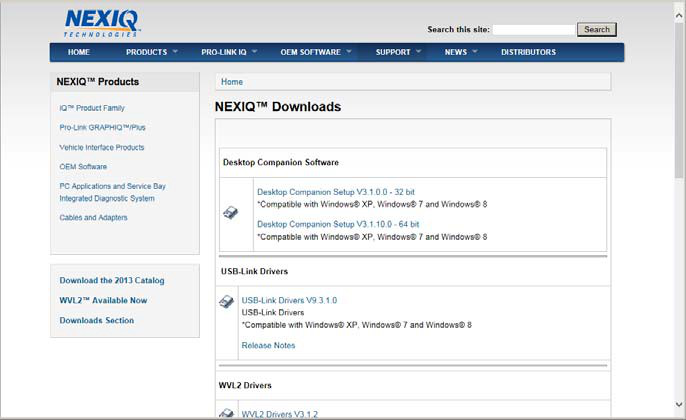
2. From the USB-Link 2 Drivers section, select the latestversion of the USB-Link 2 drivers.
3. Carefully read the End User License Agreement.
4. Scroll down to the bottom of the page and click on Accept.
5. Click on the software title to begin the download.
6.Click on Run (if your browser is Internet Explorer).
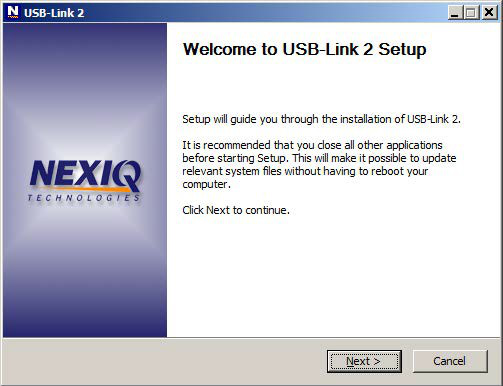
7. Read the information displayed on the screen, and click Next.
The License Agreement screen is displayed.
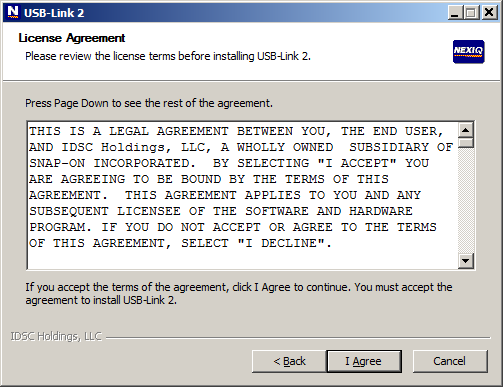
8 Read all the information on this screen, then click I Agree.
The Choose Components screen is displayed.
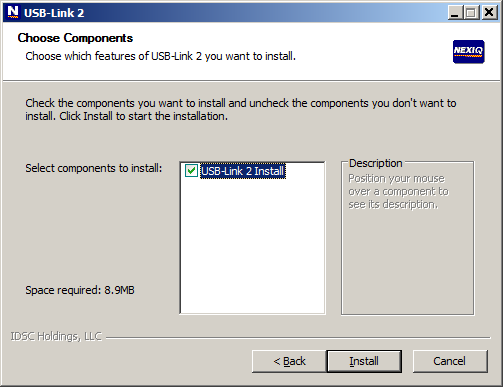
You can position your mouse over the component (i.e., USB-Link 2 Install) to view its description.
9. Click Install.
The following warning message is displayed.
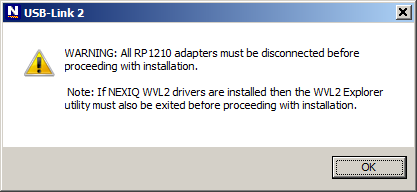
10. Carefully read the warning message, and disconnect all RP1210
adapters to which to which your laptop or PC might be connected prior to
proceeding with the installation.
11. Once you have complied with the requirements of the warning message, click OK.
The following screen is displayed.
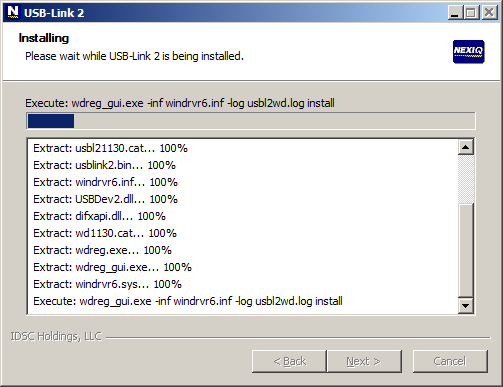
12. Wait briefly while the Heavy Duty Truck Scan Tool USB-Link 2 is installed.
13. Move on to Installing the Device Tester, next in this chapter.
14. USB-Link 2 Installation and Setup Manual
If you are running Windows® 7 or Windows® 8, the following Windows Security dialogs may be displayed.
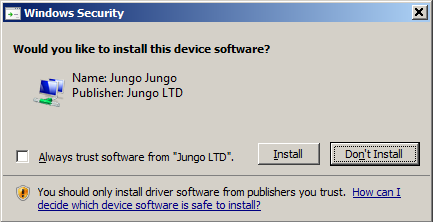
Click Install to continue.
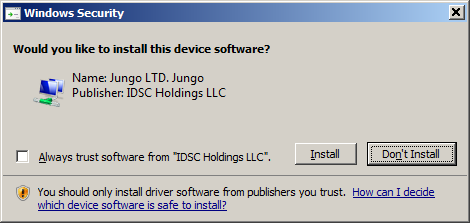
Click Install to continue.
Once the drivers are installed, you are ready to install the Device Tester.
Posted by: Emily white at
04:28 AM
| No Comments
| Add Comment
Post contains 256 words, total size 5 kb.
April 19, 2020
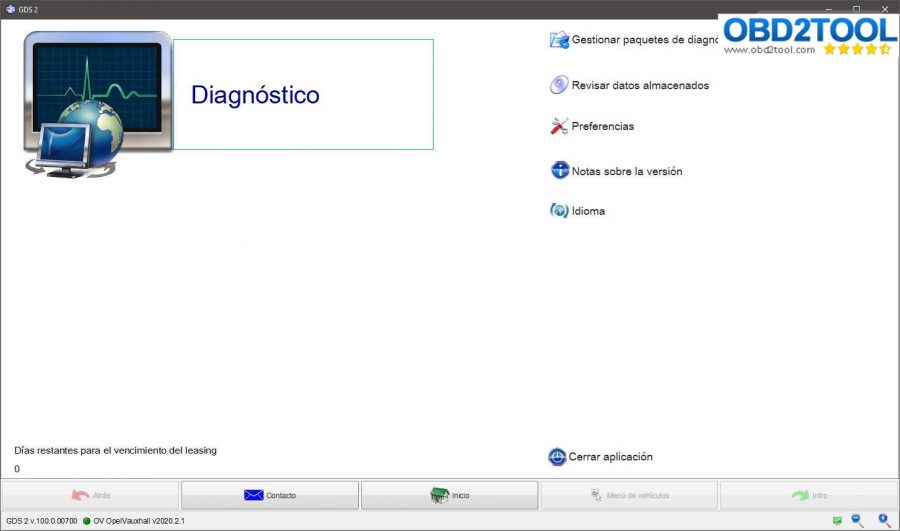
GDS2 V100.0.00700 Opel-Vauxhall deliverables V2020.2.1 + new vci-installer + MD5 hash files.
GDS2 V100.0.00700 Opel -Vauxhall V2020.2.1 + MD5 hash 2020.zip:
https://drive.google.com/open?id=1tAq5QlT4uWUDeExCrnnlOq41uAlFAFo5
https://mega.nz/#F!bdoHkRBC!XvVEeCkavvjuWcxmO6gM_Q?Cc4HEDbQ
Zip File: e257c188fb5b963412126af6010f0cd2
vci-setup.zip:
Link 1: https://drive.google.com/open?id=1z8mUYT9wwmL3IdRZ9COyt44PpZr4YYKg
Link 2: https://mega.nz/#F!bdoHkRBC!XvVEeCkavvjuWcxmO6gM_Q?PFwRQCrA
Zip File: 3db2f711129bfc33670455d1f916c256
Attach images:
GDS2 V100.0.00700 home menu.
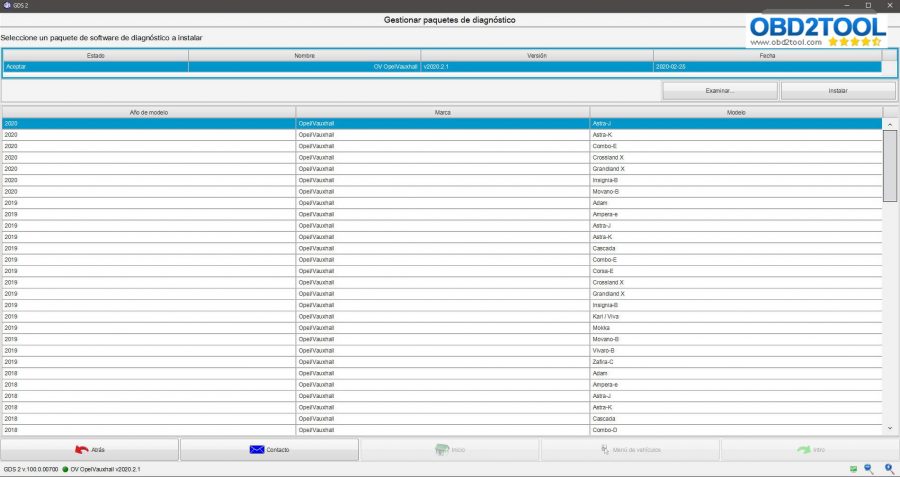
GDS2 V100.0.00700 packets:
GDS2 V100.0.00700 year-up to 2020:
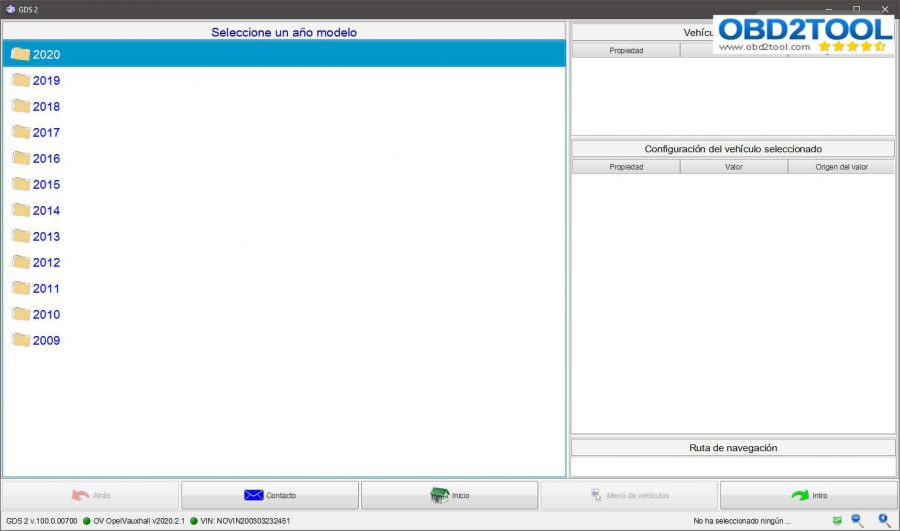
Astra K 2019:
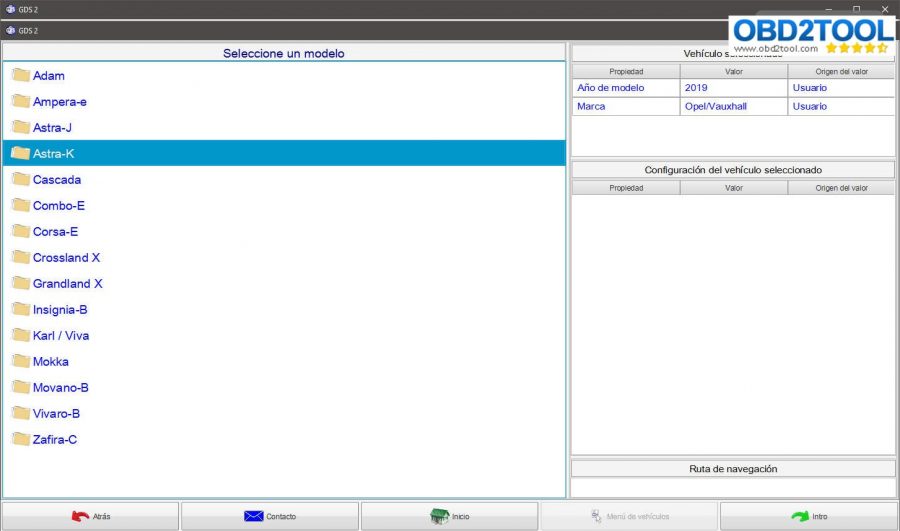
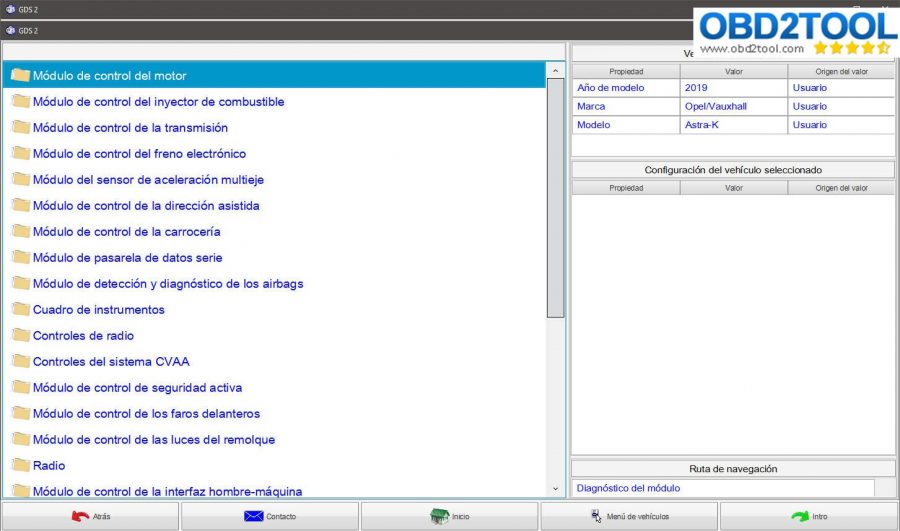
Astra K 2020:
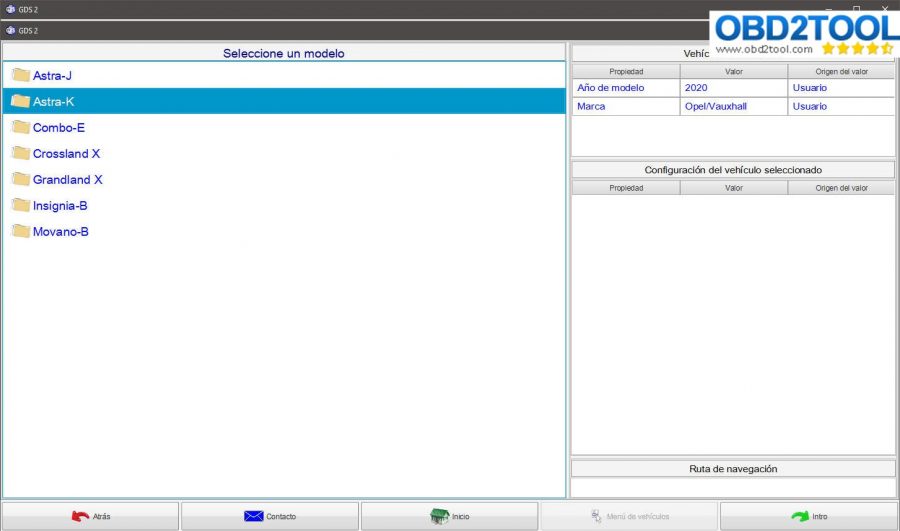
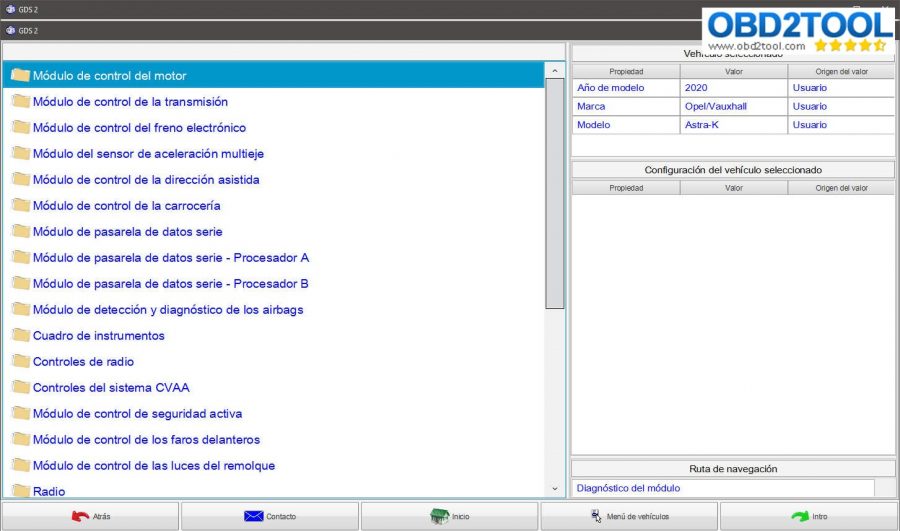
GDS2 V100.0.00700 workable hardware:
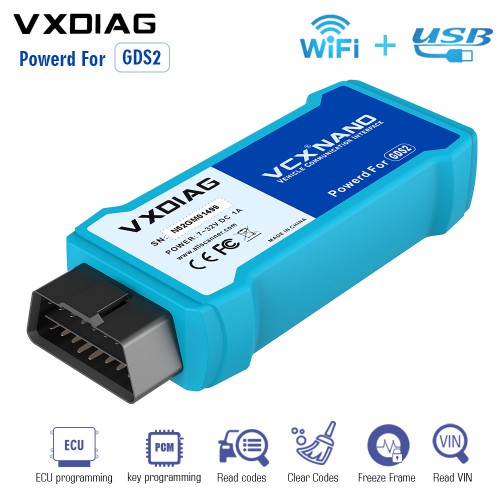
Vxdiag VCX Nano for Opel Vauxhall Wifi version & USB version: Confirmed
This is for vxdiag and the loader will start only with connected vxdiag device.
The device is great to start the program an use my MDI.
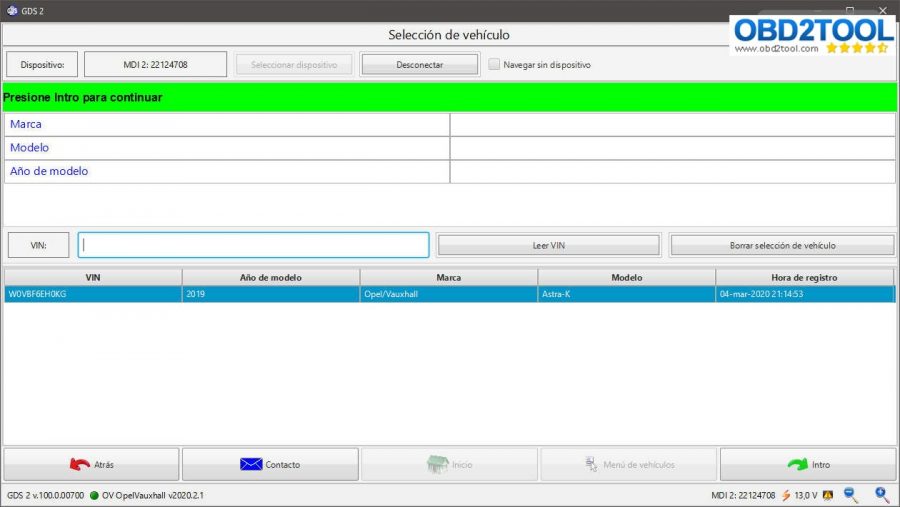
GM MDI:no success
Next is how to install GDS2 2020?
GDS2 2020 installation is as the same as GDS2 2019.2
I found a via to install and activate and works! Lease about of 9400 Days. works with VXDiag connected into USB
Uninstall GDS2 and GDS2 Java from Control Panel, and execute GDS2AutoInstall.exe (this install all automatically) (i used GDS2AutoInstall.exe from another version of GDS2 founded in the net)
then, install VX Manager 1.5.0.0428, (before run GDS2 from desktop, open VXmanager, go to diagnostics, my apps, then install GM GDS2/t2w,) connect the VXDiag and launch the shorcut placed in the desktop GDS2. In GDS2 select connect to MDI2, not to VXDiag.
Differences between GM MDI v8.5.33.53 and v2.5.36.12:
GM MDI v8.5.33.53 – it is the manager for GM MDI and GM MDI2
v2.5.36. – it is the manager for the newest Bosch Opel Vauxhall VCI ( this replaced GM MDI2 )
About GDS2 what the difference between deliverables files : opel and OV_opel, same for GM and OV_GM?
I suppose you already recived an answare at this question in other forum.
After GDS2 split in two one for NA and one for EU the datapackages are diffrent.
Opel and GM Global is for NA GDS2 ( acedelcotds )
OV_Opel and OV_GM global is for European GDS2 ( public.serbicebox-parts )
Opel is a PSA
Chevy is GM
To be more clear:
OV_Opel will cover Opel/Vauxhall upto 2020 and OV_ GM Global cars ( Chevy ) upto 2018.
Opel will cover upto 2018 and GM Global will cover futhure cars.
Futhure opel will be in Diagbox and futhure Chevy will srill be in GM GDS2
Witother words GDS2 EU platforme will have no updates.
Maybe to make you pay they will have newer GDS2 but the coverage will be the same. ( As for SAAB with have packages for each GDS2 version but the car coverage is the same )
https://www.obd2tool.com/blog/2020/04/08/vxdiag-vcx-nano-gds2-v2020-2-1-opel-vauxhall-free-download-and-installation/
Posted by: Emily white at
02:27 AM
| No Comments
| Add Comment
Post contains 426 words, total size 6 kb.
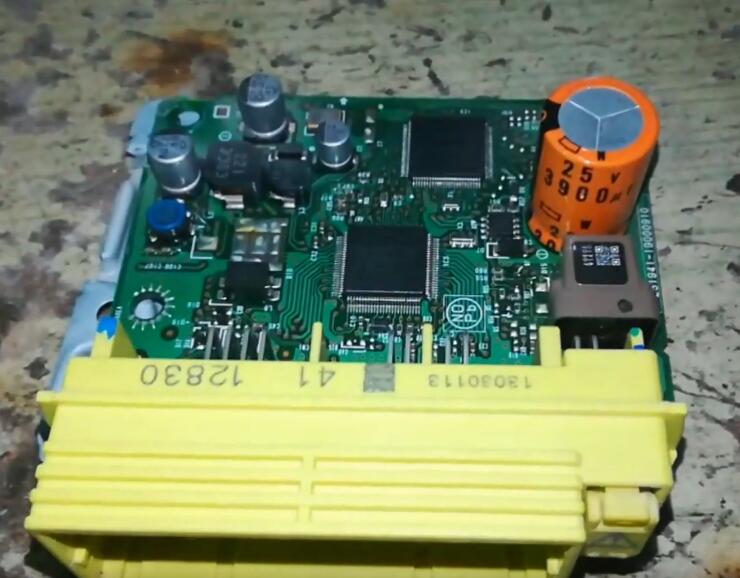
This instruction show you guide on how to use SuperPro programmer to reset airbag crash data for Toyota Corolla 2013.For more airbag reset work,please check here:Automobile airbag reset projects.
Note:Before you remove airbag module from vehicle,please make sure there is no fault code in the airbag system.Use dagnostic software to read DTCs and clear.
Procedures:
Rmove airbag module from vehicle,and remove 93C56 chip from PCB
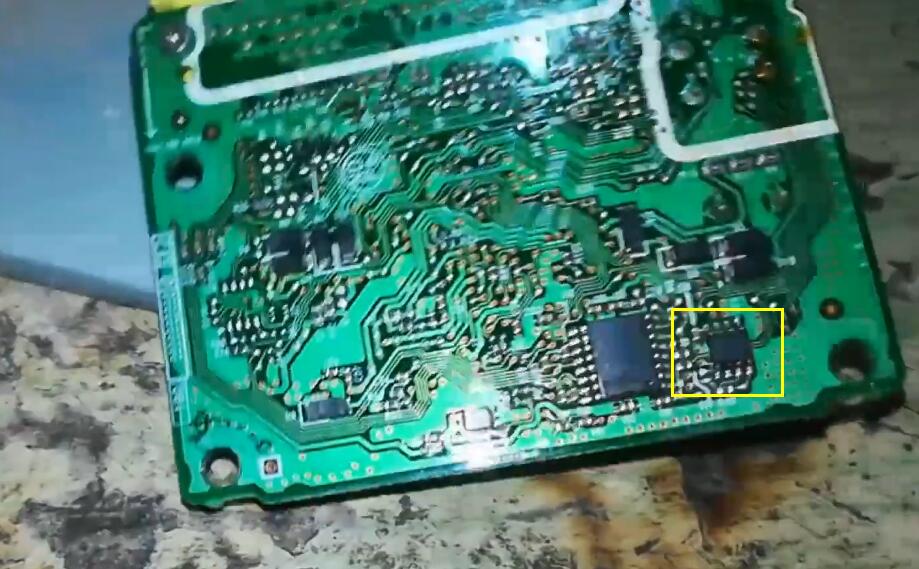
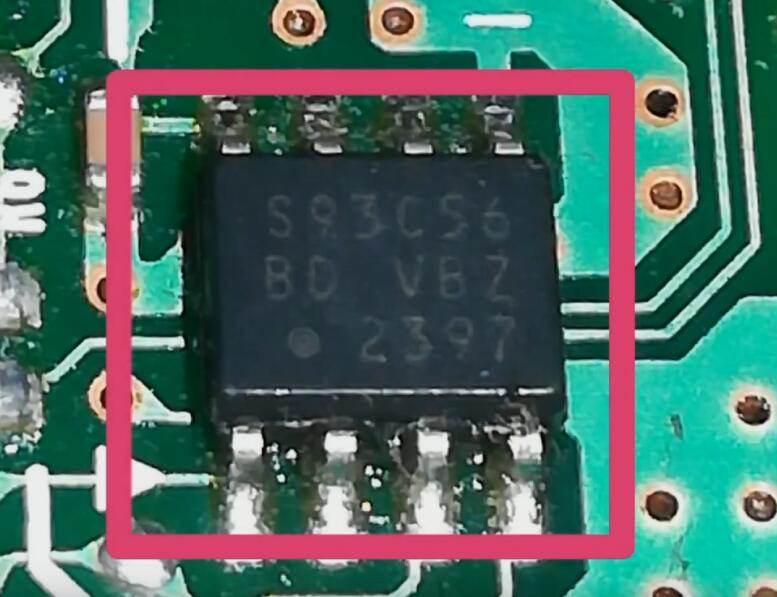 3
3
Install the 93C56 chip on adapter to SuperPro programmer
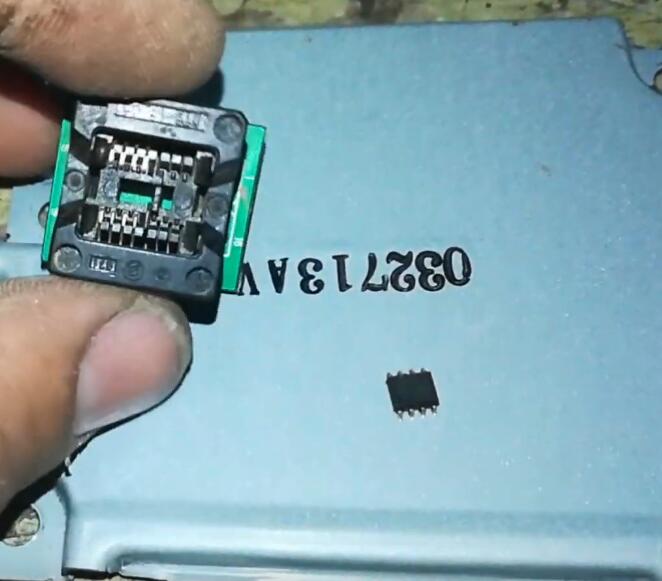
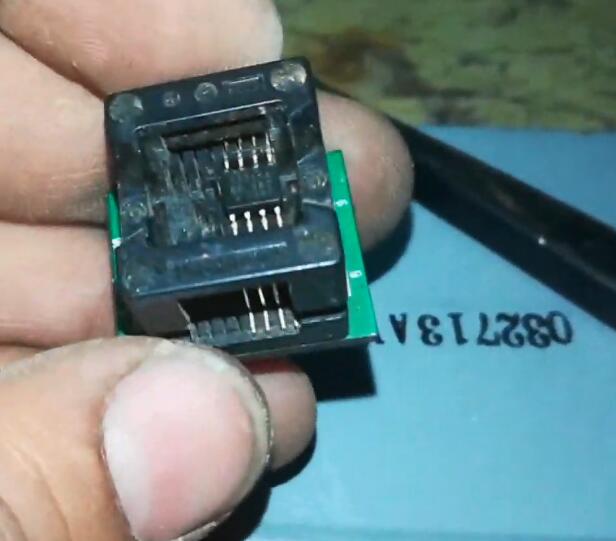
Run SUPERPRO software and read the data from 93C56.
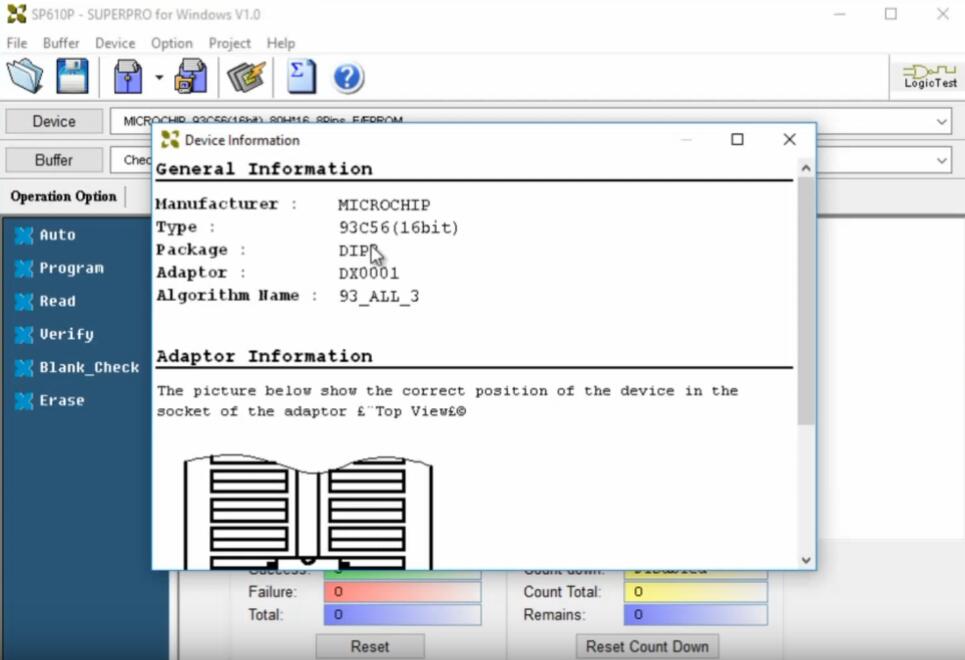
Save the data on your pc
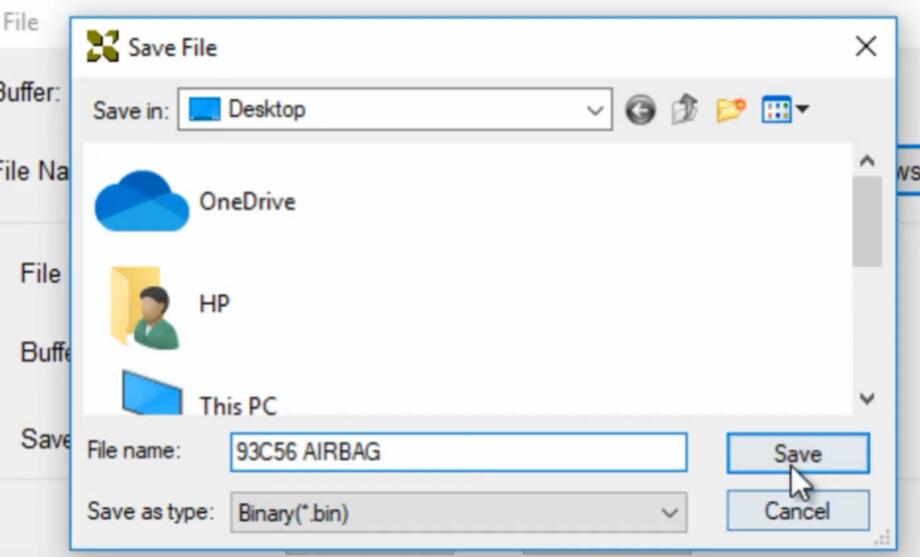
Click "Buffer†button

Click "Program†button
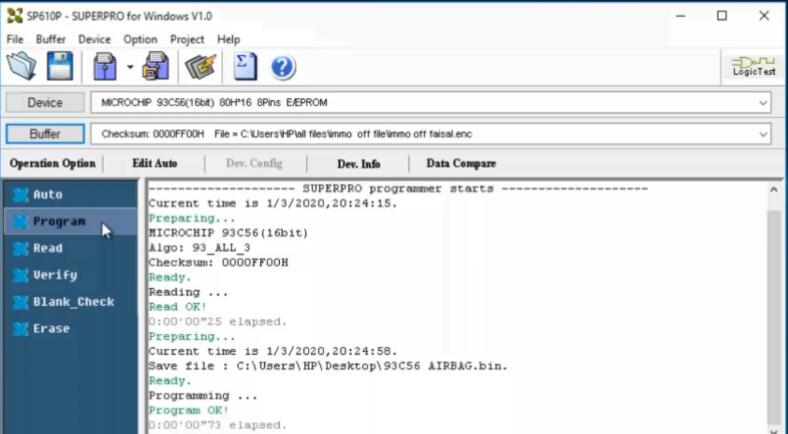
Then click "Verify†button
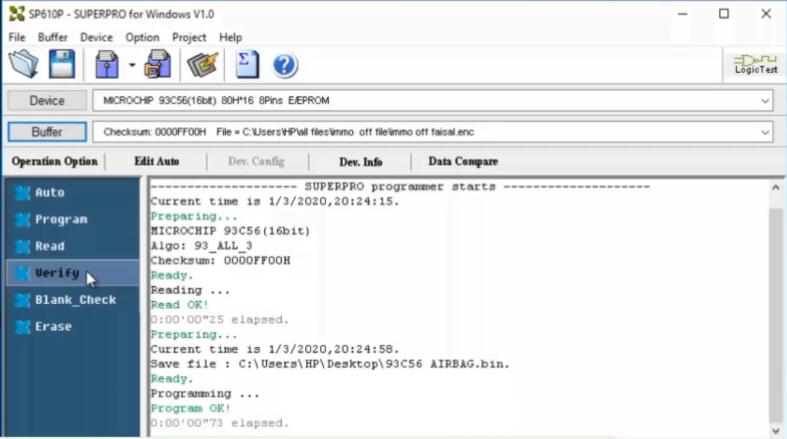
After then you can read the data again and check the data you write into before is right.

OK,then install airbag module back on vehicle to test.
Posted by: Emily white at
02:15 AM
| No Comments
| Add Comment
Post contains 138 words, total size 5 kb.
April 10, 2020
A customer wanted to use Autel MK908P to update his BCM according to the technical service bulliten. It was his first time programming a GM vehicle, when he programming, a message prompted him unable to launch the application.
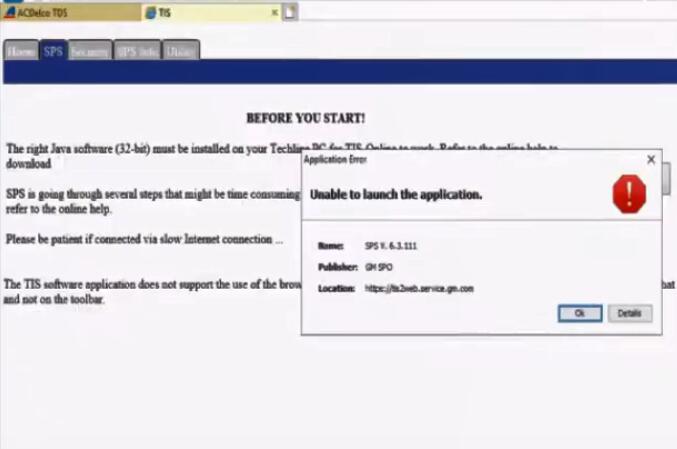
Here is the detailed info he offered:
Device: MK908P+ J2534
Vehicle: 2007 Chevy Avalanche
Problem: BCM had multiple faults. TSB recommend software update
Solution offered by www.obd2tool.com:
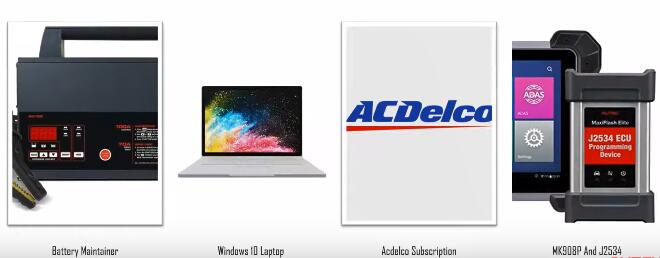
Please make sure the tools you have as below:
1.Need a good battery maintainer not a charger, this will keep the battery on the car have stable voltage that it’s not gonna fluctuate.
2.Windows 10 Laptop
Note: If you use Windows 7 that will be phasing out pretty soon and it’s really slow and there’s been times where I noticed the USB ports don’t give theJ2534 ECU Programmer enough power and there’s a lot of communication issues.
3.ACDelco Subscription
4.Autel MK908P and J2534
Note: Remember to close your car door when programming, otherwise it can’t figure out.
Main steps to solve the problem:
Step 1: Program BCM
Step 2: Configure the BCM by learning the restraints ID
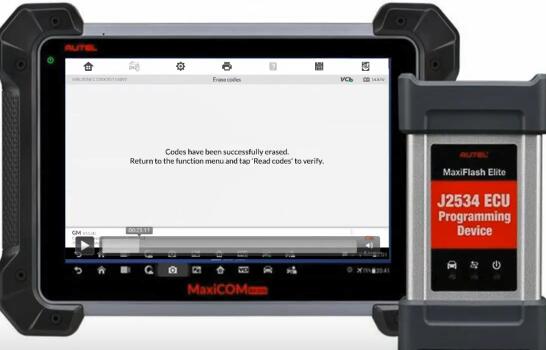
Step 3: Erase error codes
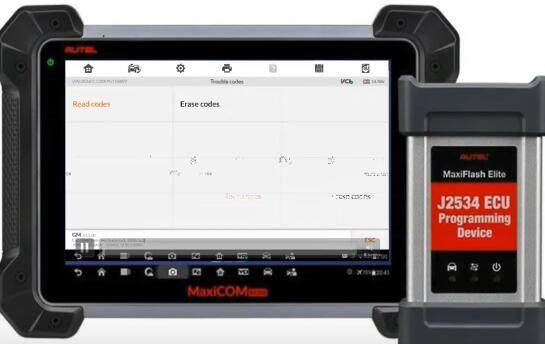
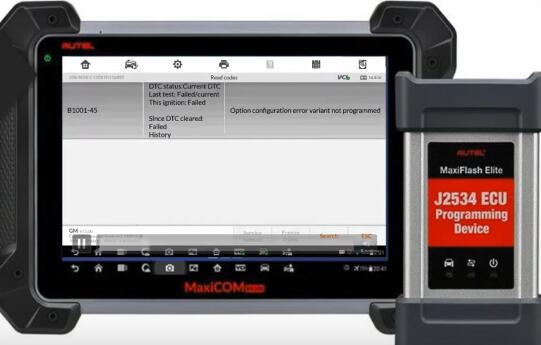
1).Go to Trouble codes page-> erase codes-> read trouble codes
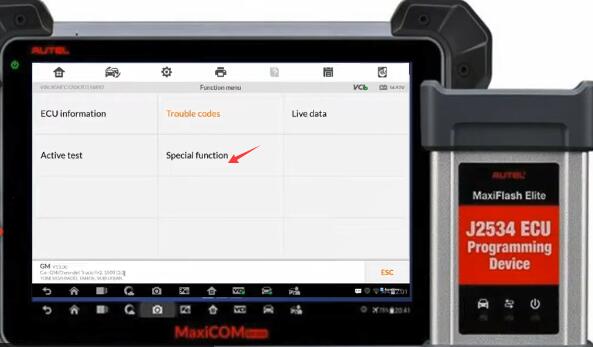
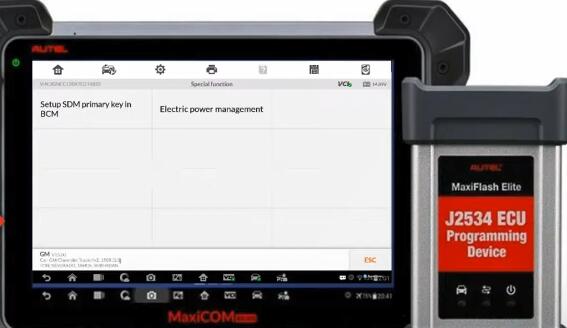
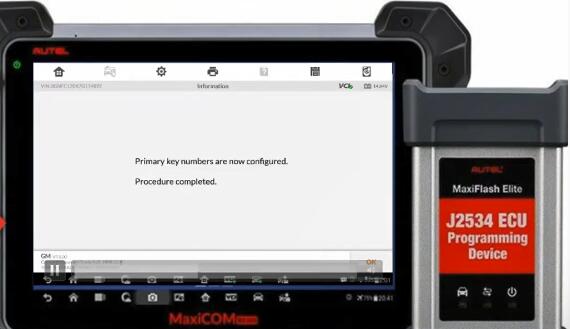
2).Select special function->Setup SDM Primary key in BCM
Customer feedback:
Follow your suggestion, I found B1001-45 error code and erased it. Finally, it’s working!
Posted by: Emily white at
09:43 AM
| No Comments
| Add Comment
Post contains 232 words, total size 5 kb.
32 queries taking 0.0577 seconds, 196 records returned.
Powered by Minx 1.1.6c-pink.

