



August 23, 2020
How-to: export Mercedes Benz HU5 control module data from Xentry and import to DTS Monaco to perform Ethernet DOIP programming successfully.
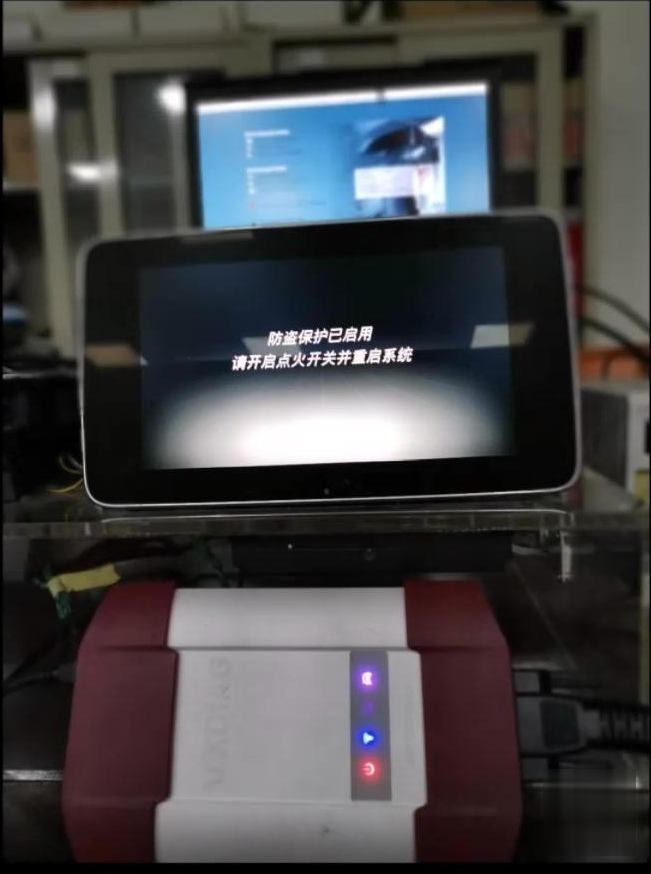
Connect Vxdiag Benz C6:
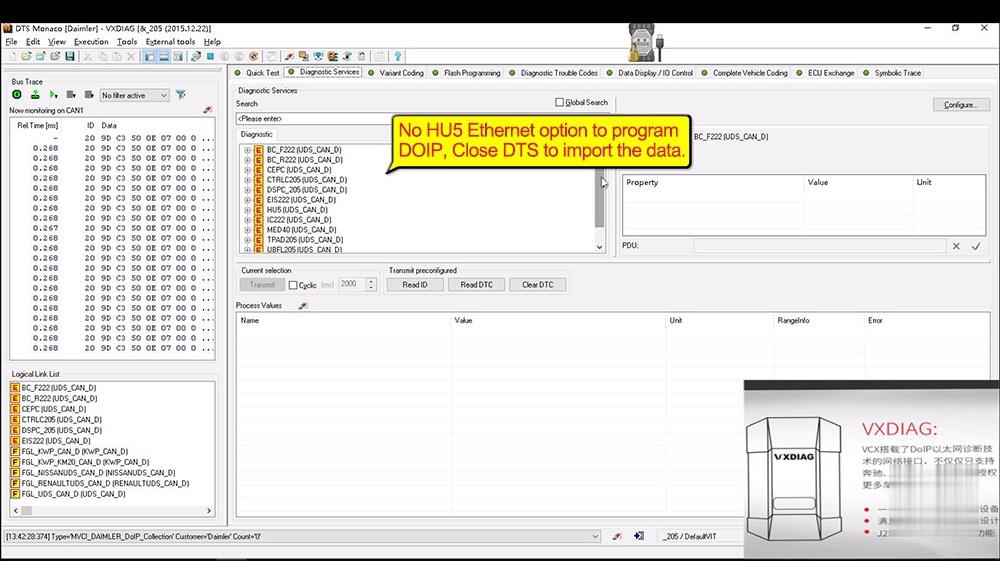
Open DTS Monaco – VXDIAG, click on "Diagnostic Services†and it has no HU5 Ethernet option and can’t program DOIP, click on "File†and then "Close†to exist DTS to import the data.
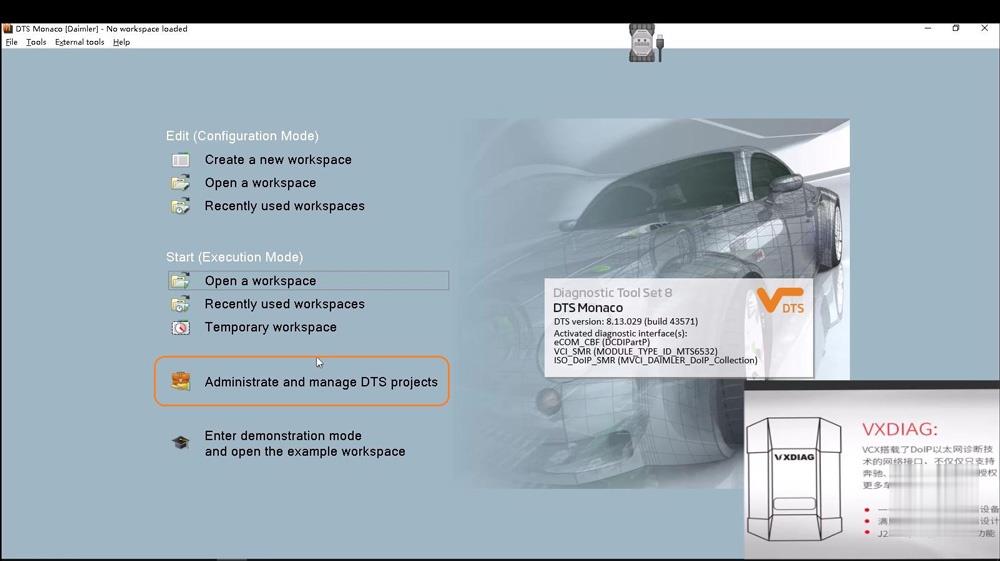
Click on "Administrate and manage DTS projectsâ€.
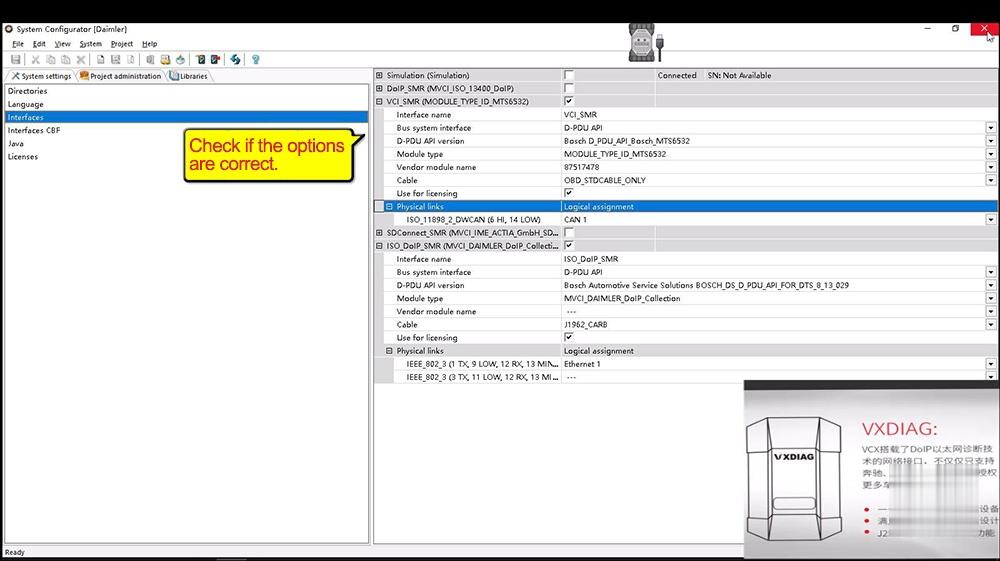
Enter "System Configurator†– > "System settings†-> "Interfacesâ€, check if the options are correct as below.
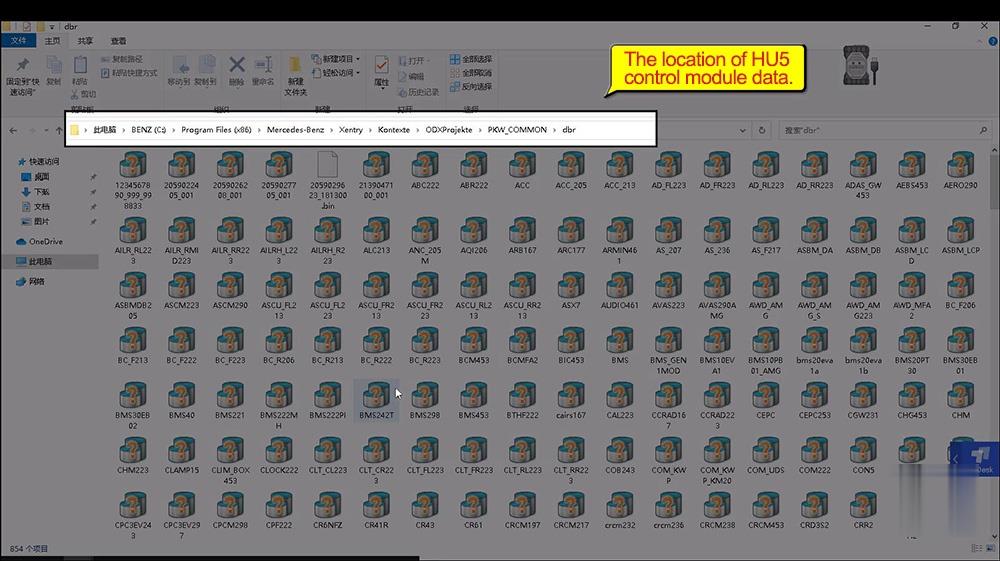
Right click on "Xentry Diagnosis†– "Open file location†-> "Xentry†-> "Kontexte†-> "ODXProjekte†– >PKW_COMMON†-> "DBRâ€. This is the location of HU5 control module data.
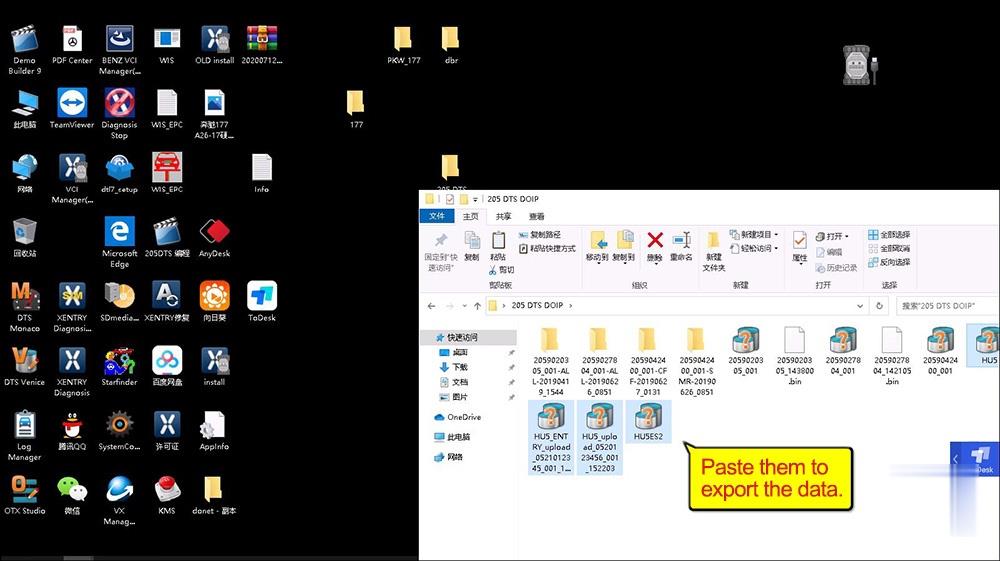
Choose the HU5 control module data to copy, then paste them into "205 DTS DOIP†folder.

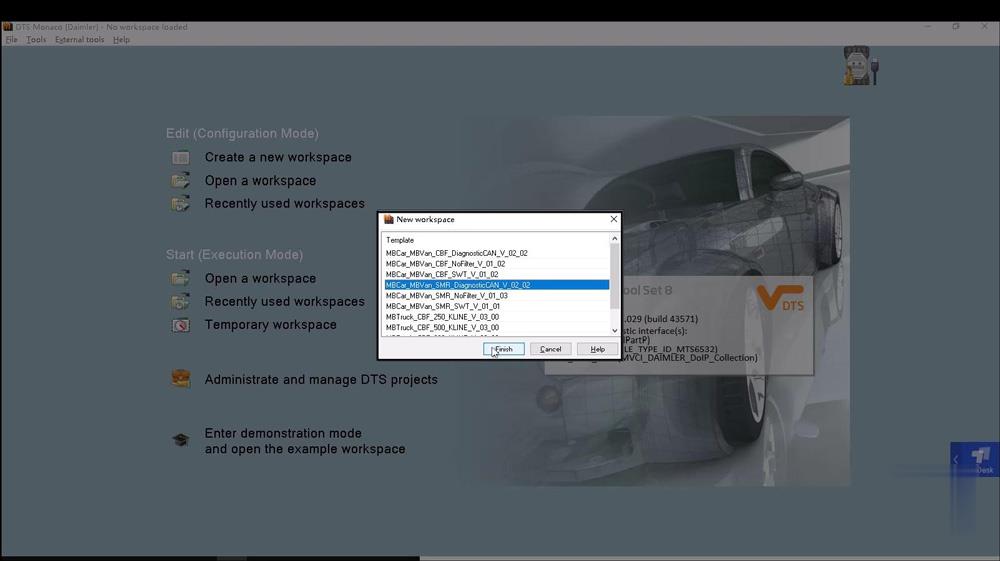
Open "Temporary workspaceâ€, choose HU5 control module data.

Enable DOIP switch.
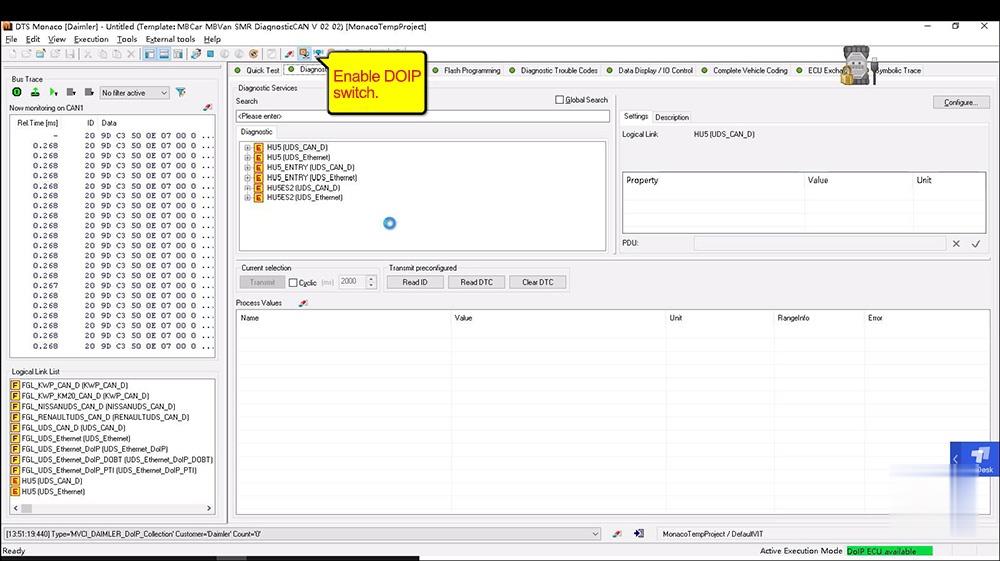
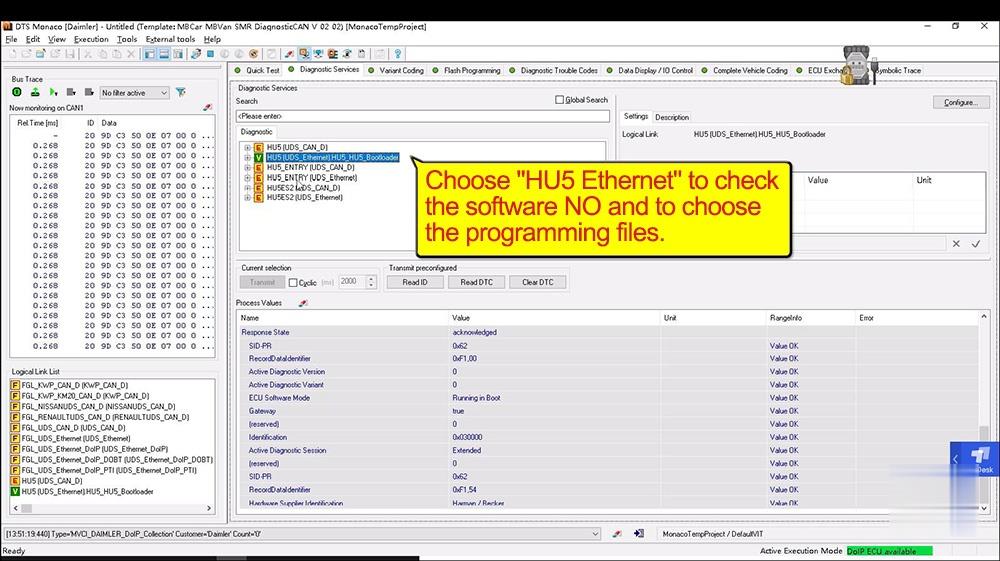
Choose "HU5 Ethernet†to check the software NO and to choose the programming files.
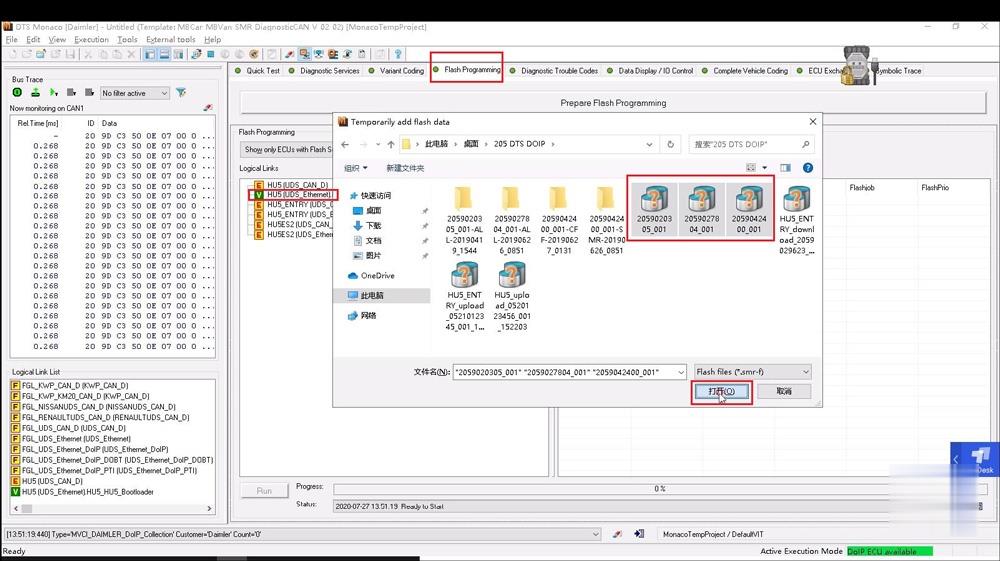
Click on "Flashing programmingâ€, then "HU5 (UDS_Ethernet)â€, then "205 DTS DOIPâ€, then choose the 3 files to open.

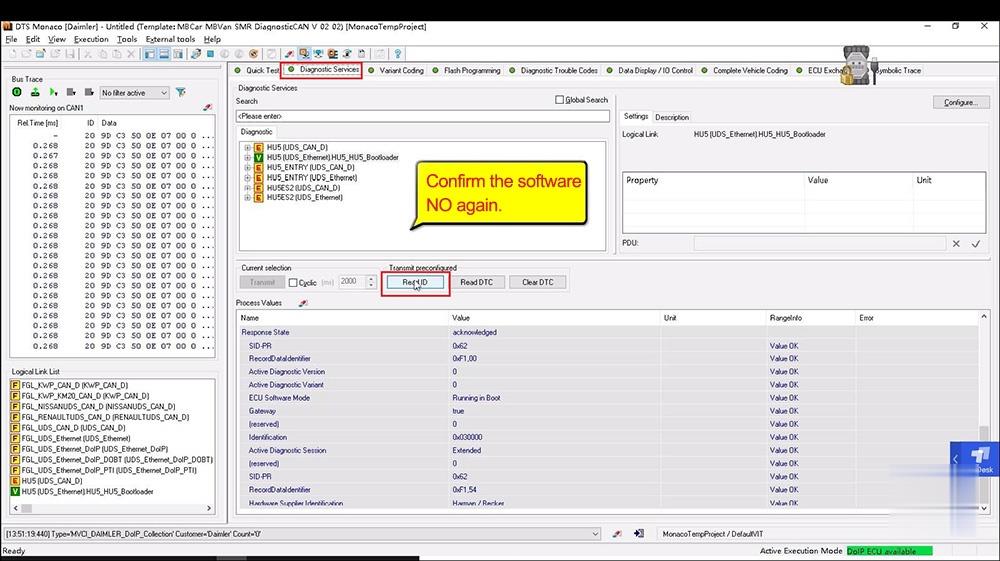
Click on "Diagnostic Servicesâ€, then "Read ID†to confirm the software NO again.

Click on "Flash Programming†, then "Run†one by one.
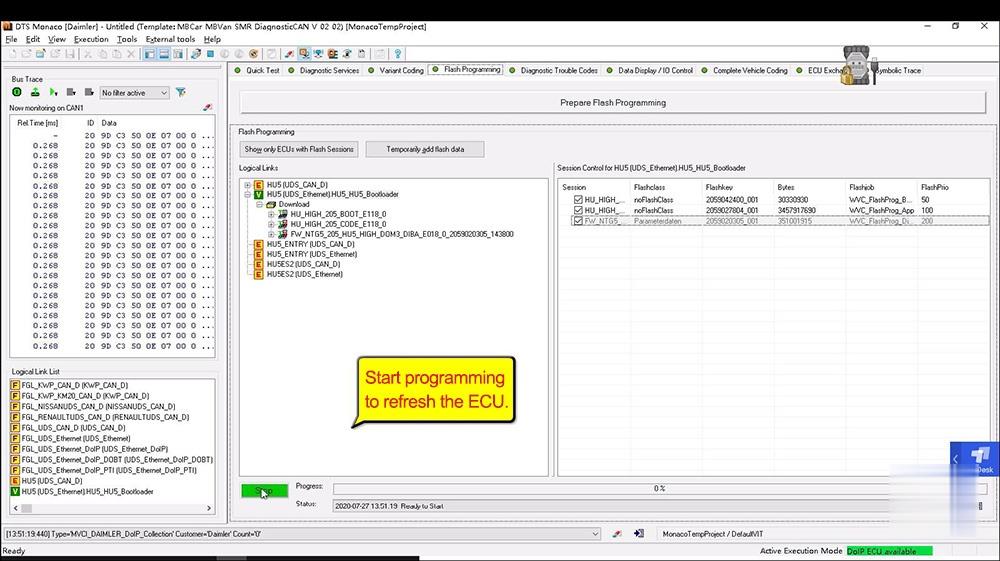
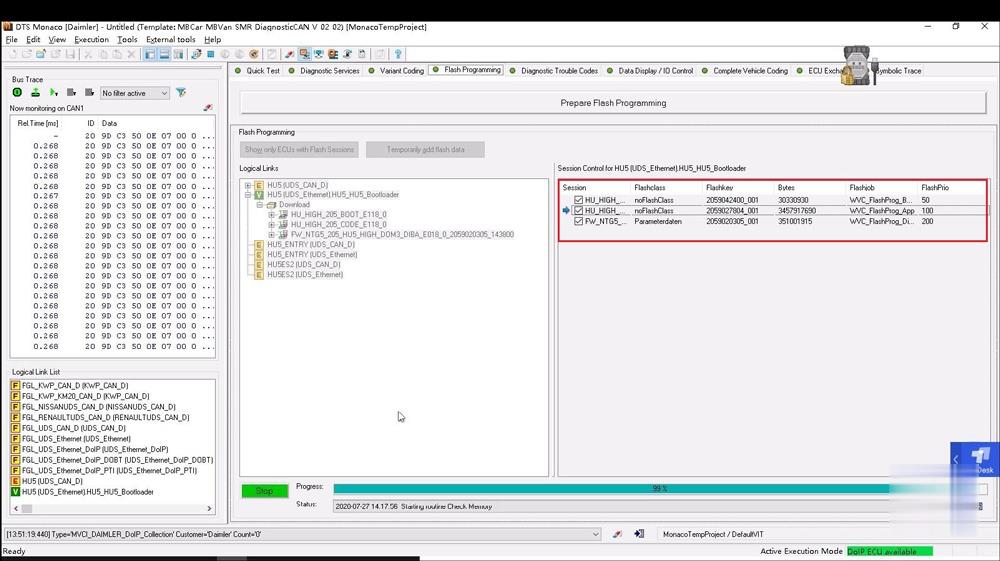
Job is done.
Posted by: Emily white at
03:40 AM
| No Comments
| Add Comment
Post contains 203 words, total size 8 kb.
35 queries taking 0.0208 seconds, 162 records returned.
Powered by Minx 1.1.6c-pink.

