



December 27, 2020
Tedjs, our resident tech guy, has kindly provided this insight into
the modern mechanic’s Swiss Army Knife – GM’s Tech 2 (or Tech II as
you’d write it if search engines didn’t exist.)
I’d like to thank Ted for taking the time and giving us this insight
into the little electronic doodads that control our Saab vehicles.
Hopefully this will be the first of a few articles on this.
Enjoy the journey….
——
If you really want to know what your Saab is thinking about when you’re
motoring around town this holiday season, hopefully Santa will have
dropped the following pieces of hardware off for you:
A GM Tech II scan tool
A CANdi module so the Tech II can talk to the high speed network on your Saab
And of course the Saab software program for the Tech II
GM kindly supplies our school with all this hardware. All I needed was my Saab to give the Tech II something to do. My 2007 9-3 Aero has the turbocharged V6 and six speed automatic, so that is what will be referenced here.
A little background before we dig in….
Here in the United States all vehicles communicate via a standardized or OBD II style data link connector, so if you crawl under the dash of your 1996 and up Saab you should find the connector. This is where the scan tool plugs in and becomes part of the data network.
This connector allows any OBD II compatible scan tool to ‘talk’ to
the vehicle. Those of you who live in the USA that do state mandated
emission testing may find that they now just plug into your vehicle for
verification of the vehicles emission compliance.
Ultimately, all of powertrain components such as the engine and
electronically shifted transaxle terminate on pins 6 and 14 of the DLC
on what is a high speed or Controller Area Network (CAN). The CAN
network is a standard high speed communication protocol that is used on
most vehicles sold in USA and allows devices ‘on the data bus’ to
communicate at speeds of 500 kilobits per second. This becomes critical
when transmission and engine control modules must chat with each other
to control the powertrain.
One thing we did not have with the original Tech II package was the
pictured CANdi module. With the advent of higher speed data networks,
Tech II needed an additional piece of hardware to talk to modern
vehicles which is the CANdi or Controller Area Network Diagnostic
Interface. The ‘interface’ essentially digests all the information that
is sent from the vehicle and sends it to the Tech II in manageable
pieces so the scan tool can process the information.
Tech II itself has been around since 1996 and in my opinion is one of the best scan tools on the market for a GM vehicle. Some manufactures have gone to PC based tools and although these are cheaper from a hardware standpoint (you buy the PC) – they are simply not very ergonomic if you are driving around with one on a daily basis.
Tech II software for Saab is loaded onto a 32MB via GM’s Techline Information System or TIS software.
GM’s TIS application is now available via the web, which means no more
software disc’s to distribute to dealers, which is nice. The technician
needs only to select and load the software onto the Tech II.
It is possible to load a number of applications on the Tech II depending on what you need the tool to do. The North American application covers all domestic vehicles and of course – Saab automobile covers current Saab 9-3 and 9-5 vehicles.
After selecting options – diagnostic software is loaded onto the tool.
Once Saab software is finally loaded -the user is presented with the Saab Tech II splash screen
The heart of Saabs 2.8L V6 is a Bosch ME9 engine management system.
The ME9 ECM regulates engine torque by controlling intake air charge,
fuel and ignition timing. Once programmed to the vehicle – the
technician can ‘see’ all sorts of data that might provide information
that would help them troubleshoot and repair a vehicle.
Below is an Engine Control data list with key on, engine off.
One might be looking at this information to determine if engine coolant
temperature (ECT) is reading properly at maybe a cold start. The
temperature sensor measures the engine temperature and the ECM uses the
reading to deliver more fuel to the engine when the engine is cold,
control the cooling fans and perform OBD II diagnosis among other
things. Thermostat diagnosis is performed by the sensor to ensure the
engine is reaching proper temperature within a predetermined time frame.
ME9 uses a ‘drive by wire’ setup so when the driver depresses the
accelerator pedal a ‘throttle request’ is sent to the ECM. ME9 can now
decide how much torque to deliver to the wheels and open the throttle,
increase turbo boost and modify fuel and spark to accommodate demands of
the driver. A technician may be viewing this data to check and see if
the requested boost is available to the engine.
The charge air pressure sensor (shown below right) is the sensor that is
used to monitor this information. Air leaks on some Saab vehicles are
presented to a technician as ‘air mass deviation from calculated’.
Tech II also has the ability to do some output tests on the vehicle. One test I have not seen on other vehicles is a compression test on the scan tool. A compression test is generally done to check if a cylinder is sealing. The Tech II can initiate what is essentially a relative compression test. The crankshaft position sensor is used to ‘look’ for fluctuations in crankshaft speed and readings are given to the technician.
The Tech II fromOBD2TOOL is needed for much more than powertrain controls. Screens shown below show the scan tool communicating with the active handling system on the vehicle. The electronic stability program ‘communicates’ with ME9 via the high speed network and might tell the engine controller to reduce torque if it decides that is the best strategy to get your Saab pointed back in the right direction.
Aligning your Saab at home (hope not!) or taking it in to get it going straight again? Hopefully the technician knows that the stability program needs to be recalibrated so that it ‘knows’ the car has been aligned and the wheels are pointing straight ahead. Once alignment adjustments are made, Tech IIAuto Scanner Tool can tell the module that the wheels are pointing straight ahead.
Well, that’s all for now. In addition to having a lot of fun driving
my Saab, I am learning more about all the technology that rides around
with the vehicle. I will be assembling information over my next teaching
semester as there is a lot of technical information the vehicle that I
can use in my presentations. I will pass on to Swade periodically as
time permits.
Questions are welcome.
Posted by: Emily white at
11:36 AM
| No Comments
| Add Comment
Post contains 1183 words, total size 8 kb.
December 26, 2020
Autel MaxiIM 608,A fast-access option for OBD II/EOBD vehicle diagnosis is available on the Vehicle Menu screen. This option presents a quick way to check for DTCs,isolate the cause of an illuminated malfunction indicator lamp (MIL), check monitor status prior to emissions certification testing, verify repairs, and perform a number of other services that are emissions-related. The OBD direct access option is also used for testing OBD II/EOBD compliant vehicles that are not included in the Diagnostics database.
Functions of the diagnostics toolbar buttons at the top of the screen are the same as those available for specific vehicle diagnostics.
Autel IM608 General Procedure
To access the OBD II/EOBD diagnostics functions
1. Tap the Diagnostics application button from the MaxiIM Job Menu.
The Vehicle Menu displays.
2. Tap the EOBD button. There are two options to establish communication with the vehicle.
Auto Scan – when this option is selected the
diagnostic tool attempts to establish communication using each protocol
in order to determine which one the vehicle is broadcasting on.Protocol –
when this option is selected the screen opens a submenu of various
protocols. A communication protocol is a standardized way of data
communication between an ECM and a diagnostic tool. Global OBD may use
several different communication protocols.
3. Select a specific protocol under the Protocol option. Wait for the OBD II Diagnostic Menu to appear.
NOTE
Tapping the button displayed beside the function name opens a bubble with additional function information.
4. Select a function option to continue.
DTC & FFD
I/M Readiness
Live Data
On-Board Monitor
Component Test
Vehicle Information
Vehicle Status
Autel MaxiIM IM608 Highlights:
1.Free Update Online for 1 Year, after one year, it will cost $1100
2.Warranty for 12 Months.
3.ADVANCED IMMO & KEY PROGRAMMING
4.OE-Level Diagnostic and Service Functions as MaxiSYS Pro
5.with XP400 and MaxiFlash JVCI for ECU Programming
6. Language: English, Spanish and French. (We can ship to Spain and France now)
7. Autel have released BMW CAS4/CAS4+ through OBD update!
Autel MaxiIM IM608 Features:
The IM608 is an OE-Level Diagnostic and Service Functions as MaxiSYS Pro
with additional software and accessories for IMMO and key programming.
1. Extraordinarily powerful Cortex A7+A15 six-core processor
2. 10.1-inch LED capacitive touch screen with 1920×1200 resolution
3. Internal reliable 64GB On-board Memory for better performance
4. Built-in 8-megapixel rear camera with autofocus and flashlight
5. 802.11 a/b/g/n/ac Wi-Fi to access your favorite web resources
6. Open source Android Operating System for fast boot-up and multitasking
7. Powerful combination of advanced key programming/all systems diagnostics/advanced maintenance services
8. Professional key programming equipped with XP400 key programmer and MaxiFlash ECU programmer for complete Immo coverage
9. Smart mode for guided and automated key learning
10. Expert mode for advanced key learning
11. Read PIN/CS (all key lost), generate key, key learning, remote learning
12. IMMO ECU reset/adaptation, refresh/coding
13. Read/write transponder data, ECU/MCU/EEPROM data (eg. 9S12 encryption chip), IC card, detect remote frequency
14. Powerful OE level diagnostics for more than 80 US, Asian and European makes and models
15. Complete capabilities for codes, live data, active test, ECU information, adaptation, matching, coding etc.
16. All special functions, EPB, DPF, SAS, Oil reset, BMS, TPMS sensor ID relearn, etc.
Posted by: Emily white at
07:21 AM
| No Comments
| Add Comment
Post contains 542 words, total size 4 kb.
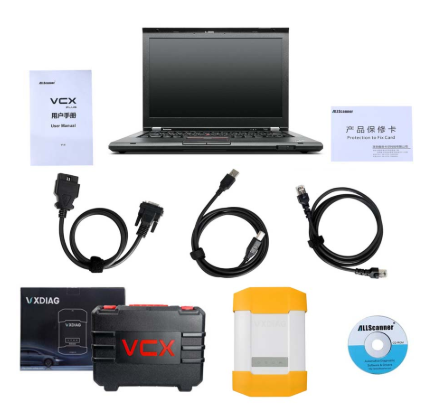
Question:
After updating my Allscanner VXdiag full firmware, I run BMW ISTA-D
4.18.20 ISTA-P 3.66.100 software, it failed to communicate with my
cars.Any ideal?
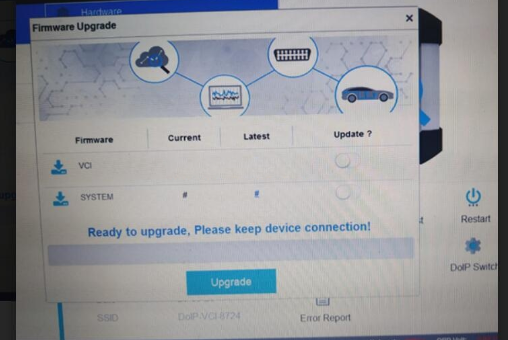
Solution:
You should do by following below four steps:
1.Download the latest VX manager
2.Connect computer to the device
3.Upgrade the firmware and DOIP firmware
4.Finally, connect to your car and test it
Lastest VX Manager 1.8.1.1012 .exe
https://mega.nz/file/vUAGyDxS#D0VWizy3huB8nK8dtL1FIPgfhMrJGo-isxAjirSlKjg
No pass
Provided by the VXDIAG official, security
Customer feedback:
It is solved. I installed the new VX manager version and updated the firmware.
Thanks
Posted by: Emily white at
07:13 AM
| No Comments
| Add Comment
Post contains 111 words, total size 2 kb.
November 21, 2020
Yanhua Digimaster3 will correct mileage on many Toyota car models mainly via OBP adapter.
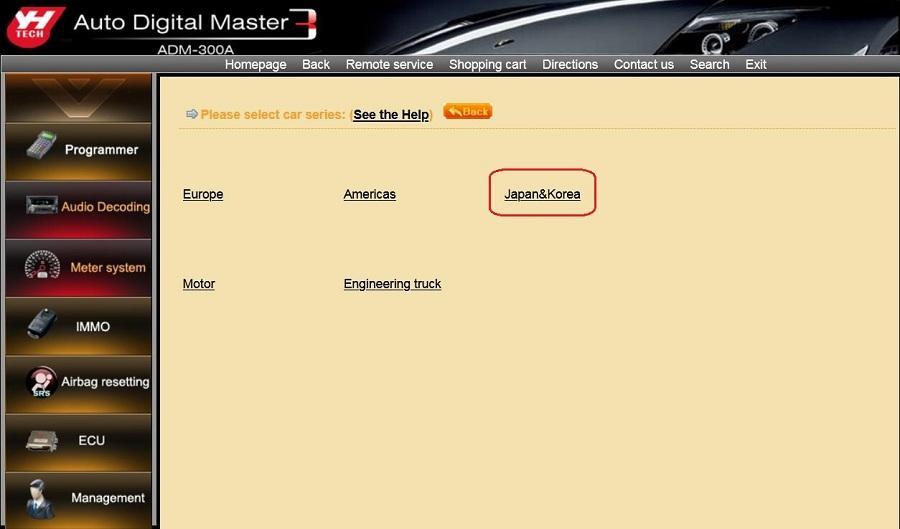
Press "Meter systemâ€, then "Japan & Koreaâ€.
Press "Toyotaâ€.
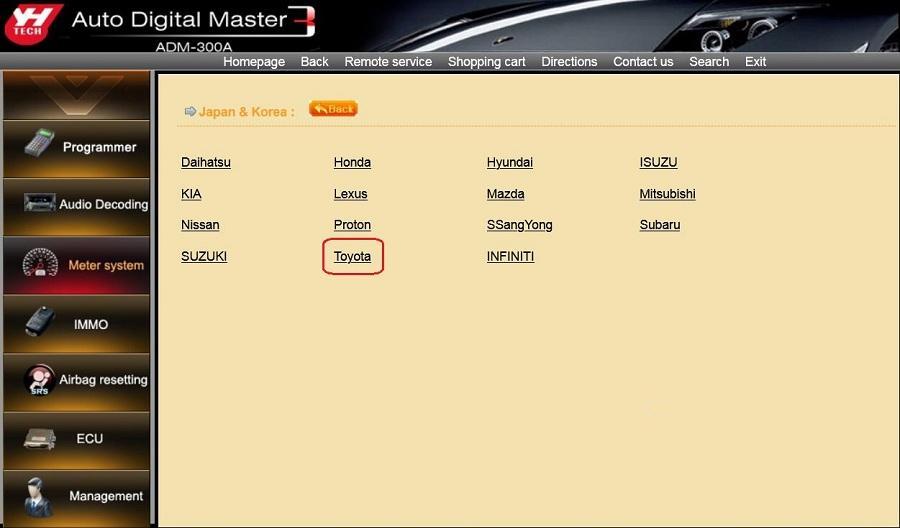
Look at the following Toyota car models Yanhua Digimaster3 will cover:
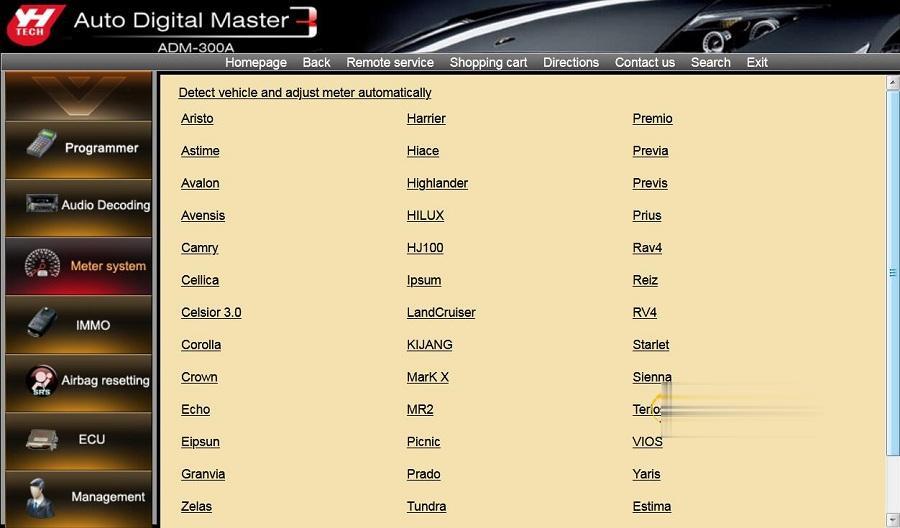
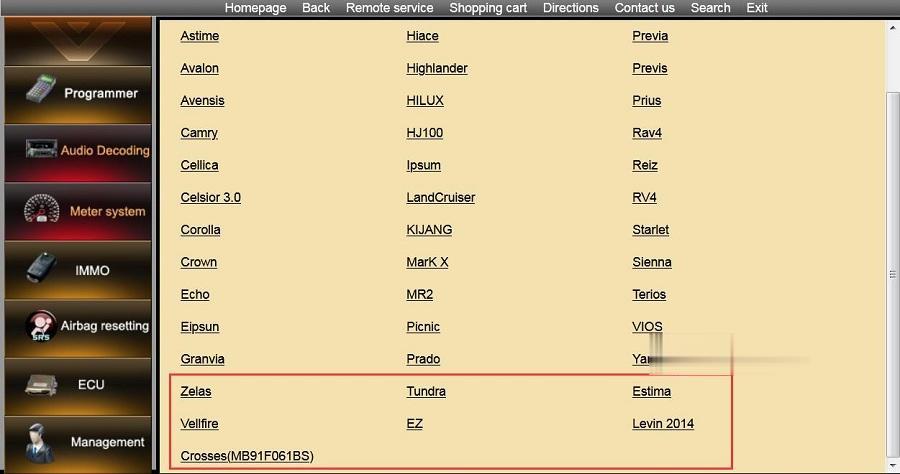
A part of Toyota function list below:
| Series | Manufactur er | Car Model | Method | Adapter | Storage Location | |
| Japan& Korea | Toyota | Aristo | 93C46 | Memory Directly | OBP | Cluster |
| Japan& Korea | Toyota | Astime | 93C46 | Memory Directly | OBP | Cluster |
| Japan& Korea | Toyota | Avalon | 93C46 | Memory Directly | OBP | Cluster |
| Japan& Korea | Toyota | Avensis | 93C46 | Memory Directly | OBP | Cluster |
| Japan& Korea | Toyota | Avensis | 93C56 | Memory Directly | OBP | Cluster |
| Japan& Korea | Toyota | Camry | 93C46 | Memory Directly | OBP | Cluster |
| Japan& Korea | Toyota | Camry | 93C56 | Memory Directly | OBP | Cluster |
| Japan& Korea | Toyota | Camry | RA57 | Memory Directly | OBP | Cluster |
| Japan& Korea | Toyota | Camry | 2012 93C66 | Memory Directly | OBP | Cluster |
| Japan& Korea | Toyota | Cellica | 93C46 | Memory Directly | OBP | Cluster |
| Japan& Korea | Toyota | Celsior 3.0 | 93C46 | Memory Directly | OBP | Cluster |
| Japan& Korea | Toyota | Corolla | 93C46 | Memory Directly | OBP | Cluster |
| Japan& Korea | Toyota | Corolla | 93C56 V1 | Memory Directly | OBP | Cluster |
| Japan& Korea | Toyota | Corolla | 93C56 V2 | Memory Directly | OBP | Cluster |
| Japan& Korea | Toyota | Corolla | 93C56 V3 | Memory Directly | OBP | Cluster |
| Japan& Korea | Toyota | Corolla | 93C66 | Soldering Contacts | ICP | Cluster |
| Japan& Korea | Toyota | Crown | 93C46 | Memory Directly | OBP | Cluster |
| Japan& Korea | Toyota | Crown | 93C66 | Memory Directly | OBP | Cluster |
| Japan& Korea | Toyota | Echo | 93C46 | Memory Directly | OBP | Cluster |
| Japan& Korea | Toyota | Eipsun | 93C56 | Memory Directly | OBP | Cluster |
| Japan& Korea | Toyota | Granvia | 93C46 | Memory Directly | OBP | Cluster |
| Japan& Korea | Toyota | Harrier | 93C46 | Memory Directly | OBP | Cluster |
| Japan& Korea | Toyota | Hiace | 93C46 | Memory Directly | OBP | Cluster |
| Japan& Korea | Toyota | Hiace | 93C56 | Memory Directly | OBP | Cluster |
| Japan& Korea | Toyota | Highlander | 93C66 | Memory Directly | OBP | Cluster |
| Japan& Korea | Toyota | HILUX | 93C66 | Memory Directly | OBP | Cluster |
| Japan& Korea | Toyota | HJ100 | 93C56 | Memory Directly | OBP | Cluster |
| Japan& Korea | Toyota | Ipsum | 93C46 | Memory Directly | OBP | Cluster |
| Japan& Korea | Toyota | LandCruiser | 93C56 | Memory Directly | OBP | Cluster |
| Japan& Korea | Toyota | LandCruiser | 93C86 | Memory Directly | OBP | Cluster |
| Japan& Korea | Toyota | LandCruiser | KDJ120 | Memory Directly | OBP | Cluster |
| Japan& Korea | Toyota | LandCruiser | KJ95/J9 | Memory Directly | OBP | Cluster |
| Japan& Korea | Toyota | KIJANG | 93C66 | Memory Directly | OBP | Cluster |
| Japan& Korea | Toyota | MarK X | RA57 | Memory Directly | OBP | Cluster |
| Japan& Korea | Toyota | MR2 | 93C46 | Memory Directly | OBP | Cluster |
| Japan& Korea | Toyota | Picnic | 93C46 | Memory Directly | OBP | Cluster |
| Japan& Korea | Toyota | Prado | 2700 93C56 | Memory Directly | OBP | Cluster |
| Japan& Korea | Toyota | Prado | 2700 93C66 | Memory Directly | OBP | Cluster |
| Japan& Korea | Toyota | Prado | 2700 93C86 | Memory Directly | OBP | Cluster |
| Japan& Korea | Toyota | Prado | 3400 93C56 | Memory Directly | OBP | Cluster |
| Japan& Korea | Toyota | Prado | 3400 93C66 | Memory Directly | OBP | Cluster |
| Japan& Korea | Toyota | Prado | 3400 S220 | Memory Directly | OBP | Cluster |
| Japan& Korea | Toyota | Prado | 4000 | Soldering Contacts | ICP | Cluster |
| Japan& Korea | Toyota | Prado | 4500 S220 | Memory Directly | OBP | Cluster |
| Japan& Korea | Toyota | Prado | 4700 2008 | Memory Directly | OBP | Cluster |
| Japan& Korea | Toyota | Prado | 4700 93C46 | Memory Directly | OBP | Cluster |
| Japan& Korea | Toyota | Prado | 4700 93C56 | Memory Directly | OBP | Cluster |
| Japan& Korea | Toyota | Prado | 4700 93C66 | Memory Directly | OBP | Cluster |
| Japan& Korea | Toyota | Prado | 4700 93C86 | Memory Directly | OBP | Cluster |
| Japan& Korea | Toyota | Prado | 4700 S220 | Memory Directly | OBP | Cluster |
| Japan& Korea | Toyota | Prado | 5700 93C86 | Memory Directly | OBP | Cluster |
| Japan& Korea | Toyota | Prado | 93C46 | Memory Directly | OBP | Cluster |
| Japan& Korea | Toyota | Premio | 93C66 | Memory Directly | OBP | Cluster |
| Japan& Korea | Toyota | Previa | 93C46 | Memory Directly | OBP | Cluster |
| Japan& Korea | Toyota | Previa | 93C56 | Memory Directly | OBP | Cluster |
| Japan& Korea | Toyota | Previs | S130 | Memory Directly | OBP | Cluster |
| Japan& Korea | Toyota | Prius | 93C46 | Memory Directly | OBP | Cluster |
| Japan& Korea | Toyota | Prius | 93C66 | Memory Directly | OBP | Cluster |
| Japan& Korea | Toyota | Prius | 93C86 | Memory Directly | OBP | Cluster |
| Japan& Korea | Toyota | Rav4 | 93C46 | Memory Directly | OBP | Cluster |
| Japan& Korea | Toyota | Reiz | 93C66 | Memory Directly | OBP | Cluster |
| Japan& Korea | Toyota | Reiz | RA57 | Memory Directly | OBP | Cluster |
| Japan& Korea | Toyota | RV4 | 2005 | Memory Directly | OBP | Cluster |
| Japan& Korea | Toyota | Rav4 | 93C56 | Memory Directly | OBP | Cluster |
| Japan& Korea | Toyota | Rav4 | 93C66 | Memory Directly | OBP | Cluster |
| Japan& Korea | Toyota | Rav4 | 93C66 | Memory Directly | OBP | Cluster |
| Japan& Korea | Toyota | Starlet | 93C46 | Memory Directly | OBP | Cluster |
| Japan& Korea | Toyota | Sienna | 93C46 | Memory Directly | OBP | Cluster |
| Japan& Korea | Toyota | Terios | 93C46 | Memory Directly | OBP | Cluster |
| Japan& Korea | Toyota | VIOS | 93C46 | Memory Directly | OBP | Cluster |
| Japan& Korea | Toyota | VIOS | 93C56 | Memory Directly | OBP | Cluster |
| Japan& Korea | Toyota | Yaris | 2003 | Memory Directly | OBP | Cluster |
| Japan& Korea | Toyota | Yaris | 2008 | Memory Directly | OBP | Cluster |
| Japan& Korea | Toyota | Yaris | 93C46 | Memory Directly | OBP | Cluster |
| Japan& Korea | Toyota | Yaris | 93C56 | Memory Directly | OBP | Cluster |
| Japan& Korea | Toyota | Yaris | Tsport | Memory Directly | OBP | Cluster |
| Japan& Korea | Toyota | Yaris | 93C56 V2 | Memory Directly | OBP | Cluster |
| Japan& Korea | Toyota | Zelas | 93C66 | Memory Directly | OBP | Cluster |
| Japan& Korea | Toyota | Tundra | 93C66 | Memory Directly | OBP | Cluster |
| Japan& Korea | Toyota | Estima | RA57 | Memory Directly | OBP | Cluster |
| Japan& Korea | Toyota | Vellfire | 93C66 | Memory Directly | OBP | Cluster |
| Japan& Korea | Toyota | EZ | 93C66 | Memory Directly | OBP | Cluster |
Posted by: Emily white at
04:34 AM
| Comments (1)
| Add Comment
Post contains 818 words, total size 23 kb.
Here is the steps guide of SKODA OCTAVIA 2001 mileage adjustment via obd2 with Digiprog iii v4.94 odometer correction tool,only in 3 minutes! Check the below steps to know how simple it is!
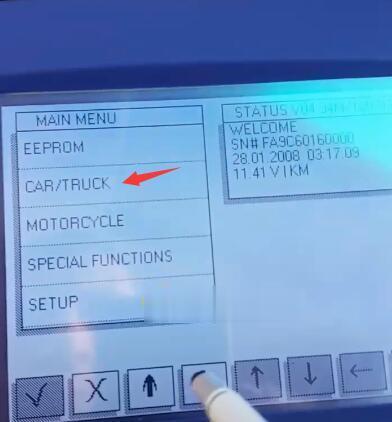
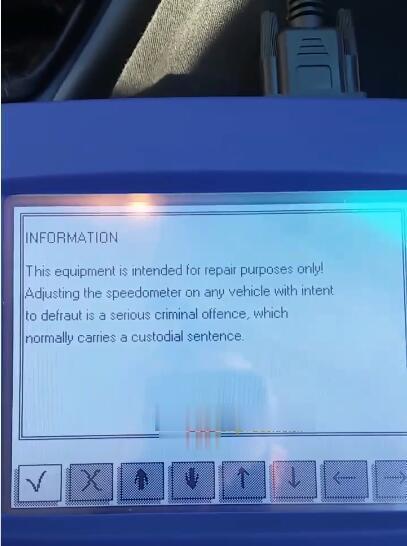
Step1. Connect Digiprog iii with OCTAVIA via OBD2-port. Power up Digiprog iii and you see notice information, Press †√†to continue. Then enter password to open the main menu.
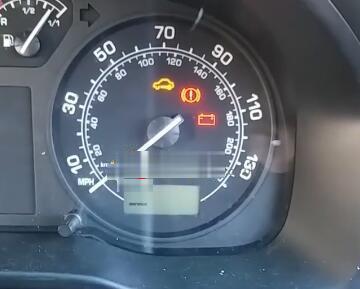
Turn car ignition on, The indicator light on dashboard will flash. Check the parameter (km) on the dashboard.the old odometer value is 118058.
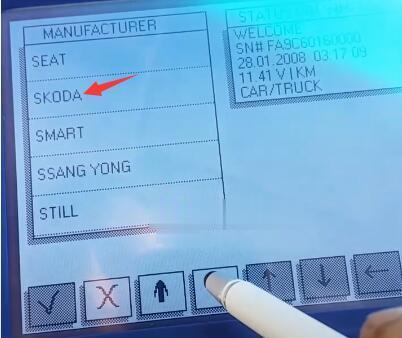
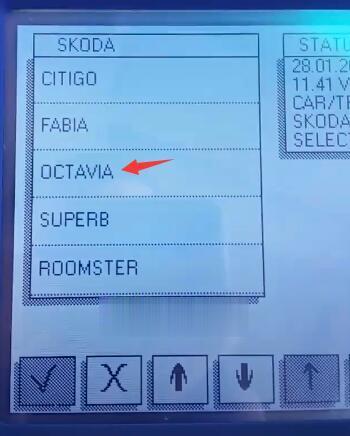
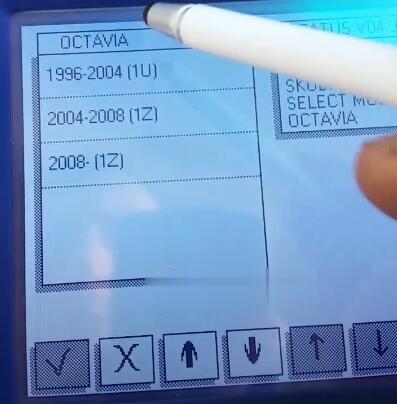
Step2.Select –>CAR/TRUCK–>SKODA–>OCTAVIA–>1996-2004(1U)–>DIAG
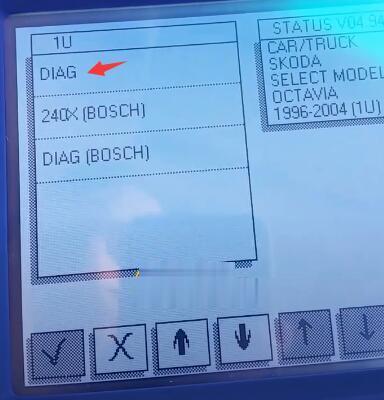
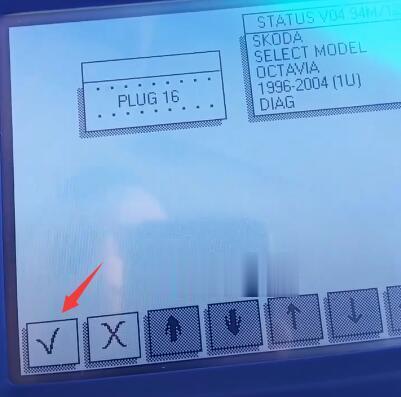
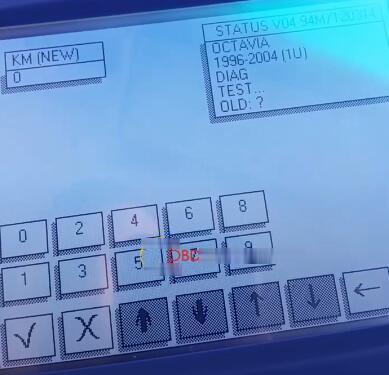
Step 3. Press †√†then it will test automatically
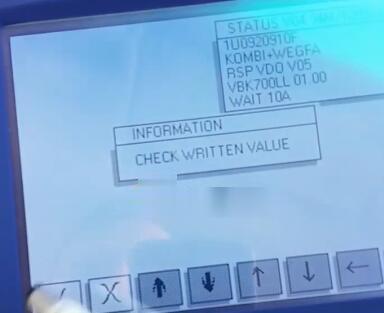
Step 4. Enter new odometer value as you like
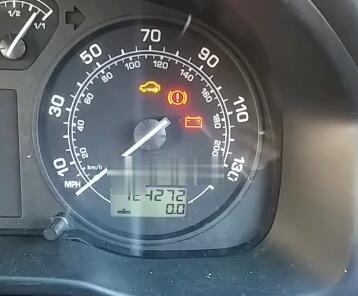
ChangeSKODA OCTAVIA 2001 mileage successfully byOdometer Correction Tool Digiprog 3 V4.94! Now new odometer value turns to 124272!
CusTomer FAQ:
Q : How can I Know where is my OBD2 port?
A: The On-Board Diagnostics II (OBD-II) port is used to access the
vehicle’s computer for various tasks, such as emissions tests and
diagnostics.
The OBD-II port is where the Hum System is installed so that the network can communicate with the vehicle directly.
After activation, the vehicle owner receives an alert email if the OBD
reader has been plugged back in after being unplugged from the port.
For additional assistance in locating your particular model vehicle’s OBD port, consult the OBD locator.
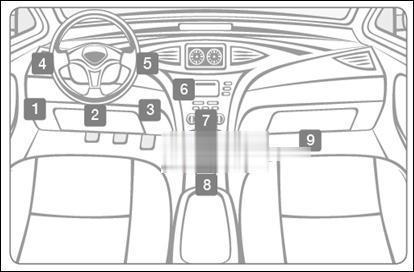
The OBD-II port is usually located under the dashboard, beneath the steering wheel column (1 – 3 in the diagram below).
Note If not located beneath the steering column, look for the port in the areas indicated by numbers 4 –
9. OBD2
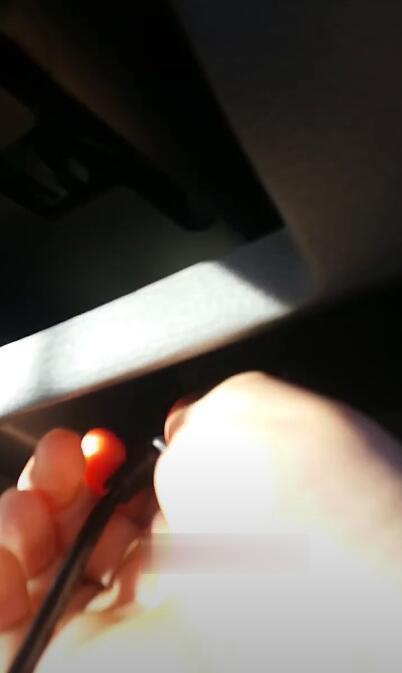
In this cause, the SKODA OCTAVIAOBD port is underneath the panel
Posted by: Emily white at
04:21 AM
| Comments (1)
| Add Comment
Post contains 283 words, total size 7 kb.
November 15, 2020
In this article, you will read:
Create an Autel User ID.
Register Autel MaxiSys
Update your Autel MaxiSys
Android
System / Vehicle
VCI
Deleting vehicles /Apps from Autel Maxisys
Autel MaxiSys tools include: Autel Maxisys MS908SP, Maxisys Elite, Autel MaxiSys MS908S Pro etc.
Let’s get start.
Part 1: Create an Autel User ID
1st, browse pro.auteltech.com.
From this site, you will be able to create a new Autel ID.
Or you already have one registered user, just sign in.
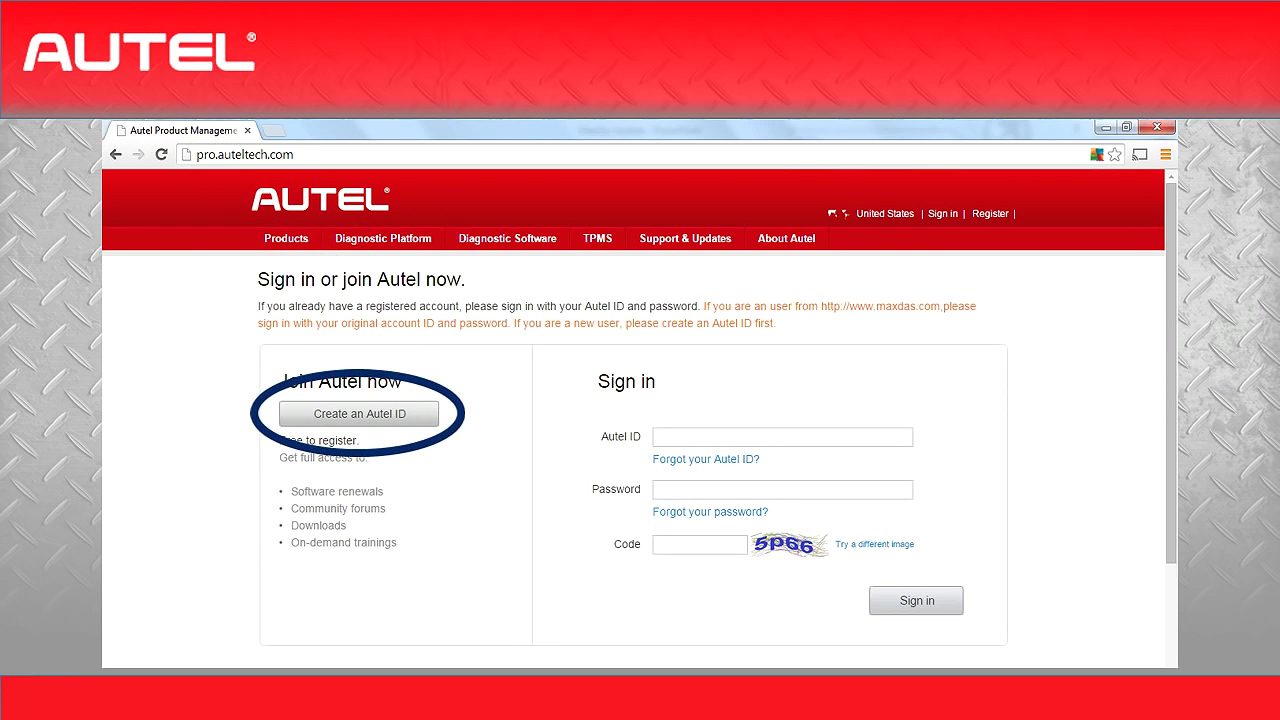
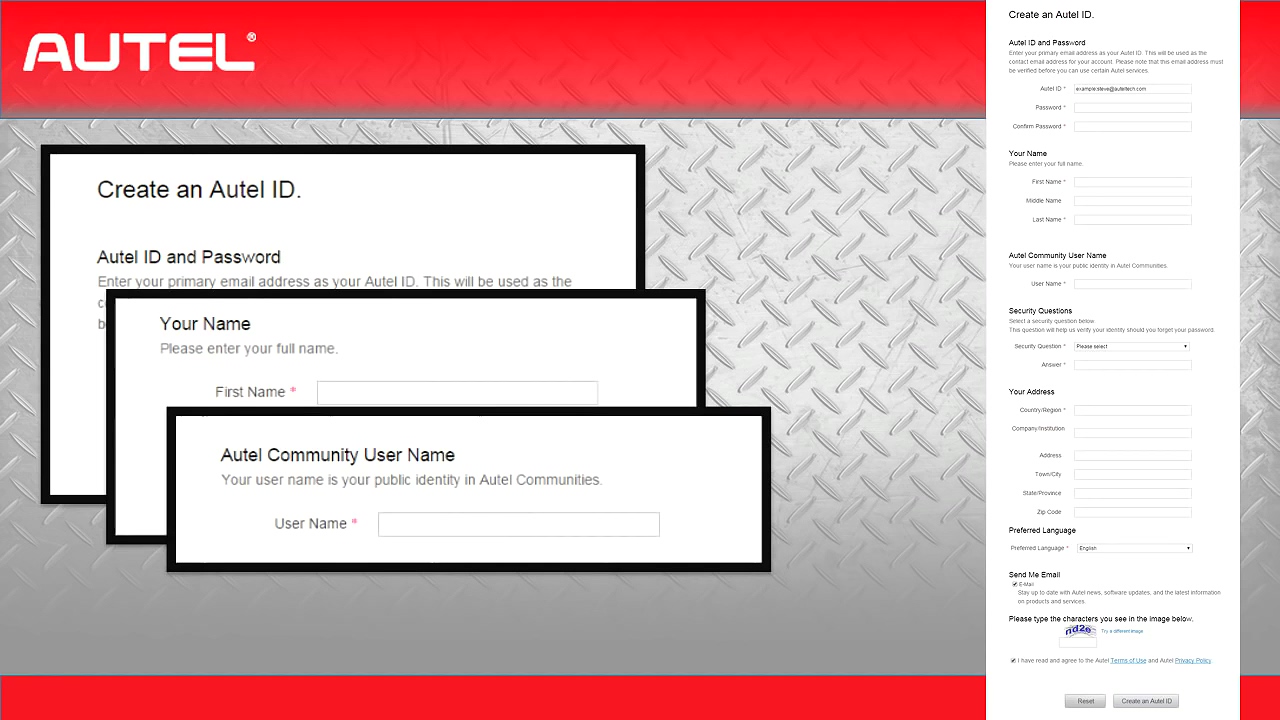
If you need to Create an Autel ID, enter your email address as your Autel ID, you will receive one confirmation email after you filled out the required information.
The password must contain 6 characters with one number and one letter.
After entering your first and last name, you will be asked to choose an Autel Community User Name. This is the name that other users will see when you participate in the community forums. These communities will be discussed in a later video.
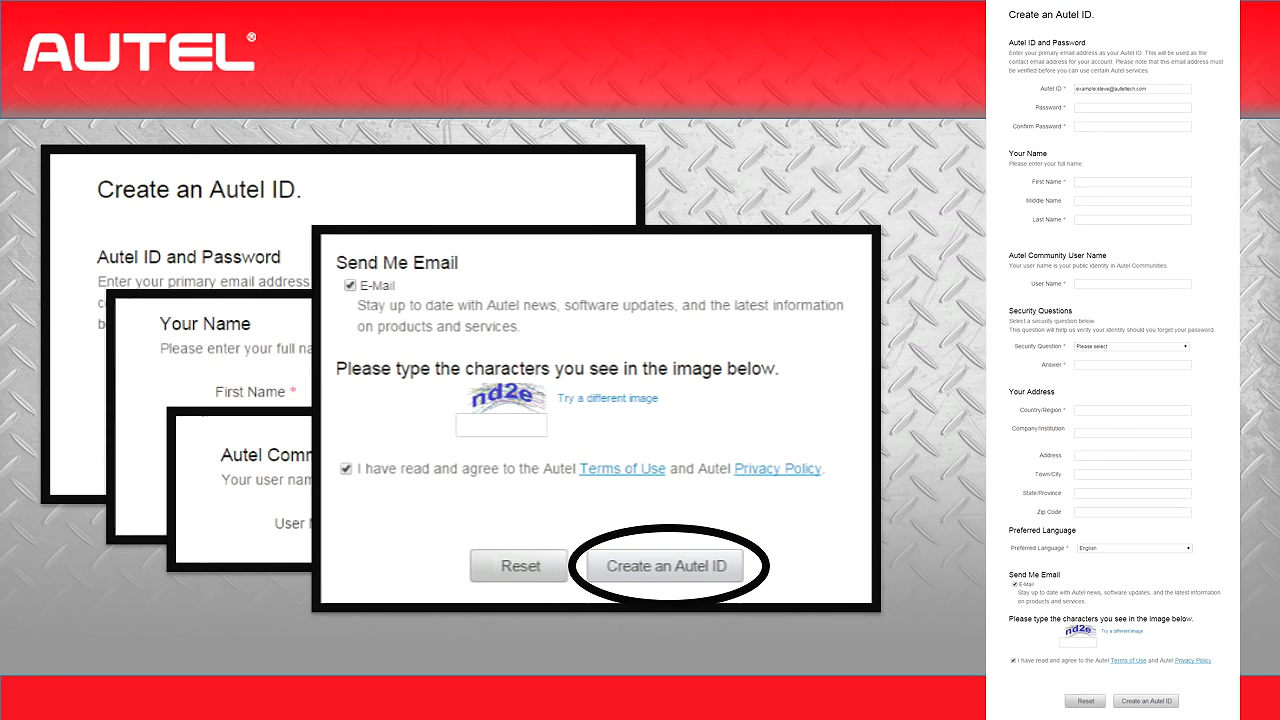
Once you have finished out the rest of the required information, you will be asked to type the characters you see in the image, then click on "Create and Autel IDâ€.
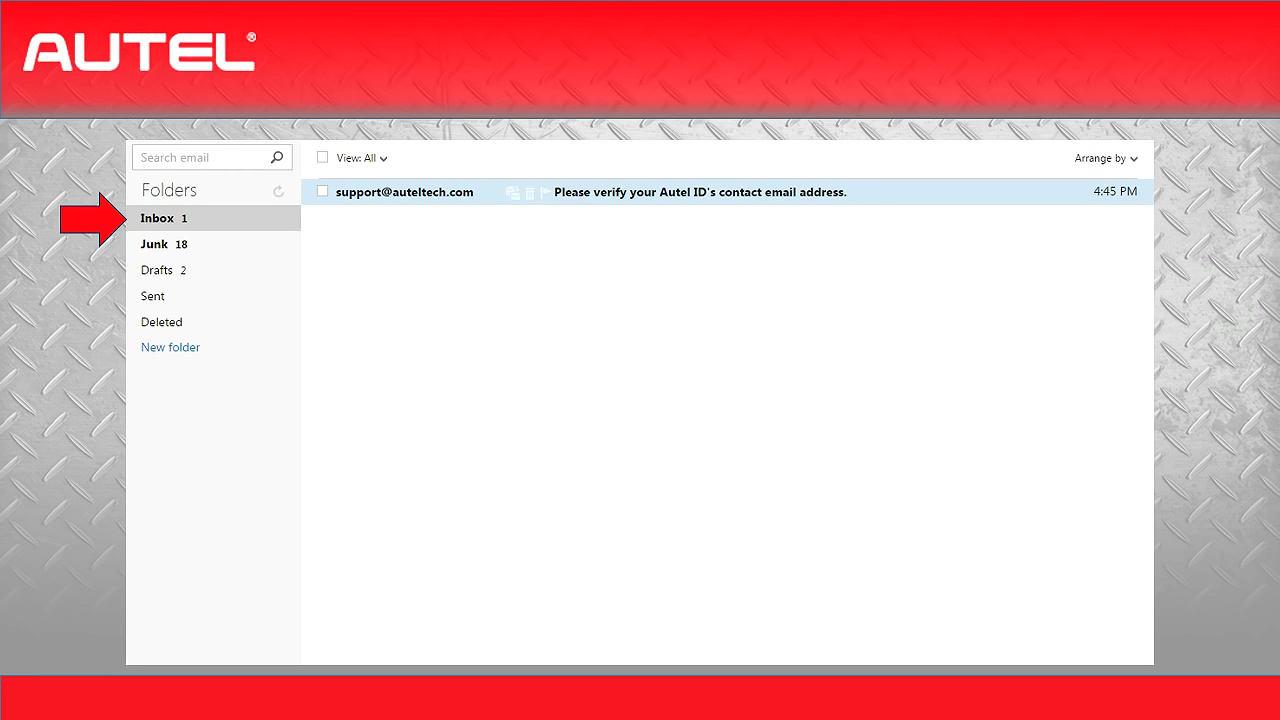
Open your email and check in your box, you are looking for an email from support@auteltech.com. If you did not see any email in the box, check the junk box to make sure it was not flagged as a spam email. Also keep the email address in your contacts, this is a great resource if you have any question for Autel suppprt team.
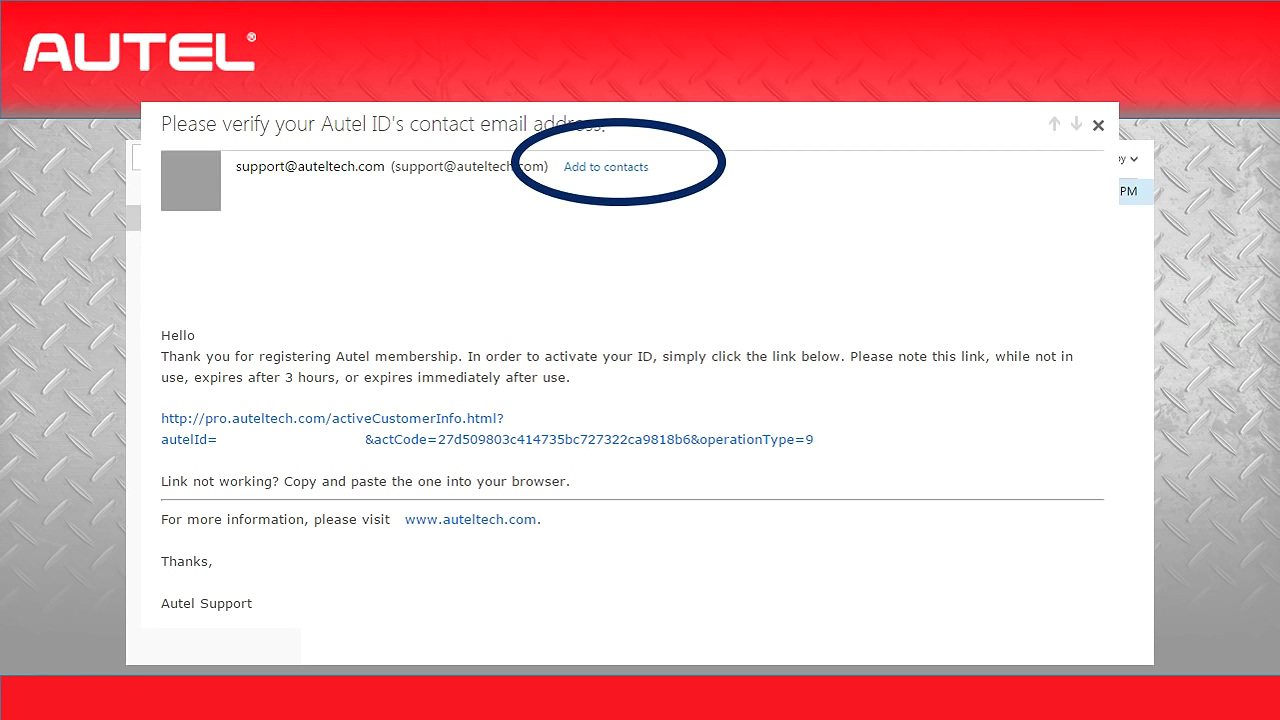
Once you find the email, open it and click on the link provided, this will take you back to the OTO page and give you confirmation that your account has been created, from here you will click on the sign-in button and it will return you to the login page.
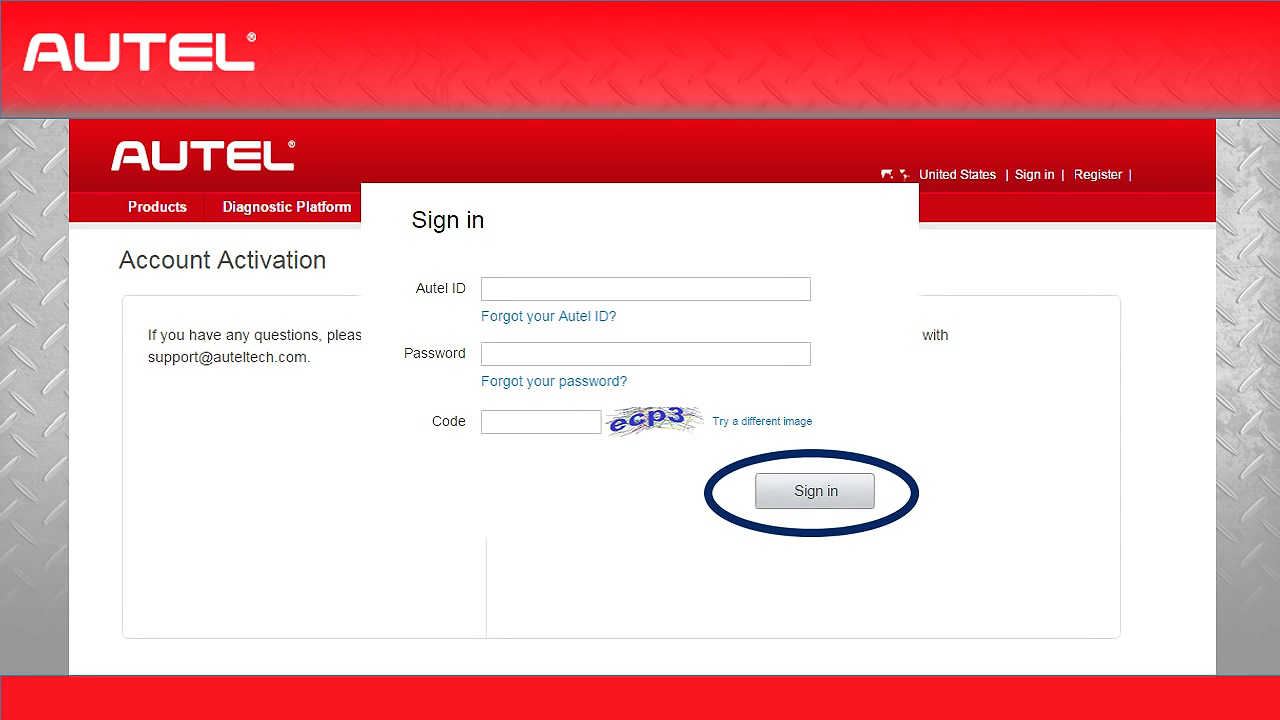
Enter your new Autel ID and the password you just created.
Once you fill in the security image, click on "Signâ€.
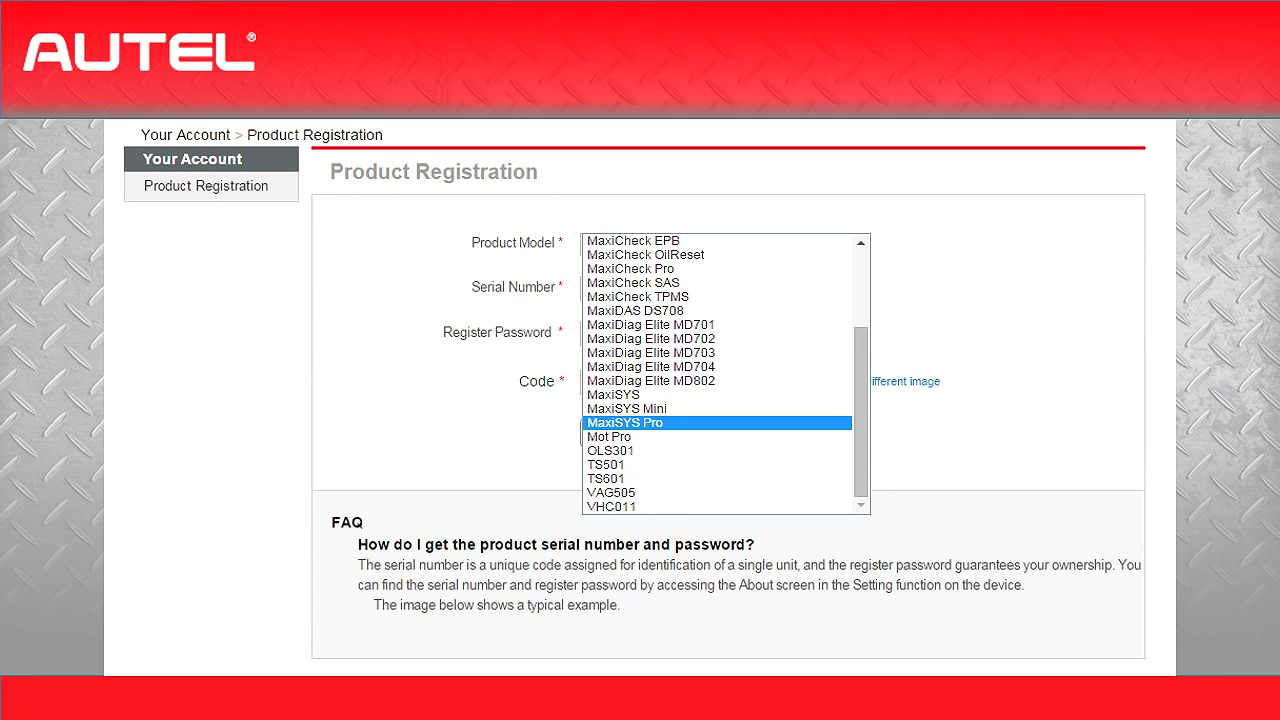
Next is to the Autel Product registration page.
If you have multiply Autel Tools, they will also be registered here, from the drop menu, select the Autel tool you will register, such as MaxiSys Pro MS908P, MaxiSys Mini, MaxiSys MS906BT etc.
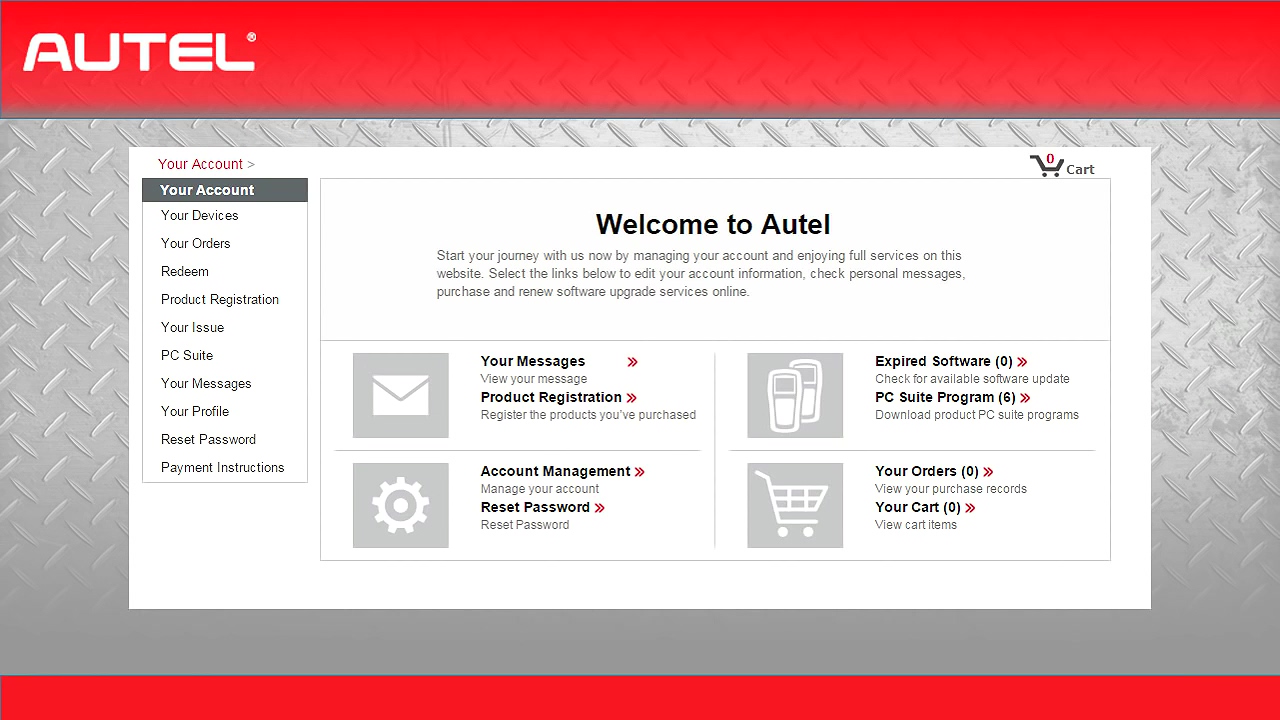
Once you open your tool, you will find the Serial number in the About.

There are a lot of information in your account page.
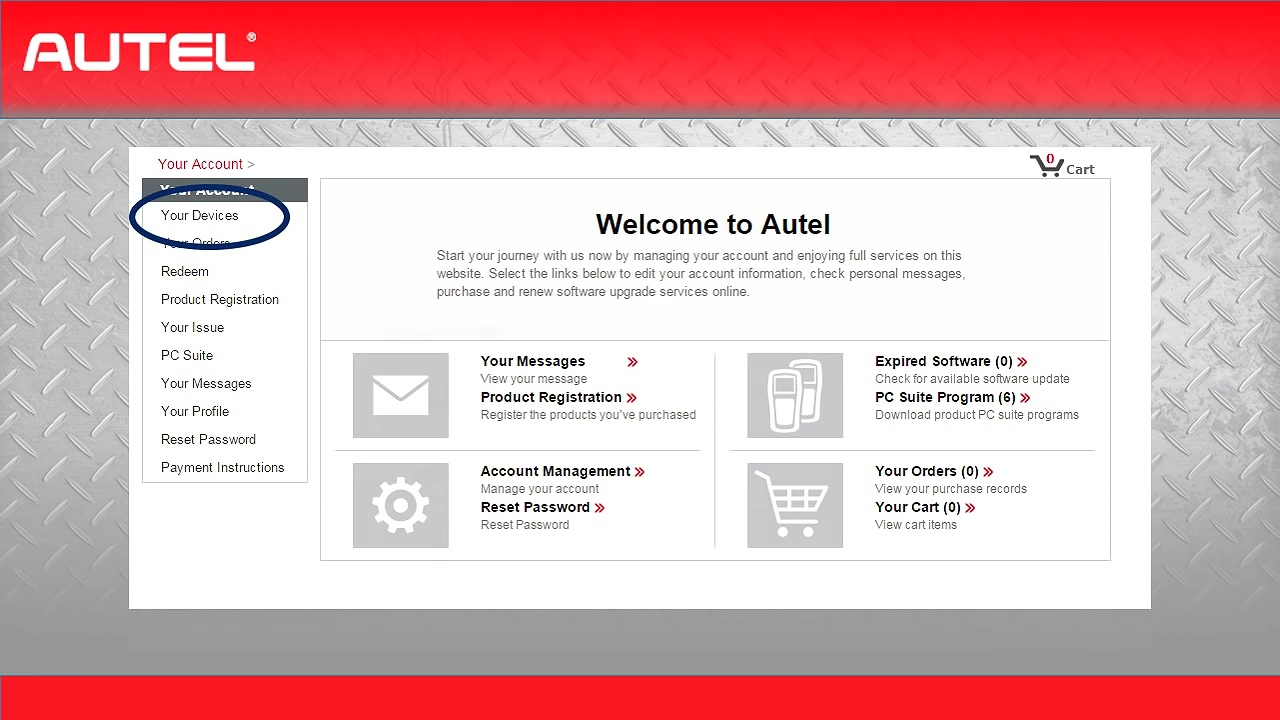
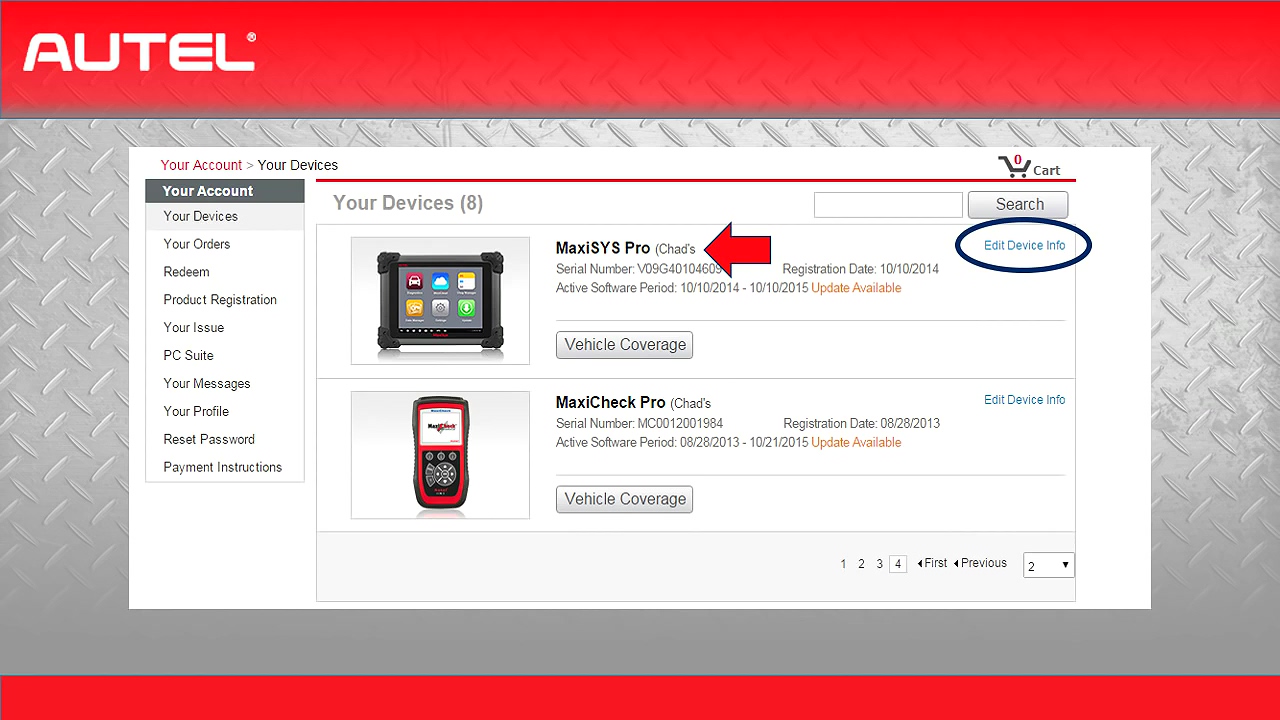
The first place we are going is "Your Devicesâ€.
Here you will see the devices you’ve registered.
Notice it will give you the date of you registered and the date your updates will end.
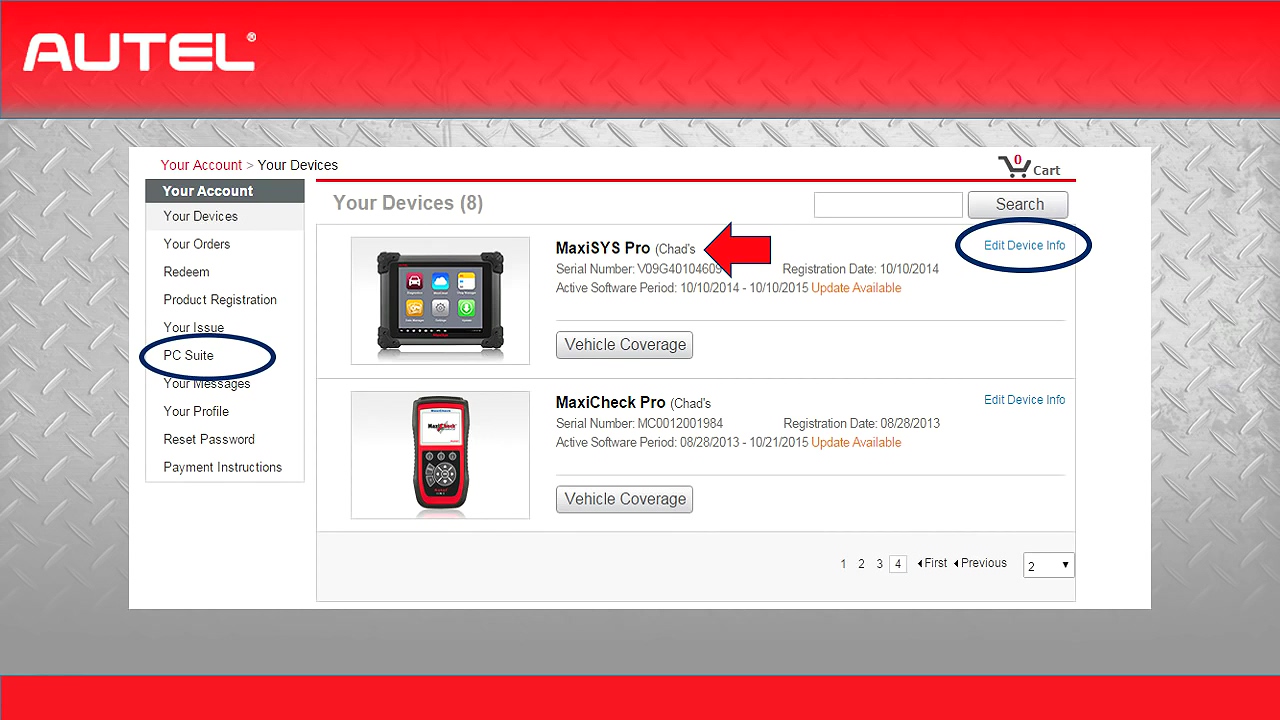
Also you are able to give each tool a description, if you have multiple locations with the same tool, this will give you the ability to differentiate them.
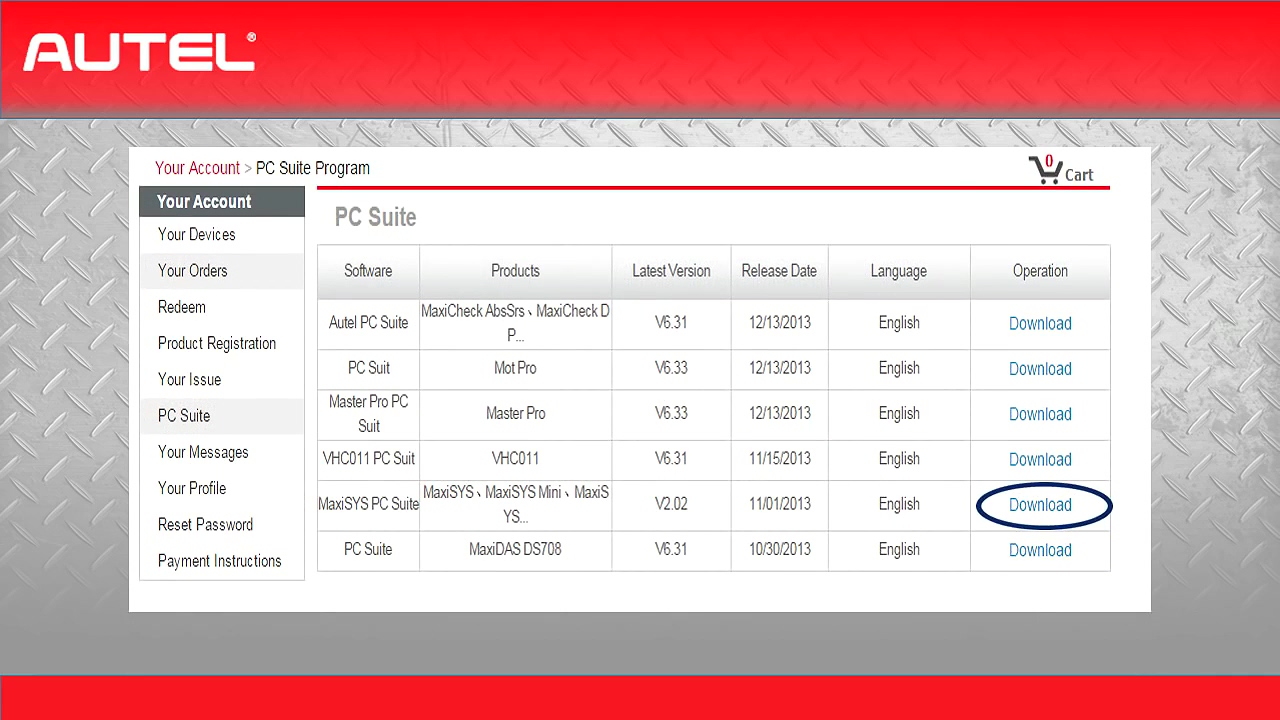
One last thing to do on this page is to go to the PC Suite link and download the PC suite for your tool. This Suite will give you the drivers and print functions you will need.
Part 2: Update Autel MaxiSys Step by Step
Now your Autel MaxiSys has been registered, you will need to update it.
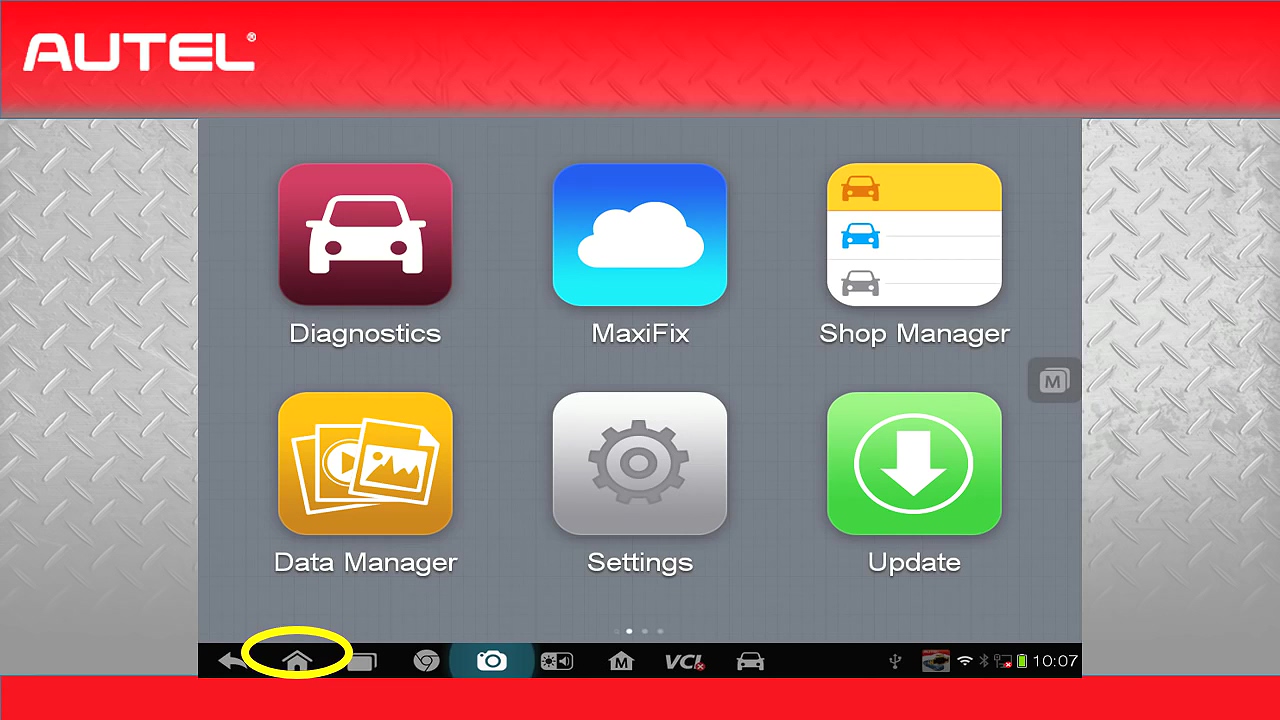
Let’s switch over to our Mac’s assist tool and make sure you are connected to the internet by going to the home screen : Settings ->Wifi, select your network and make sure you are connected.
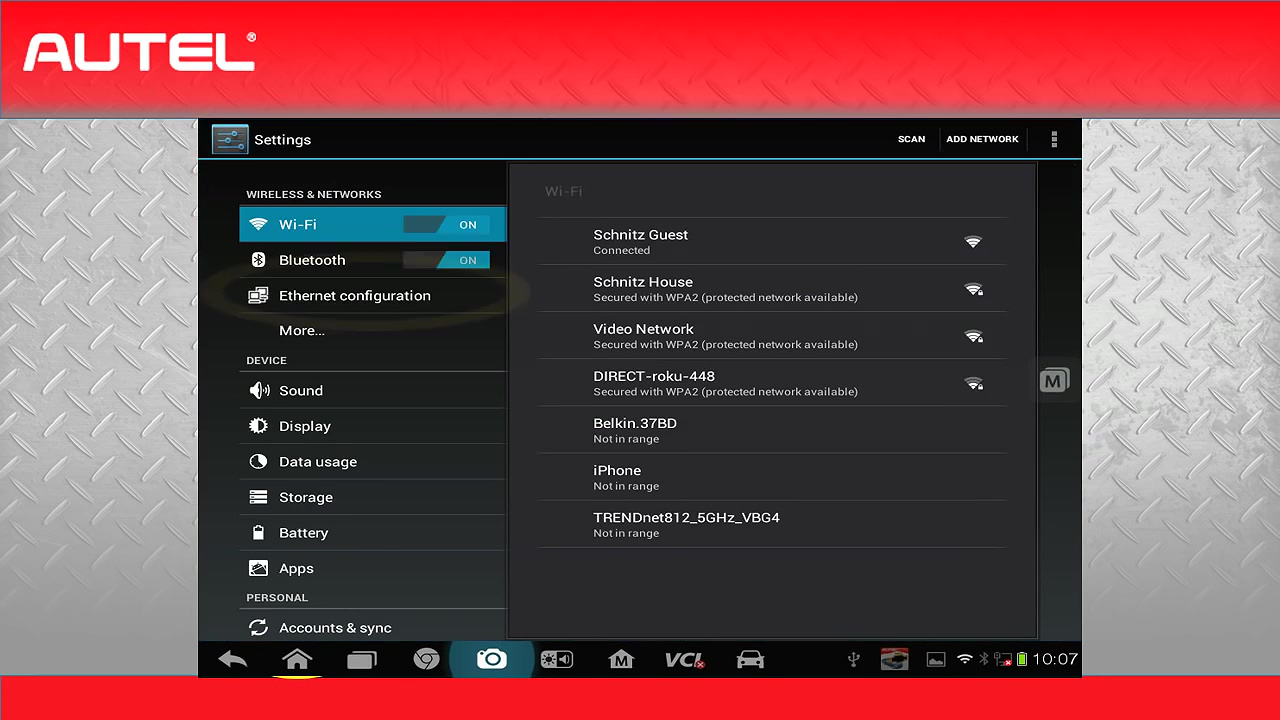
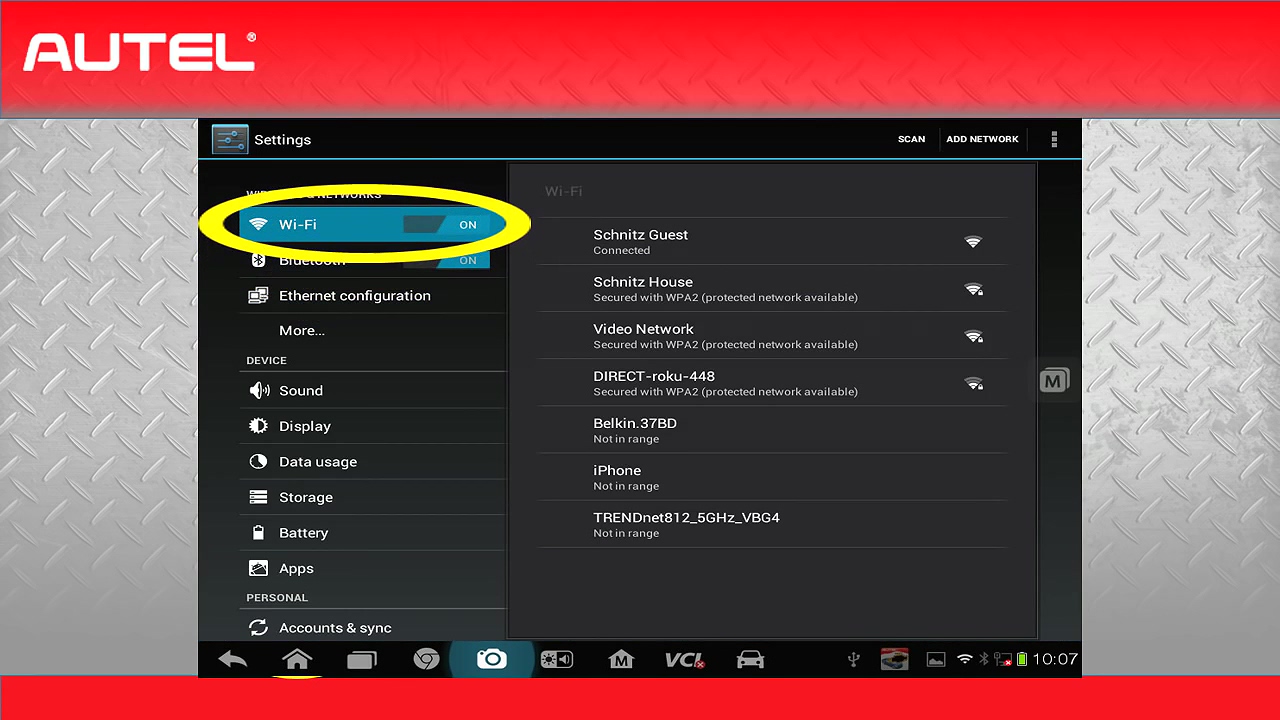
There are 3 methods to update MaxiSys:
1.The first one is entering the site, you need to do a MaxiSys
update. This is the simple process down by going to the home screen, and
select "System Updateâ€.
Once on, check for update. This update should be checked every 6 months for new versions.
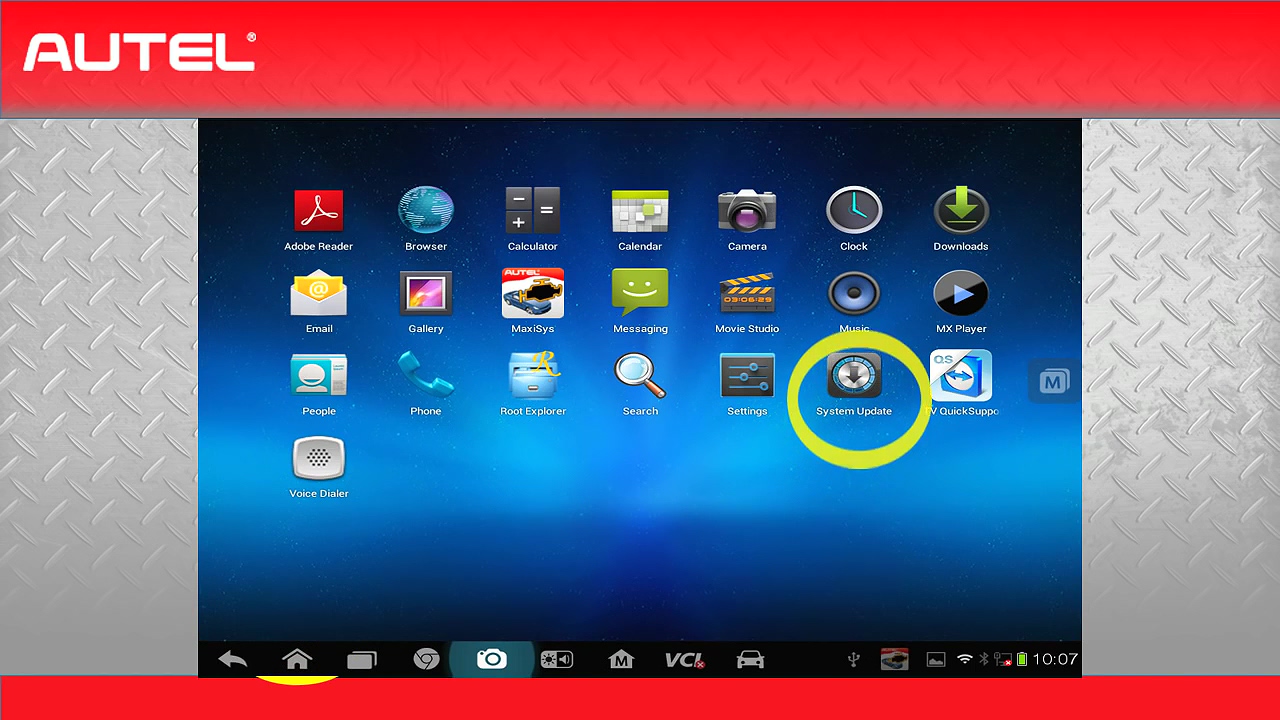
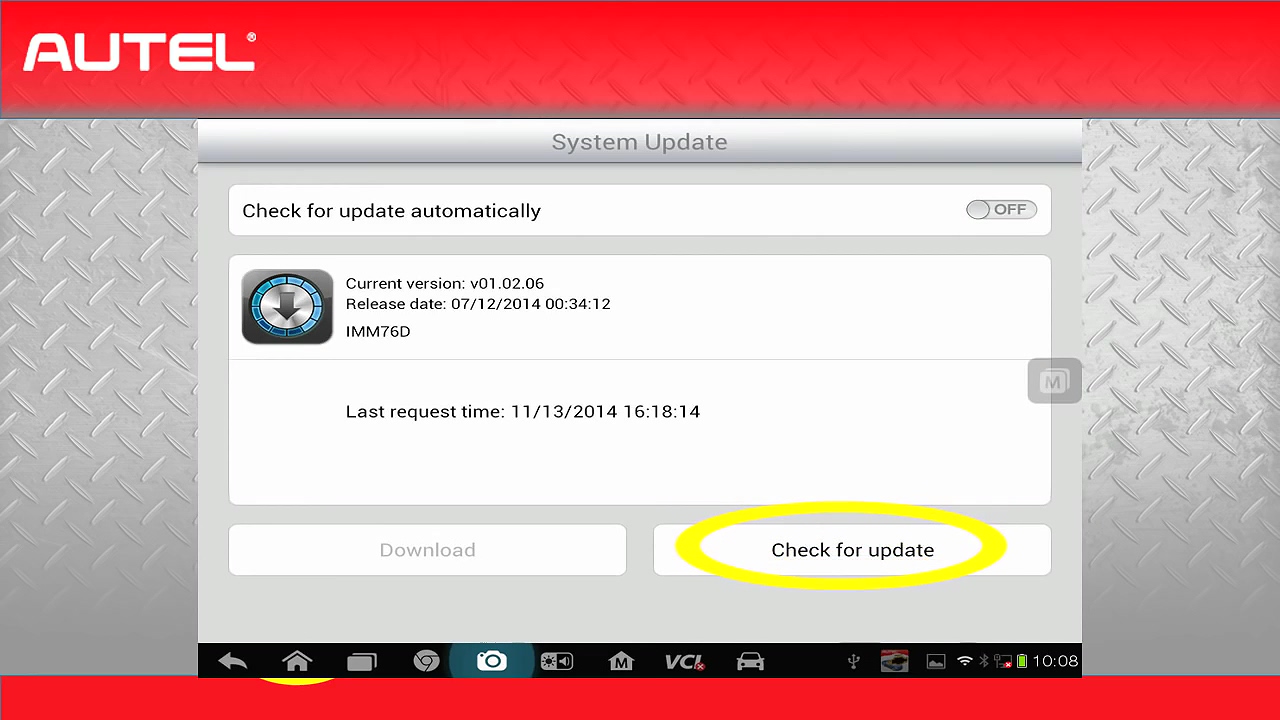
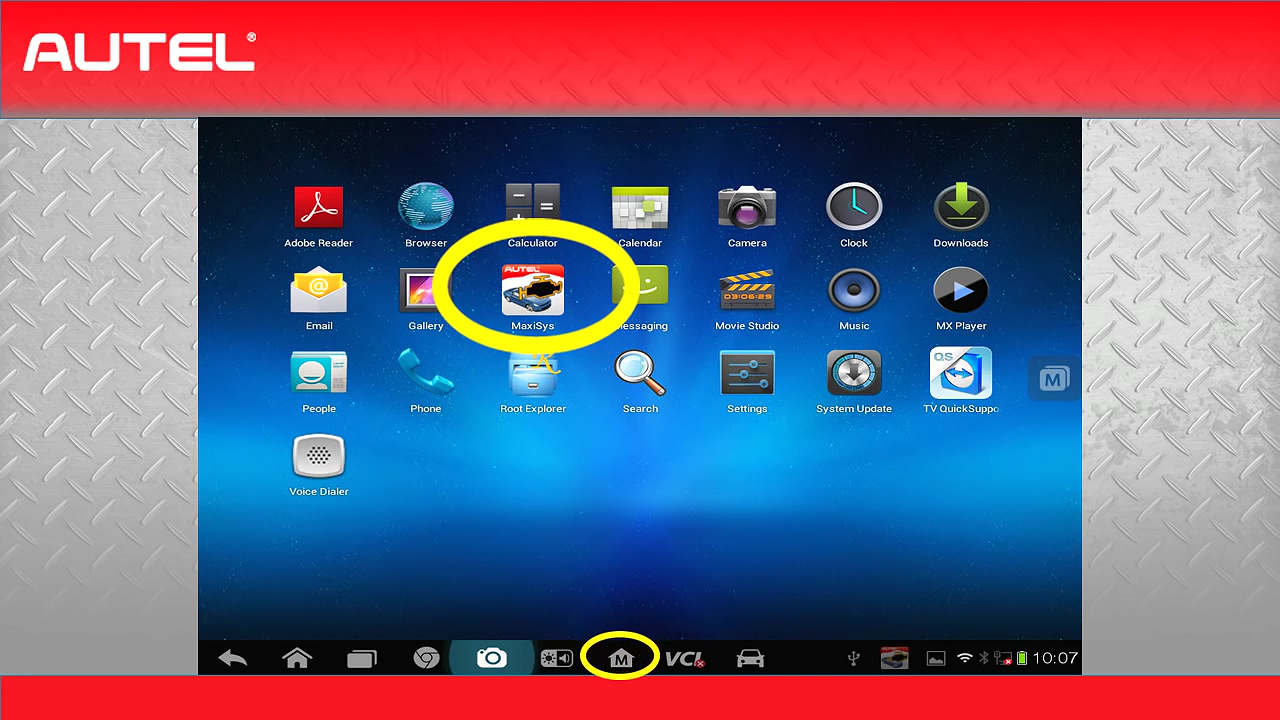
2.Now back to the home screen, we are ready to update on the Mac, this can be done by clicking on "MaxiSys†icon, or the "M†home at the bottom of the screen.
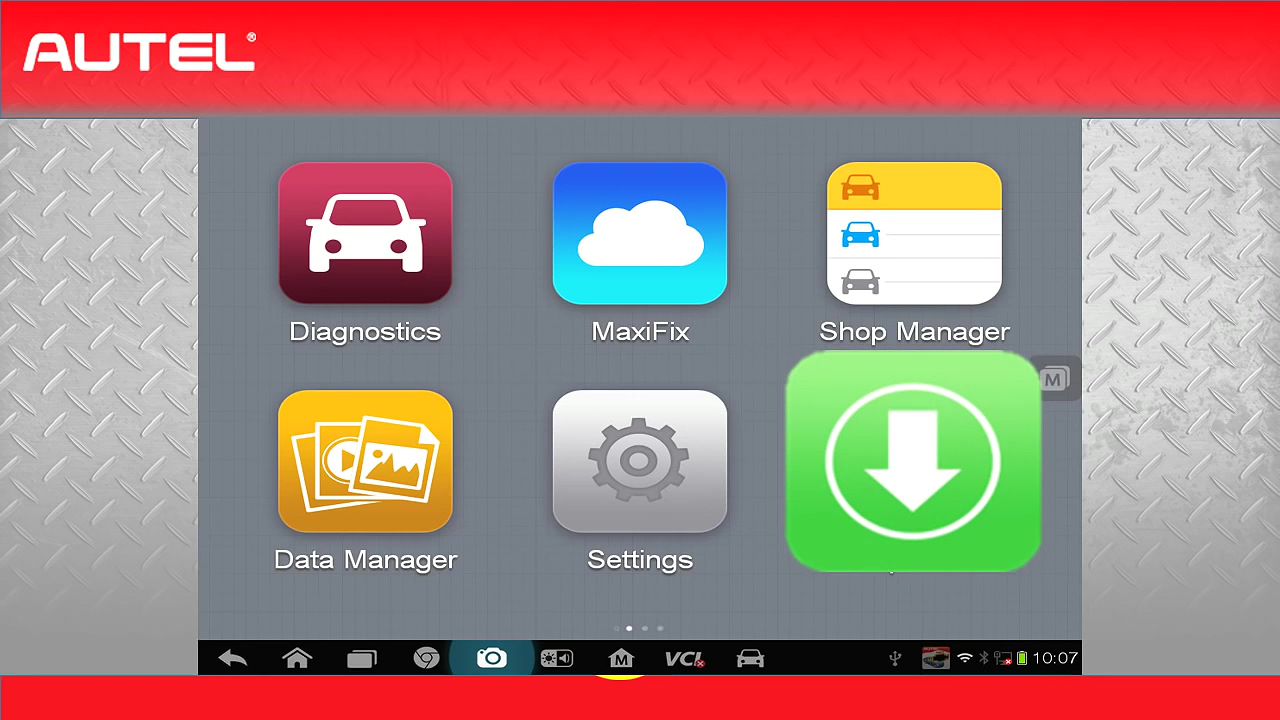
3.Select "Update†button.
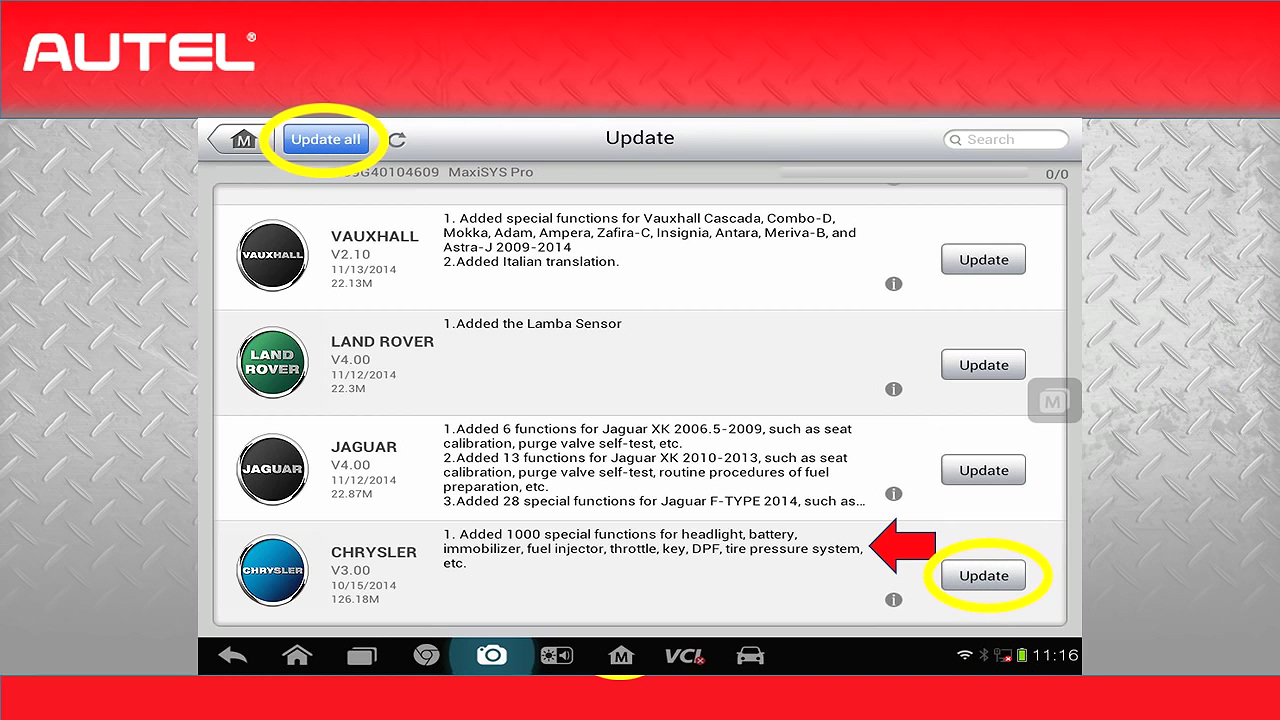
We are now in the update screen, I recommend checking this weekly to keep current on all the most recent updates and fixes. As you can the update screen will also show you what the update contains, this is an example, there is an update for Chrysler that give us a thousand special functions for headlights, battery, immobilizer, fuel injector, throttle, key, DPF, tire pressure system etc.
This is why it is so important to consistently check for updates, once you have looked through the vehicles that you can update. Select the "Update†next to the vehicle or simply select all. The MaxiSys has 32GB memory built-in, so there is no concern of running out of memory, there are no negative effects from having all vehicles loaded.
Part 3: update the VCI
Now that we have the Android platform up to date, and vehicle library up to date, our final step is to update the VCI.
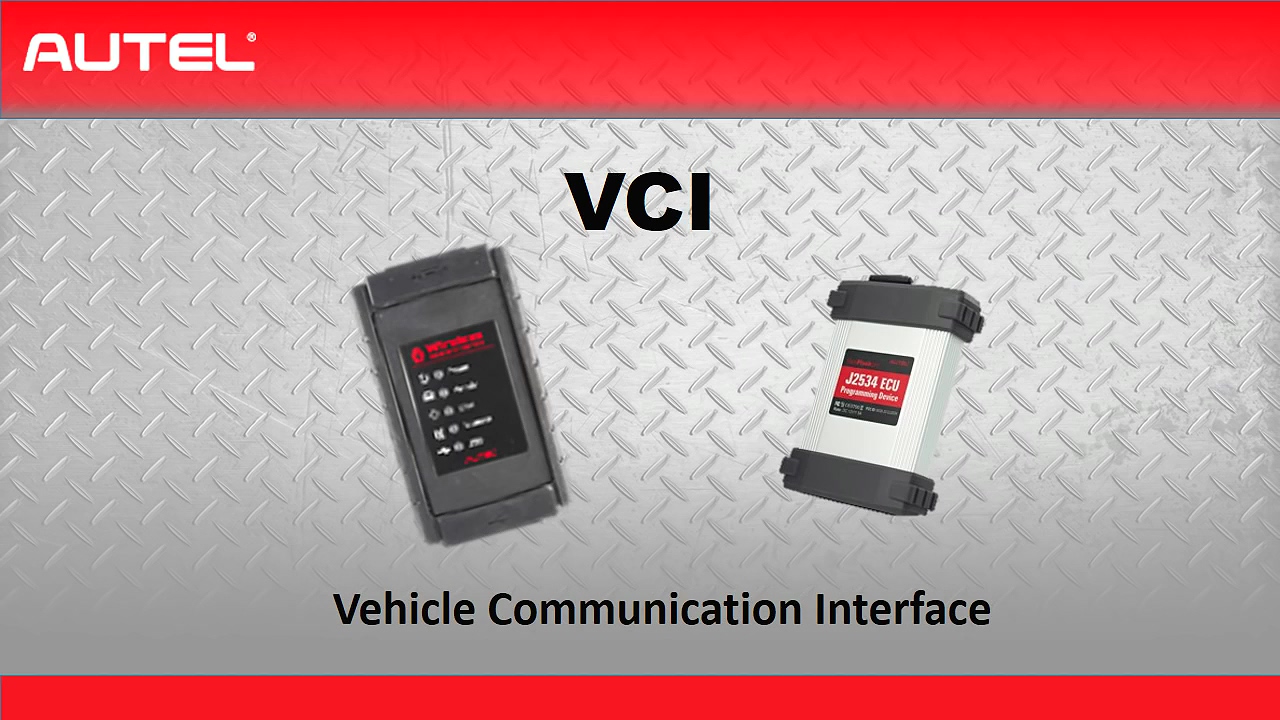
The VCI is the vehicle communication interface and it is the part that plugs into the vehicle, we need to make sure the firmware is up-to-date, we can do it by connecting the VCI to the MaxiSys Tool with the provided USB cable. If you are doing the update on you J2534 MaxiFlash Box, you will need to connect the power supply to the VCI.
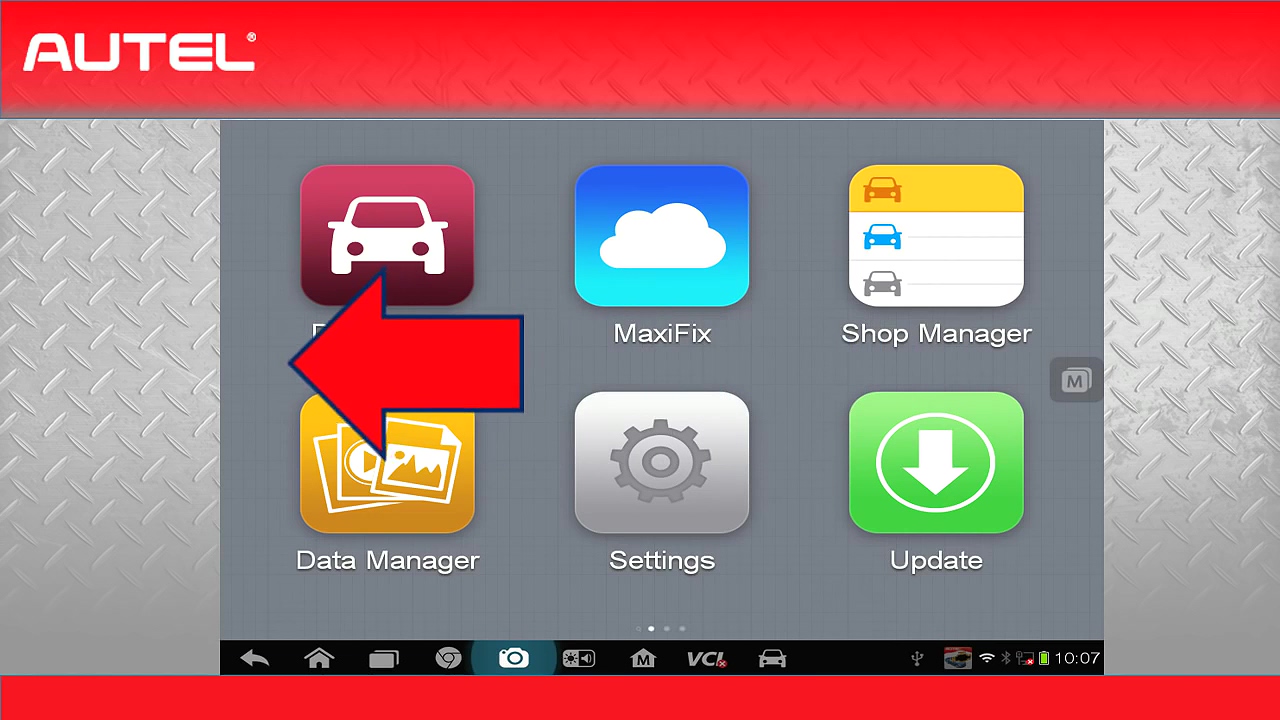
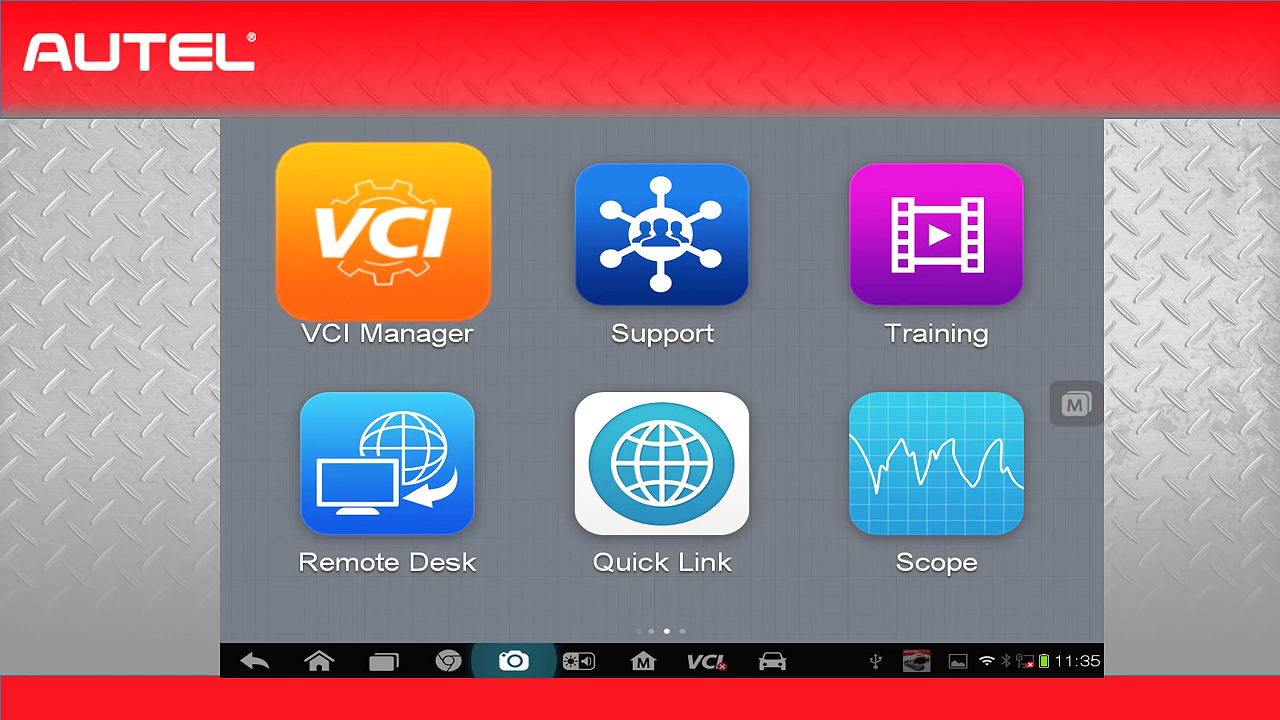
When back to the MaxiSys home, slide the screen to the left until you see the orange "VCI Managerâ€.
Once connected, you will have the option to check for updates and install the updates, this updates should be checked every 6 months.
You are now completely up to date.
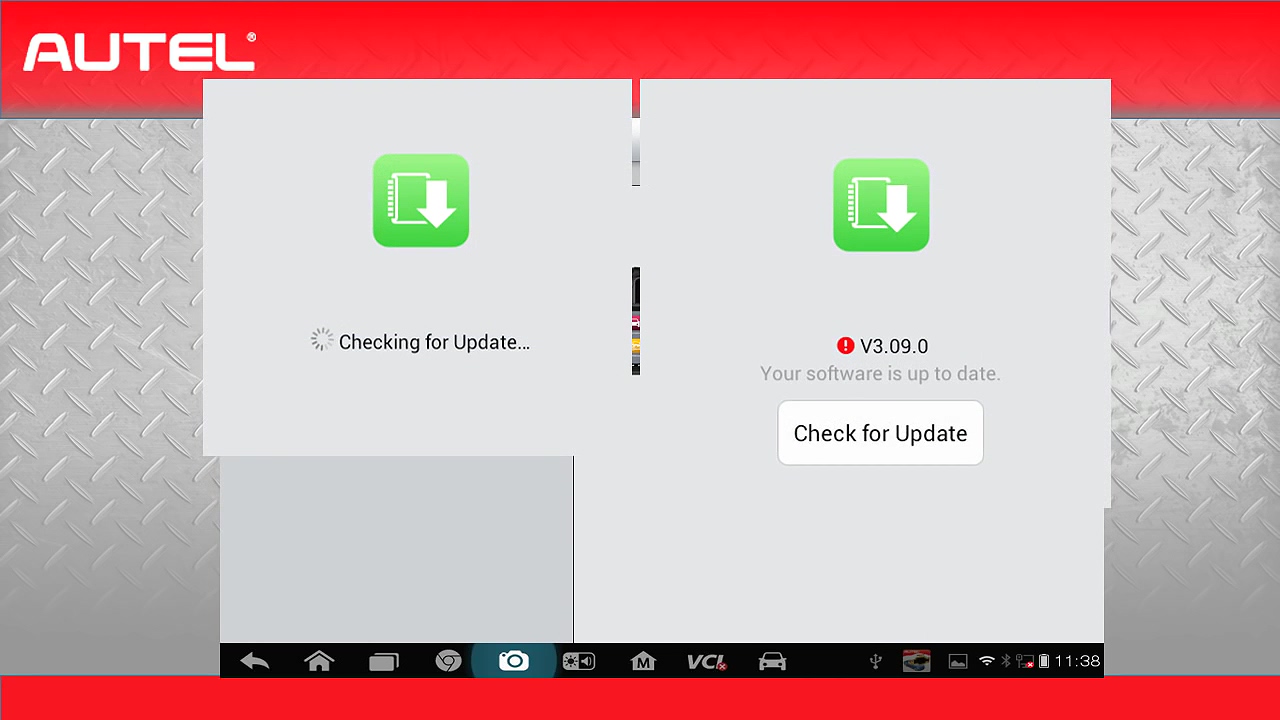
Part 4: Deleting vehicles /Apps from Autel MaxiSys tool
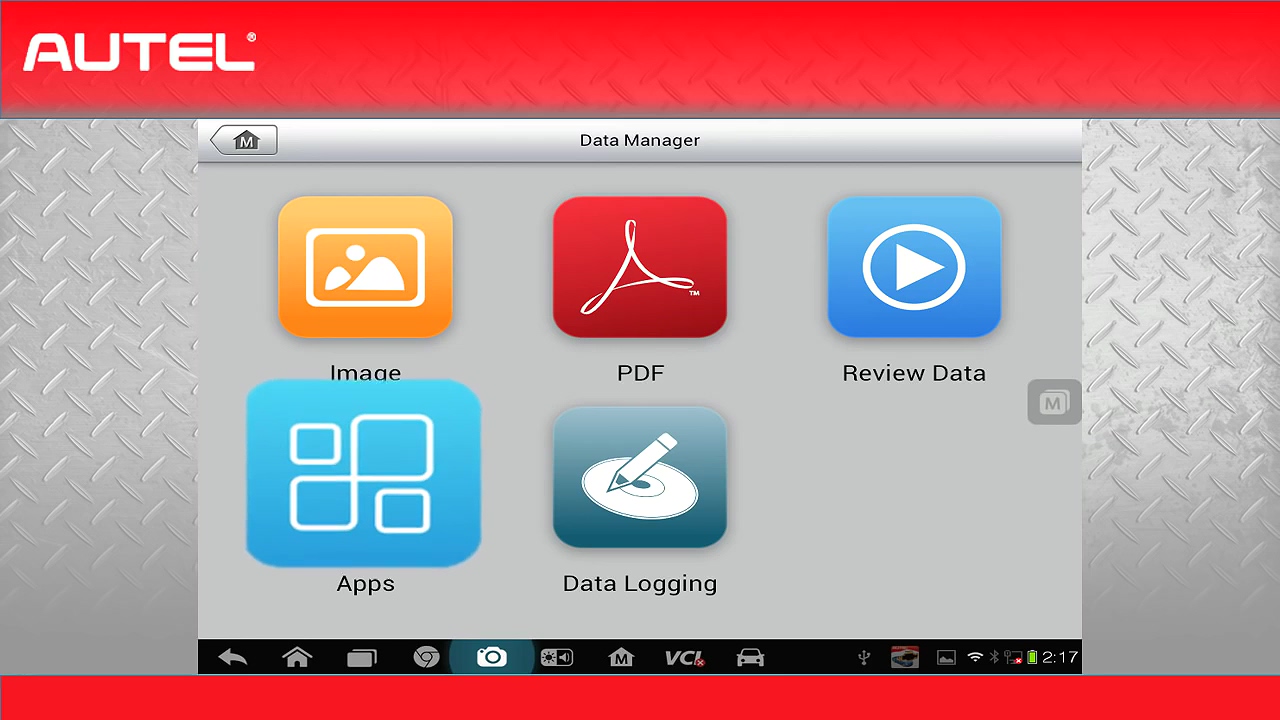
Occasionally there will be times that you have the desire to delete vehicles from you MaxiSys tool, it may be that one of your vehicles is not functioning correctly or if you wish to move vehicles to get rid of clutter. The way you can do is by going to the MaxiSys home screen and clicking on "Data Managerâ€.
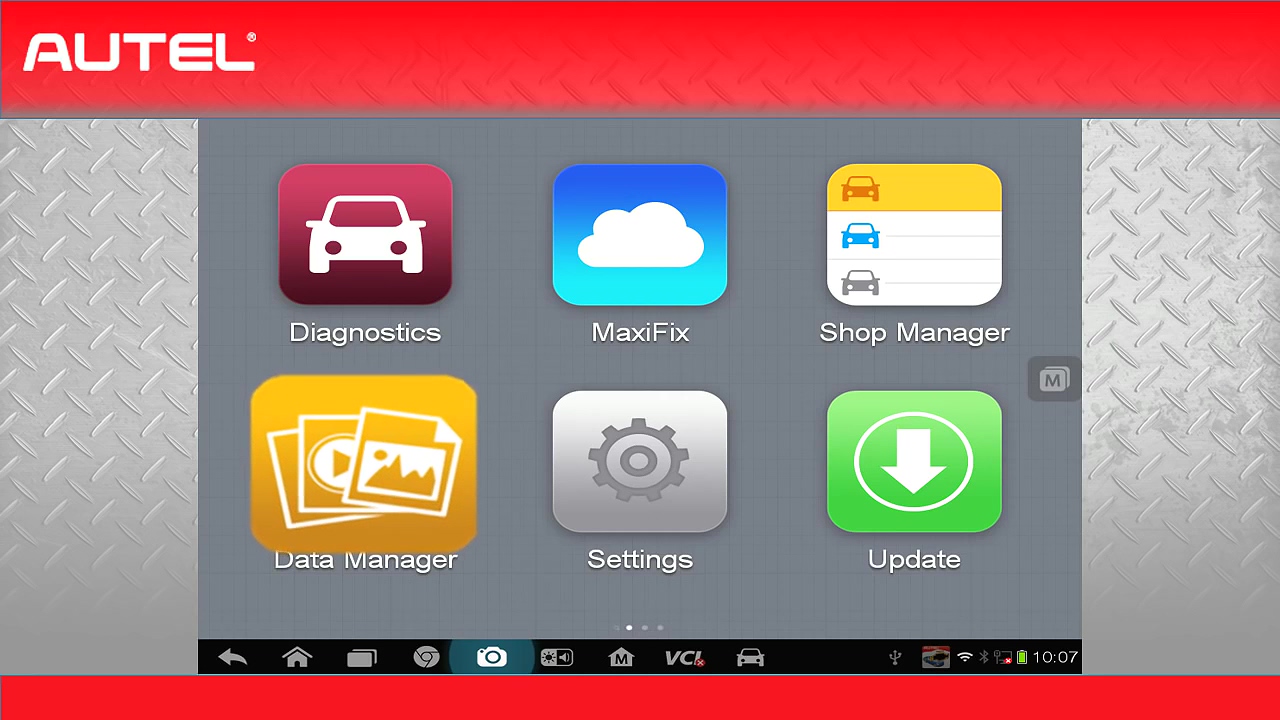
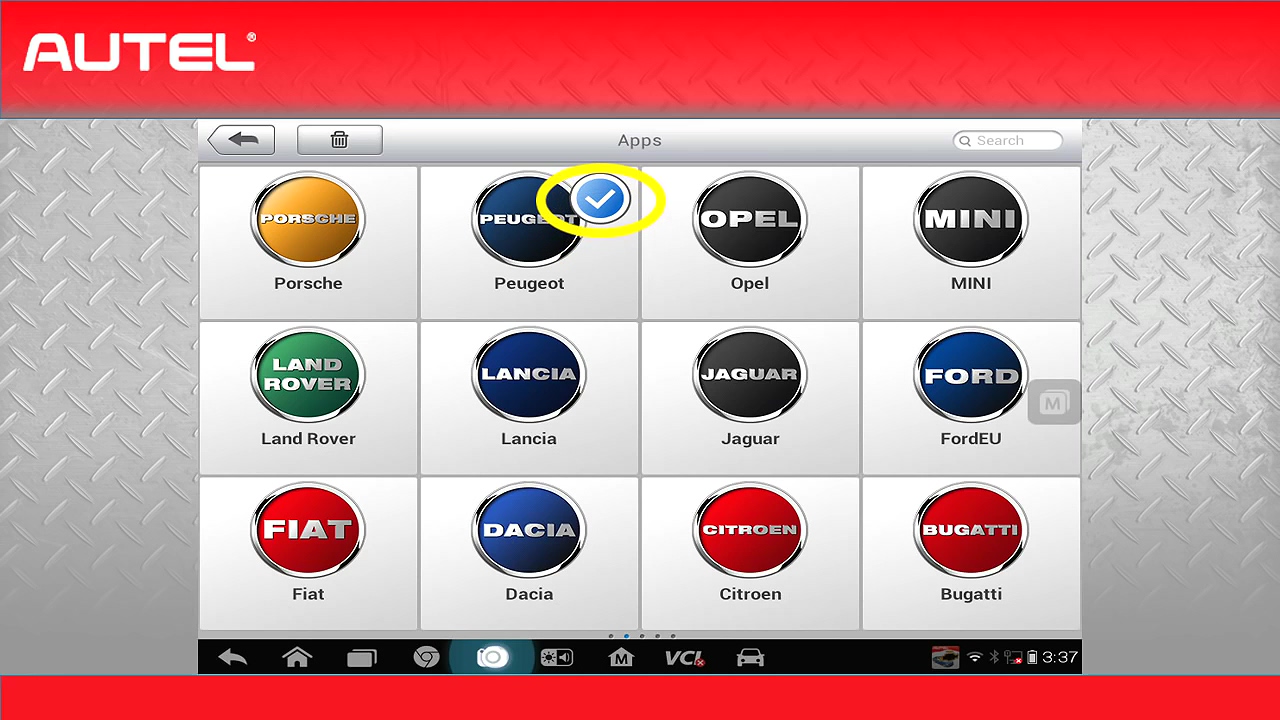
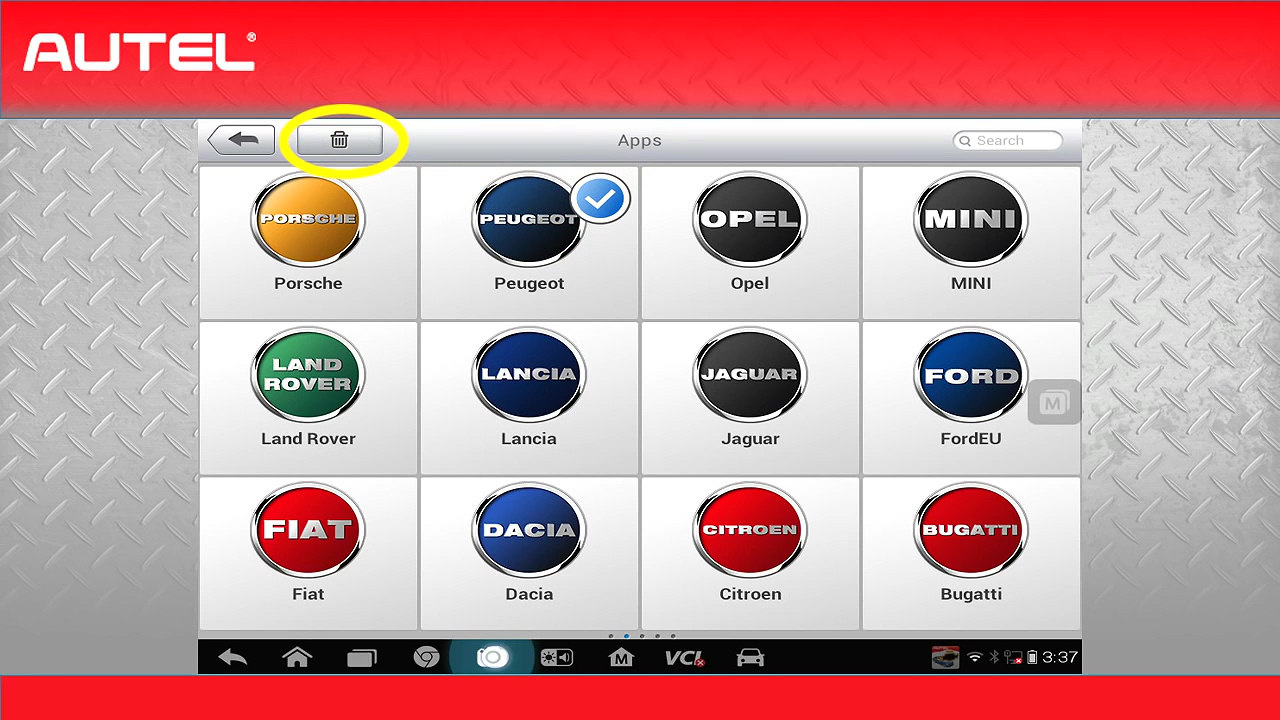
Once you are on the Data Manager page, click on "APPs†here you will see all the vehicles that are loaded onto your tool. If you wish to delete one of the vehicles, simply select the vehicle and a check mart will appear. When you have made all the selections, click on the trash can, and it will be removed.
If any time, you wish to add the deleted vehicles back to the tool, simply do the update process again.
This is the end of update procedure.
I hope that you have found it helpful and informative.
Posted by: Emily white at
06:04 AM
| No Comments
| Add Comment
Post contains 1082 words, total size 17 kb.
Thanks for the feedback @ Chris on Tech 2 Scan Tool. Here share the problem he got trouble in and offered the corresponding solution.
Problem:
I received the tech 2. Thank you.
But, when I connect to obd2, it says "cannot detect CANDI module, please verify module is connectedâ€. If it helps you, the green light on the candi module is flashing (not solid). I am not sure what to do. Can you help?
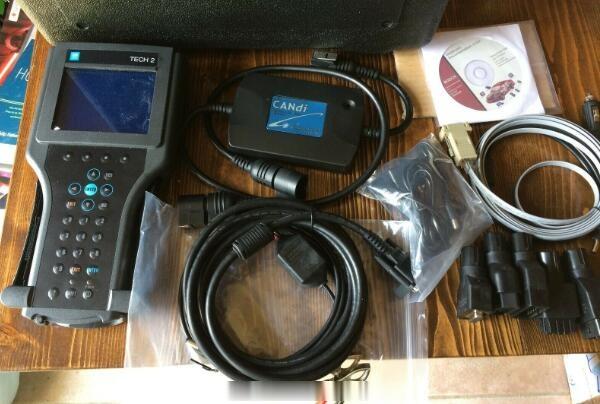
The solution:
I think I selected the wrong engine designation (there are 3) for my truck and the tech 2 could not communicate
because it was looking for a controller that was not present (which presented the error message "no candi moduleâ€).
So, I think the tech 2 was OK.
It was my fault in my selections. I got it to work now!
Very appreciate the solution Chris provided! Hope it helps you all!
Posted by: Emily white at
05:58 AM
| No Comments
| Add Comment
Post contains 155 words, total size 1 kb.
November 03, 2020
Yanhua digimaster3 will correct mileage on many Toyota car models mainly via OBP adapter.
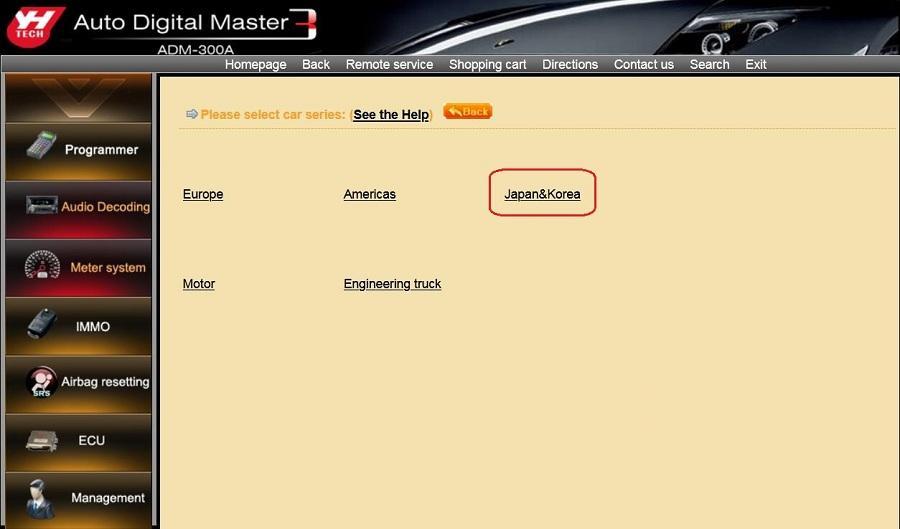
Press "Meter systemâ€, then "Japan & Koreaâ€.
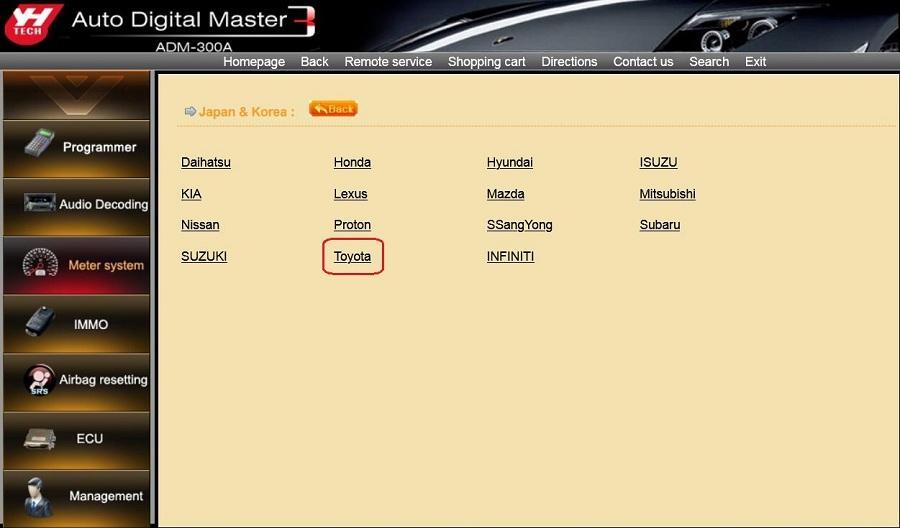
Press "Toyotaâ€.
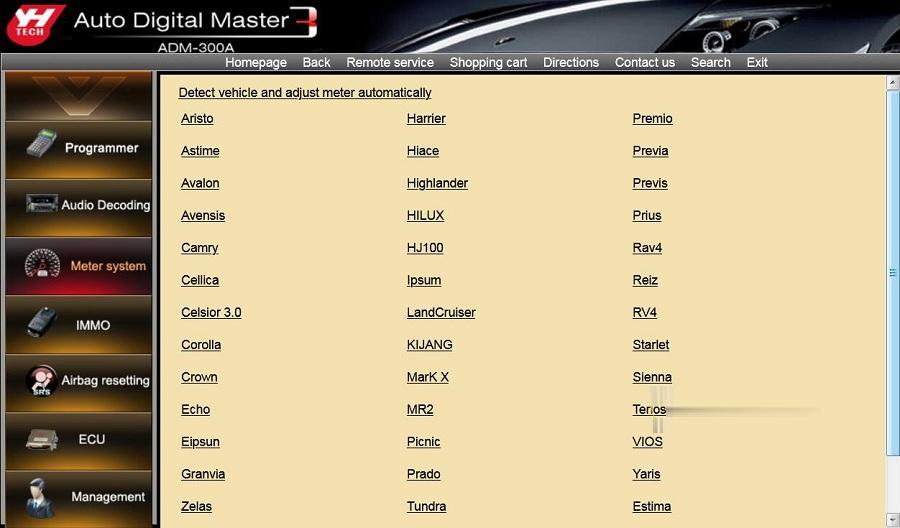
Look at the following Toyota car models Yanhua Digimaster3 will cover:
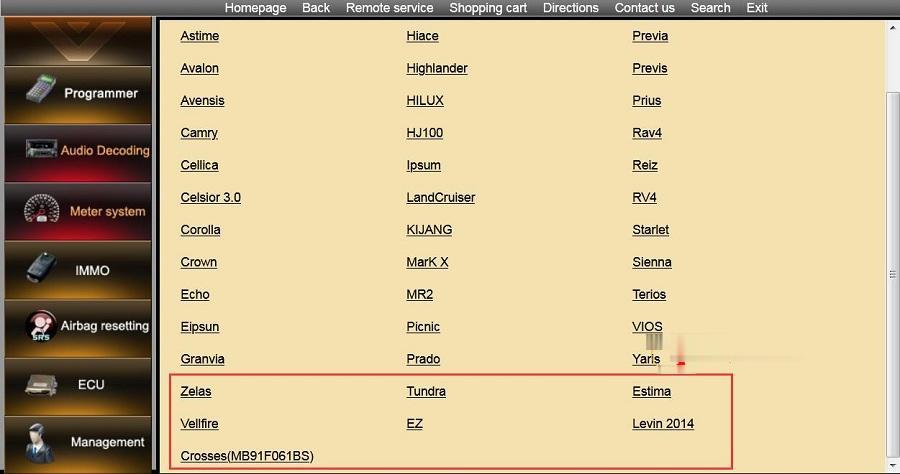
A part of Toyota function list below:
| Series | Manufactur er | Car Model | Method | Adapter | Storage Location | |
| Japan& Korea | Toyota | Aristo | 93C46 | Memory Directly | OBP | Cluster |
| Japan& Korea | Toyota | Astime | 93C46 | Memory Directly | OBP | Cluster |
| Japan& Korea | Toyota | Avalon | 93C46 | Memory Directly | OBP | Cluster |
| Japan& Korea | Toyota | Avensis | 93C46 | Memory Directly | OBP | Cluster |
| Japan& Korea | Toyota | Avensis | 93C56 | Memory Directly | OBP | Cluster |
| Japan& Korea | Toyota | Camry | 93C46 | Memory Directly | OBP | Cluster |
| Japan& Korea | Toyota | Camry | 93C56 | Memory Directly | OBP | Cluster |
| Japan& Korea | Toyota | Camry | RA57 | Memory Directly | OBP | Cluster |
| Japan& Korea | Toyota | Camry | 2012 93C66 | Memory Directly | OBP | Cluster |
| Japan& Korea | Toyota | Cellica | 93C46 | Memory Directly | OBP | Cluster |
| Japan& Korea | Toyota | Celsior 3.0 | 93C46 | Memory Directly | OBP | Cluster |
| Japan& Korea | Toyota | Corolla | 93C46 | Memory Directly | OBP | Cluster |
| Japan& Korea | Toyota | Corolla | 93C56 V1 | Memory Directly | OBP | Cluster |
| Japan& Korea | Toyota | Corolla | 93C56 V2 | Memory Directly | OBP | Cluster |
| Japan& Korea | Toyota | Corolla | 93C56 V3 | Memory Directly | OBP | Cluster |
| Japan& Korea | Toyota | Corolla | 93C66 | Soldering Contacts | ICP | Cluster |
| Japan& Korea | Toyota | Crown | 93C46 | Memory Directly | OBP | Cluster |
| Japan& Korea | Toyota | Crown | 93C66 | Memory Directly | OBP | Cluster |
| Japan& Korea | Toyota | Echo | 93C46 | Memory Directly | OBP | Cluster |
| Japan& Korea | Toyota | Eipsun | 93C56 | Memory Directly | OBP | Cluster |
| Japan& Korea | Toyota | Granvia | 93C46 | Memory Directly | OBP | Cluster |
| Japan& Korea | Toyota | Harrier | 93C46 | Memory Directly | OBP | Cluster |
| Japan& Korea | Toyota | Hiace | 93C46 | Memory Directly | OBP | Cluster |
| Japan& Korea | Toyota | Hiace | 93C56 | Memory Directly | OBP | Cluster |
| Japan& Korea | Toyota | Highlander | 93C66 | Memory Directly | OBP | Cluster |
| Japan& Korea | Toyota | HILUX | 93C66 | Memory Directly | OBP | Cluster |
| Japan& Korea | Toyota | HJ100 | 93C56 | Memory Directly | OBP | Cluster |
| Japan& Korea | Toyota | Ipsum | 93C46 | Memory Directly | OBP | Cluster |
| Japan& Korea | Toyota | LandCruiser | 93C56 | Memory Directly | OBP | Cluster |
| Japan& Korea | Toyota | LandCruiser | 93C86 | Memory Directly | OBP | Cluster |
| Japan& Korea | Toyota | LandCruiser | KDJ120 | Memory Directly | OBP | Cluster |
| Japan& Korea | Toyota | LandCruiser | KJ95/J9 | Memory Directly | OBP | Cluster |
| Japan& Korea | Toyota | KIJANG | 93C66 | Memory Directly | OBP | Cluster |
| Japan& Korea | Toyota | MarK X | RA57 | Memory Directly | OBP | Cluster |
| Japan& Korea | Toyota | MR2 | 93C46 | Memory Directly | OBP | Cluster |
| Japan& Korea | Toyota | Picnic | 93C46 | Memory Directly | OBP | Cluster |
| Japan& Korea | Toyota | Prado | 2700 93C56 | Memory Directly | OBP | Cluster |
| Japan& Korea | Toyota | Prado | 2700 93C66 | Memory Directly | OBP | Cluster |
| Japan& Korea | Toyota | Prado | 2700 93C86 | Memory Directly | OBP | Cluster |
| Japan& Korea | Toyota | Prado | 3400 93C56 | Memory Directly | OBP | Cluster |
| Japan& Korea | Toyota | Prado | 3400 93C66 | Memory Directly | OBP | Cluster |
| Japan& Korea | Toyota | Prado | 3400 S220 | Memory Directly | OBP | Cluster |
| Japan& Korea | Toyota | Prado | 4000 | Soldering Contacts | ICP | Cluster |
| Japan& Korea | Toyota | Prado | 4500 S220 | Memory Directly | OBP | Cluster |
| Japan& Korea | Toyota | Prado | 4700 2008 | Memory Directly | OBP | Cluster |
| Japan& Korea | Toyota | Prado | 4700 93C46 | Memory Directly | OBP | Cluster |
| Japan& Korea | Toyota | Prado | 4700 93C56 | Memory Directly | OBP | Cluster |
| Japan& Korea | Toyota | Prado | 4700 93C66 | Memory Directly | OBP | Cluster |
| Japan& Korea | Toyota | Prado | 4700 93C86 | Memory Directly | OBP | Cluster |
| Japan& Korea | Toyota | Prado | 4700 S220 | Memory Directly | OBP | Cluster |
| Japan& Korea | Toyota | Prado | 5700 93C86 | Memory Directly | OBP | Cluster |
| Japan& Korea | Toyota | Prado | 93C46 | Memory Directly | OBP | Cluster |
| Japan& Korea | Toyota | Premio | 93C66 | Memory Directly | OBP | Cluster |
| Japan& Korea | Toyota | Previa | 93C46 | Memory Directly | OBP | Cluster |
| Japan& Korea | Toyota | Previa | 93C56 | Memory Directly | OBP | Cluster |
| Japan& Korea | Toyota | Previs | S130 | Memory Directly | OBP | Cluster |
| Japan& Korea | Toyota | Prius | 93C46 | Memory Directly | OBP | Cluster |
| Japan& Korea | Toyota | Prius | 93C66 | Memory Directly | OBP | Cluster |
| Japan& Korea | Toyota | Prius | 93C86 | Memory Directly | OBP | Cluster |
| Japan& Korea | Toyota | Rav4 | 93C46 | Memory Directly | OBP | Cluster |
| Japan& Korea | Toyota | Reiz | 93C66 | Memory Directly | OBP | Cluster |
| Japan& Korea | Toyota | Reiz | RA57 | Memory Directly | OBP | Cluster |
| Japan& Korea | Toyota | RV4 | 2005 | Memory Directly | OBP | Cluster |
| Japan& Korea | Toyota | Rav4 | 93C56 | Memory Directly | OBP | Cluster |
| Japan& Korea | Toyota | Rav4 | 93C66 | Memory Directly | OBP | Cluster |
| Japan& Korea | Toyota | Rav4 | 93C66 | Memory Directly | OBP | Cluster |
| Japan& Korea | Toyota | Starlet | 93C46 | Memory Directly | OBP | Cluster |
| Japan& Korea | Toyota | Sienna | 93C46 | Memory Directly | OBP | Cluster |
| Japan& Korea | Toyota | Terios | 93C46 | Memory Directly | OBP | Cluster |
| Japan& Korea | Toyota | VIOS | 93C46 | Memory Directly | OBP | Cluster |
| Japan& Korea | Toyota | VIOS | 93C56 | Memory Directly | OBP | Cluster |
| Japan& Korea | Toyota | Yaris | 2003 | Memory Directly | OBP | Cluster |
| Japan& Korea | Toyota | Yaris | 2008 | Memory Directly | OBP | Cluster |
| Japan& Korea | Toyota | Yaris | 93C46 | Memory Directly | OBP | Cluster |
| Japan& Korea | Toyota | Yaris | 93C56 | Memory Directly | OBP | Cluster |
| Japan& Korea | Toyota | Yaris | Tsport | Memory Directly | OBP | Cluster |
| Japan& Korea | Toyota | Yaris | 93C56 V2 | Memory Directly | OBP | Cluster |
| Japan& Korea | Toyota | Zelas | 93C66 | Memory Directly | OBP | Cluster |
| Japan& Korea | Toyota | Tundra | 93C66 | Memory Directly | OBP | Cluster |
| Japan& Korea | Toyota | Estima | RA57 | Memory Directly | OBP | Cluster |
| Japan& Korea | Toyota | Vellfire | 93C66 | Memory Directly | OBP | Cluster |
| Japan& Korea | Toyota | EZ | 93C66 | Memory Directly | OBP | Cluster |
Posted by: Emily white at
07:35 AM
| No Comments
| Add Comment
Post contains 818 words, total size 23 kb.
Yanhua digimaster3 will correct mileage on many Toyota car models mainly via OBP adapter.
Press "Meter systemâ€, then "Japan & Koreaâ€.
Press "Toyotaâ€.
Look at the following Toyota car models Yanhua Digimaster3 will cover:
A part of Toyota function list below:
| Series | Manufactur er | Car Model | Method | Adapter | Storage Location | |
| Japan& Korea | Toyota | Aristo | 93C46 | Memory Directly | OBP | Cluster |
| Japan& Korea | Toyota | Astime | 93C46 | Memory Directly | OBP | Cluster |
| Japan& Korea | Toyota | Avalon | 93C46 | Memory Directly | OBP | Cluster |
| Japan& Korea | Toyota | Avensis | 93C46 | Memory Directly | OBP | Cluster |
| Japan& Korea | Toyota | Avensis | 93C56 | Memory Directly | OBP | Cluster |
| Japan& Korea | Toyota | Camry | 93C46 | Memory Directly | OBP | Cluster |
| Japan& Korea | Toyota | Camry | 93C56 | Memory Directly | OBP | Cluster |
| Japan& Korea | Toyota | Camry | RA57 | Memory Directly | OBP | Cluster |
| Japan& Korea | Toyota | Camry | 2012 93C66 | Memory Directly | OBP | Cluster |
| Japan& Korea | Toyota | Cellica | 93C46 | Memory Directly | OBP | Cluster |
| Japan& Korea | Toyota | Celsior 3.0 | 93C46 | Memory Directly | OBP | Cluster |
| Japan& Korea | Toyota | Corolla | 93C46 | Memory Directly | OBP | Cluster |
| Japan& Korea | Toyota | Corolla | 93C56 V1 | Memory Directly | OBP | Cluster |
| Japan& Korea | Toyota | Corolla | 93C56 V2 | Memory Directly | OBP | Cluster |
| Japan& Korea | Toyota | Corolla | 93C56 V3 | Memory Directly | OBP | Cluster |
| Japan& Korea | Toyota | Corolla | 93C66 | Soldering Contacts | ICP | Cluster |
| Japan& Korea | Toyota | Crown | 93C46 | Memory Directly | OBP | Cluster |
| Japan& Korea | Toyota | Crown | 93C66 | Memory Directly | OBP | Cluster |
| Japan& Korea | Toyota | Echo | 93C46 | Memory Directly | OBP | Cluster |
| Japan& Korea | Toyota | Eipsun | 93C56 | Memory Directly | OBP | Cluster |
| Japan& Korea | Toyota | Granvia | 93C46 | Memory Directly | OBP | Cluster |
| Japan& Korea | Toyota | Harrier | 93C46 | Memory Directly | OBP | Cluster |
| Japan& Korea | Toyota | Hiace | 93C46 | Memory Directly | OBP | Cluster |
| Japan& Korea | Toyota | Hiace | 93C56 | Memory Directly | OBP | Cluster |
| Japan& Korea | Toyota | Highlander | 93C66 | Memory Directly | OBP | Cluster |
| Japan& Korea | Toyota | HILUX | 93C66 | Memory Directly | OBP | Cluster |
| Japan& Korea | Toyota | HJ100 | 93C56 | Memory Directly | OBP | Cluster |
| Japan& Korea | Toyota | Ipsum | 93C46 | Memory Directly | OBP | Cluster |
| Japan& Korea | Toyota | LandCruiser | 93C56 | Memory Directly | OBP | Cluster |
| Japan& Korea | Toyota | LandCruiser | 93C86 | Memory Directly | OBP | Cluster |
| Japan& Korea | Toyota | LandCruiser | KDJ120 | Memory Directly | OBP | Cluster |
| Japan& Korea | Toyota | LandCruiser | KJ95/J9 | Memory Directly | OBP | Cluster |
| Japan& Korea | Toyota | KIJANG | 93C66 | Memory Directly | OBP | Cluster |
| Japan& Korea | Toyota | MarK X | RA57 | Memory Directly | OBP | Cluster |
| Japan& Korea | Toyota | MR2 | 93C46 | Memory Directly | OBP | Cluster |
| Japan& Korea | Toyota | Picnic | 93C46 | Memory Directly | OBP | Cluster |
| Japan& Korea | Toyota | Prado | 2700 93C56 | Memory Directly | OBP | Cluster |
| Japan& Korea | Toyota | Prado | 2700 93C66 | Memory Directly | OBP | Cluster |
| Japan& Korea | Toyota | Prado | 2700 93C86 | Memory Directly | OBP | Cluster |
| Japan& Korea | Toyota | Prado | 3400 93C56 | Memory Directly | OBP | Cluster |
| Japan& Korea | Toyota | Prado | 3400 93C66 | Memory Directly | OBP | Cluster |
| Japan& Korea | Toyota | Prado | 3400 S220 | Memory Directly | OBP | Cluster |
| Japan& Korea | Toyota | Prado | 4000 | Soldering Contacts | ICP | Cluster |
| Japan& Korea | Toyota | Prado | 4500 S220 | Memory Directly | OBP | Cluster |
| Japan& Korea | Toyota | Prado | 4700 2008 | Memory Directly | OBP | Cluster |
| Japan& Korea | Toyota | Prado | 4700 93C46 | Memory Directly | OBP | Cluster |
| Japan& Korea | Toyota | Prado | 4700 93C56 | Memory Directly | OBP | Cluster |
| Japan& Korea | Toyota | Prado | 4700 93C66 | Memory Directly | OBP | Cluster |
| Japan& Korea | Toyota | Prado | 4700 93C86 | Memory Directly | OBP | Cluster |
| Japan& Korea | Toyota | Prado | 4700 S220 | Memory Directly | OBP | Cluster |
| Japan& Korea | Toyota | Prado | 5700 93C86 | Memory Directly | OBP | Cluster |
| Japan& Korea | Toyota | Prado | 93C46 | Memory Directly | OBP | Cluster |
| Japan& Korea | Toyota | Premio | 93C66 | Memory Directly | OBP | Cluster |
| Japan& Korea | Toyota | Previa | 93C46 | Memory Directly | OBP | Cluster |
| Japan& Korea | Toyota | Previa | 93C56 | Memory Directly | OBP | Cluster |
| Japan& Korea | Toyota | Previs | S130 | Memory Directly | OBP | Cluster |
| Japan& Korea | Toyota | Prius | 93C46 | Memory Directly | OBP | Cluster |
| Japan& Korea | Toyota | Prius | 93C66 | Memory Directly | OBP | Cluster |
| Japan& Korea | Toyota | Prius | 93C86 | Memory Directly | OBP | Cluster |
| Japan& Korea | Toyota | Rav4 | 93C46 | Memory Directly | OBP | Cluster |
| Japan& Korea | Toyota | Reiz | 93C66 | Memory Directly | OBP | Cluster |
| Japan& Korea | Toyota | Reiz | RA57 | Memory Directly | OBP | Cluster |
| Japan& Korea | Toyota | RV4 | 2005 | Memory Directly | OBP | Cluster |
| Japan& Korea | Toyota | Rav4 | 93C56 | Memory Directly | OBP | Cluster |
| Japan& Korea | Toyota | Rav4 | 93C66 | Memory Directly | OBP | Cluster |
| Japan& Korea | Toyota | Rav4 | 93C66 | Memory Directly | OBP | Cluster |
| Japan& Korea | Toyota | Starlet | 93C46 | Memory Directly | OBP | Cluster |
| Japan& Korea | Toyota | Sienna | 93C46 | Memory Directly | OBP | Cluster |
| Japan& Korea | Toyota | Terios | 93C46 | Memory Directly | OBP | Cluster |
| Japan& Korea | Toyota | VIOS | 93C46 | Memory Directly | OBP | Cluster |
| Japan& Korea | Toyota | VIOS | 93C56 | Memory Directly | OBP | Cluster |
| Japan& Korea | Toyota | Yaris | 2003 | Memory Directly | OBP | Cluster |
| Japan& Korea | Toyota | Yaris | 2008 | Memory Directly | OBP | Cluster |
| Japan& Korea | Toyota | Yaris | 93C46 | Memory Directly | OBP | Cluster |
| Japan& Korea | Toyota | Yaris | 93C56 | Memory Directly | OBP | Cluster |
| Japan& Korea | Toyota | Yaris | Tsport | Memory Directly | OBP | Cluster |
| Japan& Korea | Toyota | Yaris | 93C56 V2 | Memory Directly | OBP | Cluster |
| Japan& Korea | Toyota | Zelas | 93C66 | Memory Directly | OBP | Cluster |
| Japan& Korea | Toyota | Tundra | 93C66 | Memory Directly | OBP | Cluster |
| Japan& Korea | Toyota | Estima | RA57 | Memory Directly | OBP | Cluster |
| Japan& Korea | Toyota | Vellfire | 93C66 | Memory Directly | OBP | Cluster |
| Japan& Korea | Toyota | EZ | 93C66 | Memory Directly | OBP | Cluster |
Posted by: Emily white at
07:35 AM
| No Comments
| Add Comment
Post contains 818 words, total size 23 kb.
Yanhua digimaster3 will correct mileage on many Toyota car models mainly via OBP adapter.
Press "Meter systemâ€, then "Japan & Koreaâ€.
Press "Toyotaâ€.
Look at the following Toyota car models Yanhua Digimaster3 will cover:
A part of Toyota function list below:
| Series | Manufactur er | Car Model | Method | Adapter | Storage Location | |
| Japan& Korea | Toyota | Aristo | 93C46 | Memory Directly | OBP | Cluster |
| Japan& Korea | Toyota | Astime | 93C46 | Memory Directly | OBP | Cluster |
| Japan& Korea | Toyota | Avalon | 93C46 | Memory Directly | OBP | Cluster |
| Japan& Korea | Toyota | Avensis | 93C46 | Memory Directly | OBP | Cluster |
| Japan& Korea | Toyota | Avensis | 93C56 | Memory Directly | OBP | Cluster |
| Japan& Korea | Toyota | Camry | 93C46 | Memory Directly | OBP | Cluster |
| Japan& Korea | Toyota | Camry | 93C56 | Memory Directly | OBP | Cluster |
| Japan& Korea | Toyota | Camry | RA57 | Memory Directly | OBP | Cluster |
| Japan& Korea | Toyota | Camry | 2012 93C66 | Memory Directly | OBP | Cluster |
| Japan& Korea | Toyota | Cellica | 93C46 | Memory Directly | OBP | Cluster |
| Japan& Korea | Toyota | Celsior 3.0 | 93C46 | Memory Directly | OBP | Cluster |
| Japan& Korea | Toyota | Corolla | 93C46 | Memory Directly | OBP | Cluster |
| Japan& Korea | Toyota | Corolla | 93C56 V1 | Memory Directly | OBP | Cluster |
| Japan& Korea | Toyota | Corolla | 93C56 V2 | Memory Directly | OBP | Cluster |
| Japan& Korea | Toyota | Corolla | 93C56 V3 | Memory Directly | OBP | Cluster |
| Japan& Korea | Toyota | Corolla | 93C66 | Soldering Contacts | ICP | Cluster |
| Japan& Korea | Toyota | Crown | 93C46 | Memory Directly | OBP | Cluster |
| Japan& Korea | Toyota | Crown | 93C66 | Memory Directly | OBP | Cluster |
| Japan& Korea | Toyota | Echo | 93C46 | Memory Directly | OBP | Cluster |
| Japan& Korea | Toyota | Eipsun | 93C56 | Memory Directly | OBP | Cluster |
| Japan& Korea | Toyota | Granvia | 93C46 | Memory Directly | OBP | Cluster |
| Japan& Korea | Toyota | Harrier | 93C46 | Memory Directly | OBP | Cluster |
| Japan& Korea | Toyota | Hiace | 93C46 | Memory Directly | OBP | Cluster |
| Japan& Korea | Toyota | Hiace | 93C56 | Memory Directly | OBP | Cluster |
| Japan& Korea | Toyota | Highlander | 93C66 | Memory Directly | OBP | Cluster |
| Japan& Korea | Toyota | HILUX | 93C66 | Memory Directly | OBP | Cluster |
| Japan& Korea | Toyota | HJ100 | 93C56 | Memory Directly | OBP | Cluster |
| Japan& Korea | Toyota | Ipsum | 93C46 | Memory Directly | OBP | Cluster |
| Japan& Korea | Toyota | LandCruiser | 93C56 | Memory Directly | OBP | Cluster |
| Japan& Korea | Toyota | LandCruiser | 93C86 | Memory Directly | OBP | Cluster |
| Japan& Korea | Toyota | LandCruiser | KDJ120 | Memory Directly | OBP | Cluster |
| Japan& Korea | Toyota | LandCruiser | KJ95/J9 | Memory Directly | OBP | Cluster |
| Japan& Korea | Toyota | KIJANG | 93C66 | Memory Directly | OBP | Cluster |
| Japan& Korea | Toyota | MarK X | RA57 | Memory Directly | OBP | Cluster |
| Japan& Korea | Toyota | MR2 | 93C46 | Memory Directly | OBP | Cluster |
| Japan& Korea | Toyota | Picnic | 93C46 | Memory Directly | OBP | Cluster |
| Japan& Korea | Toyota | Prado | 2700 93C56 | Memory Directly | OBP | Cluster |
| Japan& Korea | Toyota | Prado | 2700 93C66 | Memory Directly | OBP | Cluster |
| Japan& Korea | Toyota | Prado | 2700 93C86 | Memory Directly | OBP | Cluster |
| Japan& Korea | Toyota | Prado | 3400 93C56 | Memory Directly | OBP | Cluster |
| Japan& Korea | Toyota | Prado | 3400 93C66 | Memory Directly | OBP | Cluster |
| Japan& Korea | Toyota | Prado | 3400 S220 | Memory Directly | OBP | Cluster |
| Japan& Korea | Toyota | Prado | 4000 | Soldering Contacts | ICP | Cluster |
| Japan& Korea | Toyota | Prado | 4500 S220 | Memory Directly | OBP | Cluster |
| Japan& Korea | Toyota | Prado | 4700 2008 | Memory Directly | OBP | Cluster |
| Japan& Korea | Toyota | Prado | 4700 93C46 | Memory Directly | OBP | Cluster |
| Japan& Korea | Toyota | Prado | 4700 93C56 | Memory Directly | OBP | Cluster |
| Japan& Korea | Toyota | Prado | 4700 93C66 | Memory Directly | OBP | Cluster |
| Japan& Korea | Toyota | Prado | 4700 93C86 | Memory Directly | OBP | Cluster |
| Japan& Korea | Toyota | Prado | 4700 S220 | Memory Directly | OBP | Cluster |
| Japan& Korea | Toyota | Prado | 5700 93C86 | Memory Directly | OBP | Cluster |
| Japan& Korea | Toyota | Prado | 93C46 | Memory Directly | OBP | Cluster |
| Japan& Korea | Toyota | Premio | 93C66 | Memory Directly | OBP | Cluster |
| Japan& Korea | Toyota | Previa | 93C46 | Memory Directly | OBP | Cluster |
| Japan& Korea | Toyota | Previa | 93C56 | Memory Directly | OBP | Cluster |
| Japan& Korea | Toyota | Previs | S130 | Memory Directly | OBP | Cluster |
| Japan& Korea | Toyota | Prius | 93C46 | Memory Directly | OBP | Cluster |
| Japan& Korea | Toyota | Prius | 93C66 | Memory Directly | OBP | Cluster |
| Japan& Korea | Toyota | Prius | 93C86 | Memory Directly | OBP | Cluster |
| Japan& Korea | Toyota | Rav4 | 93C46 | Memory Directly | OBP | Cluster |
| Japan& Korea | Toyota | Reiz | 93C66 | Memory Directly | OBP | Cluster |
| Japan& Korea | Toyota | Reiz | RA57 | Memory Directly | OBP | Cluster |
| Japan& Korea | Toyota | RV4 | 2005 | Memory Directly | OBP | Cluster |
| Japan& Korea | Toyota | Rav4 | 93C56 | Memory Directly | OBP | Cluster |
| Japan& Korea | Toyota | Rav4 | 93C66 | Memory Directly | OBP | Cluster |
| Japan& Korea | Toyota | Rav4 | 93C66 | Memory Directly | OBP | Cluster |
| Japan& Korea | Toyota | Starlet | 93C46 | Memory Directly | OBP | Cluster |
| Japan& Korea | Toyota | Sienna | 93C46 | Memory Directly | OBP | Cluster |
| Japan& Korea | Toyota | Terios | 93C46 | Memory Directly | OBP | Cluster |
| Japan& Korea | Toyota | VIOS | 93C46 | Memory Directly | OBP | Cluster |
| Japan& Korea | Toyota | VIOS | 93C56 | Memory Directly | OBP | Cluster |
| Japan& Korea | Toyota | Yaris | 2003 | Memory Directly | OBP | Cluster |
| Japan& Korea | Toyota | Yaris | 2008 | Memory Directly | OBP | Cluster |
| Japan& Korea | Toyota | Yaris | 93C46 | Memory Directly | OBP | Cluster |
| Japan& Korea | Toyota | Yaris | 93C56 | Memory Directly | OBP | Cluster |
| Japan& Korea | Toyota | Yaris | Tsport | Memory Directly | OBP | Cluster |
| Japan& Korea | Toyota | Yaris | 93C56 V2 | Memory Directly | OBP | Cluster |
| Japan& Korea | Toyota | Zelas | 93C66 | Memory Directly | OBP | Cluster |
| Japan& Korea | Toyota | Tundra | 93C66 | Memory Directly | OBP | Cluster |
| Japan& Korea | Toyota | Estima | RA57 | Memory Directly | OBP | Cluster |
| Japan& Korea | Toyota | Vellfire | 93C66 | Memory Directly | OBP | Cluster |
| Japan& Korea | Toyota | EZ | 93C66 | Memory Directly | OBP | Cluster |
Posted by: Emily white at
07:35 AM
| No Comments
| Add Comment
Post contains 818 words, total size 23 kb.
Yanhua digimaster3 will correct mileage on many Toyota car models mainly via OBP adapter.
Press "Meter systemâ€, then "Japan & Koreaâ€.
Press "Toyotaâ€.
Look at the following Toyota car models Yanhua Digimaster3 will cover:
A part of Toyota function list below:
| Series | Manufactur er | Car Model | Method | Adapter | Storage Location | |
| Japan& Korea | Toyota | Aristo | 93C46 | Memory Directly | OBP | Cluster |
| Japan& Korea | Toyota | Astime | 93C46 | Memory Directly | OBP | Cluster |
| Japan& Korea | Toyota | Avalon | 93C46 | Memory Directly | OBP | Cluster |
| Japan& Korea | Toyota | Avensis | 93C46 | Memory Directly | OBP | Cluster |
| Japan& Korea | Toyota | Avensis | 93C56 | Memory Directly | OBP | Cluster |
| Japan& Korea | Toyota | Camry | 93C46 | Memory Directly | OBP | Cluster |
| Japan& Korea | Toyota | Camry | 93C56 | Memory Directly | OBP | Cluster |
| Japan& Korea | Toyota | Camry | RA57 | Memory Directly | OBP | Cluster |
| Japan& Korea | Toyota | Camry | 2012 93C66 | Memory Directly | OBP | Cluster |
| Japan& Korea | Toyota | Cellica | 93C46 | Memory Directly | OBP | Cluster |
| Japan& Korea | Toyota | Celsior 3.0 | 93C46 | Memory Directly | OBP | Cluster |
| Japan& Korea | Toyota | Corolla | 93C46 | Memory Directly | OBP | Cluster |
| Japan& Korea | Toyota | Corolla | 93C56 V1 | Memory Directly | OBP | Cluster |
| Japan& Korea | Toyota | Corolla | 93C56 V2 | Memory Directly | OBP | Cluster |
| Japan& Korea | Toyota | Corolla | 93C56 V3 | Memory Directly | OBP | Cluster |
| Japan& Korea | Toyota | Corolla | 93C66 | Soldering Contacts | ICP | Cluster |
| Japan& Korea | Toyota | Crown | 93C46 | Memory Directly | OBP | Cluster |
| Japan& Korea | Toyota | Crown | 93C66 | Memory Directly | OBP | Cluster |
| Japan& Korea | Toyota | Echo | 93C46 | Memory Directly | OBP | Cluster |
| Japan& Korea | Toyota | Eipsun | 93C56 | Memory Directly | OBP | Cluster |
| Japan& Korea | Toyota | Granvia | 93C46 | Memory Directly | OBP | Cluster |
| Japan& Korea | Toyota | Harrier | 93C46 | Memory Directly | OBP | Cluster |
| Japan& Korea | Toyota | Hiace | 93C46 | Memory Directly | OBP | Cluster |
| Japan& Korea | Toyota | Hiace | 93C56 | Memory Directly | OBP | Cluster |
| Japan& Korea | Toyota | Highlander | 93C66 | Memory Directly | OBP | Cluster |
| Japan& Korea | Toyota | HILUX | 93C66 | Memory Directly | OBP | Cluster |
| Japan& Korea | Toyota | HJ100 | 93C56 | Memory Directly | OBP | Cluster |
| Japan& Korea | Toyota | Ipsum | 93C46 | Memory Directly | OBP | Cluster |
| Japan& Korea | Toyota | LandCruiser | 93C56 | Memory Directly | OBP | Cluster |
| Japan& Korea | Toyota | LandCruiser | 93C86 | Memory Directly | OBP | Cluster |
| Japan& Korea | Toyota | LandCruiser | KDJ120 | Memory Directly | OBP | Cluster |
| Japan& Korea | Toyota | LandCruiser | KJ95/J9 | Memory Directly | OBP | Cluster |
| Japan& Korea | Toyota | KIJANG | 93C66 | Memory Directly | OBP | Cluster |
| Japan& Korea | Toyota | MarK X | RA57 | Memory Directly | OBP | Cluster |
| Japan& Korea | Toyota | MR2 | 93C46 | Memory Directly | OBP | Cluster |
| Japan& Korea | Toyota | Picnic | 93C46 | Memory Directly | OBP | Cluster |
| Japan& Korea | Toyota | Prado | 2700 93C56 | Memory Directly | OBP | Cluster |
| Japan& Korea | Toyota | Prado | 2700 93C66 | Memory Directly | OBP | Cluster |
| Japan& Korea | Toyota | Prado | 2700 93C86 | Memory Directly | OBP | Cluster |
| Japan& Korea | Toyota | Prado | 3400 93C56 | Memory Directly | OBP | Cluster |
| Japan& Korea | Toyota | Prado | 3400 93C66 | Memory Directly | OBP | Cluster |
| Japan& Korea | Toyota | Prado | 3400 S220 | Memory Directly | OBP | Cluster |
| Japan& Korea | Toyota | Prado | 4000 | Soldering Contacts | ICP | Cluster |
| Japan& Korea | Toyota | Prado | 4500 S220 | Memory Directly | OBP | Cluster |
| Japan& Korea | Toyota | Prado | 4700 2008 | Memory Directly | OBP | Cluster |
| Japan& Korea | Toyota | Prado | 4700 93C46 | Memory Directly | OBP | Cluster |
| Japan& Korea | Toyota | Prado | 4700 93C56 | Memory Directly | OBP | Cluster |
| Japan& Korea | Toyota | Prado | 4700 93C66 | Memory Directly | OBP | Cluster |
| Japan& Korea | Toyota | Prado | 4700 93C86 | Memory Directly | OBP | Cluster |
| Japan& Korea | Toyota | Prado | 4700 S220 | Memory Directly | OBP | Cluster |
| Japan& Korea | Toyota | Prado | 5700 93C86 | Memory Directly | OBP | Cluster |
| Japan& Korea | Toyota | Prado | 93C46 | Memory Directly | OBP | Cluster |
| Japan& Korea | Toyota | Premio | 93C66 | Memory Directly | OBP | Cluster |
| Japan& Korea | Toyota | Previa | 93C46 | Memory Directly | OBP | Cluster |
| Japan& Korea | Toyota | Previa | 93C56 | Memory Directly | OBP | Cluster |
| Japan& Korea | Toyota | Previs | S130 | Memory Directly | OBP | Cluster |
| Japan& Korea | Toyota | Prius | 93C46 | Memory Directly | OBP | Cluster |
| Japan& Korea | Toyota | Prius | 93C66 | Memory Directly | OBP | Cluster |
| Japan& Korea | Toyota | Prius | 93C86 | Memory Directly | OBP | Cluster |
| Japan& Korea | Toyota | Rav4 | 93C46 | Memory Directly | OBP | Cluster |
| Japan& Korea | Toyota | Reiz | 93C66 | Memory Directly | OBP | Cluster |
| Japan& Korea | Toyota | Reiz | RA57 | Memory Directly | OBP | Cluster |
| Japan& Korea | Toyota | RV4 | 2005 | Memory Directly | OBP | Cluster |
| Japan& Korea | Toyota | Rav4 | 93C56 | Memory Directly | OBP | Cluster |
| Japan& Korea | Toyota | Rav4 | 93C66 | Memory Directly | OBP | Cluster |
| Japan& Korea | Toyota | Rav4 | 93C66 | Memory Directly | OBP | Cluster |
| Japan& Korea | Toyota | Starlet | 93C46 | Memory Directly | OBP | Cluster |
| Japan& Korea | Toyota | Sienna | 93C46 | Memory Directly | OBP | Cluster |
| Japan& Korea | Toyota | Terios | 93C46 | Memory Directly | OBP | Cluster |
| Japan& Korea | Toyota | VIOS | 93C46 | Memory Directly | OBP | Cluster |
| Japan& Korea | Toyota | VIOS | 93C56 | Memory Directly | OBP | Cluster |
| Japan& Korea | Toyota | Yaris | 2003 | Memory Directly | OBP | Cluster |
| Japan& Korea | Toyota | Yaris | 2008 | Memory Directly | OBP | Cluster |
| Japan& Korea | Toyota | Yaris | 93C46 | Memory Directly | OBP | Cluster |
| Japan& Korea | Toyota | Yaris | 93C56 | Memory Directly | OBP | Cluster |
| Japan& Korea | Toyota | Yaris | Tsport | Memory Directly | OBP | Cluster |
| Japan& Korea | Toyota | Yaris | 93C56 V2 | Memory Directly | OBP | Cluster |
| Japan& Korea | Toyota | Zelas | 93C66 | Memory Directly | OBP | Cluster |
| Japan& Korea | Toyota | Tundra | 93C66 | Memory Directly | OBP | Cluster |
| Japan& Korea | Toyota | Estima | RA57 | Memory Directly | OBP | Cluster |
| Japan& Korea | Toyota | Vellfire | 93C66 | Memory Directly | OBP | Cluster |
| Japan& Korea | Toyota | EZ | 93C66 | Memory Directly | OBP | Cluster |
Posted by: Emily white at
07:35 AM
| No Comments
| Add Comment
Post contains 818 words, total size 23 kb.
Yanhua digimaster3 will correct mileage on many Toyota car models mainly via OBP adapter.
Press "Meter systemâ€, then "Japan & Koreaâ€.
Press "Toyotaâ€.
Look at the following Toyota car models Yanhua Digimaster3 will cover:
A part of Toyota function list below:
| Series | Manufactur er | Car Model | Method | Adapter | Storage Location | |
| Japan& Korea | Toyota | Aristo | 93C46 | Memory Directly | OBP | Cluster |
| Japan& Korea | Toyota | Astime | 93C46 | Memory Directly | OBP | Cluster |
| Japan& Korea | Toyota | Avalon | 93C46 | Memory Directly | OBP | Cluster |
| Japan& Korea | Toyota | Avensis | 93C46 | Memory Directly | OBP | Cluster |
| Japan& Korea | Toyota | Avensis | 93C56 | Memory Directly | OBP | Cluster |
| Japan& Korea | Toyota | Camry | 93C46 | Memory Directly | OBP | Cluster |
| Japan& Korea | Toyota | Camry | 93C56 | Memory Directly | OBP | Cluster |
| Japan& Korea | Toyota | Camry | RA57 | Memory Directly | OBP | Cluster |
| Japan& Korea | Toyota | Camry | 2012 93C66 | Memory Directly | OBP | Cluster |
| Japan& Korea | Toyota | Cellica | 93C46 | Memory Directly | OBP | Cluster |
| Japan& Korea | Toyota | Celsior 3.0 | 93C46 | Memory Directly | OBP | Cluster |
| Japan& Korea | Toyota | Corolla | 93C46 | Memory Directly | OBP | Cluster |
| Japan& Korea | Toyota | Corolla | 93C56 V1 | Memory Directly | OBP | Cluster |
| Japan& Korea | Toyota | Corolla | 93C56 V2 | Memory Directly | OBP | Cluster |
| Japan& Korea | Toyota | Corolla | 93C56 V3 | Memory Directly | OBP | Cluster |
| Japan& Korea | Toyota | Corolla | 93C66 | Soldering Contacts | ICP | Cluster |
| Japan& Korea | Toyota | Crown | 93C46 | Memory Directly | OBP | Cluster |
| Japan& Korea | Toyota | Crown | 93C66 | Memory Directly | OBP | Cluster |
| Japan& Korea | Toyota | Echo | 93C46 | Memory Directly | OBP | Cluster |
| Japan& Korea | Toyota | Eipsun | 93C56 | Memory Directly | OBP | Cluster |
| Japan& Korea | Toyota | Granvia | 93C46 | Memory Directly | OBP | Cluster |
| Japan& Korea | Toyota | Harrier | 93C46 | Memory Directly | OBP | Cluster |
| Japan& Korea | Toyota | Hiace | 93C46 | Memory Directly | OBP | Cluster |
| Japan& Korea | Toyota | Hiace | 93C56 | Memory Directly | OBP | Cluster |
| Japan& Korea | Toyota | Highlander | 93C66 | Memory Directly | OBP | Cluster |
| Japan& Korea | Toyota | HILUX | 93C66 | Memory Directly | OBP | Cluster |
| Japan& Korea | Toyota | HJ100 | 93C56 | Memory Directly | OBP | Cluster |
| Japan& Korea | Toyota | Ipsum | 93C46 | Memory Directly | OBP | Cluster |
| Japan& Korea | Toyota | LandCruiser | 93C56 | Memory Directly | OBP | Cluster |
| Japan& Korea | Toyota | LandCruiser | 93C86 | Memory Directly | OBP | Cluster |
| Japan& Korea | Toyota | LandCruiser | KDJ120 | Memory Directly | OBP | Cluster |
| Japan& Korea | Toyota | LandCruiser | KJ95/J9 | Memory Directly | OBP | Cluster |
| Japan& Korea | Toyota | KIJANG | 93C66 | Memory Directly | OBP | Cluster |
| Japan& Korea | Toyota | MarK X | RA57 | Memory Directly | OBP | Cluster |
| Japan& Korea | Toyota | MR2 | 93C46 | Memory Directly | OBP | Cluster |
| Japan& Korea | Toyota | Picnic | 93C46 | Memory Directly | OBP | Cluster |
| Japan& Korea | Toyota | Prado | 2700 93C56 | Memory Directly | OBP | Cluster |
| Japan& Korea | Toyota | Prado | 2700 93C66 | Memory Directly | OBP | Cluster |
| Japan& Korea | Toyota | Prado | 2700 93C86 | Memory Directly | OBP | Cluster |
| Japan& Korea | Toyota | Prado | 3400 93C56 | Memory Directly | OBP | Cluster |
| Japan& Korea | Toyota | Prado | 3400 93C66 | Memory Directly | OBP | Cluster |
| Japan& Korea | Toyota | Prado | 3400 S220 | Memory Directly | OBP | Cluster |
| Japan& Korea | Toyota | Prado | 4000 | Soldering Contacts | ICP | Cluster |
| Japan& Korea | Toyota | Prado | 4500 S220 | Memory Directly | OBP | Cluster |
| Japan& Korea | Toyota | Prado | 4700 2008 | Memory Directly | OBP | Cluster |
| Japan& Korea | Toyota | Prado | 4700 93C46 | Memory Directly | OBP | Cluster |
| Japan& Korea | Toyota | Prado | 4700 93C56 | Memory Directly | OBP | Cluster |
| Japan& Korea | Toyota | Prado | 4700 93C66 | Memory Directly | OBP | Cluster |
| Japan& Korea | Toyota | Prado | 4700 93C86 | Memory Directly | OBP | Cluster |
| Japan& Korea | Toyota | Prado | 4700 S220 | Memory Directly | OBP | Cluster |
| Japan& Korea | Toyota | Prado | 5700 93C86 | Memory Directly | OBP | Cluster |
| Japan& Korea | Toyota | Prado | 93C46 | Memory Directly | OBP | Cluster |
| Japan& Korea | Toyota | Premio | 93C66 | Memory Directly | OBP | Cluster |
| Japan& Korea | Toyota | Previa | 93C46 | Memory Directly | OBP | Cluster |
| Japan& Korea | Toyota | Previa | 93C56 | Memory Directly | OBP | Cluster |
| Japan& Korea | Toyota | Previs | S130 | Memory Directly | OBP | Cluster |
| Japan& Korea | Toyota | Prius | 93C46 | Memory Directly | OBP | Cluster |
| Japan& Korea | Toyota | Prius | 93C66 | Memory Directly | OBP | Cluster |
| Japan& Korea | Toyota | Prius | 93C86 | Memory Directly | OBP | Cluster |
| Japan& Korea | Toyota | Rav4 | 93C46 | Memory Directly | OBP | Cluster |
| Japan& Korea | Toyota | Reiz | 93C66 | Memory Directly | OBP | Cluster |
| Japan& Korea | Toyota | Reiz | RA57 | Memory Directly | OBP | Cluster |
| Japan& Korea | Toyota | RV4 | 2005 | Memory Directly | OBP | Cluster |
| Japan& Korea | Toyota | Rav4 | 93C56 | Memory Directly | OBP | Cluster |
| Japan& Korea | Toyota | Rav4 | 93C66 | Memory Directly | OBP | Cluster |
| Japan& Korea | Toyota | Rav4 | 93C66 | Memory Directly | OBP | Cluster |
| Japan& Korea | Toyota | Starlet | 93C46 | Memory Directly | OBP | Cluster |
| Japan& Korea | Toyota | Sienna | 93C46 | Memory Directly | OBP | Cluster |
| Japan& Korea | Toyota | Terios | 93C46 | Memory Directly | OBP | Cluster |
| Japan& Korea | Toyota | VIOS | 93C46 | Memory Directly | OBP | Cluster |
| Japan& Korea | Toyota | VIOS | 93C56 | Memory Directly | OBP | Cluster |
| Japan& Korea | Toyota | Yaris | 2003 | Memory Directly | OBP | Cluster |
| Japan& Korea | Toyota | Yaris | 2008 | Memory Directly | OBP | Cluster |
| Japan& Korea | Toyota | Yaris | 93C46 | Memory Directly | OBP | Cluster |
| Japan& Korea | Toyota | Yaris | 93C56 | Memory Directly | OBP | Cluster |
| Japan& Korea | Toyota | Yaris | Tsport | Memory Directly | OBP | Cluster |
| Japan& Korea | Toyota | Yaris | 93C56 V2 | Memory Directly | OBP | Cluster |
| Japan& Korea | Toyota | Zelas | 93C66 | Memory Directly | OBP | Cluster |
| Japan& Korea | Toyota | Tundra | 93C66 | Memory Directly | OBP | Cluster |
| Japan& Korea | Toyota | Estima | RA57 | Memory Directly | OBP | Cluster |
| Japan& Korea | Toyota | Vellfire | 93C66 | Memory Directly | OBP | Cluster |
| Japan& Korea | Toyota | EZ | 93C66 | Memory Directly | OBP | Cluster |
Posted by: Emily white at
07:35 AM
| No Comments
| Add Comment
Post contains 818 words, total size 23 kb.
Yanhua digimaster3 will correct mileage on many Toyota car models mainly via OBP adapter.
Press "Meter systemâ€, then "Japan & Koreaâ€.
Press "Toyotaâ€.
Look at the following Toyota car models Yanhua Digimaster3 will cover:
A part of Toyota function list below:
| Series | Manufactur er | Car Model | Method | Adapter | Storage Location | |
| Japan& Korea | Toyota | Aristo | 93C46 | Memory Directly | OBP | Cluster |
| Japan& Korea | Toyota | Astime | 93C46 | Memory Directly | OBP | Cluster |
| Japan& Korea | Toyota | Avalon | 93C46 | Memory Directly | OBP | Cluster |
| Japan& Korea | Toyota | Avensis | 93C46 | Memory Directly | OBP | Cluster |
| Japan& Korea | Toyota | Avensis | 93C56 | Memory Directly | OBP | Cluster |
| Japan& Korea | Toyota | Camry | 93C46 | Memory Directly | OBP | Cluster |
| Japan& Korea | Toyota | Camry | 93C56 | Memory Directly | OBP | Cluster |
| Japan& Korea | Toyota | Camry | RA57 | Memory Directly | OBP | Cluster |
| Japan& Korea | Toyota | Camry | 2012 93C66 | Memory Directly | OBP | Cluster |
| Japan& Korea | Toyota | Cellica | 93C46 | Memory Directly | OBP | Cluster |
| Japan& Korea | Toyota | Celsior 3.0 | 93C46 | Memory Directly | OBP | Cluster |
| Japan& Korea | Toyota | Corolla | 93C46 | Memory Directly | OBP | Cluster |
| Japan& Korea | Toyota | Corolla | 93C56 V1 | Memory Directly | OBP | Cluster |
| Japan& Korea | Toyota | Corolla | 93C56 V2 | Memory Directly | OBP | Cluster |
| Japan& Korea | Toyota | Corolla | 93C56 V3 | Memory Directly | OBP | Cluster |
| Japan& Korea | Toyota | Corolla | 93C66 | Soldering Contacts | ICP | Cluster |
| Japan& Korea | Toyota | Crown | 93C46 | Memory Directly | OBP | Cluster |
| Japan& Korea | Toyota | Crown | 93C66 | Memory Directly | OBP | Cluster |
| Japan& Korea | Toyota | Echo | 93C46 | Memory Directly | OBP | Cluster |
| Japan& Korea | Toyota | Eipsun | 93C56 | Memory Directly | OBP | Cluster |
| Japan& Korea | Toyota | Granvia | 93C46 | Memory Directly | OBP | Cluster |
| Japan& Korea | Toyota | Harrier | 93C46 | Memory Directly | OBP | Cluster |
| Japan& Korea | Toyota | Hiace | 93C46 | Memory Directly | OBP | Cluster |
| Japan& Korea | Toyota | Hiace | 93C56 | Memory Directly | OBP | Cluster |
| Japan& Korea | Toyota | Highlander | 93C66 | Memory Directly | OBP | Cluster |
| Japan& Korea | Toyota | HILUX | 93C66 | Memory Directly | OBP | Cluster |
| Japan& Korea | Toyota | HJ100 | 93C56 | Memory Directly | OBP | Cluster |
| Japan& Korea | Toyota | Ipsum | 93C46 | Memory Directly | OBP | Cluster |
| Japan& Korea | Toyota | LandCruiser | 93C56 | Memory Directly | OBP | Cluster |
| Japan& Korea | Toyota | LandCruiser | 93C86 | Memory Directly | OBP | Cluster |
| Japan& Korea | Toyota | LandCruiser | KDJ120 | Memory Directly | OBP | Cluster |
| Japan& Korea | Toyota | LandCruiser | KJ95/J9 | Memory Directly | OBP | Cluster |
| Japan& Korea | Toyota | KIJANG | 93C66 | Memory Directly | OBP | Cluster |
| Japan& Korea | Toyota | MarK X | RA57 | Memory Directly | OBP | Cluster |
| Japan& Korea | Toyota | MR2 | 93C46 | Memory Directly | OBP | Cluster |
| Japan& Korea | Toyota | Picnic | 93C46 | Memory Directly | OBP | Cluster |
| Japan& Korea | Toyota | Prado | 2700 93C56 | Memory Directly | OBP | Cluster |
| Japan& Korea | Toyota | Prado | 2700 93C66 | Memory Directly | OBP | Cluster |
| Japan& Korea | Toyota | Prado | 2700 93C86 | Memory Directly | OBP | Cluster |
| Japan& Korea | Toyota | Prado | 3400 93C56 | Memory Directly | OBP | Cluster |
| Japan& Korea | Toyota | Prado | 3400 93C66 | Memory Directly | OBP | Cluster |
| Japan& Korea | Toyota | Prado | 3400 S220 | Memory Directly | OBP | Cluster |
| Japan& Korea | Toyota | Prado | 4000 | Soldering Contacts | ICP | Cluster |
| Japan& Korea | Toyota | Prado | 4500 S220 | Memory Directly | OBP | Cluster |
| Japan& Korea | Toyota | Prado | 4700 2008 | Memory Directly | OBP | Cluster |
| Japan& Korea | Toyota | Prado | 4700 93C46 | Memory Directly | OBP | Cluster |
| Japan& Korea | Toyota | Prado | 4700 93C56 | Memory Directly | OBP | Cluster |
| Japan& Korea | Toyota | Prado | 4700 93C66 | Memory Directly | OBP | Cluster |
| Japan& Korea | Toyota | Prado | 4700 93C86 | Memory Directly | OBP | Cluster |
| Japan& Korea | Toyota | Prado | 4700 S220 | Memory Directly | OBP | Cluster |
| Japan& Korea | Toyota | Prado | 5700 93C86 | Memory Directly | OBP | Cluster |
| Japan& Korea | Toyota | Prado | 93C46 | Memory Directly | OBP | Cluster |
| Japan& Korea | Toyota | Premio | 93C66 | Memory Directly | OBP | Cluster |
| Japan& Korea | Toyota | Previa | 93C46 | Memory Directly | OBP | Cluster |
| Japan& Korea | Toyota | Previa | 93C56 | Memory Directly | OBP | Cluster |
| Japan& Korea | Toyota | Previs | S130 | Memory Directly | OBP | Cluster |
| Japan& Korea | Toyota | Prius | 93C46 | Memory Directly | OBP | Cluster |
| Japan& Korea | Toyota | Prius | 93C66 | Memory Directly | OBP | Cluster |
| Japan& Korea | Toyota | Prius | 93C86 | Memory Directly | OBP | Cluster |
| Japan& Korea | Toyota | Rav4 | 93C46 | Memory Directly | OBP | Cluster |
| Japan& Korea | Toyota | Reiz | 93C66 | Memory Directly | OBP | Cluster |
| Japan& Korea | Toyota | Reiz | RA57 | Memory Directly | OBP | Cluster |
| Japan& Korea | Toyota | RV4 | 2005 | Memory Directly | OBP | Cluster |
| Japan& Korea | Toyota | Rav4 | 93C56 | Memory Directly | OBP | Cluster |
| Japan& Korea | Toyota | Rav4 | 93C66 | Memory Directly | OBP | Cluster |
| Japan& Korea | Toyota | Rav4 | 93C66 | Memory Directly | OBP | Cluster |
| Japan& Korea | Toyota | Starlet | 93C46 | Memory Directly | OBP | Cluster |
| Japan& Korea | Toyota | Sienna | 93C46 | Memory Directly | OBP | Cluster |
| Japan& Korea | Toyota | Terios | 93C46 | Memory Directly | OBP | Cluster |
| Japan& Korea | Toyota | VIOS | 93C46 | Memory Directly | OBP | Cluster |
| Japan& Korea | Toyota | VIOS | 93C56 | Memory Directly | OBP | Cluster |
| Japan& Korea | Toyota | Yaris | 2003 | Memory Directly | OBP | Cluster |
| Japan& Korea | Toyota | Yaris | 2008 | Memory Directly | OBP | Cluster |
| Japan& Korea | Toyota | Yaris | 93C46 | Memory Directly | OBP | Cluster |
| Japan& Korea | Toyota | Yaris | 93C56 | Memory Directly | OBP | Cluster |
| Japan& Korea | Toyota | Yaris | Tsport | Memory Directly | OBP | Cluster |
| Japan& Korea | Toyota | Yaris | 93C56 V2 | Memory Directly | OBP | Cluster |
| Japan& Korea | Toyota | Zelas | 93C66 | Memory Directly | OBP | Cluster |
| Japan& Korea | Toyota | Tundra | 93C66 | Memory Directly | OBP | Cluster |
| Japan& Korea | Toyota | Estima | RA57 | Memory Directly | OBP | Cluster |
| Japan& Korea | Toyota | Vellfire | 93C66 | Memory Directly | OBP | Cluster |
| Japan& Korea | Toyota | EZ | 93C66 | Memory Directly | OBP | Cluster |
Posted by: Emily white at
07:34 AM
| No Comments
| Add Comment
Post contains 818 words, total size 23 kb.
Yanhua digimaster3 will correct mileage on many Toyota car models mainly via OBP adapter.
Press "Meter systemâ€, then "Japan & Koreaâ€.
Press "Toyotaâ€.
Look at the following Toyota car models Yanhua Digimaster3 will cover:
A part of Toyota function list below:
| Series | Manufactur er | Car Model | Method | Adapter | Storage Location | |
| Japan& Korea | Toyota | Aristo | 93C46 | Memory Directly | OBP | Cluster |
| Japan& Korea | Toyota | Astime | 93C46 | Memory Directly | OBP | Cluster |
| Japan& Korea | Toyota | Avalon | 93C46 | Memory Directly | OBP | Cluster |
| Japan& Korea | Toyota | Avensis | 93C46 | Memory Directly | OBP | Cluster |
| Japan& Korea | Toyota | Avensis | 93C56 | Memory Directly | OBP | Cluster |
| Japan& Korea | Toyota | Camry | 93C46 | Memory Directly | OBP | Cluster |
| Japan& Korea | Toyota | Camry | 93C56 | Memory Directly | OBP | Cluster |
| Japan& Korea | Toyota | Camry | RA57 | Memory Directly | OBP | Cluster |
| Japan& Korea | Toyota | Camry | 2012 93C66 | Memory Directly | OBP | Cluster |
| Japan& Korea | Toyota | Cellica | 93C46 | Memory Directly | OBP | Cluster |
| Japan& Korea | Toyota | Celsior 3.0 | 93C46 | Memory Directly | OBP | Cluster |
| Japan& Korea | Toyota | Corolla | 93C46 | Memory Directly | OBP | Cluster |
| Japan& Korea | Toyota | Corolla | 93C56 V1 | Memory Directly | OBP | Cluster |
| Japan& Korea | Toyota | Corolla | 93C56 V2 | Memory Directly | OBP | Cluster |
| Japan& Korea | Toyota | Corolla | 93C56 V3 | Memory Directly | OBP | Cluster |
| Japan& Korea | Toyota | Corolla | 93C66 | Soldering Contacts | ICP | Cluster |
| Japan& Korea | Toyota | Crown | 93C46 | Memory Directly | OBP | Cluster |
| Japan& Korea | Toyota | Crown | 93C66 | Memory Directly | OBP | Cluster |
| Japan& Korea | Toyota | Echo | 93C46 | Memory Directly | OBP | Cluster |
| Japan& Korea | Toyota | Eipsun | 93C56 | Memory Directly | OBP | Cluster |
| Japan& Korea | Toyota | Granvia | 93C46 | Memory Directly | OBP | Cluster |
| Japan& Korea | Toyota | Harrier | 93C46 | Memory Directly | OBP | Cluster |
| Japan& Korea | Toyota | Hiace | 93C46 | Memory Directly | OBP | Cluster |
| Japan& Korea | Toyota | Hiace | 93C56 | Memory Directly | OBP | Cluster |
| Japan& Korea | Toyota | Highlander | 93C66 | Memory Directly | OBP | Cluster |
| Japan& Korea | Toyota | HILUX | 93C66 | Memory Directly | OBP | Cluster |
| Japan& Korea | Toyota | HJ100 | 93C56 | Memory Directly | OBP | Cluster |
| Japan& Korea | Toyota | Ipsum | 93C46 | Memory Directly | OBP | Cluster |
| Japan& Korea | Toyota | LandCruiser | 93C56 | Memory Directly | OBP | Cluster |
| Japan& Korea | Toyota | LandCruiser | 93C86 | Memory Directly | OBP | Cluster |
| Japan& Korea | Toyota | LandCruiser | KDJ120 | Memory Directly | OBP | Cluster |
| Japan& Korea | Toyota | LandCruiser | KJ95/J9 | Memory Directly | OBP | Cluster |
| Japan& Korea | Toyota | KIJANG | 93C66 | Memory Directly | OBP | Cluster |
| Japan& Korea | Toyota | MarK X | RA57 | Memory Directly | OBP | Cluster |
| Japan& Korea | Toyota | MR2 | 93C46 | Memory Directly | OBP | Cluster |
| Japan& Korea | Toyota | Picnic | 93C46 | Memory Directly | OBP | Cluster |
| Japan& Korea | Toyota | Prado | 2700 93C56 | Memory Directly | OBP | Cluster |
| Japan& Korea | Toyota | Prado | 2700 93C66 | Memory Directly | OBP | Cluster |
| Japan& Korea | Toyota | Prado | 2700 93C86 | Memory Directly | OBP | Cluster |
| Japan& Korea | Toyota | Prado | 3400 93C56 | Memory Directly | OBP | Cluster |
| Japan& Korea | Toyota | Prado | 3400 93C66 | Memory Directly | OBP | Cluster |
| Japan& Korea | Toyota | Prado | 3400 S220 | Memory Directly | OBP | Cluster |
| Japan& Korea | Toyota | Prado | 4000 | Soldering Contacts | ICP | Cluster |
| Japan& Korea | Toyota | Prado | 4500 S220 | Memory Directly | OBP | Cluster |
| Japan& Korea | Toyota | Prado | 4700 2008 | Memory Directly | OBP | Cluster |
| Japan& Korea | Toyota | Prado | 4700 93C46 | Memory Directly | OBP | Cluster |
| Japan& Korea | Toyota | Prado | 4700 93C56 | Memory Directly | OBP | Cluster |
| Japan& Korea | Toyota | Prado | 4700 93C66 | Memory Directly | OBP | Cluster |
| Japan& Korea | Toyota | Prado | 4700 93C86 | Memory Directly | OBP | Cluster |
| Japan& Korea | Toyota | Prado | 4700 S220 | Memory Directly | OBP | Cluster |
| Japan& Korea | Toyota | Prado | 5700 93C86 | Memory Directly | OBP | Cluster |
| Japan& Korea | Toyota | Prado | 93C46 | Memory Directly | OBP | Cluster |
| Japan& Korea | Toyota | Premio | 93C66 | Memory Directly | OBP | Cluster |
| Japan& Korea | Toyota | Previa | 93C46 | Memory Directly | OBP | Cluster |
| Japan& Korea | Toyota | Previa | 93C56 | Memory Directly | OBP | Cluster |
| Japan& Korea | Toyota | Previs | S130 | Memory Directly | OBP | Cluster |
| Japan& Korea | Toyota | Prius | 93C46 | Memory Directly | OBP | Cluster |
| Japan& Korea | Toyota | Prius | 93C66 | Memory Directly | OBP | Cluster |
| Japan& Korea | Toyota | Prius | 93C86 | Memory Directly | OBP | Cluster |
| Japan& Korea | Toyota | Rav4 | 93C46 | Memory Directly | OBP | Cluster |
| Japan& Korea | Toyota | Reiz | 93C66 | Memory Directly | OBP | Cluster |
| Japan& Korea | Toyota | Reiz | RA57 | Memory Directly | OBP | Cluster |
| Japan& Korea | Toyota | RV4 | 2005 | Memory Directly | OBP | Cluster |
| Japan& Korea | Toyota | Rav4 | 93C56 | Memory Directly | OBP | Cluster |
| Japan& Korea | Toyota | Rav4 | 93C66 | Memory Directly | OBP | Cluster |
| Japan& Korea | Toyota | Rav4 | 93C66 | Memory Directly | OBP | Cluster |
| Japan& Korea | Toyota | Starlet | 93C46 | Memory Directly | OBP | Cluster |
| Japan& Korea | Toyota | Sienna | 93C46 | Memory Directly | OBP | Cluster |
| Japan& Korea | Toyota | Terios | 93C46 | Memory Directly | OBP | Cluster |
| Japan& Korea | Toyota | VIOS | 93C46 | Memory Directly | OBP | Cluster |
| Japan& Korea | Toyota | VIOS | 93C56 | Memory Directly | OBP | Cluster |
| Japan& Korea | Toyota | Yaris | 2003 | Memory Directly | OBP | Cluster |
| Japan& Korea | Toyota | Yaris | 2008 | Memory Directly | OBP | Cluster |
| Japan& Korea | Toyota | Yaris | 93C46 | Memory Directly | OBP | Cluster |
| Japan& Korea | Toyota | Yaris | 93C56 | Memory Directly | OBP | Cluster |
| Japan& Korea | Toyota | Yaris | Tsport | Memory Directly | OBP | Cluster |
| Japan& Korea | Toyota | Yaris | 93C56 V2 | Memory Directly | OBP | Cluster |
| Japan& Korea | Toyota | Zelas | 93C66 | Memory Directly | OBP | Cluster |
| Japan& Korea | Toyota | Tundra | 93C66 | Memory Directly | OBP | Cluster |
| Japan& Korea | Toyota | Estima | RA57 | Memory Directly | OBP | Cluster |
| Japan& Korea | Toyota | Vellfire | 93C66 | Memory Directly | OBP | Cluster |
| Japan& Korea | Toyota | EZ | 93C66 | Memory Directly | OBP | Cluster |
Posted by: Emily white at
07:34 AM
| No Comments
| Add Comment
Post contains 818 words, total size 23 kb.
Q: wanna change the mileage on my 2014 Mercedes E350, does x300m support?
Answer from obd2tool.com:
Both OBDSTAR mileage programmer –X300M and OBOMASTER can support E Series w212, W211, and A207(E-CABRIO) to do odometer correction
Here we take ODOMASETR for 2014 Mercedes E350 W212 mileage programming as an example:
Select "Cluster calibration†then "Benzâ€.
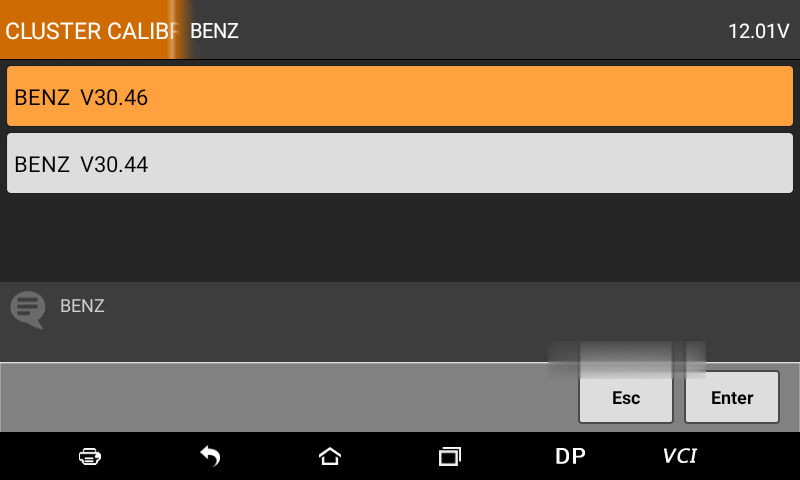
Select "E seriesâ€.
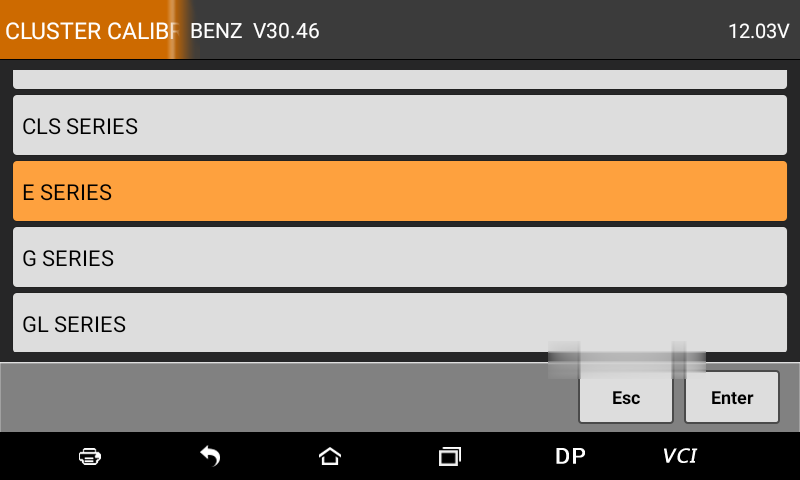
Select "W212â€.
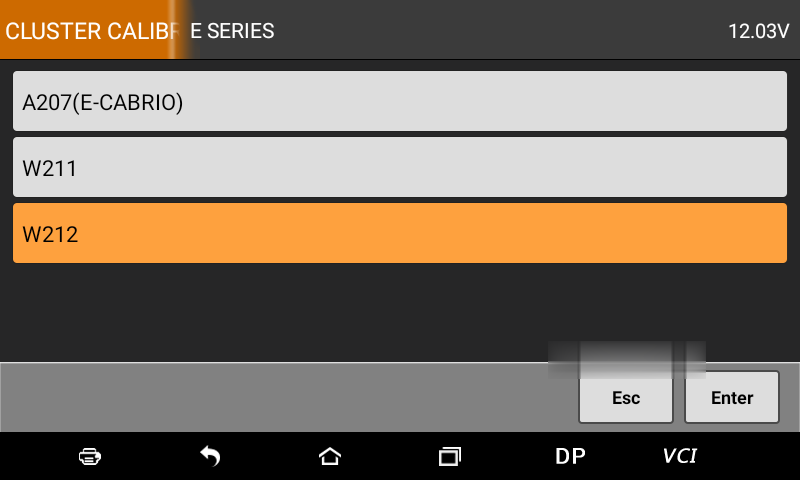
Select "Mileage Calibrationâ€.
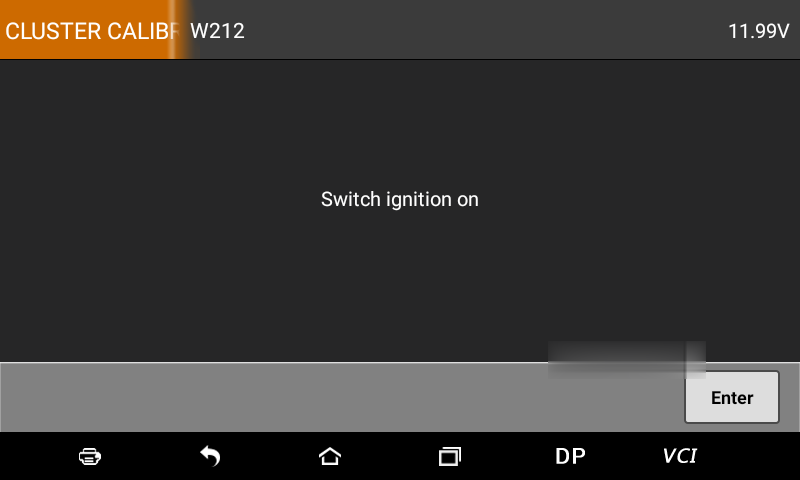
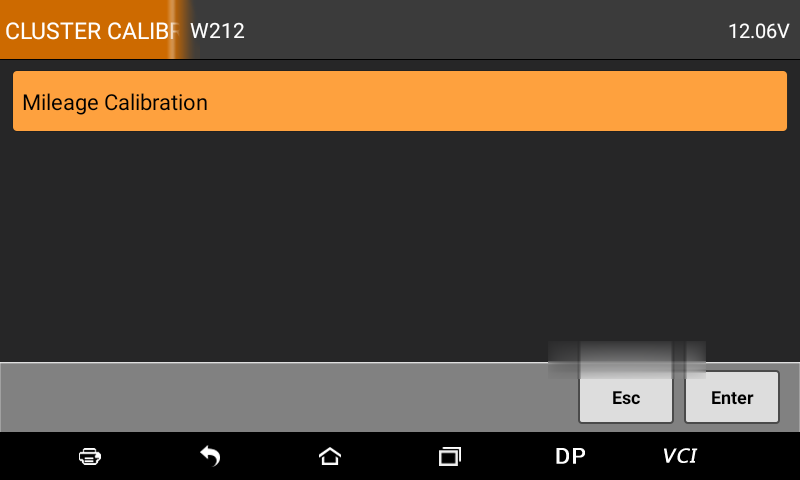
The next process will be as easy as a piece of cake, please just follow the on-screen instruction to do
Posted by: Emily white at
07:19 AM
| No Comments
| Add Comment
Post contains 90 words, total size 3 kb.
October 10, 2020
If you’re confused between the Autel MS906,MS906BT and MS906TS scan tools, then you’re in the right place. Next, we’ll highlight every important feature, the pros, and cons of every scanner to make your work easy.
Now, Reading this Autel MS906 VS MS906BT VS MS906TS post to decide on what’s best for you.
Comparison Table: Autel MS906 VS MS906BT VS MS906TS
Autel MS906 VS MS906BT VS MS906TS on hardware
The pros, and cons of Autel MS906, MS906BT and MS906TS
* Autel Maxisys MS906 Scanner review on pros and cons
* Autel Maxisys MS906BT OBD2 Scanner pros and cons
* Autel Maxisys MS906TS Diagnostic Scan Tool pros and cons
Similarities and Differences between the Autel MS906 VS MS906BT VS MS906TS scanners
* Similarities among Autel MS906 VS MS906BT VS MS906TS scanners
* Difference among Autel MS906 VS MS906BT VS MS906TS scanners
MS906, MS906BT and MS906TS, which one is best for you
Before start, Just know that the Autel MS906 is an initial version and Upgraded version Autel MS906BT, and Autel MS906TS has same types of features.
Comparison Table: Autel MS906 VS MS906BT VS MS906TS
Autel MS906 VS MS906BT VS MS906TS on hardware
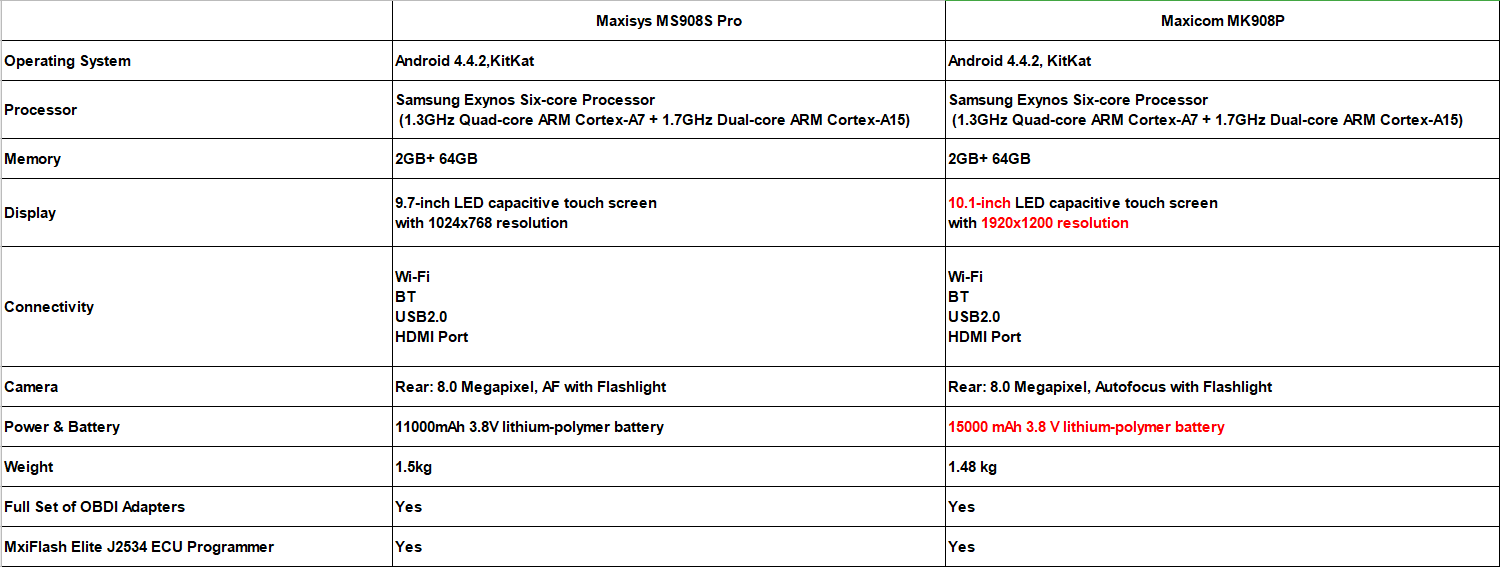
Autel MS906 VS MS906BT VS MS906TS on software
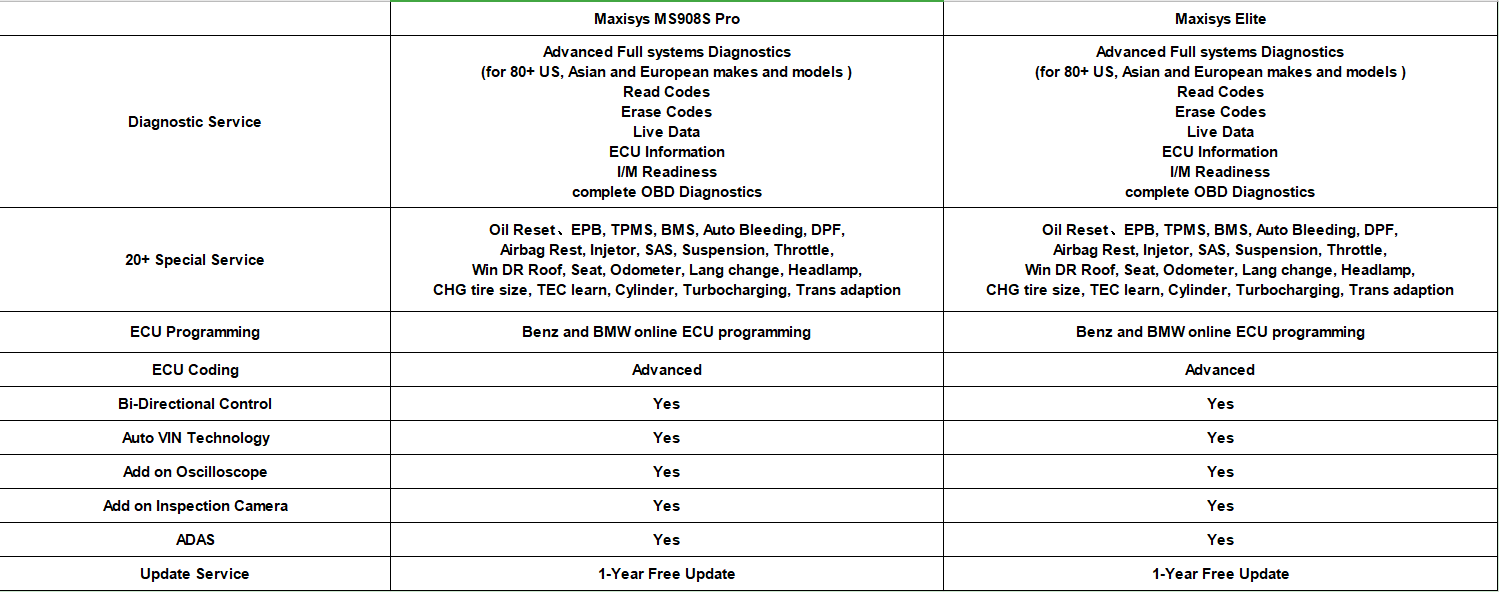
The pros, and cons of Autel MS906, MS906BT and MS906TS
Autel Maxisys MS906 Scanner review on pros and cons
The Autel Maxisys MS906 scan tool is an upgraded version of the DS708 and DS808 with OE-level vehicle coverage. It is a sleek and portable device that is easy to use just like your normal tablet. The Maxisys scan tool comes with the most recent AutoVin technology that helps to identify vehicles in one touch to scan ECUs, get vehicle info, and run diagnostics on particular systems. It covers more than 80 car manufacturers and has the same features as the MS906BT but without VCI.
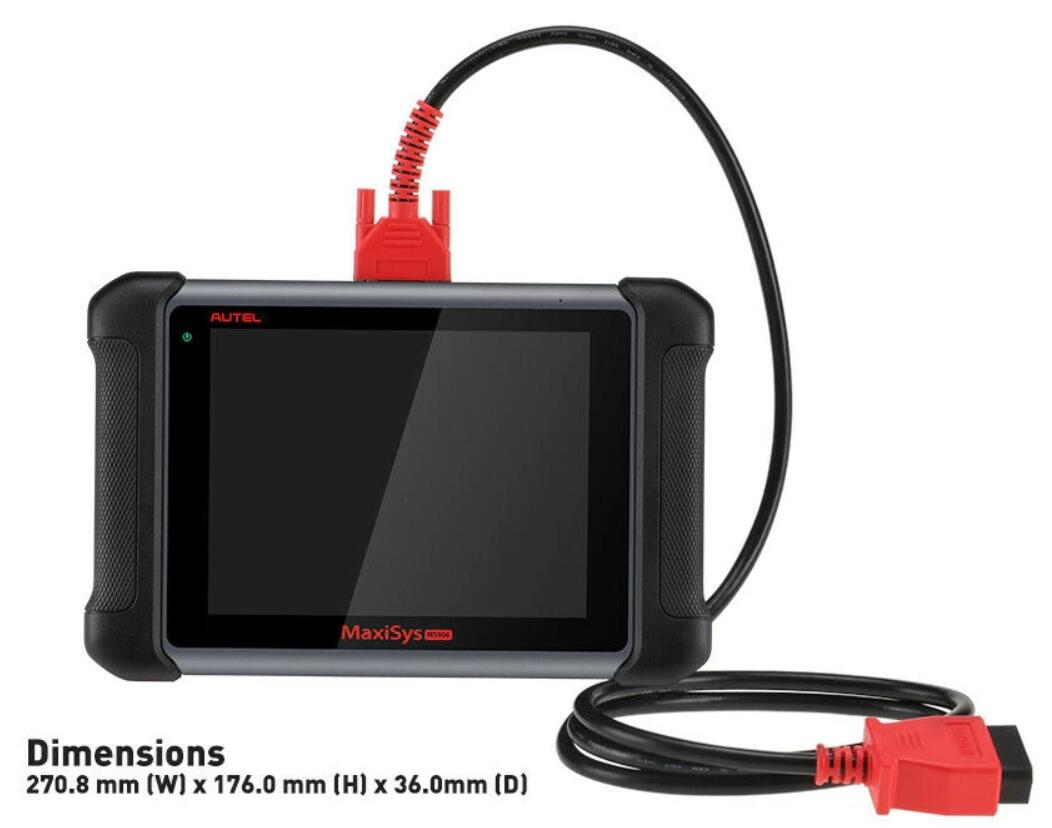
MS906 Pros:
* It is very easy to use
* It comes with automatic updates through the internet
* The tool is fast and allows the user to multitask due to its Android operating system
* It has a built camera for capturing images and sharing with other mechanics
* It has a one-year warranty
MS906 Cons:
* It has a very long recharging time
* No Ecu coding and connect to vehicle through OBDII Cable
* can’t add Oscilloscope or Inspection Camera
Similarities and Differences between the Autel MS906 VS MS906BT VS MS906TS scanners
Similarities among Autel MS906 VS MS906BT VS MS906TS scanners
Among the three scanners, the MS906 diagnostic scanner is the most basic, followed by the MS906BT and the most advanced scanner is the MS906TS. These scanners share a lot of features such as Samsung Exynos Hexa-core processor, Android 4.4.2 KitKat, 32 GB memory, 8 MP camera, AutoVin technology, and have MaxiFix Cloud-based information system.
Difference among Autel MS906 VS MS906BT VS MS906TS scanners
Besides having the same features, these scan tools also vary in many ways. First of all, the MS906BT and MS906TS feature Bluetooth connectivity while the MS906 doesn’t have one. Additionally, they have wireless VCI while MS906 doesn’t have one. Furthermore, the MS906TS provides comprehensive TPMS solution, while the MS906 and MS906BT just have basic tpms like tpms sensor id relearn but don’t programming sensor, which is the main difference between the Autel MS906BT and MS906TS.
Price wise, the MS906 is the cheapest amongst the three, followed by MS906BT and finally the MS906TS. Of course, you can choose MS906BT + TS501 to instead MS906TS, because this bundle has total same functions as MS906ts but cheaper. Make a wise choice and select a diagnostic scanner that meets your needs and demands.
MS906, MS906BT and MS906TS, which one is best for you
The Autel MS906 scan tool series is one of the best as it features different high-quality scanners that are built for professional use. But you have to choose one right. Different technicians and mechanics have different needs. So, depending on what you want the code reader to diagnose, you may find one of these tools to be the most ideal for your job.
If you want a professional scanner at a great price, then you should go for theAutel Scanner MS906BT scan tool. But if you want a more advanced scanner with complete TPMS service, then the Autel MS906TS is the device for you or choose MS906BT +TS501.
Autel Maxisys MS906BT OBD2 Scanner pros and cons
The Autel Maxisys MS906BT has the same functions as the MS906 but with slightly more features such as VCI, supports oscilloscope, and digital inspection camera add-ons. In addition, the MS906BT has double the battery size of the MS906 as it features built-in lithium-polymer 10, 000 mAh 3.7V lithium-polymer battery, while the latter has a 5000 mAh 3.7V lithium-polymer battery.
This scan tool also offers comprehensive vehicle coverage as it is compatible with more than 80 vehicle makes and models from the US domestic, Asia, and Europe. This diagnostic tablet scanner is very easy to use and very effective in performance. It is fast, thanks to its Android operating system and it enables the user to multitask. It also performs advanced ECU coding and complete OEM-specific scanner coverage.

MS906BT Pros:
* It is a multilingual gadget
* It provides a high-quality display for easy interpretation
* The ms906bt has automatic software updates over Wi-Fi wireless connection
* It supports up to 32 GB memory
* It has a durable battery
MS906BT Cons:
* It comes with limited updates for only one year and after that, you will have to pay for them
Autel Maxisys MS906TS Diagnostic Scan Tool pros and cons
Last but not least, the Autel MS906TS is another sturdy and professional diagnostic scanner that will perform basic, special and advanced functions without any problem. The device comes with both Bluetooth and Wi-Fi for easy roaming around the garage as you carry out different tests. It runs on the Android operating system that makes it have a fast boot-up time and enables the user to multitask. One of the huge differences between the MS906TS and the MS906 and MS906BT scan tools is that it offers comprehensive TPMS solution. Apart from that, these scan tools share features and functions and are extremely reliable.
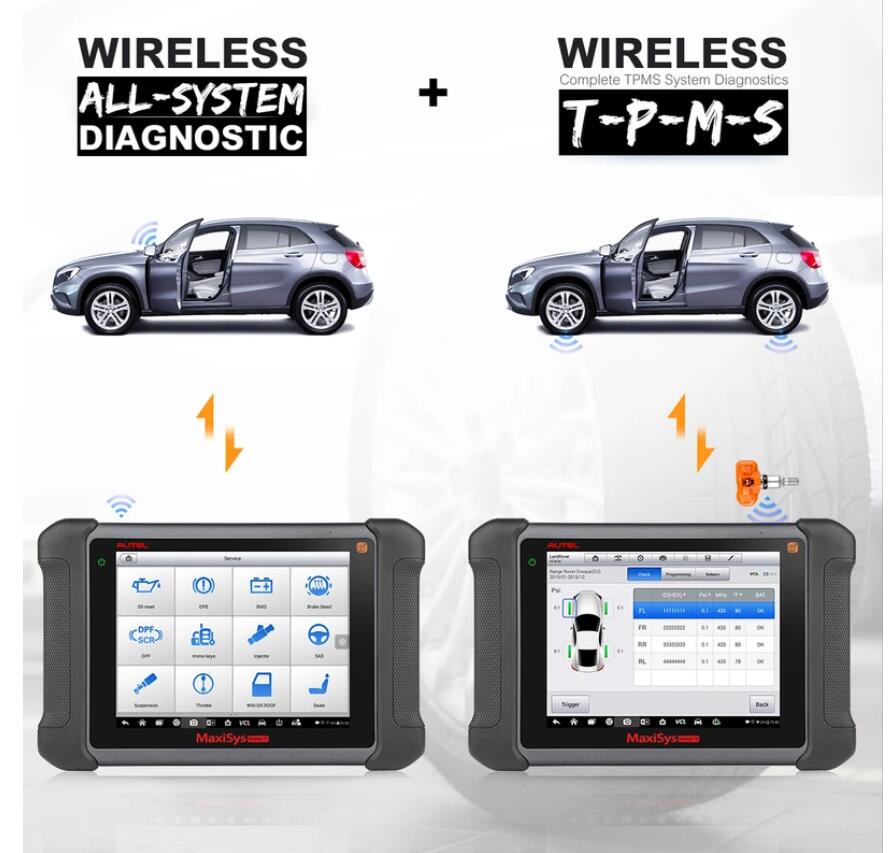
MS906TS Pros:
* It covers a wide range of vehicles
* It supports both basic, special, and advanced functions
* The ms906ts allows users to save, print, and playback live data
* It has MaxiFix feature that provides diagnostic tips and tricks to mechanics
* The tool comes with a one-year warranty
MS906TS Cons:
* It is quite expensive
* It comes with limited software updates for only one year
Posted by: Emily white at
08:30 AM
| No Comments
| Add Comment
Post contains 1108 words, total size 9 kb.
Car model and year:
2005 C6 Corvette z51 53,000 miles. 6speed manual.
Symptom:
Found out the hard way about the drain while not driving the car for a
while. Battery would not recharge, so I purchased a new one about 8
months ago. Found out the hard way the interior lights in the rearview
mirror are a little confusing? So dead battery, recharged , connected
battery to the car, started up fine and now I have;
Brake lights stay on
Service Active handling message with the yellow icon on
reads code C0561-71
Runs and drives fine.
Many hours of research I have checked the plug wires, battery voltage,
disconnected the battery, pulled the blue plugs in the passenger area
and reset.
What to do next?
C0161 Antilock Brake System (ABS)/Traction Control System (TCS) Brake Switch Circuit EBCM
C0561 System Disabled Information Stored EBCM
So the question is if the brake pedal sensor is bad, and the car thinks you are riding the brakes to throw the codes, or if something easy easy to fix, like a corroded pin on the EBCM that needs to be cleaned instead.
As for quick way to check which is really the problem,GM Tech2 on the car for a quick drive while someone monitors the BCM data for the brake pedal, and see if the signal is all over the mag without you touching the brake pedal.
Used GM Tech 2 alternative – VXDIAG VCX NANO
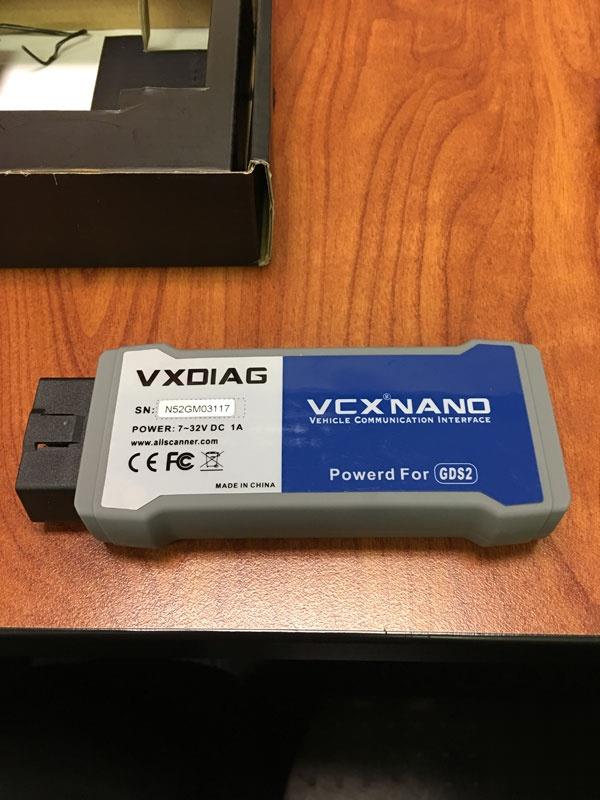
For 99usd on Obd2tool.com, I basically have the software version of a tech II device. I was able to unlock my radio in a matter of minutes. I can do anything a tech II GM can. the cool thing is that the tech2win software runs just fine on my Windows 10 64bit laptop. Would be even cooler with a surface pro or similar tablet.
And just make sure that you have a laptop with a multi-core
processor, since it will be needed to run cracked GDS2 and Cracked
Tis2000 via VM player.
Also, since nano is a MDI clone with step back to run Tech II win, works with TDS if you need that as well.
How to install GDS2 and Tech2Win successfully?
(virtualmachine)GDS2_2016-10: https://mega.nz/#!RRVi1YiR!Cux39gxtbGnzFhKA5LElEcVjjNNg5Eb2huNxlngEv1E
(virtual machine)GDS2_2018-01: https://mega.nz/#F!Q0Aj1BqI!iW1YeXoS9RjKTk9FEKkkAA
Tech2Win: https://mega.nz/#!tIFWUIxT!XBAFZWEFPhQ3A9MtyPYfT1wojVgB1sEmt2T62nrmQcM
Offered by VXDIAG engineer
Also you can try the following installation guide shared by @Dano523:
When you get the download complete, will be 1 .RAR Zipped file, so just download 7-zip to decompress the file.
Note, once decompressed to desk top, will be a single file called VX mdi driver, and a folder that is labled tech2 win.
As for install, load VX driver mdi first, and open VX mdi driver, plug the Nano in so VX manager (vx mdi driver) sees it, then click on the firmware and licenses icons to update them on the nano.
Once they are updated, leave VX manager open, and the Nano still connected to the machine (do not disconnect it when windows tell you to do so), then click on the auto.exe file in the Tech 2win folder, to load Tech2 win to your machine, Tech2 win quick start icon to your desktop. Its going to load tech2win, and a tech2win quick icon to your desk top. Delete the one that says tech2win quick start, since you never want to use that one.
https://www.7-zip.org/
As for when you go to use the tech2win on desktop icon, will start to
get the tech 2 win screen, then will get three pop up screens.
In the first screen, select north America.
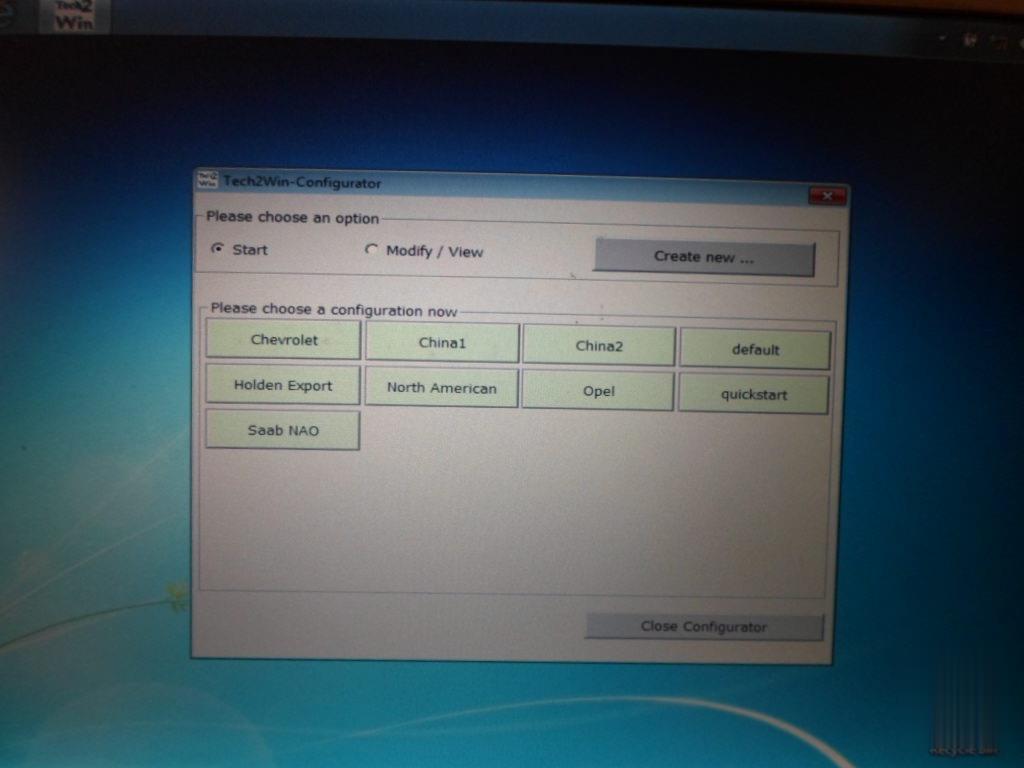
Next screen, select MDI 1,
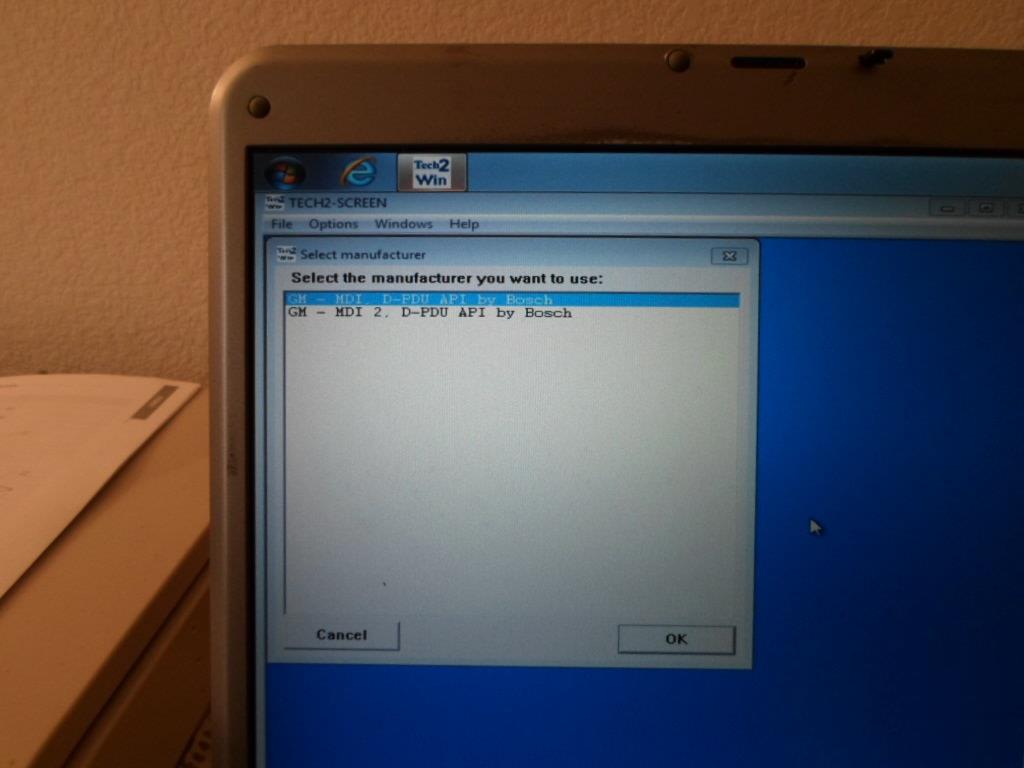
Last pop up screen, select USB device,
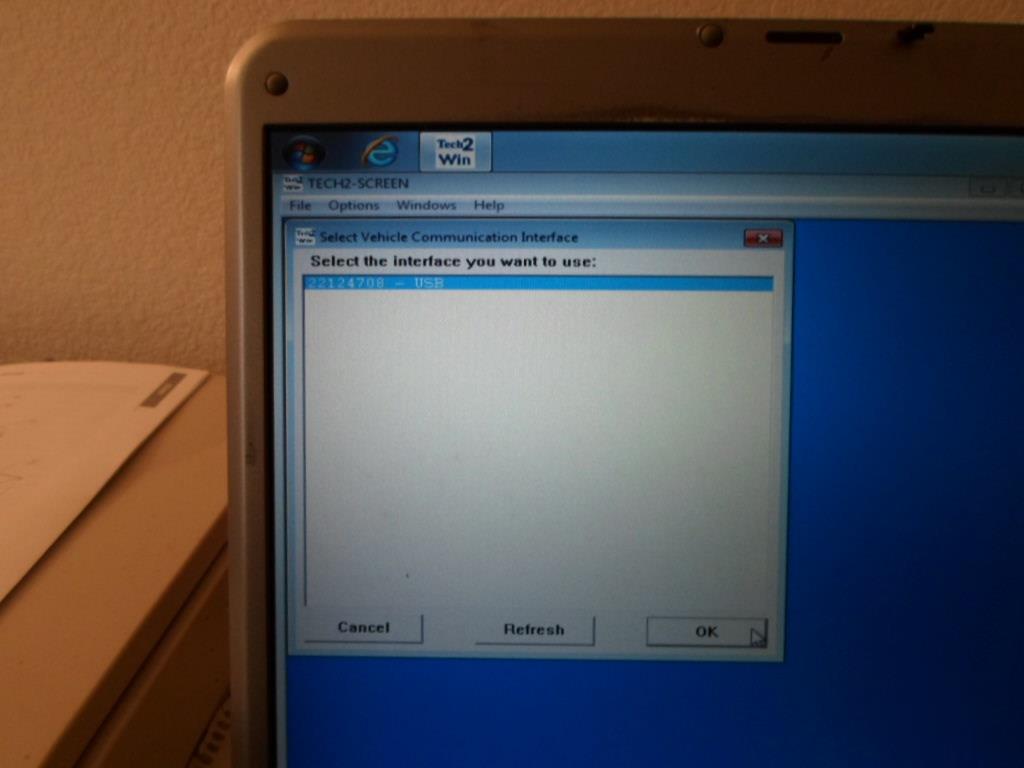
After that, it will take you to this screen. Hence if you get this screen only, and not the3 pop ups screen, then tech2 win did not load correctly/ you did not have vx mdi open, and the nano connected to the machine when you did installed the auto.exe program out of the tech2win folder.
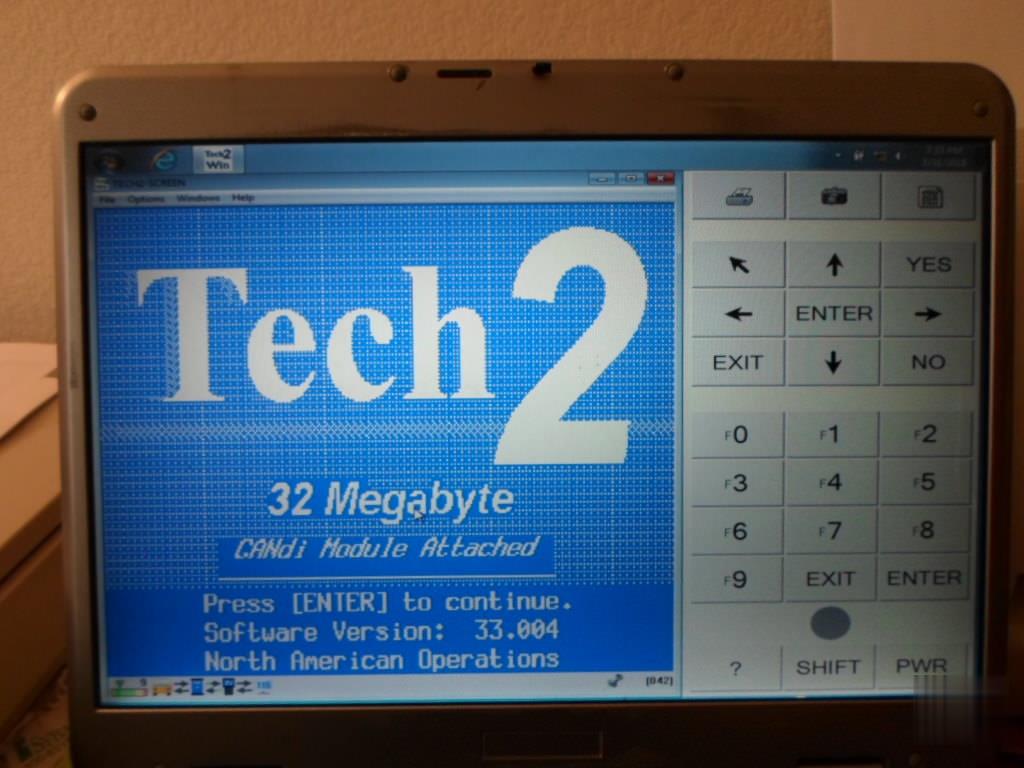
Finally!
have my Tech2 working. At this point it told me to recalibrate the position of the break pedal. All is good now.
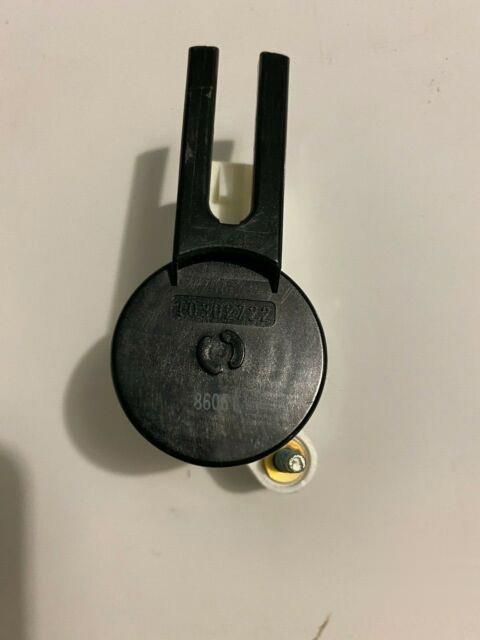
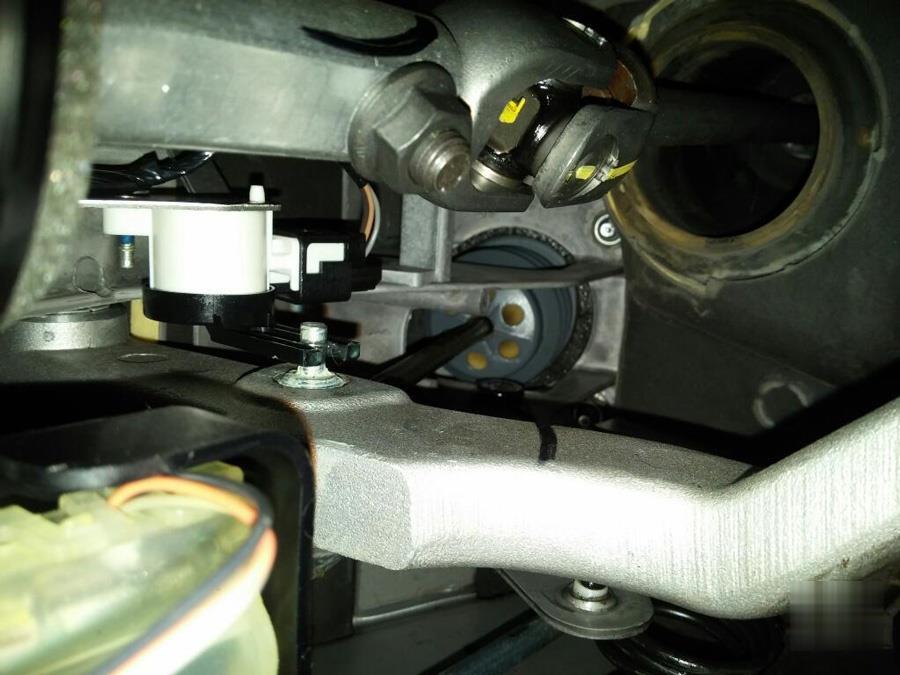
Just keep in mind that the brake pedal sensor forks ride against the pedal shaft post and this causes the fork inner surfaces to start wear.
So you want to keep the brake pedal shaft post to grease to start with, and once the forks do start to wear, or start to bend apart from each other (what is causing the changing ohm readings from the base line ones that the BCM did learn before), if not just the sensor mounting bolts loose instead), the plastic in the fingers bearing surfaces starts so wear more rapidly as well.
So with a new brake pedal sensor like $35, and not that hard to change out and relearn now that you do have a tech II, would pick a new BPS to swap out your old one while you are in there checking the sensor bolts to make sure they are tight, as well as greasing the pedal shaft as well. Hence the BPP relearn sounds like it solved the problem for now, but if the forks keep wearing more faster now that they have started to wear, will be back doing the BPP relearn again pretty soon again.
Posted by: Emily white at
08:20 AM
| No Comments
| Add Comment
Post contains 889 words, total size 9 kb.
September 26, 2020
Car: Subaru 10 LGT, 08 & 12 forester, 06 legacy RIP
Problem:
The compressor on my 2010 grenaded a few month ago. The variable ac compressor only has a pulley, no clutch. I replaced it, the ac condenser and the expansion valve. It still won’t come on.
I hooked mine up to Subaru SSM3 scanner and when I command the ac solenoid or try to run the relearn procedure – it fails and says the compressor is in ‘protect mode’ I can’t find anything in the FSM about ‘protect mode’ or what triggers it.
No codes present in the AC module
I managed to get 72 PSI into the system by heating the can of Freon with a propane torch and then closing the lowside port. Pressure switch shows 58 MPa and does fluctuate with temperature.
Shows a commanded evap core temperature as well as actual.
It shows zero Freon flow, the compressor just will not engage.
Solution:
Looks like installing a new compressor requires using the SSM III to
run a variable compressor break-in drive cycle. Also – it notes that
when you install a new compressor, you need to fill the system with
refrigerant before starting the vehicle – if the vehicle is restarted
without filling the system, it says to replace the compressor!
Compressor Installation
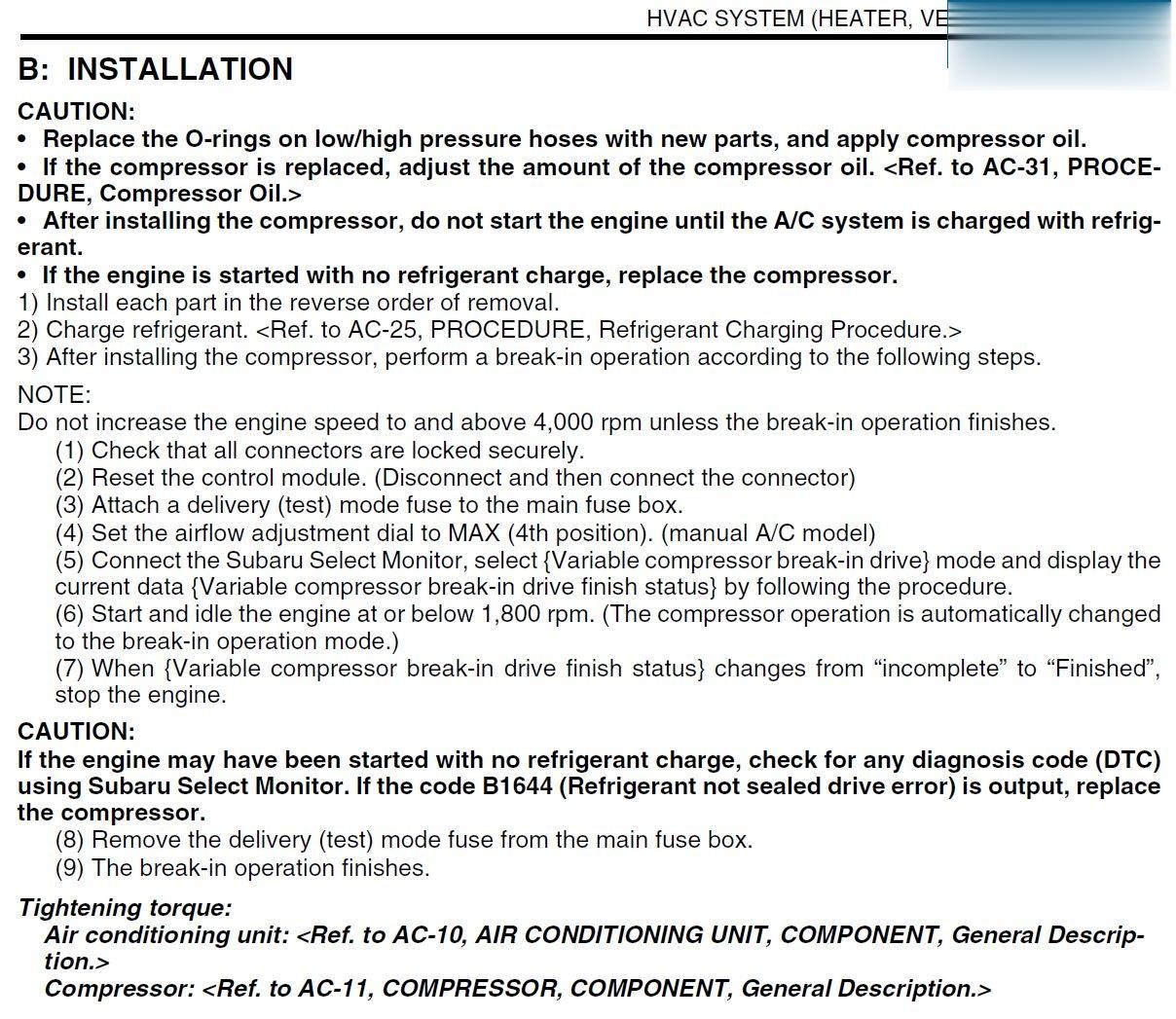
Posted by: Emily white at
02:17 AM
| No Comments
| Add Comment
Post contains 227 words, total size 2 kb.
I have seen a few people struggling with DoIP and VXDIAG C6. Please see the attached image of the interface settings for DoIP.
When using DoIP with Vxdiag make sure you uncheck/turn off the CAN
interface(MODULE_TYPE_ID_MTS6532) in DTS. Then connect the interface to the car and laptop, open vxmanager and turn on DoIP for BENZ. Then open DTS and with the project you require and you will see DoIP ECU available in bottom right corner.
If in DTS it shows the DoIP available but no commands work, turn ignition off of vehicle, unplug vci from vehicle and computer, then plug everything back in while rebooting DTS and it should work
I don’t find Vxdiag C6 as stable as original eCOM so only use this if you have to.
You can also make enet cable work for DoIP for DTS but it is not as stable.
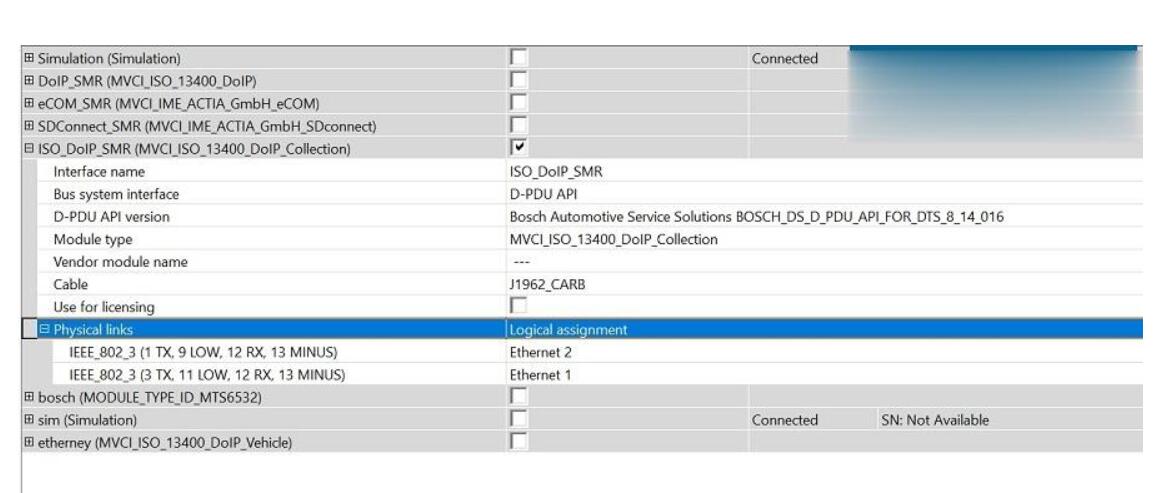
Vxdiag C6 use USBï¼
Enjoy!
Posted by: Emily white at
02:05 AM
| No Comments
| Add Comment
Post contains 161 words, total size 1 kb.
September 11, 2020
This post collected the problem "OBD2 Port Not Communicating with Vetronix Tech 2 Scanner†from the user and offered the way to deal with. Hope it may help you when you meet the same
I recently purchased a clone GM Tech2 scanner to access the diagnostics in my 2006 Hummer H2. The scanner is operational and can scan all protocols but can not link to any of them. There are no driveability issues. I performed troubleshooting by doing the following:
Verified that the Power Control Module (PCM) and Data Link Connector (DLC) fuses were okay.
Tested DLC pins 4 (chassis ground) and 5 (PCM ground). The voltage was less than 0.1 which led me to believe low resistance.
Performed a volt reference check on DLC pin 2 (serial data) to determine
if it was 5 volts and actual voltage was between 1 and 2.
Tested DLC pins 4 and 16 (battery) and the voltage was 12.58.
Checked the purple, black, black/white and orange wires on the back of
the DLC for integrity and did not find any issues with fraying or
looseness.
I am not sure what to think, whether the issue is with the PCM or wiring. I am trying to locate a wiring diagram for the PCM and DLC which will give me a better understanding of the wire mapping. I know the PCM has two connectors and I probably should see if there is continuity in the purple wire (Pin 2) and its termination in one or the other connector.
Solution:
"DLC†is the Datalink connector (the connector that pushes into the vehicle) so "DLC-2″ is Data Link Connector pin 2.
"D†is the 26-Way D-Type Connector that screws into your Tech2, "D-4″ is 26-Way D-Type pin 4.
So if you look at the ends of the cable connectors, the pins are numbered as per my sketch.
So detach your TECH2’s cable and check the following:
DLC-2 connects to D-4
DLC-4 connects to both D-8 and D-9
DLC-5 connects to D-2
DLC-16 connects to both D-17 and D-18
These 4 wires are the only important ones, the rest you can ignore, infact DLC-2 to D-4 is the key one, I suspect everything else is OK.
Your TECH2 should have come with a 12V Power Supply that plugs-in just to the right of the 26-Way D-Type, its a standard 12V jack. If you don’t have a PSU one from a PC monitor, just check its 12V.
Connect scope probe tip to DLC-2 and ground clip to either DLC-4 or DLC-5, set the scope to DC, 1V/Division and 200uS/Division. If you can set the scope to "free run†or "continuous†just to prove there is activity then set it to "DC Triggered†with a trigger level of around +1V to +2V. On the TECH2 select the function I mentioned before (even if your vehicle doesn’t have AS) and you should see a signal the moment you hit the key.
If the signal looks similar to the one I posted, then its safe to assume your TECH2 is working OK.
When you say "TheOBD2 Scanner is operational and can scan all protocols but cannot link to any of
them†do you get a communications error? If so make sure you have
selected the correct "Model Year†not the year the truck was 1st bought
e.g. my model year is 2005 but was bought in 2006. I noticed that I get
the same issue when the wrong year is selected.
loading..
Posted by: Emily white at
02:57 AM
| No Comments
| Add Comment
Post contains 591 words, total size 4 kb.
35 queries taking 0.0616 seconds, 199 records returned.
Powered by Minx 1.1.6c-pink.

