



June 12, 2018
Error message:
"OBDII
License exception!â€

Engineer solution:
Delete XTOOL file and run an upgrade. Do as following:
Step 1: Connect X-100 Pad to PC and power on X100 PAD
Step 2: Activate X-100 Pad
Press Login account and login with email address
Enter "Activation Code†which you can find on the user manual
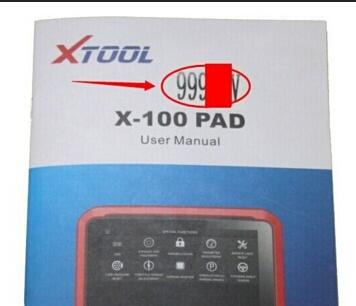
Complete all information and click on the "ACTIVATE†button
Atcivation complete. Go to x100 pad main menu.
Then open resource Manager and delete the XTOOL file there.
Step 3: Run an upgrade
X100 Pad updated directly online using WiFi or USB connection.
To access the update application, open the Xtool X-100 pad application and click "UPDATEâ€
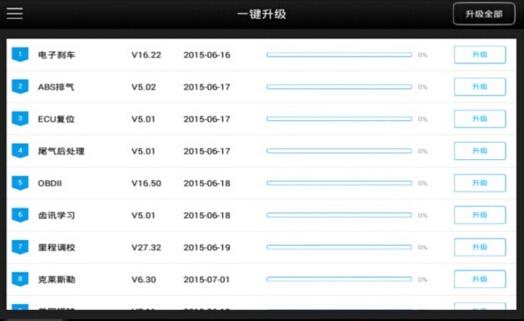
Note: If you cannot connect X100 Pad to Bluetooth after upgrade, it shows error message:
"Initializing Bluetooth connection failed!â€
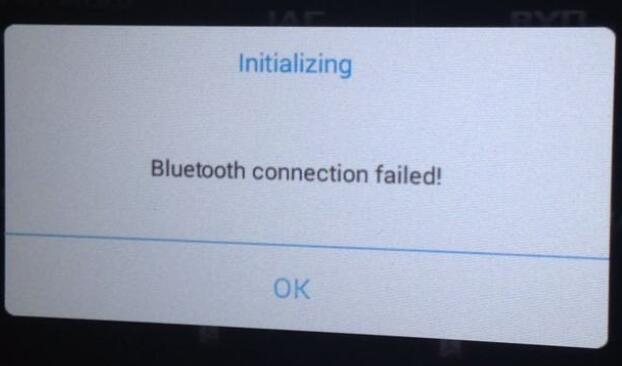
Solution:
Connect Car Diagnostic Tool X100 PAD to vehicle via Bluetooth, search Bluetooth device in setting again.
Posted by: Emily white at
10:57 AM
| No Comments
| Add Comment
Post contains 170 words, total size 3 kb.
35 queries taking 0.0291 seconds, 162 records returned.
Powered by Minx 1.1.6c-pink.

