



March 05, 2019
Solution to vxdiag Benz xentry error "No access authorization, You must contact the User Help Desk.
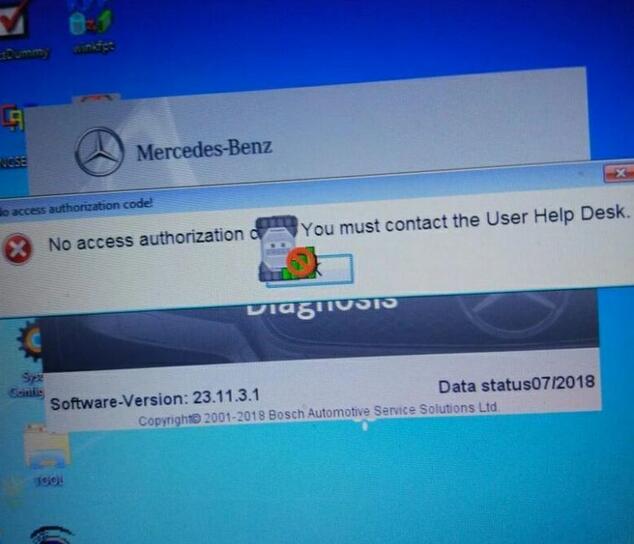
Reason:
Means the License errors, need register again.
How to register Xentry?
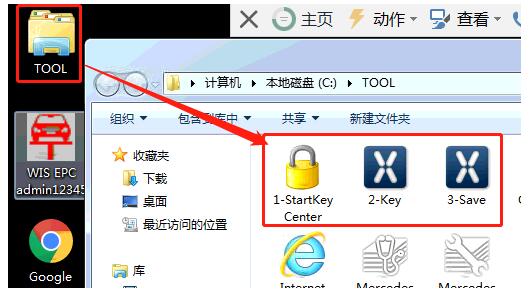
If you use the hard disk in the package, you will find a TOOL folder on the desktop, click it and then "1 – StartKeyCenterâ€.
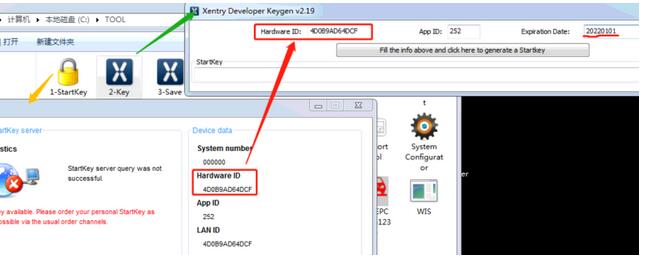
First open "1-StartKeyCenter†and "2-Keyâ€, enter ID and date, finally press the rectangle button to gain registration code.
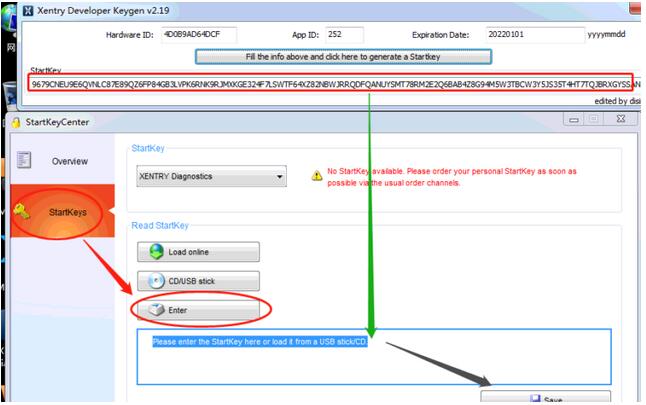
Copy and paste the registration code into the StartKey box, press "Save†button.
Get message "StartKey saved successfully.†means the registration succeed.
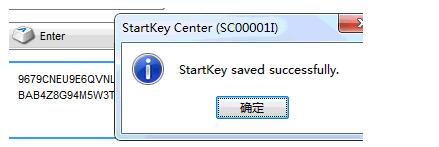
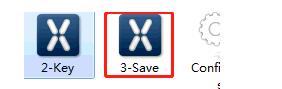
PS: The final step is to save the registration info, this step is important which can’t be neglected, just Runâ€3 -Saveâ€.
The solution is applied to the popular V2018.12Benz C6 OEM DOIP Xentry
As well as sdconnect C4
Posted by: Emily white at
10:12 AM
| No Comments
| Add Comment
Post contains 137 words, total size 3 kb.
35 queries taking 0.022 seconds, 162 records returned.
Powered by Minx 1.1.6c-pink.

