



April 01, 2019
Look here: what you should know if you have a Micropod II for Chrysler diagnostics and programming?
wiTECH installation tips:
1.Install AdobeAIRInstaller.exe
2. Install jre-6u45-windows-i586.exe
3. Install wiTECH_Install_17.04.27.exe
4. Restart the computer
Warning:
1.The computer on the day of the date.
2. The computer must be connected to the Internet.
3.Connect the interface with laptop via USB Cable (Automatically install the USB Driver), open the software.
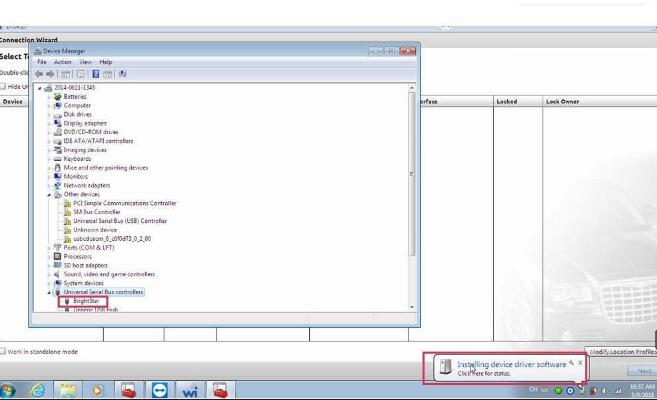
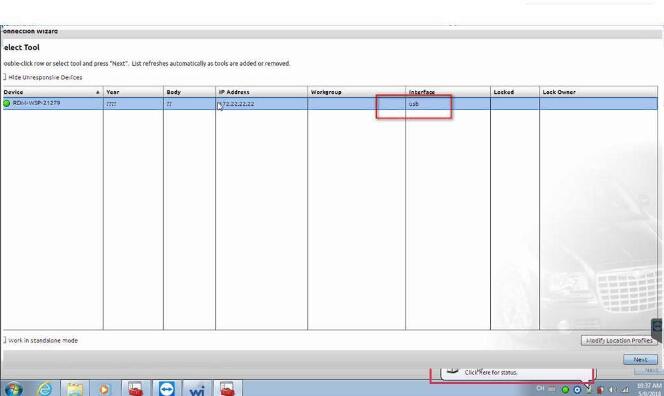
4.Tip registration, Turn off the software and turn it on Repeat several times , then you can use it normally .
?5.If the software shows †Security Alert †like the follow picture, please click "x†to close it .
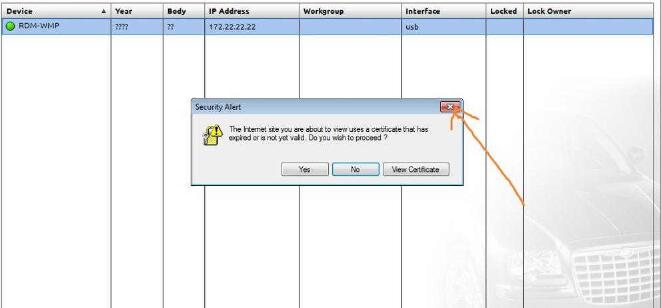
6.On the following interface, please choose †work offlineâ€
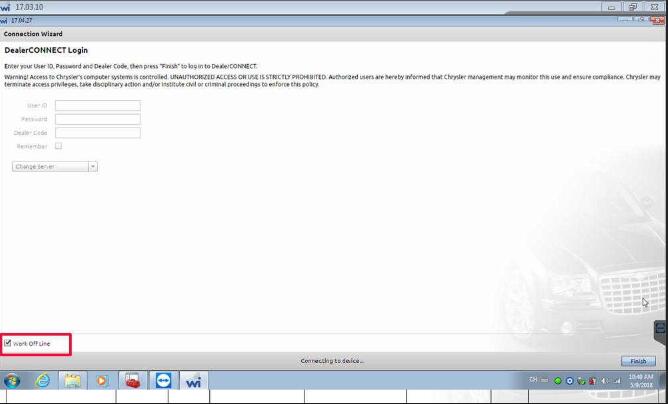
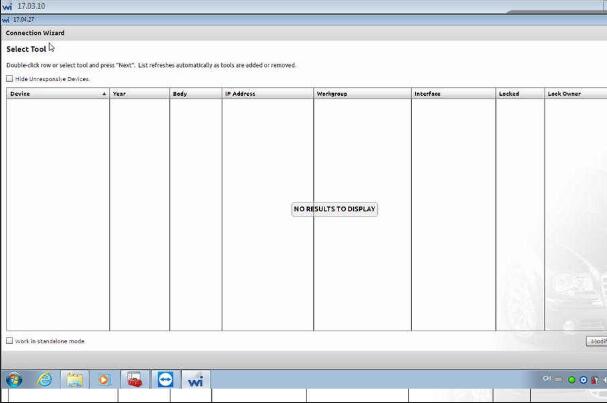
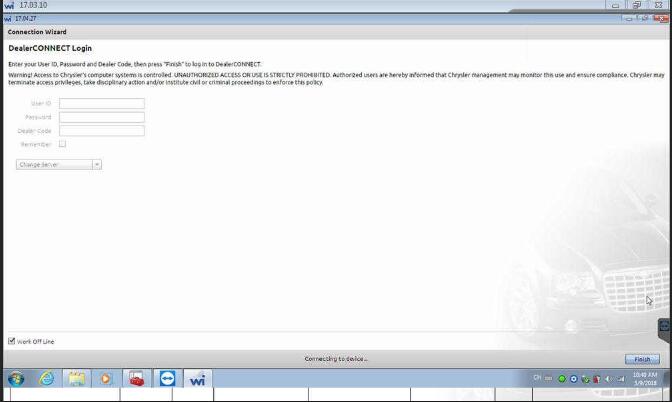
Good to know: wiTECH software confirmed to work without any issue on Windows 7 32bit with Micropod 2 for Chrysler diagnostics and programming
Posted by: Emily white at
03:46 AM
| No Comments
| Add Comment
Post contains 148 words, total size 3 kb.
35 queries taking 0.0597 seconds, 162 records returned.
Powered by Minx 1.1.6c-pink.

