



April 21, 2018
Autel MaxiSYS Elite enables technicians to quickly access the Electronic Control Unit(ECU) and scan,diagnose and clear faults on the numerous system modules controlling almost every automotive make and modules controlling almost every automotive make and model on the road today.And this post show a guide on how to use Autel MaxiSYS Elite diagnose for vehicle.
Autel MaxiSYS Elite Diagnose Vehicle Procedures:
Connect Autel Maxisys Elite to vehicle
Power on
Enter the menu to select "Diagnosticsâ€

Select your vehicle manufacturer,here we select "GMâ€
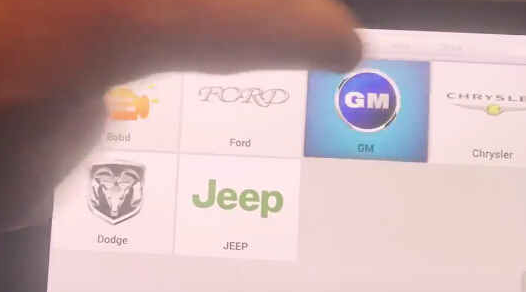
Diagnostic program initialinzing…
Select "Automatic selectâ€

Reading VIN
System will read the VIN automatically
VIN information decoding…
System data loading
Then the vehicle model information will show on the screen
Then select "Diagnosticâ€
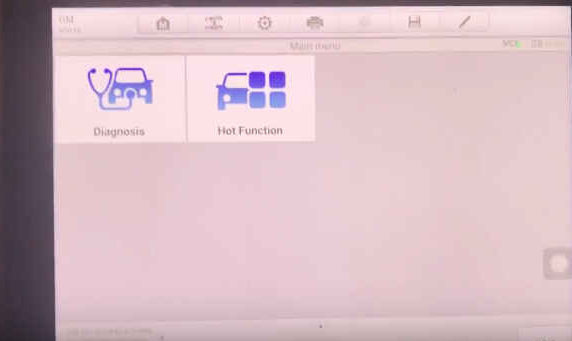
Select "Auto scanâ€

Establishing vehicle communication…
Select "1.4l(L2N)â€


Establishing vehicle communication
Select "Radio(UF7)â€
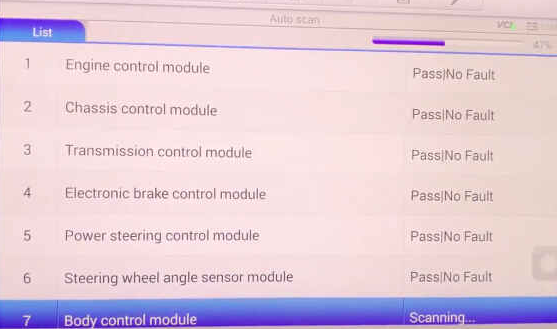
Establishing vehicle communication
ThenAutel scanner MaxiSYS Elite will diagnose your vehicle
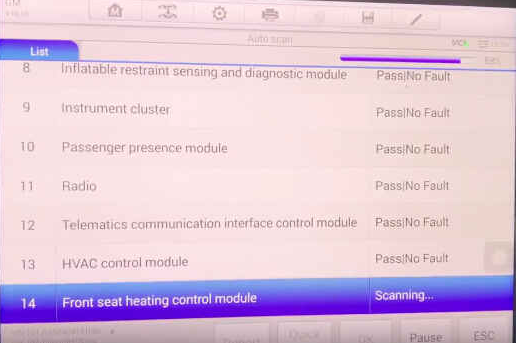
Scroll down/up to check the trouble code
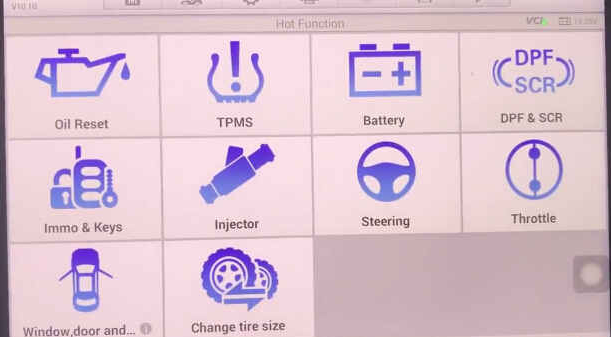
And exit to select "Hot Functionâ€
It include:Oile Reset,TPMS,Battery DPF & SCR,Immo & Keys,Injuctor,Steering,Throttle,Window door…,Change tire size.
 http://cheapobd2scanner.com/2018/04/16/the-steps-to-use-autel-maxisys-elite/
Posted by: Emily white at
11:04 AM
| No Comments
| Add Comment
Post contains 171 words, total size 4 kb.
35 queries taking 0.1224 seconds, 162 records returned.
Powered by Minx 1.1.6c-pink.

