



March 09, 2023
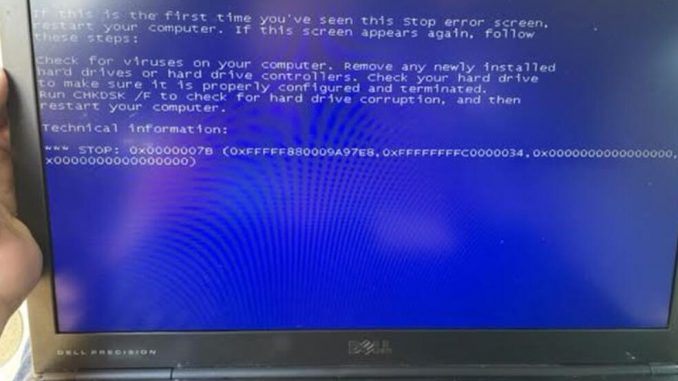
Recently, some customers gave feedbacks that it turned to blue screen when useGM MDIGDS tech2 Win software HDD. Screen as below:
"A problem has been detected and windows has been shut down to prevent damage to your computer.”
"Check for viruses on your computer. Remove any newly installed hard drives or hard controller. Check your hard drive to make sure it is properly configured and terminated. Run CHKDSK/ F to check for hard drive corruption, and then restart your computer.”
Technical information:
STOP: 0x0000007B(0xFFFFF880009A97E8. 0xFFFFFFFFC0000034. 0x0000000000000000. 0x0000000000000000)
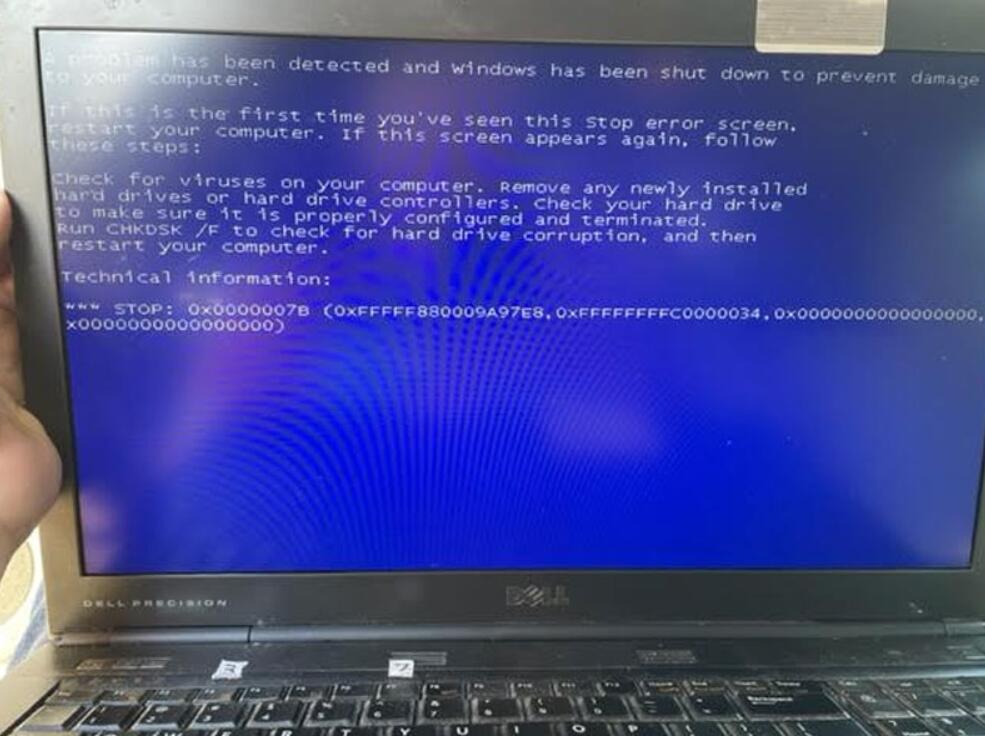
Reason 1
The reason to cause the problem is because of incorrect HDD format. Through changing Hard Disk Format to AHCI in bios can solve it.
How to change hard disk format to AHCI?
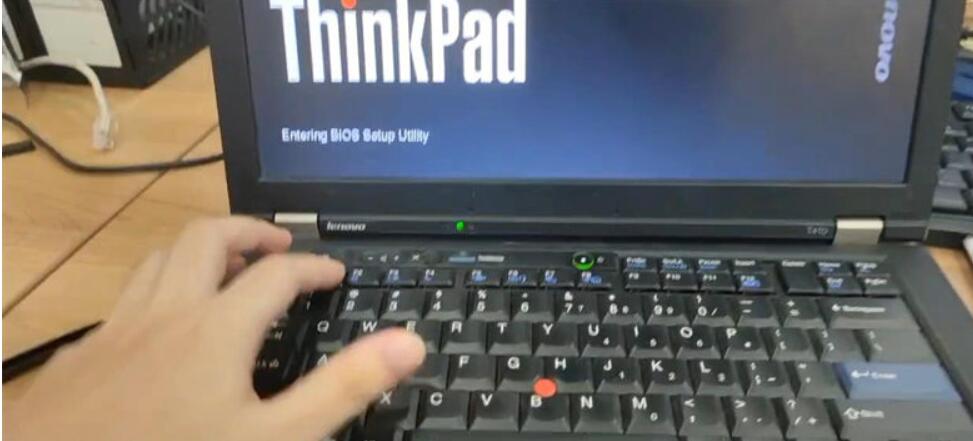
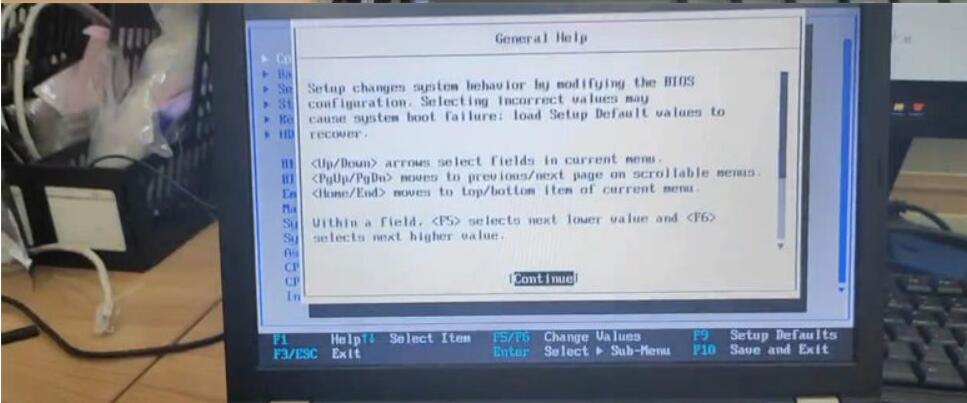
Step1. Restart computer, continuous press F1/F4/F12 button to access bios version.
(*Different computers may need to press different buttons. )
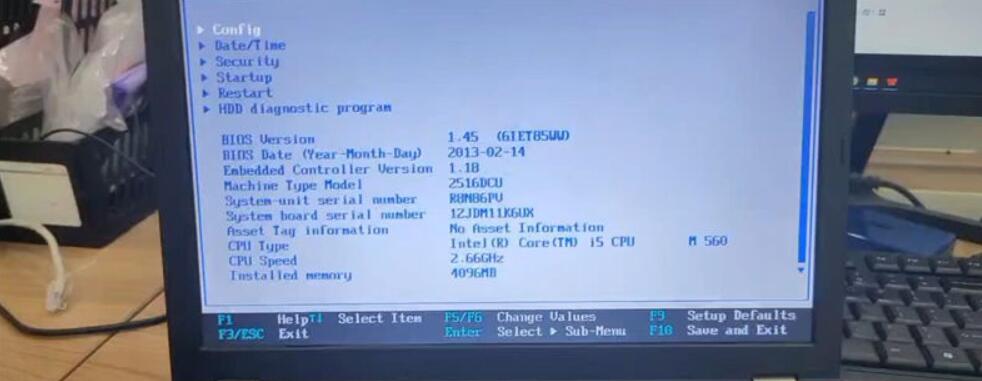
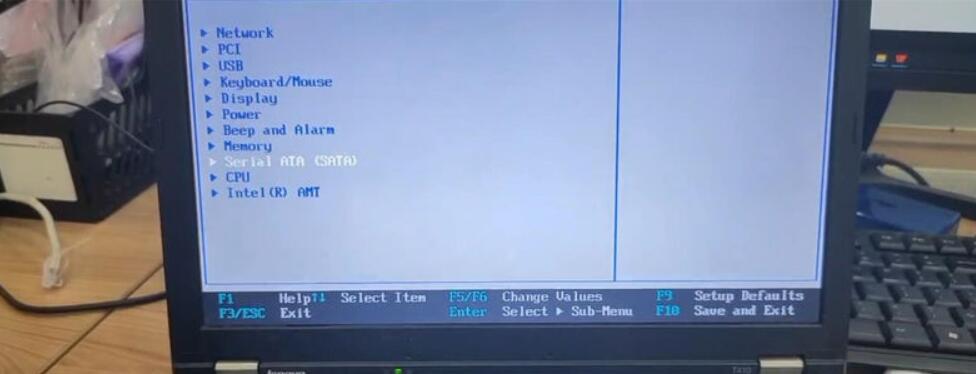
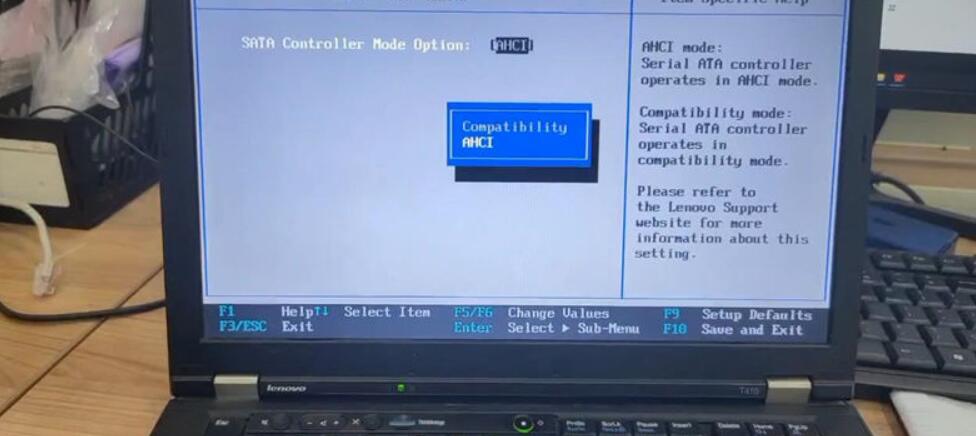
Step2. Continue >> Config >> Serial ATA(SATA) >> SATA Controller Mode Option: AHCI >> Change value to AHCI
Reason 2
GM MDI GDS Tech2 Used for pass-through programming and uses J2534 to provide faster programming speed. Depending on the vehicle’s structure, MDI’s communication speed is 20% to 70% faster than Tech 2.
Solution Program
But The compatibility of this GM MDI HDD is not very strong, so it may cause blue screen error when booting.
Please use the computer with the following requirements:
1.CPU: Intel
2.The computer should not be too old.Configuration Computer system requirements is best : 4GB RAM after 2008.
3 Please make sure your computer supports Win7 64-bit system.
4.The second hand D630 cannot be used with this HDD.
5 The computer format: AHCI :If the computer fails to boot, please enter the BOIS system and change the SATA driver to AHCI. Package includes: 1 x 500GBGM MDI 22.5-inch SATA HDD.
How to install Tech2Win on Windows 7 or XP:
1. Run Tech2Win \ AutoInstall.exe and everything will be done.
2. Install VX Manager.
3. Open VX Manager and install the GM driver.
How to installGDS 2with VMWare:
1. Install VMware-player-6.0.6-2700073.exe
2. copy GDS2 VM to harddisk.
3. open GDS2 VM with VMware Playe
If you want to know more aboutGM Scanner, please visithttps://www.obd2tool.com
Posted by: Emily white at
01:50 PM
| No Comments
| Add Comment
Post contains 365 words, total size 7 kb.
35 queries taking 0.0211 seconds, 162 records returned.
Powered by Minx 1.1.6c-pink.

